Putting a watermark on your video is more than just a technical step—it’s how you stamp your identity onto your work. Think of it as a digital signature. You're overlaying a logo, text, or graphic onto your footage, making it clear that this content is yours, no matter where it ends up.
Why Watermarking Your Videos Is A Strategic Move
In a world where a Reel or TikTok can blow up overnight, protecting your content isn't just a good idea; it's a core part of your brand strategy. Seeing a watermark as just a way to stop thieves is selling it short. It’s actually a powerful tool for brand building and asset management. Every single time someone shares your watermarked video, your logo goes with it, racking up impressions and cementing your brand in people's minds.

This kind of constant exposure is a pillar of any solid https://swiftia.io/video-content-marketing-strategy/. It turns someone just scrolling by into a potential follower or customer simply by making your brand unforgettable. A clean, well-placed watermark also adds a touch of professionalism, letting viewers know this isn't just some random clip—it's a valuable piece of content from a creator who means business.
Let’s break down exactly why this is so critical.
The Strategic Value of Watermarking Your Videos
This table gives a quick overview of the key benefits, showing why watermarking is a non-negotiable step in any modern video workflow.
| Benefit | Impact for Creators & Businesses | Example Scenario |
|---|---|---|
| Brand Reinforcement | Increases brand recall and visibility with every view and share. | A cooking channel's logo in the corner of every recipe video ensures viewers associate the delicious meal with their brand, even on other platforms. |
| Content Protection | Deters unauthorized use and blatant theft of your original videos. | A travel vlogger's handle on their drone footage prevents other accounts from reposting it without giving credit. |
| Audience Growth | Drives traffic back to your original social profiles or website. | A meme creator's TikTok handle on a viral video encourages viewers to find their account for more content. |
| Professionalism | Signals high-quality, original content and adds a layer of credibility. | A real estate agent's professional watermark on property tours makes their listings look polished and trustworthy. |
Simply put, a watermark is a small detail that delivers a huge return on your content efforts.
Securing Your Digital Assets
Let's be real: the main reason most people start watermarking is for protection. Content theft and unauthorized reposting are out of control on social media, with accounts constantly ripping popular videos and passing them off as their own. A watermark makes your content a much less attractive target.
This protective layer is only getting more important. The market for AI-driven watermarking is expected to hit USD 613.8 million by 2026, a direct result of the sheer volume of short-form content being pumped out daily. That number tells a story: creators are scrambling to protect their work as it gets shared and repurposed at lightning speed.
Here’s a real-world example: Imagine a fitness influencer creates a killer 30-second workout Reel. Without a watermark, other accounts can easily download and re-upload it. But with her handle, say @FitCoachJane, right on the video? Every share becomes free promotion, funneling traffic back to her profile and helping her grow her audience.
Building Authority and Trust
Beyond just stopping theft, a consistent watermark acts like a badge of authenticity. It immediately tells your audience that this content is the real deal, straight from the source. This builds trust and cements your authority in your niche.
This simple visual cue is what separates your original work from all the copycats and reposts floating around.
Ultimately, watermarking is a fundamental piece of a much larger content protection puzzle. For anyone serious about publishing on major platforms, knowing how to avoid copyright strikes on YouTube is just as vital. When you add watermarks to your videos, you aren't just playing defense; you're actively building and securing your brand's place online.
Choosing The Right Watermark for Your Brand
Deciding to use a watermark is easy. Figuring out which kind of watermark actually works for your content? That’s where the real thought comes in. Your watermark is basically a digital signature, and it says a lot about your brand. The decision between a simple line of text and your full-color logo really hinges on what you're trying to achieve with your video.

Think about a podcaster who repurposes audio clips for social media. They'll probably just use their website URL or social media handle in a clean, simple font. It’s direct, gets the point across, and tells people exactly where to find more.
On the other hand, a creative agency producing a case study for a client would absolutely use that client's official logo. It's all about brand consistency. In fact, research shows that maintaining a consistent brand presentation can boost revenue by up to 33%, so for any professional work, using a proper logo is a no-brainer.
Deciding Between Static and Dynamic Watermarks
After you’ve picked your watermark’s look, you need to think about how it behaves. Does it sit quietly in a corner, or does it move?
Static Watermarks: This is what most people use. You place it somewhere—usually a corner—and it stays there for the whole video. Simple. It’s perfect for content where you don’t want to distract the viewer, like a beautifully shot travel film or a serious tutorial.
Dynamic Watermarks: These are a bit more clever. They might slowly drift across the screen or pop up in different spots. The big win here is security. It's way harder for someone to crop out or digitally erase a watermark that doesn’t stay in one place.
For a real-world example, a photographer sharing their work on Instagram might use a small, static logo that doesn't get in the way of the art. But a stock footage site? They’ll almost always use a larger, semi-transparent dynamic watermark on their preview videos. It makes screen-grabbing the clip without paying for it pretty much useless.
Finding the Right Balance with Opacity and Prominence
The final piece of this puzzle is deciding how "in-your-face" the watermark should be. This is a constant tug-of-war between protecting your content and keeping it watchable.
A bold, fully opaque watermark offers maximum protection, but let's be honest—it can be incredibly annoying for the viewer. A subtle, transparent one looks much better, but it's also easier for thieves to ignore or try to remove.
My rule of thumb? Aim for an opacity somewhere between 20% and 50%. This seems to be the sweet spot. It's visible enough to stake your claim but subtle enough that it doesn’t ruin the viewing experience.
Ultimately, your choice should always circle back to your goals. If you want to drive traffic, a clear URL is your best bet. If it’s all about brand recognition, use your logo. And if you’re trying to lock down your content as tightly as possible, a more prominent, dynamic mark is the way to go. Your watermark should always support your strategy, not fight against it.
Using Professional Editing Software for Watermarking
When you need a truly polished and professional look for your video content, nothing beats industry-standard editing software. Tools like Adobe Premiere Pro and DaVinci Resolve give you incredible control and precision, letting you integrate your watermark as a seamless part of your creative vision. This is the go-to method for marketing agencies, production houses, and any creator who takes brand consistency seriously.
Instead of just slapping a PNG file on top of your footage, these programs let you get into the weeds. You can meticulously tweak the size, rotation, opacity, and even add subtle animations to your watermark. This level of control ensures your branding enhances the video, rather than distracting from it.
Mastering Watermarks in Adobe Premiere Pro
In Premiere Pro, your best friend for watermarks is the Essential Graphics panel. Forget the old, clunky methods of treating logos like video clips; this modern workflow is far more efficient. It lets you build a persistent graphic layer that can be styled, saved, and reused across countless projects.
Here's how a creative agency might handle this for multiple clients:
- Build the Graphic: Start by opening the Essential Graphics panel. You can either import your client's logo (make sure it's a PNG with a transparent background) or create a text-based watermark from scratch.
- Style and Place It: Now, dial in the look. Adjust the scale, position it just right, and set the opacity. A good starting point is usually around 30-40% opacity in the bottom-right corner.
- Save It as a Template: This is the game-changer. Once the watermark looks perfect, export it as a Motion Graphics Template (.mogrt file).
Creating a template means anyone on your team can just drag and drop that pre-styled watermark onto their timeline. It completely eliminates guesswork and guarantees brand consistency for every single video you produce for that client. If you want to explore other ways to overlay visual elements, our guide on how to add text to video dives into similar techniques.
Advanced Watermarking with DaVinci Resolve
DaVinci Resolve gives you a few powerful options. For most straightforward tasks, you can add your watermark right on the Edit page. Just place your logo on a video track above your main footage and use the Inspector panel to adjust its properties. Easy.
But if you want to get fancy, the Fusion page is where the magic happens. Fusion's node-based system unlocks complex effects. You can connect your logo to different nodes to add drop shadows, glows, or even track its position to follow a moving object in your shot.
Pro Tip: In both Premiere and Resolve, get into the habit of creating a dedicated "Graphics" or "Branding" bin in your project panel. Keep all your logos, lower thirds, and watermarks organized there. It makes for a much cleaner and more efficient editing environment, especially when you're juggling large projects.
This kind of detailed control is crucial in the media and entertainment world, a sector that's a huge driver of watermarking technology. In fact, this industry was responsible for 35.4% of North America's AI watermarking demand when the global market was valued at USD 579.8 million. And with the market projected to hit USD 3.1 billion by 2034, it’s clear that professional watermarking is a critical tool for studios and streaming platforms fighting piracy. You can find more details in the research about the growth of AI watermarking.
Deciding between these powerful programs can be tough. To get a better sense of the landscape, you can check out a detailed comparison of various professional video editing software options. Ultimately, both platforms provide the tools you need to create professional, repeatable watermarking workflows that protect your content and elevate your brand.
Easy Online Tools for Adding Watermarks
You don't need to shell out for a big, complicated software package just to add a watermark. For most creators and small businesses, simpler online and desktop tools get the job done quickly and effectively, without the intimidating learning curve or price tag. With 58% of marketers calling video their most valuable social media asset, having a fast way to protect it is more important than ever.
These tools are perfect when you need a quick turnaround—think adding your logo to a social media clip or putting your website on a promo video right before you upload it.
iMovie: The Mac User’s Go-To
If you’re on a Mac, you already have a solid option built right in: iMovie. It doesn’t have a one-click "add watermark" button, but its Picture-in-Picture feature is a clever and effective workaround for overlaying a logo. You’re essentially just layering your logo image on top of your main footage.
Here’s how it works:
- Prep Your Logo: Make sure your logo is a .PNG file with a transparent background. This is non-negotiable for a clean, professional look.
- Import Everything: Drag both your video and your logo file into the iMovie timeline.
- Stack and Overlay: Place the logo clip on the timeline so it sits directly above your main video.
- Set the Overlay: With the logo clip selected, click the Video Overlay Settings icon (it looks like two overlapping squares) above the preview window. Choose Picture in Picture from the dropdown menu.
- Position and Resize: Now you can see your logo on the video. Just drag it into place, resize it by pulling the corners, and stretch the clip out to cover the entire video’s duration.
It's a straightforward method that gives you a crisp, static watermark, adding that professional touch to your final video.
CapCut: Watermarking On the Fly
For anyone creating content primarily on their phone, CapCut is a game-changer. Its interface is built for speed, making it ridiculously easy to add a text watermark to your TikToks, Reels, or Shorts without ever touching a computer.
A Real-World Example: The Mobile Creator
Picture a food blogger who just filmed a quick recipe. They need to get it on Instagram Reels fast. Instead of bogging down in file transfers, they open CapCut, tap the "Text" tool, and type in their handle, like @DeliciousDishes. They can pick a font, shrink the size, and dial the opacity down to around 40% so it's subtle. A quick drag extends the text layer across the whole video, and it's ready to post in under two minutes.
In the fast-moving world of social media, that kind of speed is a huge advantage. Watermarking and posting from one app means you can protect your work and jump on a trend without missing a beat.
The Power of Browser-Based Editors
Online video editors are all about convenience. No installations, no updates—just open your browser and get to work. Most of these platforms follow a simple drag-and-drop process: upload your video, drag your logo from your media library onto the timeline, tweak the size and transparency, and export.
While many free plans will add their own watermark (the irony!), a small subscription usually unlocks a clean, professionally branded video. For anyone who prioritizes speed and accessibility over a mountain of complex features, these tools are an excellent choice.
Automating Your Watermarking Workflow at Scale
Watermarking a handful of videos manually is one thing. But what happens when you’re dealing with hundreds, or even thousands, of clips? The manual approach just breaks down. This is where developers, media companies, and startups need to start thinking differently—moving from hands-on editors to repeatable, programmatic solutions.
For a small batch of videos, a simple command-line script can be a game-changer. I’ve seen teams save countless hours using a tool like FFmpeg to process an entire folder of videos with a single command. Just imagine you have a directory full of social media clips that all need your logo in the bottom-right corner. One well-crafted script can loop through every single file, overlay the watermark, and spit out the finished versions into a new folder. No more mind-numbing, repetitive clicking.
The Power of a Video API for Watermarking
While scripts are great for local batch jobs, a truly scalable workflow often demands a video API integrated directly into your application. An API lets you add watermarks to video as just one step in a much larger, fully automated content pipeline. This is exactly how major platforms process mountains of content without anyone lifting a finger.
For example, a user-generated content platform can use an API to instantly apply a watermark the moment a user uploads a new video. The entire process is invisible to the user and built right into the platform’s infrastructure, ensuring every piece of content gets branded and protected by default. This isn't just about efficiency; it's a fundamental part of managing assets when you're operating at a massive scale.
The journey from simple desktop tools to more powerful automated solutions is a natural progression for any growing creator or business.
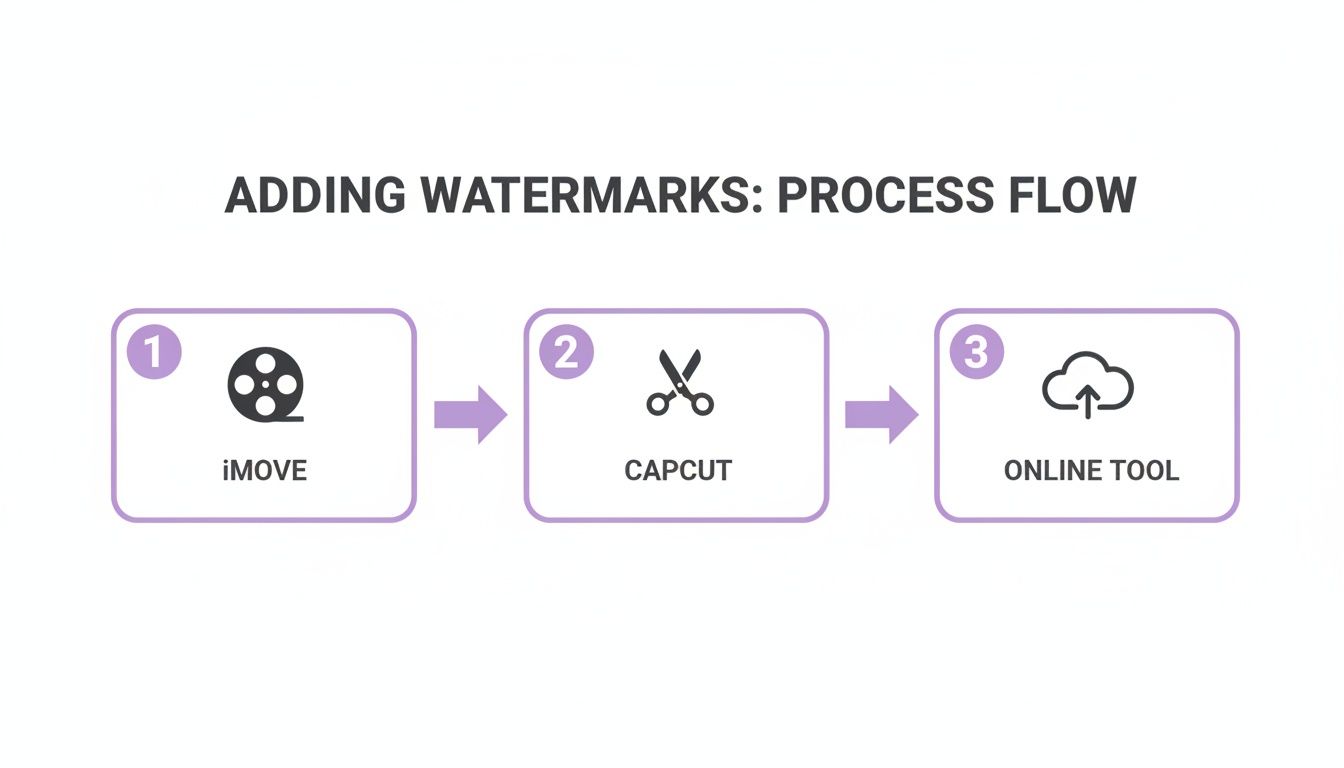
As this flow shows, moving toward API integration is the logical next step when you need to handle high volumes of video content consistently and without friction.
Integrating Watermarking into Your Production Pipeline
The real magic of a video API is the ability to stack operations. Instead of treating watermarking as a separate task, it becomes just another seamless step in your production chain.
A typical automated workflow might look something like this:
- Ingest: A new long-form video hits your system.
- Repurpose: The API automatically slices it into short, engaging clips.
- Watermark: Your brand’s logo is programmatically burned into each new clip.
- Distribute: The finished, watermarked clips are scheduled and pushed out to your social channels.
This kind of hands-off approach transforms a tedious, multi-step manual process into a single, automated event. There's a reason the digital watermarking market was valued at USD 1.45 billion and is expected to more than double to USD 3.80 billion by 2033, according to market analysis on Grand View Research. This explosive growth is fueled by the need for scalable solutions that prevent unauthorized content sharing, especially in media and e-commerce.
For any team handling a high volume of content, an API-driven workflow is the only sustainable way forward. It virtually eliminates human error, guarantees brand consistency across all your videos, and frees up your people to focus on creative strategy instead of repetitive editing.
By building watermarking directly into your production pipeline, you secure your assets and maintain brand integrity without even thinking about it. To see how this fits into a broader content strategy, check out our guide on the benefits of using an API for video repurposing. This is how modern media companies get things done.
Your Top Video Watermarking Questions Answered
Once you've got the "how-to" down, the real-world questions start to surface. Getting your watermarking strategy just right is all about striking that perfect balance between protecting your work and keeping your viewers happy. Let's dig into the questions I hear most often.
Where Should I Put My Watermark, and How Transparent Should It Be?
This is all about being visible without being obnoxious. You want to claim your content, not plaster a distracting ad over it. I’ve found the sweet spot is usually in one of the four corners of the video frame.
The bottom-right corner is a classic for a reason—it feels natural and stays out of the way of the main action. Just be careful not to place it too close to the edge, or someone could easily crop it out. For opacity, start somewhere between 20% and 50%. This range is usually enough to be seen clearly without overpowering the visuals. A pro tip? Try to place it over a part of the video that has some detail or texture, not a solid black or white background. This makes it much harder for someone to digitally remove it later.
Can Someone Just Remove My Watermark Anyway?
Honestly? Sometimes, yes. But it's rarely a clean job, and it almost always makes the video look worse. Think of a watermark less as an unbreakable lock and more as a really good deterrent. No watermark is 100% tamper-proof.
Simple logos can be blurred or cropped, but that leaves a very obvious, ugly mark on the video. Newer AI tools claim to rebuild the pixels behind a watermark, but the results are often glitchy and imperfect, especially with a moving background. The goal isn't to make removal impossible; it's to make it so difficult and time-consuming that it's just not worth the effort.
A well-placed watermark creates a clear choice for anyone thinking of stealing your content: give you credit, or use a damaged, low-quality version. Most will just find an easier target.
Does a Watermark Actually Help Me Legally?
It absolutely does. Think of a watermark as planting your flag on your content. While your work is technically copyrighted the moment you create it, a watermark makes your ownership claim public and undeniable.
If you ever find your video being used without your permission, that little logo in the corner is your proof. It shuts down any potential argument of "innocent infringement" because the person using it couldn't have missed your claim. This makes sending a DMCA takedown notice far more effective and gives you a much stronger footing if you ever need to take further action. It's a simple move that adds a heavy dose of legal weight to your copyright.
Ready to create perfectly branded, shareable clips without the manual effort? Swiftia uses AI to transform your long-form content into dozens of short, watermarked videos for social media. Sign up for free and start repurposing your content smarter.