To make a short video that actually performs, you need to nail three things: a powerful hook, genuinely useful content, and a clear call-to-action—all packed into less than 60 seconds. It’s less about a single magic trick and more about a reliable process. This process breaks down into four main stages: coming up with the idea, scripting it out, shooting and editing, and finally, getting it out there for people to see.
And remember, you have about three seconds to make an impression. According to a study by Meta, content that captures attention within the first few seconds is significantly more likely to be watched to completion. No pressure.
The Framework for High-Performing Shorts

Creating short videos that consistently get traction isn’t about luck; it's about having a solid game plan. The creators who win don't just hit record and hope for the best. They operate with a clear strategy that turns a simple idea into a polished, engaging video designed for maximum impact.
This is where a real content strategy for social media comes in. It’s the blueprint that helps you define who you're talking to, clarify your message, and keep your content consistent.
The framework itself is straightforward. It all starts with brainstorming concepts that either solve a real problem for your audience or are just plain entertaining. From there, you build a narrative that grabs them in the first few seconds and doesn't let go.
The Power of a Strong Hook
Those first three seconds? They're everything. This is your one and only shot to stop the scroll. A killer hook can be a provocative question, a totally unexpected statement, or a visual that just makes people stop and wonder.
Think about it this way: a financial advisor could start a short with, "You're probably losing $500 a year and don't even know it." That’s way more compelling than a generic, "Here are three ways to save money." The first one creates instant intrigue and promises a specific, valuable piece of information. That’s the heart of good short-form storytelling.
Repurposing Content for Scale
One of the smartest moves you can make is to repurpose your content. Instead of constantly brainstorming from scratch, you can slice and dice one big piece of content—like a podcast episode or a webinar—into dozens of individual shorts. This saves a massive amount of time and gets your core message in front of a much wider audience on different platforms.
The explosive growth of short-form video completely backs this up. For instance, YouTube Shorts has hit an incredible 200 billion daily views, which is a 186% jump in less than 15 months. This surge is fueled by creators who have mastered repurposing. Data shows that keeping clips under 90 seconds helps hit a 50% retention rate, and the best-performing shorts often see people watching all the way through 41-80% of the time.
The goal isn't just to post content, but to build a content engine. Repurposing is the fuel that keeps this engine running efficiently, allowing you to maintain consistency without burning out.
To really nail this, you need to understand the individual parts that make a short work.
To help you visualize the entire process, I've broken down the key stages into a simple table. Think of this as your checklist for every video you create.
Essential Components of a High-Performing Short
| Component | Objective | Best Practice Example |
|---|---|---|
| Hook | Grab viewer attention in the first 3 seconds. | "This is the one editing mistake everyone makes." |
| Value | Deliver the core message or solution concisely. | Show a quick tutorial or share 2-3 actionable tips. |
| Pacing | Maintain energy with quick cuts and visual variety. | Use jump cuts, B-roll, and animated captions. |
| CTA | Guide the viewer to take the next step. | "Follow for more tips," or "Comment your thoughts." |
Once you get the hang of these four components, you’ll have a repeatable system for creating shorts that don't just grab attention, but actually drive real engagement and growth.
Turning Your Ideas Into Powerful Scripts

A great idea is just that—an idea. It’s the script that breathes life into it. Think of your script as the blueprint for your video, the one thing that turns a cool concept into something that actually connects with an audience.
We're not aiming for an Oscar-winning screenplay here. The goal is to create a clear, concise guide that makes filming feel effortless and ensures the final cut is as punchy as you imagined. A lot of creators get stuck here, overthinking it and assuming they need a perfectly formatted, word-for-word document. But the truth is, scripting is flexible. Your approach should fit you.
Choosing Your Scripting Style
There's no one-size-fits-all way to script a short video. The best method really depends on the content you're making and what feels most natural for you on camera. Knowing how to make shorts that don't fall flat means picking the right tool for the job.
Here are the three main approaches I see people use successfully:
Word-for-Word Scripting: This is my go-to for anything technical, like a tutorial or a detailed product explainer. Any time precision is non-negotiable, writing it all out ensures you don’t forget a critical step and keeps the message tight.
Bullet Point Outline: If you're doing something more conversational—a vlog, a Q&A, or a reaction video—a full script can make you sound like a robot. A simple list of talking points provides just enough structure to keep you on track without killing the spontaneous vibe.
The Hybrid Approach: This is often the sweet spot. You can script your hook and call-to-action word-for-word to guarantee a strong open and close, but use bullet points for the middle section. This gives you the best of both worlds: a polished structure with a natural, conversational flow.
No matter which style you land on, remember this one rule: write for the ear, not the eye. Use simple language and short sentences. Read it out loud. If it feels awkward to say, it will sound ten times worse on camera.
Crafting a Script from Existing Content
Let's be honest, the easiest and most efficient way to come up with scripts is to mine your existing long-form content. One webinar or podcast episode can be a goldmine, holding dozens of moments perfect for short-form video. This isn't just a time-saver; it also reinforces your core message across every platform you're on.
Here’s how this works in the real world. Say you have a 45-minute podcast episode on productivity hacks.
1. Find a Core Insight
First, listen through the episode for a single, powerful nugget of wisdom. Maybe you spent a few minutes explaining the "Two-Minute Rule"—the idea that if a task takes less than two minutes, you should do it immediately. That's your golden nugget.
2. Build a Compelling Hook
Next, you need to frame that insight in a way that stops the scroll. Don't just say, "Today, I'm talking about the Two-Minute Rule." Yawn. Try something that hits on a real pain point: "You're procrastinating on tasks you could finish in the time it takes to watch this video." See the difference?
3. Structure the Script
With your hook ready, you can build out a simple script. It might look something like this:
- (Hook): "You’re procrastinating on tasks you could finish in the time it takes to watch this video."
- (Problem): "That tiny to-do list you keep ignoring? It’s draining more mental energy than you think."
- (Solution): "Here’s a simple fix called the Two-Minute Rule. If a task—replying to an email, tidying your desk—takes less than two minutes, just do it now. Don't schedule it, don't write it down. Just get it done."
- (Benefit): "Doing this clears your mental clutter and builds momentum, making you feel instantly more productive."
- (CTA): "Try it today and let me know in the comments how it works for you. Follow for more simple productivity tips."
This entire script delivers a complete, valuable idea in under 45 seconds. It identifies a common pain point, offers a clear solution, and ends with a specific call-to-action, ticking all the boxes for a high-performing short.
This exact process is repeatable for any piece of content you've ever made. Find the insight, frame it with a killer hook, and deliver it concisely. A solid script is what separates a good idea from a great video that people actually stop to watch and share.
Shooting and Editing for Maximum Impact
Once you’ve got a solid script, it's time to bring your idea to life. The great news? You don’t need a Hollywood budget or a professional film crew to create slick, high-quality shorts. The smartphone in your pocket is a powerhouse, as long as you nail a few fundamentals.
This is where you shape the entire viewer experience. Good shooting gives you a clean canvas to work with, while smart editing injects the energy and clarity needed to stop the scroll.
Mastering the Basics with Your Smartphone
Getting a professional look comes down to three simple things you can control without spending a dime on fancy gear. Get these right, and you'll immediately see a huge jump in quality.
Lighting is Everything: Always face your light source, don't put it behind you. A window with natural daylight is your best friend. If you have to film at night, a cheap ring light works wonders by getting rid of harsh shadows and making sure your face is clearly visible.
Audio is More Important Than Video: People will forgive slightly grainy video, but they absolutely will not tolerate bad audio. It's an instant turn-off. Your phone's built-in mic is passable in a pinch, but a small, affordable lavalier mic that clips onto your shirt will give you crisp, clear sound. This is probably the single best investment you can make for your videos.
Keep It Stable: Shaky footage is distracting and just looks amateur. A small tripod is ideal for keeping your phone steady. If you don't have one, just prop your phone up against a stack of books or a coffee mug. The goal is simple: eliminate any jarring movements.
These three adjustments—light, sound, and stability—are the foundation of any video that people will actually want to watch.
The Magic of a Well-Paced Edit
Filming is just half the battle. The real magic happens in the edit, where you transform raw footage into a polished, engaging short that holds attention from start to finish.
Pacing is everything in a short video. Think about it: a huge number of viewers—up to 85% on some platforms—watch videos with the sound off. This reality means your visual storytelling and on-screen text have to do all the heavy lifting.
One of the most powerful tools in your editing arsenal is the jump cut. This is where you slice out pauses, breaths, filler words, or even entire phrases to create a faster, more energetic flow. It kills the dead air and keeps the momentum high, making your delivery feel more direct and compelling.
A great edit doesn't just assemble clips; it sculpts the viewer's attention. By removing every moment that doesn't add value—from filler words to awkward pauses—you create a seamless experience that feels both professional and authoritative.
Another key is to use B-roll, which is just supplemental footage that shows what you're talking about. If you mention a specific app, show a quick screen recording of it. Discussing a concept? Flash a simple graphic or animation on screen. This visual variety is crucial for breaking up the monotony of a talking-head shot and making your points land much more effectively. For a deeper dive into these techniques, check out this guide to YouTube Shorts editing.
Why Captions and Clean Audio Are Non-Negotiable
In the world of short-form video, captions aren't just an accessibility feature—they're a core part of the experience. With so many people watching silently, animated and easy-to-read captions ensure your message gets through every single time. They guide the viewer’s eye and punch up key points, which dramatically boosts comprehension.
Just as important is cleaning up your audio. We all use filler words like "um," "ah," and "like" in natural conversation. It's perfectly normal, but on camera, these little tics can make you sound hesitant or less confident.
Manually hunting down and removing every single "um" and "ah" is an incredibly boring and time-consuming task. This is where modern editing tools come in. Automated filler word removal can scrub your entire audio track in seconds, giving you that polished, professional sound that makes you come across as more articulate and credible. It's a small step that makes a massive difference in perceived quality.
Platform-Specific Video Specifications
Finally, making sure your video is formatted correctly for each platform is crucial. Uploading a video with the wrong dimensions can result in ugly black bars or awkward cropping, which instantly kills your credibility.
This table is a quick reference guide to make sure your videos look perfect everywhere you post them.
| Platform | Aspect Ratio | Recommended Resolution | Max Length |
|---|---|---|---|
| YouTube Shorts | 9:16 | 1080×1920 | 60 seconds |
| Instagram Reels | 9:16 | 1080×1920 | 90 seconds |
| TikTok | 9:16 | 1080×1920 | 10 minutes |
Getting these technical specs right from the start ensures your content is displayed exactly as you intended, giving you the best shot at capturing and holding a viewer's attention.
Building Your Content Engine with Repurposing
If you're a creator, you know the feeling. The relentless pressure to pump out fresh short-form video content can be completely draining. It's the biggest hurdle most of us face, and it often leads to burnout.
But what if the answer isn't working harder? What if it's about working smarter? The key is to build a content engine, and the fuel for that engine is repurposing.
Stop thinking you need to create every single short from scratch. Look at what you already have—podcasts, webinars, long-form videos, even detailed blog posts. This existing content is a goldmine of clips just waiting to be discovered. This one shift in mindset is what separates the creators who scale effortlessly from those who are constantly struggling on the content treadmill.
You can create a high volume of quality shorts this way, something that's just not sustainable when you’re starting from zero every time. It frees you up to focus on the big picture, like your overall strategy and actually talking to your community.
The basic process is simple enough: shoot, edit, and add captions.
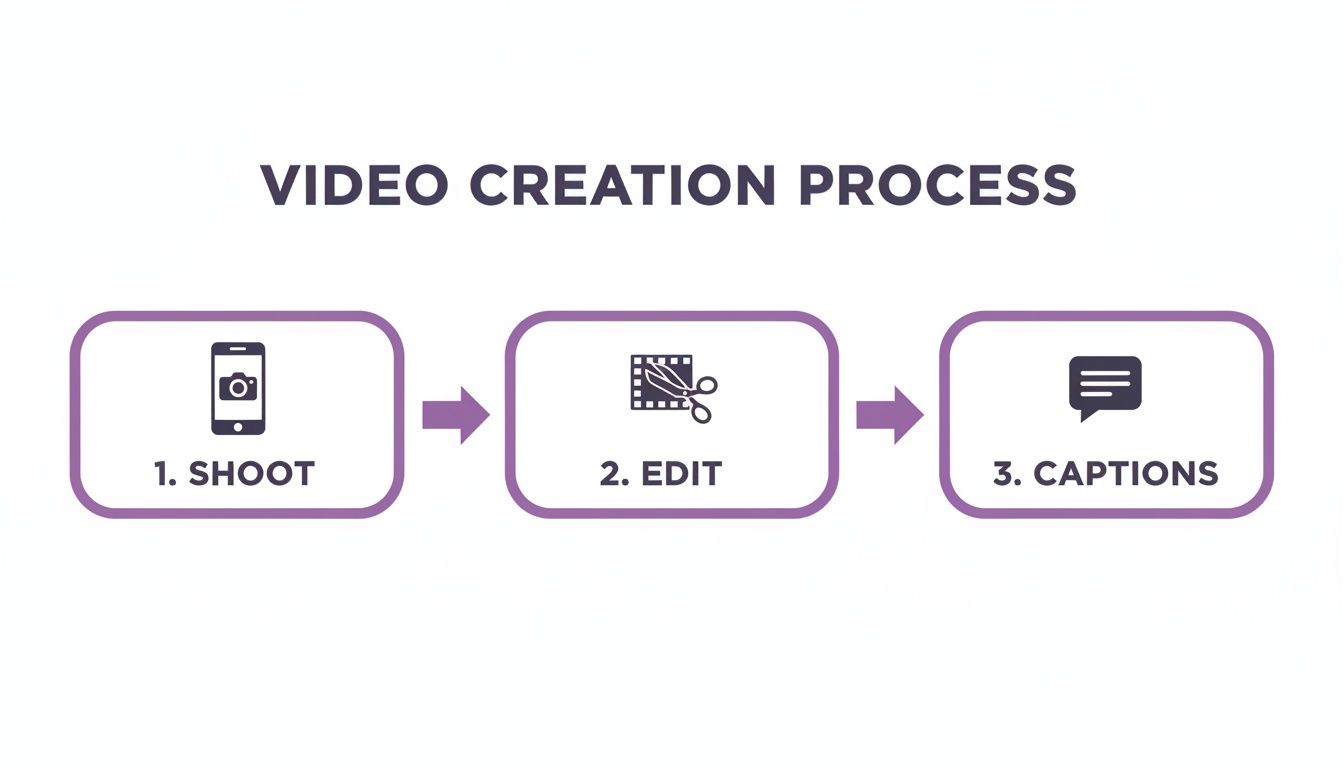
This workflow is the foundation, but the real magic happens when you start automating these steps, especially when you're repurposing at scale.
The Power of Automated Repurposing
Imagine you just finished a one-hour webinar packed with great information. The old way of doing things would be to sit down and manually scrub through the entire recording, trying to find those perfect, shareable moments. We're talking hours of tedious work just to find a few clips.
This is where technology gives you a massive advantage.
Modern AI-powered tools can take that same hour-long video and, in a matter of minutes, pinpoint dozens of potentially viral clips. These systems are trained to detect key takeaways, questions, and moments of high energy, serving you a curated list of potential shorts on a silver platter.
The goal is to turn one long-form video into a month's worth of short-form content. Automation makes that a reality, transforming a time-sucking chore into a simple, repeatable system.
This isn't just about being faster; it's about being more effective. An AI can often spot those hidden gems—the moments that have real viral potential—that a human editor, tired after hours of searching, might just scroll past. You can learn more about building these kinds of systems in these content repurposing strategies.
A Practical Repurposing Workflow in Action
Let’s walk through what this looks like in the real world. You’ve just uploaded your webinar recording to a repurposing platform. Here’s what happens next:
- Transcription and Analysis: First, the tool transcribes the entire video. Then, its AI gets to work, analyzing the text to identify the most compelling segments based on things like keyword density, questions being asked, and overall sentiment.
- Clip Suggestions: A few minutes later, you get a list of suggested clips. Each one might have a potential title and even a "virality score" to predict its engagement. No more guesswork; you have data-backed recommendations.
- One-Click Editing: You pick the clips you like. The platform then automatically adds dynamic captions, snips out the "ums" and "ahs," and reframes the video into the perfect vertical 9:16 aspect ratio for social media.
- Distribution: Right from the same dashboard, you can schedule all these polished shorts to be posted across TikTok, Reels, and YouTube Shorts over the next few weeks.
A project that used to eat up an entire day is now done in less than an hour.
Expanding Your Reach Across Platforms
A true content engine doesn't just create; it distributes. Once you have a steady flow of high-quality shorts, you need an efficient way to get them in front of everyone, everywhere.
Remember that each platform has its own vibe. A short that pops off on YouTube might need a different caption or set of hashtags to work on Instagram Reels. That’s why cross-promotion is so critical. To really maximize your impact, learning how to share YouTube Shorts on Instagram and other platforms can dramatically grow your audience and give your content a much longer life.
When you systemize both content creation and distribution, you build a powerful flywheel. More content gives you more data, and that data helps you create even better, more targeted shorts in the future—all from the same original assets you've already created.
Getting Your Video Out There and Measuring What Matters
You’ve done the hard work—your short is edited, captioned, and looks fantastic. But here’s the thing: creating the video is just one piece of the puzzle. Now comes the moment of truth: getting it in front of the right eyeballs and figuring out what they really think.
Don't just think of distribution as the final step. It's the launch sequence. Your caption, hashtags, and call-to-action are the booster rockets that propel your video into the algorithm. Without a smart launch, even a brilliant video can fizzle out before it ever finds its audience.
Writing Captions and Hashtags That Actually Work
One of the biggest mistakes I see is people treating the caption as an afterthought. That space is prime real estate. A great caption doesn't just explain what's happening in the video; it can add crucial context, pique curiosity, or even kick off a conversation in the comments.
Your goal is to stop the scroll and hold their attention for a few seconds longer. A simple, relevant question works wonders. For example, if you just posted a short about a new productivity hack, your caption could be, "What’s the one productivity tip you can’t live without? Drop it in the comments."
Hashtags are basically signposts for the algorithm, telling it who to show your video to. But piling them on isn't the answer.
- Go Niche, Not Just Broad: Instead of just
#marketing, you'll get much better results by mixing broad and specific tags. Think#socialmediamarketing,#digitalmarketingtips, and#smallbusinessmarketing. This strategy helps you find a much more targeted—and therefore more engaged—audience. - Know the Platform: Every platform has its own quirks. On TikTok, jumping on a trending hashtag can give you a massive, immediate boost. Over on Instagram Reels, a healthy mix of community-specific and more general tags tends to perform best. And for YouTube Shorts, think like a search engine—use keywords people are actually looking for.
- A Real-World Example: Let's say you made a short about brewing coffee at home. A solid hashtag strategy would be a three-tiered approach:
- Broad:
#coffee,#coffeelover - Niche:
#homebarista,#espressoathome - Community:
#specialtycoffee,#coffeetok
- Broad:
This way, you're tapping into the massive coffee-loving crowd while also connecting directly with the die-hard home-brewing community.
Creating a Call-to-Action That Gets a Click
Every single video you post should have a job. What's the one thing you want someone to do after they watch it? If you don't give them a clear call-to-action (CTA), you’re just hoping for the best. Be direct and make it easy for them.
Steer clear of vague CTAs like "check out my profile." Instead, give them a compelling, value-driven reason to take the next step. For instance, instead of just "follow me," try "Follow for daily marketing tips that will actually grow your business."
A powerful CTA frames the next step as a benefit to the viewer, not just a request for a vanity metric. It answers the silent question every viewer has: "What's in it for me?"
That subtle shift in phrasing can have a massive impact on your results, whether your goal is more followers, website traffic, or just a lively comments section.
Making Sense of Your Analytics
Once your video is live, the feedback loop begins. Your analytics are where you learn what’s connecting and what’s falling flat. It's easy to get overwhelmed by all the data, but you really only need to zero in on a few key metrics to understand your video's true performance.
The Metrics That Tell the Real Story:
- Audience Retention: This is, hands down, the most important metric. It shows you exactly when people are dropping off. A huge dip in the first 3 seconds? Your hook isn't working. A slump in the middle? That part might have been a bit slow or confusing.
- Average View Duration (AVD): This is the average amount of time people spend watching your video. A higher AVD is a powerful signal to the algorithm that your content is engaging, which means it will get shown to more people. Simple as that.
- Engagement Rate: This is your total likes, comments, shares, and saves, divided by your total views. Here’s a telling stat: research shows that short-form videos with higher engagement rates are 73% more likely to be recommended by the algorithm. It’s a direct measurement of how well your video resonated.
- Views-to-Shares Ratio: Shares are the ultimate form of flattery. When someone shares your video, they’re putting their own reputation on the line to endorse your content. A high share count means your video isn't just being watched—it's being valued.
By regularly checking these numbers, you can stop guessing and start making data-backed decisions. For an even deeper dive, check out our guide on how to measure content performance. This is the approach you need to take if you’re serious about creating shorts that consistently hit the mark.
A Few Common Questions About Making Shorts
Once you start making short-form videos, a bunch of questions pop up pretty quickly. It happens to everyone. Let's tackle some of the most common ones I hear from creators so you can get past the hurdles and back to creating.
How Long Should My Short Video Be for Best Engagement?
This is the big one. While platforms like Instagram Reels let you go up to 90 seconds, the real sweet spot for keeping people hooked is between 15 and 45 seconds. That's the zone where you have enough time to deliver real value but not so much time that you lose their attention.
Honestly, the goal is to get to the point, fast. You've got to hook them in the first three seconds, deliver the goods, and then hit them with a clear call-to-action before they can swipe away. If you’re tackling a beefier topic, pay close attention to your retention graphs. See a huge drop-off at the 20-second mark? That's your audience telling you exactly where you need to tighten things up next time.
What’s the Easiest Way to Add Engaging Captions?
Don't even think about typing out and timing captions by hand. It's a soul-crushing task and the fastest way to burn out. The only sane way to do this is with an AI-powered tool that handles it for you.
And I'm not just talking about a basic transcript. The best tools can create animated, on-brand caption styles that pop off the screen, making the default text on social media apps look boring by comparison.
A huge chunk of your audience is watching with the sound off. Engaging, stylized captions are non-negotiable if you want your message to land. It's an easy win that makes your content feel instantly more polished and professional.
This simple step makes your videos more accessible and ensures your message gets across, even when your viewers are scrolling in silence.
How Can I Make My Shorts Look More Professional Without Expensive Gear?
A "professional" look has very little to do with the camera you use. Your smartphone is more than capable. It's really about getting three simple things right.
- Lighting: This is non-negotiable. Always face your light source. Natural light from a window is free and looks fantastic.
- Sound: Bad audio will kill a good video. People are surprisingly forgiving of so-so video quality, but terrible sound makes you seem less credible. A cheap lavalier mic is a game-changer.
- Stability: Nobody likes shaky cam. A simple tripod is best, but even propping your phone against a stack of books works wonders.
After you've shot your video, the single biggest thing you can do in the edit is to cut out all the filler words. We all say "um," "ah," and "like," but snipping them out makes you sound way more confident and authoritative. You can find automated tools that do this for you in a click.
How Do I Find Good Ideas If I Run Out of Content?
Feeling like you've run out of ideas is totally normal. But the good news is you're probably sitting on a goldmine of content already: your long-form stuff.
That podcast you recorded? The webinar you hosted? That in-depth blog post you wrote? Each one is packed with dozens of potential short video clips. Just pull out the key takeaways, a surprising statistic, or a great answer to a common question. This isn't just about being efficient; it’s about reinforcing your core ideas across different platforms.
And don't forget to read the comments on your existing videos. Your audience is literally telling you what they want to see more of. Every question is a ready-made topic for your next short.
Ready to stop wasting time on manual editing and start building a real content engine? With AI, you can turn your long videos into dozens of engaging, shareable shorts in minutes—complete with animated captions and clean audio. See how much faster you can create at https://swiftia.io.