Managing multiple social media accounts can turn chaotic without a single hub to keep everything aligned. It’s easy to miss deadlines, overlook replies, and lose track of big-picture goals. A unified calendar paired with clear task ownership flips that script.
Quick Action Plan For Managing Multiple Social Media Accounts

This cheat sheet zeroes in on practical fixes for juggling multiple profiles.
- Centralized Planning: Keep your overall strategy in one shared calendar so everyone knows what’s next.
- Clear Assignment: Define who writes, who edits, and who replies to comments for each post.
- Smart Repurposing: Clip long videos into shorter snippets, then drop in caption bundles to speed content creation.
- Automated Queues: Use scheduling tools that handle multiple accounts from a single dashboard.
- Metric Dashboards: Bring engagement, reach, and conversion numbers into one view to cut down on tab-switching.
Example From A Marketing Team
One five-person squad covering five channels moved operations from scattered spreadsheets into a single calendar view. They matched each post to a specific teammate and saw consistency climb by 25% over eight weeks.
Key Takeaway
The unified calendar cut coordination time by 30% while ensuring daily engagement.
Here’s a snapshot of the hurdles most teams face and quick fixes you can apply right away:
Key Challenges And Quick Solutions
| Challenge | Quick Solution |
|---|---|
| Scattered Strategy | Use a shared calendar for all campaigns |
| Content Bottlenecks | Batch and repurpose posts across channels |
| Manual Scheduling | Set up automated queues and RSS feeds |
| Dashboard Overload | Consolidate metrics into one view |
Tackle these pain points and you’ll reclaim about 2 hours each week that used to slip into back-and-forth emails.
Next Steps Preview
In the chapters ahead, you’ll see how to map responsibilities for every role, automate repeatable workflows, and track performance without drowning in data. When implemented properly, these methods reduce burnout and boost engagement by up to 40%.
Let’s jump into the details.
Understanding Social Network Requirements
Every social site has its own rhythm and audience. You need to tune in to those differences if you want to juggle several platforms without dropping the ball.
For instance, Facebook’s user base trends older, whereas TikTok’s heartbeat skips to Gen Z. Matching your content style and posting times to each network gives you the best shot at real engagement.
- Facebook: 2.96 billion monthly active users, average ad spend $8.97 CPM, peak engagement Wed 11 AM–1 PM
- Instagram: 2 billion users, avg ad cost $5.14 CPM, top time Mon–Fri 10 AM–3 PM
- X (Twitter): 450 million users, avg promoted tweet cost $6.46, peak Wed 9 AM–3 PM
- TikTok: 1 billion users, avg video ad spend $8.00 CPM, highest traffic Fri–Sat 2 PM–5 PM
- YouTube: 2.6 billion users, avg video ad spend $9.68 CPM, top times Thu–Fri 12 PM–4 PM
- LinkedIn: 930 million users, avg CPC $6.59, prime posting Tue–Thu 8 AM–2 PM
- WeChat: 1.3 billion users, avg banner ad cost $0.50, best time 6 PM–9 PM
- VK: 100 million users, avg ad spend $0.55 CPM, optimal time daily 6 PM–9 PM
Example: A boutique café adjusted its Facebook posting schedule to Wednesdays at 11 AM and saw a 15% lift in average engagement within four weeks.
Platform Insights
Putting these stats side by side highlights which channels deliver the biggest bang for your buck. That clarity helps you shift budgets and creative energy toward the networks that move the needle.
Video rules on Facebook Reels, TikTok, and YouTube Shorts. At the same time, carousels still thrive on Instagram and VK, while X and LinkedIn reward threaded posts. Mixing formats—like daily Stories combined with threaded text—expands your overall reach.
By 2025, people are hopping between 6.8 to 7 social platforms every month. Brands now juggle at least five to eight active channels, and that drives up the complexity in both workflows and tools.
Read the full research on managing multiple social media usage.
Fact Managing multiple social media accounts now demands integrated workflows across diverse platforms to stay on top of consumer touchpoints.
Regional Platform Notes
Digging into regional networks rounds out your global strategy. Tailoring content to local preferences sets you apart.
- WeChat Official Accounts favor long-form articles and 30-second mini-videos in Moments
- VK public communities spark engagement with polls and album carousels in Russian
- Baidu Tieba thrives on text threads—over a billion users debate brands here
- Telegram channels shine with broadcast messages to up to 5,000 subscribers
Example: A game publisher on VK introduced weekly polls and saw a 25% increase in click-through rates over a month.
When you align captions with local language nuances and post during peak hours, open rates can jump by 20%.
Local adaptation on WeChat saw a 20% engagement increase when content was translated and scheduled at 8 PM local time.
D2C TikTok Case Study
A cosmetics brand shifted from posting on TikTok four times a week to once every day. The result? A 45% boost in views within just thirty days.
- Swap in bright backdrops and rapid cuts to match TikTok’s pace
- Keep captions under 100 characters and lean on trending hashtags
- Schedule at 2 PM–5 PM Fri–Sat to hit those peak traffic windows
Adapting Content Across Channels
You don’t have to reinvent the wheel for each network. A modular design approach lets you repurpose assets with ease.
- Use a 1:1 square layout on Instagram and Facebook, limiting text overlays
- Crop the same clip to 9:16 vertical for TikTok and Reels
- Snip longer videos into 15–30 second segments for YouTube Shorts
- Keep the tone professional on LinkedIn and conversational on TikTok
Example: A B2B software provider repurposed webinar footage into LinkedIn carousels and YouTube Shorts, driving a 20% uptick in demo requests.
Understanding each platform’s quirks is the first step. Next up: building team roles and workflows that keep your machine running smoothly.
Establishing Team Roles And Workflows
Solid social media management starts with clear ownership. When everyone knows their turf, tasks don’t get lost in the shuffle and accountability stays sharp.
- Content Creator crafts and adapts posts for each channel.
- Community Manager watches conversations, steps in on urgent issues, and keeps brand safety top of mind.
- Paid Media Specialist handles ad budgets, audience targeting, and performance tweaks.
- Analyst digs into metrics, pinpoints trends, and feeds insights back into your strategy.
RACI Chart For Daily Posting
At a mid-sized tech company, a RACI chart became the go-to for daily publishing and crisis handling. Assigning ownership cut confusion and sped up every move.
- Content Creator drafts, edits, and signs off on copy (SLA 24h)
- Community Manager replies to followers and flags concerns (SLA 1h)
- Paid Media Specialist launches ads and adjusts spend (SLA 4h)
- Analyst gathers data and builds reports (SLA 48h)
They layered in AI moderation and reallocated 15% of their budget toward content safety. Response time to flagged comments fell by half, and risks dropped off dramatically.
Balancing In-House And Freelance Support
Deciding between full-time staff and contractors often hinges on campaign load. Many mid-sized brands juggling 5–8 channels staff 5–12 FTEs, then plug in freelancers for crunch times.
Key tips from the field:
- Bring in freelancers for seasonal or high-volume bursts.
- Keep a core team to own your brand voice.
- Build lean onboarding docs so contractors can jump in fast.
- Share a unified style guide and content calendar with everyone.
Optimized Slack channels—think #social-alerts and #content-review—keep discussions searchable and approvals speedy.
Example: A retail startup scaled from 6 to 10 FTEs and onboarded three freelance designers during peak seasons, reducing onboarding time by 50%.
Key takeaway
Structured staffing optimizes cost and maintains content quality.
Check out our guide on social media management platforms for teams for more workflow examples.
Setting Response SLAs And Automation
Clear response targets give community managers guardrails—and confidence. With solid SLAs, you’ll never leave your audience hanging.
Recommended SLAs:
- Urgent issues: respond within 1 hour
- Customer questions: reply in 4 hours
- General comments: acknowledge within 24 hours
Resource planning and ROI measurement can get tricky as you scale. Analysts consistently see social media delivering about $5.20 in return for every $1 spent, though results swing widely by region and platform. That variance often shapes staffing levels for teams handling 5–8 channels with 5–12 FTEs. Read the full research on social media marketing statistics.
Using Collaborative Tools For Alignment
When tasks start slipping through cracks, a visual workflow is a game-changer. Platforms like Trello and Asana give you exactly that.
- Use Trello cards to assign drafts, attach editorial checklists, and track progress.
- In Asana, spin up custom templates for weekly planning and campaign briefs.
- Toggle calendar views to catch scheduling overlaps across channels.
One design agency set up Asana automations to ping three reviewers per post. Review cycles shrank from three days to one, slashing content turnaround by 66% in six weeks.
Slack reminders for overdue tasks keep everyone on the same page. Regular retrospectives then surface friction points, so you can continuously refine the process.
Next, we’ll look at scaling these workflows across every channel you manage.
Implementing Content Repurposing And Batching
Batching creative tasks and repurposing core ideas can transform how you manage multiple social media profiles. Rather than scrambling for brand-new angles every week, you’ll revisit the same theme in different formats—blog posts, graphics, videos. That steady rhythm frees your team to dive deeper into community engagement or refine long-term strategy.
When you map out formats for each channel in one go, the work flows more smoothly. Designers and writers stay in sync, context switches all but disappear, and you avoid that last-minute rush.
Planning Your Batching Sessions
Planning sets the stage for focused, efficient work. Carve out dedicated slots in your calendar so brainstorming, drafting, and reviewing don’t overlap.
- Sketch out post formats for each platform, matching styles to what your audience expects.
- Gather your team for a live outline session to keep voices aligned.
- Run a quick group review of snippets for instant feedback.
- Lock production dates in your calendar so ideas turn into assets on schedule.
For example, one marketing agency dedicates two afternoons a month solely to repurposing. That focus window can boost output by 40% without extending work hours.
Turning A Single Article Into Multi-Channel Assets
A nonprofit took a 1,200-word feature and turned it into bite-sized posts across four channels. Instead of letting that long read live only on the blog, they created:
- Eight Instagram carousels highlighting key quotes
- Three TikTok clips (30 seconds each) with dynamic subtitles
- Two LinkedIn polls inviting professional discussion
- Four email snippets (around 60 words each) for newsletter highlights
That campaign raised social shares by 150% and drove website referrals up 30%. It proves how consistency paired with format variety can spark real momentum.
Campaign Calendar Breakdown
A structured calendar turns repurposing into a predictable flow. You see at a glance who’s drafting, who’s reviewing, and when everything goes live.
| Task | Day | Owner |
|---|---|---|
| Brainstorm Assets | Monday | Content Lead |
| Draft Visuals | Tuesday-Wed | Designer |
| Review And Edits | Thursday | Editor |
| Schedule And Publish | Friday | Social Manager |
A clear timeline cuts out last-minute scrambles and gives each piece a built-in quality check. Over time, that consistency builds audience trust across channels.
Process Flow Of Roles And Monitoring
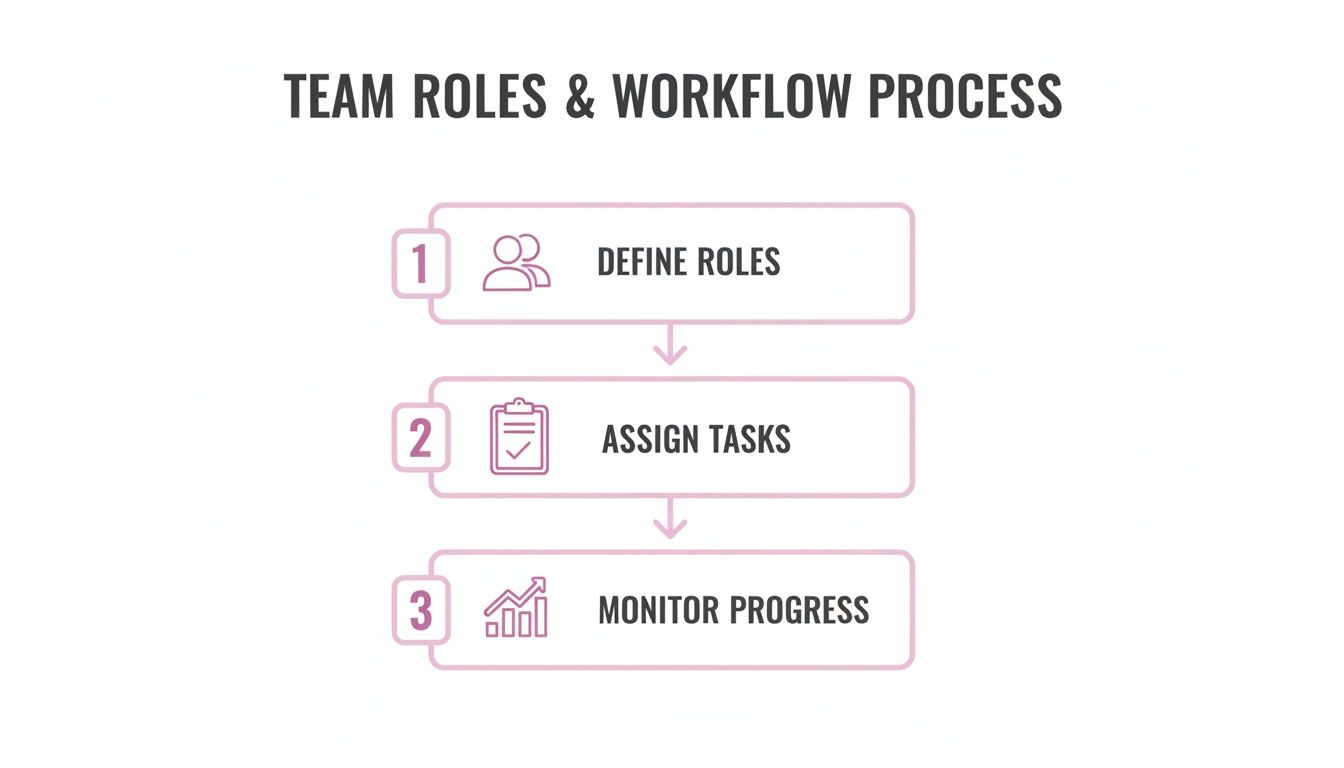
Pulling together your repurposing engine means defining roles, assigning tasks, and keeping tabs on progress in real time. Our infographic breaks down who does what, and when, so nothing stalls or slips through the cracks.
Platform Assignment Checklist
- Instagram: Square images, minimal text, 1080×1080 resolution
- TikTok: Full-screen vertical clips under 60 seconds with subtitles
- LinkedIn: Professional visuals paired with question-driven captions
- Facebook: Mixed media posts combining video and link previews
- Twitter: Concise quotes and thread-ready snippets
Having a clear assignment guide ensures your assets hit each channel’s sweet spot and avoids jarring format mishaps.
Efficient repurposing can cut content creation time by 50% while maintaining brand voice across channels.
Tips For Scaling Your Batch Process
- Rotate theme weeks to keep topics fresh and focused
- Create shared template folders for rapid access
- Appoint rotating editors to catch tone mismatches
- Use analytics to prune underperforming formats
- Run quick A/B tests on post designs to refine what works
Smart workflows let growing teams juggle more accounts without adding stress. Soon, you’ll spend less time debating ideas and more time analyzing results.
Integrating APIs For Automated Repurposing
APIs can do the heavy lifting of chopping long-form videos into social-ready segments with consistent branding. Hook those into your scheduling tools, and clips slide right onto each platform without a single manual upload.
Measuring Repurposing Impact And ROI
You won’t know what sticks until you track the numbers. Compare each asset’s engagement (likes, comments, shares) to the original, and watch how repurposed posts stack up.
- Engagement rate per asset
- Click-through rates on link posts
- Total watch time for video snippets
- Poll responses and completion percentages
Round up the data each month to retire formats that lag and double down on top performers.
Repurposing and batching aren’t just buzzwords—they’re practical ways to scale content output without burning out your team. A clear plan and structured process will keep you ahead of deadlines and in sync with your audience.
Learn more about content repurposing strategies in our detailed guide on Swiftia’s platform for fast clip editing and seamless scheduling. Enjoy smoother workflows today.
Automation And Scheduling Tools
Managing a dozen social accounts can swallow hours daily. Automation platforms step in to keep your content on-brand and on-time without manual hustle.
Below is a closer look at the top tools, so you can find the right fit for your team’s size and budget.
Popular Scheduling Tools Comparison
Here’s a quick feature breakdown of leading social media automation platforms. Use this to match capabilities against your needs.
| Tool | Supported Platforms | Key Feature | Pricing Tier |
|---|---|---|---|
| Buffer | Facebook, X, Instagram | Clean scheduling queue | From $6/mo per channel |
| Hootsuite | Facebook, X, Instagram, LinkedIn, TikTok | Unified inbox and analytics | From $99/mo |
| Sprout Social | All major networks | Advanced reporting tools | From $99/mo |
| Later | Instagram, TikTok, Pinterest | Visual content calendar | From $12.50/mo |
| Swiftia | Facebook, Instagram, TikTok, YouTube, LinkedIn | Automated clip scheduling via API | From $29/mo |
Example: Teams using Swiftia's API-driven scheduling reduced manual upload time by 3 hours per week per account, compared to 1 hour saved with Buffer.
Setting Approval Workflows
Assigning reviewers before a post goes live cuts mistakes and keeps everyone in sync. In both Hootsuite and Sprout Social you can tag teammates on drafts and set due dates.
Swiftia takes it further by running an AI audio check that flags low-volume clips or missing subtitles. Then:
- Draft posts and tag collaborators for feedback.
- Schedule automated reminders at 24 hours and 12 hours ahead of deadlines.
- Lock edits once all approvals land.
Teams report a 40% reduction in review loops when reminders handle follow-ups.
Integrating RSS Feeds And Webhooks
Rather than manually uploading each blog link, RSS feeds auto-enqueue new posts across your channels. And webhooks can trigger updates when certain metrics hit your targets.
For instance, a boutique e-commerce brand used Zapier to auto-publish every new article. They also set a Slack webhook that pings the community manager whenever a high-priority comment appears.
Key Insight Integrating RSS and webhooks can cut manual scheduling tasks by up to 60%, keeping you more responsive.
Example Dashboard Insights
Here’s a real snapshot of a scheduling dashboard that tracks posts across five networks and forecasts engagement peaks.
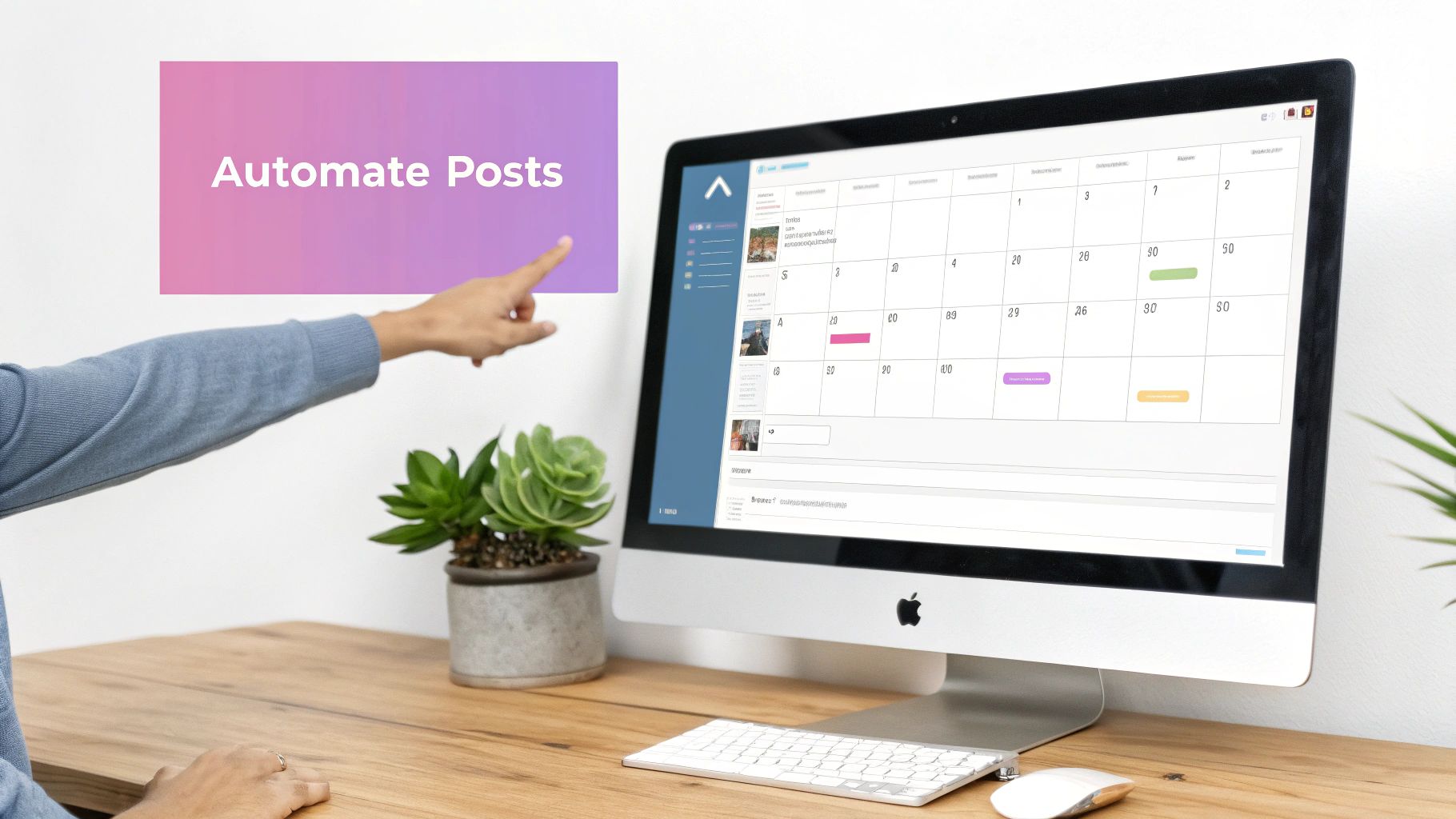
You’ll notice predicted engagement spikes and flagged queue overloads, helping you shift posts to optimal slots.
Best Practices To Maximize Automation
- Plan content at least 2 weeks out with bulk uploads.
- Create performance rules so top posts requeue automatically.
- Install browser extensions for one-click scheduling from any page.
- Combine RSS feeds with hashtag monitoring to feed your calendar dynamically.
- Reserve time each week to audit automated posts and tweak triggers.
If your team needs deeper customization, Swiftia’s API-first design outpaces generic platforms. Pair that with real-time alerts and you stay agile while managing dozens of accounts. Automating this way saves about 3 hours per week on each account.
Maximizing Tool ROI
Showing returns helps secure ongoing budget. Track metrics like scheduled-vs-manual post ratio, approval turnaround, and response SLAs.
- Scheduled vs. manual post ratio over time
- Average time saved per published post
- Engagement lift on automated posts
- Cost per post compared across platforms
A sample report in Swiftia’s dashboard lines up ROI metrics next to hours saved. Over six months, teams saw a 25% drop in scheduling errors and a 35% boost in engagement consistency. Use these figures to prove value and win stakeholder support, then scale your social operations with confidence.
Monitoring Engagement And Performance Tracking
Real-time engagement monitoring helps your team stay agile when juggling multiple social accounts. In this section, you’ll see how to bring mentions, alerts, and analytics into a single view. Plus, we’ll highlight the KPIs that matter and show you how to feed live data via API into a shared BI report.
A central hub pulls together mentions, sentiment, and trending topics in one spot. That way, you spot dips and spikes immediately and can tweak your approach before small blips grow into big headaches.
Building A Unified Monitoring Dashboard
Your dashboard should collect data from every network into intuitive panels. Picture a SaaS marketing team keeping tabs on:
- Mentions Feed showing @replies from Facebook, X, and LinkedIn
- Sentiment Analysis ranked on a 3-point scale: positive, neutral, negative
- Trending Hashtags flagged when usage jumps
These panels refresh every five minutes via API calls, giving real-time visibility into performance.
“By spotting a negative spike early, we averted a small PR issue before it snowballed,” says community manager Laura Chen.
Key Metrics To Track
Choose metrics tied to each stage of your funnel. They pinpoint where your content shines and where it needs work.
- Engagement Rate: Likes, comments, shares relative to impressions
- Click-Through Rate: Link clicks divided by total views
- Response Time: Average minutes until first reply
- Reach Trend: Week-over-week follower growth
- Sentiment Score: Ratio of positive to negative mentions
Engagement rate tells you how much people like your posts. Response time reflects your team’s responsiveness.
| Funnel Stage | Primary KPI | Why It Matters |
|---|---|---|
| Awareness | Reach Trend | Tracks audience growth |
| Interest | Engagement Rate | Measures content resonance |
| Decision | Click-Through Rate | Signals intent and traffic to landing pages |
| Action | Response Time | Reflects customer satisfaction |
| Advocacy | Sentiment Score | Indicates brand perception |
Setting Alert Rules And Integrations
Automated alerts mean you never miss sudden shifts without monitoring constantly.
- Threshold triggers when reach dips by 10%
- Notifications for spikes in negative sentiment
- Alerts delivered via email, Slack, or Microsoft Teams
For example, one D2C brand flags a CTR below 1.2%, pushing their team into a creative review instantly.
Next, tie in UTM data from Google Analytics so you know exactly which posts drive conversions. Simply connect your dashboard to GA’s API and map each tag back to individual updates.
Pulling Live Data Via API
API feeds turn your dashboard into a living, breathing report.
- Authenticate each platform with OAuth tokens
- Query engagement endpoints every five minutes
- Aggregate JSON responses in a BI tool like Google Data Studio
- Visualize insights using charts and conditional formatting
“Automated BI reporting cut our weekly manual reporting time by 75%,” reports analytics lead Omar Diaz.
This pipeline keeps metrics up to date, even when you manage dozens of profiles.
For more on boosting social response rates and interactive content, you might be interested in our guide on increasing social media engagement.
Adjusting Tactics On The Fly
When your dashboard lights up, jump into action right away. Here are a few quick wins:
- Swap underperforming visuals for your best-engaging designs
- Shift budget to posts with the highest CTR
- Shorten response SLAs on channels that see more complaints
- A/B test alternative captions or CTAs
Log each change as an annotation in your dashboard so you can measure lift over time.
Key Takeaway
Continuous monitoring and quick adjustments can boost engagement by up to 18% in the first month.
By combining a unified dashboard, smart alerts, and live API feeds, your team moves at the speed of conversation. The result? Sustained growth across every stage of your funnel.
Frequently Asked Questions
Managing multiple social accounts often unearths the same curiosities across teams.
This section bridges those gaps with clear, tested answers on picking platforms, finding your ideal posting rhythm, tracking ROI, tackling crises, and scaling up. Each insight ties back to real teams and practical examples you can start using today.
- How Do I Choose The Right Social Networks For My Audience And Resources?
- What Posting Frequencies Drive Engagement On Each Platform?
- How Can I Measure ROI And Justify Tool Costs?
- What Steps Ensure Fast, Effective Crisis Response?
- How Do I Scale Workflows As Channel Count Grows?
Choosing The Right Platforms
First, look at your audience data and what your team can realistically handle. Dig into platform demographics and match them against your content output.
For instance, a wellness label focused on Gen Z leaned heavily into TikTok, while also carving out LinkedIn posts for B2B sponsors.
“Focusing on two primary channels improved our engagement by 30% in 3 months,” shares social strategist Jenna Liu.
Ideal Posting Frequency
Each network has its own sweet spot. Instagram Stories reward daily check-ins, whereas LinkedIn favors thoughtful posts a few times a week.
- Instagram Stories: share 3–5 times daily to stay on followers’ radars.
- Twitter Threads: sprinkle 4–6 tweets throughout the day for ongoing conversations.
- Facebook Feed: stick to 1–2 posts per day to keep things fresh without overwhelming.
- LinkedIn: aim for 2–3 longer or carousel posts each week to spark deeper engagement.
Measuring Social ROI
Putting tool costs on the chopping block? Start by tagging every link with UTMs. Compare manual workflows against an automated setup and you’ll see where time (and money) is saved.
Many teams notice around a 5x ROAS when they centralize scheduling and analytics under one roof.
Handling Content Crises
A quick, coordinated response can defuse a brewing storm. Set up real-time alerts for spikes in negative mentions and define who drafts your holding statements.
One retail chain connected Slack webhooks to their sentiment tracker and cut their response time by 50%.
Scaling Workflows Seamlessly
As you add channels, a single source of truth becomes vital. Keep everyone on the same page with a unified calendar and modular templates. Roll out a RACI model to clarify roles and prevent overlap.
Batch your content ahead of time, then pull posts live through APIs. Teams often reclaim 2 hours per account every week this way.
In one case, a B2B startup saw cross-channel replies jump by 40% after standardizing its response templates.
| Template | Recommended Tool |
|---|---|
| Crisis Response Checklist | Slack Webhooks |
| Multi-Channel Scheduling Calendar | Swiftia |
| Custom Analytics Dashboard Template | Google Data Studio |
Use these templates to hit the ground running and keep your workflow humming.
Ready to accelerate multi-account management with AI-powered video tools? Discover Swiftia at swiftia.io