Social video editing isn't just about slicing and dicing raw footage. It’s the art of turning long-form content into short, punchy clips custom-built for platforms like TikTok, Instagram Reels, and YouTube Shorts. The real skill lies in grabbing someone's attention in the first three seconds, making your message clear even with the sound off, and perfectly framing for a vertical screen. It's a critical piece of any modern content strategy.
Why Social Video Editing Is a Game-Changer

In a world where attention is the ultimate currency, getting good at social video editing is one of the biggest growth levers you can pull. The massive shift to short-form video has completely rewritten the rules. That old, slow-moving video workflow? It just doesn’t cut it anymore.
Audiences today expect a constant drip of fast, valuable content. This creates a huge bottleneck for most content teams. The problem isn't a lack of ideas—it's the sheer challenge of speed and scale. For example, how do you realistically turn a single podcast or webinar into a full week of killer social clips without completely burning out?
The Shift From Production Value to Viewer Value
We used to obsess over polished, high-production videos. Now, the game is all about delivering immediate value and authenticity. On social media, people decide in a split second whether to keep scrolling or not. This is where sharp social video editing becomes your superpower. It's about pulling out the absolute best moments and packaging them in a way that feels native to the platform.
To win, you have to nail a few key things:
- Hook them instantly: A 2022 study by Meta revealed you've got about 1.7 seconds on mobile. Make it count.
- Keep the pace snappy: Use quick cuts and dynamic transitions to hold attention.
- Caption everything: Most people watch with the sound off, so dynamic captions are a must.
- Go vertical: Frame your shots for a vertical screen to take up as much real estate as possible.
The goal is no longer to make a perfect video; it's to make a video that people can't ignore. This mindset shift is essential for anyone looking to grow their audience and brand reach in the current media environment.
This relentless demand for quick content is fueling a massive market boom. The video editing apps market is projected to skyrocket to USD 2,150.84 million by 2035, largely thanks to short-form video. It’s easy to see why when 91% of businesses now use video as a marketing tool. You can dive deeper into the video editing apps market growth and its direct ties to social media trends.
The Rise of AI-Powered Repurposing
The only way to keep up with the demand for speed and scale is to embrace smarter tech. Creators and agencies are increasingly turning to AI-powered tools to handle the grunt work of editing. Think about it: turning an hour-long interview into ten unique, ready-to-post social clips in minutes, not days.
This is the real "why" behind the seismic shift in content strategy. It’s about working smarter, not harder. By automating tasks like finding the best moments, transcribing and adding captions, and reframing for vertical, you free yourself up to focus on what actually matters—telling a great story that connects with your audience and drives results.
Where AI Fits Into Your Editing Workflow
Let's get practical and look at how artificial intelligence is genuinely changing the game for social video editing. For a long time, the biggest bottleneck for any content creator has been the sheer grunt work—the hours spent finding, polishing, and perfecting short clips. AI tools aren't just a small step forward; they're completely overhauling the process by taking the most painful parts off your plate.
This isn't about letting a robot take over the creative side of things. It's about automating the mind-numbing tasks that kill your inspiration, so you can actually focus on the story and strategy. For example, the old way involved manually scrubbing through a two-hour interview just to find one killer 30-second soundbite. It's a massive time sink. Now, AI can nail that task in minutes.
The growth here is staggering and impossible to overlook. The AI video market is on a rocket ship, projected to jump from USD 3.86 billion in 2024 to a whopping USD 42.29 billion by 2033. That’s a compound annual growth rate of 32.2%. This explosion is happening because the demand for short-form video is insatiable, and automation is the only way for most teams to keep pace. Even though many marketers are still handling video editing in-house, AI is making their work up to 10x faster. You can dig deeper into the rise of the AI video market on Grand View Research.
Automating the Manual Drudgery
The first and most obvious win with AI is how it tackles the repetitive, time-sucking jobs that used to drag every project down. Take a simple two-person video podcast, for example. The old-school manual edit means hours of watching footage, figuring out who’s talking, and cutting between camera angles just to keep things interesting.
AI-powered active speaker detection completely flips this on its head. The software automatically figures out who is speaking and when, essentially creating a dynamic multi-cam edit on its own. You don't have to make a single manual cut. This feature alone can shave hours off a single video, turning what was once a multi-day slog into a quick task.
Another lifesaver is automated filler word removal. We've all been there, meticulously hunting down and slicing out every single 'um,' 'ah,' and 'you know' to make the audio sound clean. It’s tedious. Modern tools can now spot and remove these filler words automatically, giving you crisp, professional-sounding audio without the headache. Learn more about how to automatically trim your clips for maximum impact.
From Finding Gems to Nailing Your Brand Look
Pinpointing the best moments in a long video often feels more like luck than skill, but AI brings a much smarter, data-driven method to the table. Instead of just guessing, AI can scan transcripts and analyze audio to flag the most engaging parts. It can find moments with high energy, emotional spikes, or specific keywords, handing you a shortlist of potential viral clips.
Imagine uploading a two-hour webinar and getting back five perfectly cut, 45-second highlights in just a few minutes. That's what AI-powered clip discovery does. It turns one big piece of content into a full week's worth of social posts with almost no effort.
Once you’ve found the perfect clips, AI also helps you keep them consistently on-brand. Manually adding your brand's colors, fonts, and logos to dozens of videos is not only boring but also a recipe for mistakes. With AI-driven tools, you just set up your brand presets one time.
- Custom Caption Styles: Lock in your brand’s font, color scheme, and animation style.
- Logo & Watermark Placement: Have your logo automatically added to the same spot in every video.
- One-Click Brand Kits: Apply your entire brand package to a whole batch of videos instantly.
This kind of automation allows you to maintain a polished and unified look across all your social channels without piling on extra work. It’s a huge leap in both efficiency and scale, empowering even small teams to churn out a high volume of professional, on-brand content.
Crafting Your Viral Clip: A Practical Walkthrough
Theory is one thing, but the real magic happens when you roll up your sleeves and turn a long video into a clip that actually stops the scroll. This is where we get our hands dirty. Let's walk through the essential steps of modern social video editing and transform a typical webinar segment into a high-impact clip ready for prime time.
The process starts with a complete mental shift. You're not editing for a big screen anymore; you're creating for a phone held in someone's hand. Every decision—from framing to pacing—has to serve that mobile-first experience. This isn't just a hunch; a study by MediaScience found that vertical stories on mobile resulted in significantly higher brand lift compared to horizontal video ads.
Mastering the Vertical Reframe
First things first: you have to reframe your horizontal (16:9) video for the vertical (9:16) world of social media. The most common mistake I see is people just cropping the center of the frame and calling it a day. This almost always cuts out crucial context, like a speaker's hand gestures or important on-screen graphics.
The goal is to intelligently reframe the shot to keep the most important action in focus.
Let’s say you have a 10-minute webinar clip where a speaker is walking through a presentation. A smart reframing workflow would look something like this:
- Follow the Speaker: Use dynamic pans and zooms to keep the speaker’s face centered and engaging as they move. Don't just stick them in a static box.
- Show, Don't Squeeze: Instead of shrinking an entire slide until it's unreadable, pull out the key text or a specific visual from it and display it as a clean, on-screen graphic.
- Use Split Screens: When the speaker and a slide are equally important, a split-screen layout presents both clearly without making the viewer choose what to focus on.
This kind of thoughtful reframing makes your video feel native to the platform, not like a lazy, repurposed afterthought. And of course, you have to know the rules of the road—understanding things like how long can an Instagram video be is fundamental to making content that works.
Setting a Snappy Pace with Strategic Cuts
Once your video is framed correctly, it’s all about the pacing. Social media moves at lightning speed, and your edit has to match that energy. Long, drawn-out pauses are the kiss of death. This is where you get aggressive with jump cuts and removing filler words.
A jump cut is simply an abrupt transition between two parts of the same shot. By slicing out tiny pauses, breaths, or "ums" and "ahs," you make the speaker sound way more confident and the content feel much more concise. It creates a sense of forward momentum that keeps people hooked.
Here's a practical example: Let’s take a 45-second soundbite. The raw footage might have the speaker saying, "So, um, the main thing you need to remember is… you know… that your audience is key." A few quick cuts and you get a much punchier delivery: "The main thing you need to remember is that your audience is key." It’s a small change that makes a huge difference.
And don't forget the audio! Research shows that 85% of Facebook videos are watched with the sound off, but for that other 15%, clear audio is a must. Run your sound through a basic cleanup tool to get rid of background noise and normalize the volume. It needs to be clear and consistent, even on tiny phone speakers.
Making Captions the Star of the Show
Since most people are watching silently, your captions are no longer just an accessibility feature—they're a core part of the creative. Static, boring subtitles that look like they came from a DVD menu just won't cut it. To grab and hold attention, you need dynamic, animated captions.
This workflow shows how AI can help bridge the gap between tedious manual work and the creative finishing touches.
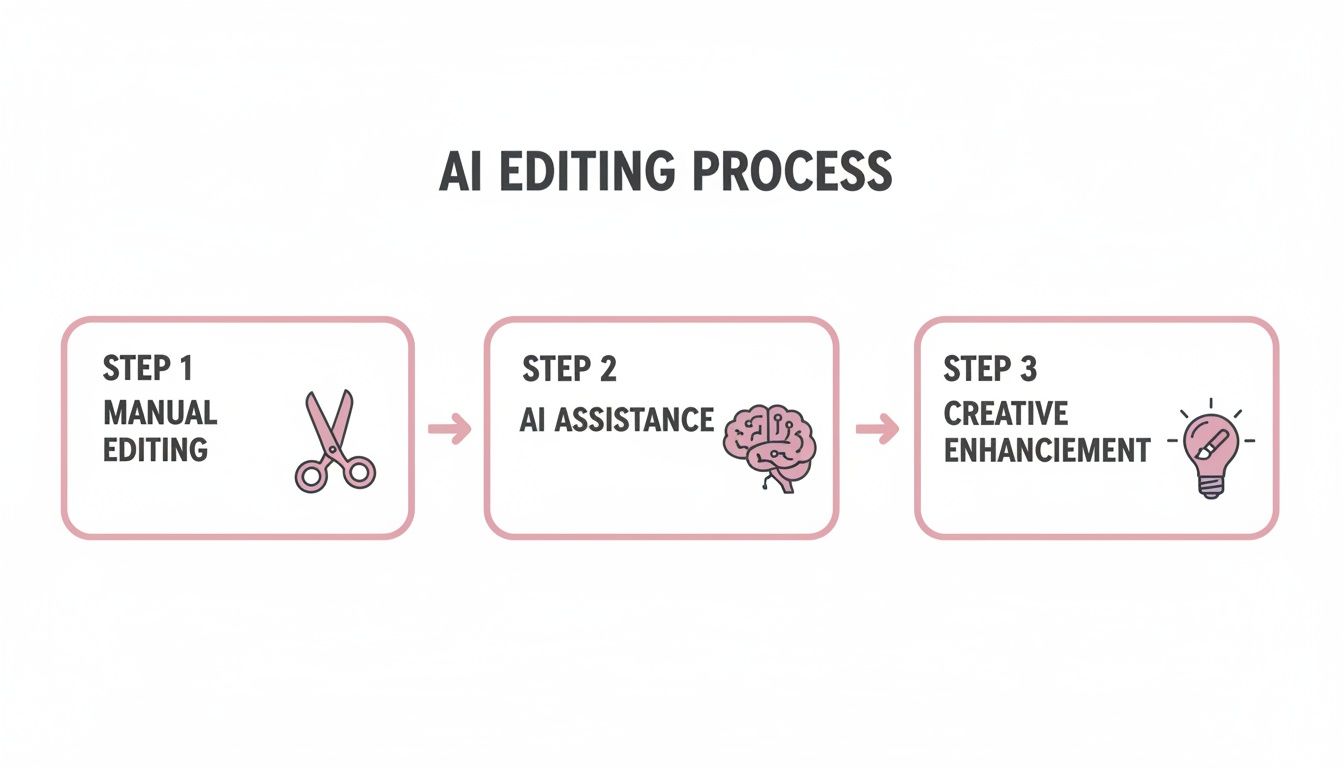
The idea isn't for AI to replace your creativity, but to handle the heavy lifting. This frees you up to focus on visual storytelling that actually connects with your audience.
Some caption strategies that work like a charm include:
- Word-by-Word Animation: Highlighting each word as it’s spoken forces the viewer's eyes to follow along.
- Color and Emojis: Use your brand colors to make key phrases pop and sprinkle in relevant emojis for a bit of personality.
- Font Choice: Pick a bold, clean font that’s super easy to read on a small screen. No one’s squinting to read your content.
Let’s bring it all together with our webinar example. From that single 10-minute segment, we could easily create three distinct 45-second Reels.
- Clip 1 (The "Problem" Hook): Kick things off with a question the speaker asks. Use big, bold animated text for the caption: "Are you making this ONE mistake?"
- Clip 2 (The "Solution" Hook): Find a powerful quote where the speaker drops a key insight. Animate that quote word-by-word to build suspense.
- Clip 3 (The "Data" Hook): Pull a moment where the speaker shares a surprising statistic. Flash that number on screen before they even say it to create instant curiosity.
Each of these clips, all from the same source, now has a unique angle, a strong hook, and engaging visuals designed to stop people in their tracks. By combining intelligent reframing, fast-paced editing, and dynamic text, you can build a system for turning any long-form content into a steady stream of social video winners.
To dig deeper into this process, you can check out our complete guide on how to create short video clips from longer content.
Taking Your Content Global
Not long ago, reaching a global audience with your video content felt like a pipe dream. It meant juggling expensive translation services, coordinating with regional teams, and wrestling with clunky, manual workflows. Today, that’s all changed. The tools we have for social video editing have made international reach not just possible, but genuinely efficient.
The real challenge isn't just translating words anymore; it's about creating an experience that feels completely native to every single viewer. Think about it: research from CSA found that 76% of online shoppers prefer to buy products with information in their native language. That same principle applies directly to content. People simply connect better with videos they don't have to struggle to understand. Modern platforms now automate this entire process, letting you ditch the grunt work and focus on the big picture.
From a Single Transcript to Worldwide Reach
Everything starts with a rock-solid transcription. Once you have an accurate text version of your video in its original language, the scaling can really begin. Instead of the old-school method of sending scripts out to translators and waiting for days, AI can now generate captions and then translate them into dozens of languages with stunning accuracy.
This small step completely changes the game for international audiences. You can expand your reach into new markets without adding a mountain of work or cost to your production pipeline.
As a practical example, imagine you take a single English podcast clip. In just a few minutes, you can have polished versions ready for Spanish, French, and Japanese viewers. The AI does the heavy lifting on translation, and you just tweak the caption styles to fit each culture.
Of course, translation is just one piece of the puzzle. To really scale your efforts, it's smart to explore all the different actionable content repurposing strategies available to turn one long video into a whole library of assets.
How Global Repurposing Works in the Real World
Let's walk through a common scenario. Imagine you just wrapped up a 45-minute webinar on digital marketing trends. You've found a killer 60-second segment on SEO that you know will resonate. The goal is to get this clip out to your core English-speaking audience, but also test the waters in Latin America and Europe.
Here’s how an AI-powered workflow makes that happen in minutes:
- Get a Base Transcript: The platform listens to the audio and automatically transcribes the English with near-perfect accuracy.
- Translate Instantly: You just check a few boxes for your target languages—let's say Spanish and Portuguese. The AI immediately translates all the captions.
- Apply Localized Brand Kits: This is where the magic happens. You can apply a preset brand style for each language. Maybe the Spanish version gets a bolder, more energetic font, while the Portuguese one uses a slightly different color palette to match local branding.
In less time than it takes to get a cup of coffee, you have three unique video files ready to go. Each one is tailored not just with translated text, but with visuals that feel right for that specific audience. This level of customization used to be something only massive corporations with huge localization budgets could even attempt.
Building Automated Pipelines with an API
For agencies, media companies, or any team pumping out a high volume of content, doing this manually—even with great tools—isn't enough. You need true automation. That’s where an API (Application Programming Interface) comes into play. It lets you build a custom content machine that plugs directly into your existing systems.
Instead of a person uploading and processing each video, developers can set up an automated workflow. For instance, you could configure it so that every time a new podcast episode hits your server, an API call automatically kicks off a series of actions:
- Find the Gold: An AI scans the full episode and pulls out the top five most shareable clips.
- Edit and Brand: Each clip is instantly reframed for vertical platforms, all the "ums" and "ahs" are snipped out, and your company's branding is applied.
- Translate and Schedule: The captions for every clip are translated into your five key languages, and the finished videos are pushed directly to your scheduling tool.
This is how you truly scale. It empowers your team to multiply their content output and hit global markets consistently, all without adding a single manual step to their day.
Turning Your Edited Clips Into Measurable Impact

A perfectly edited video is only half the battle. If it doesn’t land in front of the right people at the right time, even the most amazing clip will just fall flat. This is where your social video editing workflow needs to connect with smart distribution and real-world analysis, turning all that creative effort into results you can actually see.
The real goal here is to build a powerful feedback loop. You push your content out, see what hits, and let that data inform your very next editing session. This cycle is what separates the creators who consistently grow from those who feel like they're just posting into the void.
Strategic Scheduling and Distribution
Consistency is everything on social media. If you post sporadically, the algorithms have a tough time figuring you out and showing your content to new people. Using a scheduling tool isn't a luxury anymore; it's a must-have for maintaining a steady presence without being glued to your phone 24/7.
But it’s not just about posting every day—it’s about posting smartly. Take a look at your platform analytics to see when your audience is most active. Scheduling your clips for these peak engagement times gives them the best possible shot at getting that crucial initial traction.
The social video space is incredibly crowded. That's why marketers have made it a top priority, focusing their energy on giants like YouTube (90% usage), Instagram (79% usage), and Facebook (68% usage), according to a 2023 HubSpot report. The investment is massive, too, with U.S. social ad spending expected to clear $121 billion by 2026. For any brand trying to get noticed, that means efficient editing and distribution are non-negotiable.
A tactic that's really gaining steam is the "response video." Some tools, like Swiftia, have a comments integrator that pulls comments right into your dashboard. This lets you quickly turn a great question or a spicy take from your audience into a brand-new video. These perform incredibly well because they feel personal and build a real sense of community. For example, if a user comments, "How do you handle client pushback?" you can create a 60-second video directly addressing that point, tagging the user to acknowledge them. This fosters engagement and provides value to your entire audience.
Metrics That Actually Move the Needle
Likes and views are nice, but they're vanity metrics. They don't tell you what's really going on. To get the full picture, you have to dig into the data that signals genuine interest and tells the algorithm your content is worth promoting.
A practical example: a video with 1,000 views, 100 saves, and 50 shares is way more valuable than one with 10,000 views and just a few likes. The first one shows real engagement, telling the platform to push it to a wider audience.
Get laser-focused on these key performance indicators (KPIs):
- Average Watch Time: This might be the single most important metric. It shows you exactly how long you're holding someone's attention. A high watch time is a massive signal to the algorithm that your content is quality.
- Shares: A share is a powerful vote of confidence. Someone is literally putting their own name on your content and recommending it to their friends.
- Saves: This tells you the content is so valuable that people want to come back to it. It’s a huge indicator that you've created something truly useful or evergreen.
- Audience Retention Rate: Pay close attention to the retention graph. If you see that 80% of your viewers bail in the first three seconds, you know your hooks need a complete rework. If there's a huge drop-off in the middle, scrub to that exact moment and figure out what went wrong.
Closing the Feedback Loop
The last piece of the puzzle is turning these numbers into real-world editing decisions. Don't just stare at the data; ask why it is the way it is. For a deeper dive into this process, check out our guide on how to measure content performance.
For instance, did you notice that videos with animated, word-by-word captions have a 20% higher average watch time? Great. That should become your new default style. Or maybe you found that clips starting with a direct question get way more shares. Time to start brainstorming more question-based hooks.
When you systematically analyze your performance and feed those lessons back into your social video editing process, you stop guessing. You start building a repeatable formula for success. This data-driven approach is how you ensure every clip you create is smarter and more effective than the last.
Getting Your Social Video Questions Answered
When you start turning long-form content into a stream of social clips, you'll inevitably hit a few common roadblocks. I've seen it time and time again with marketers, creators, and agencies—everyone grapples with the same core questions. So, let's cut through the noise and get straight to the practical answers you need.
This isn't just theory. This is about giving you clear, battle-tested advice you can put into practice right now. We'll cover everything from the ideal length for your clips to the one thing you absolutely can't afford to get wrong.
How Long Should My Videos Actually Be?
Platforms keep increasing their maximum video lengths, but don't fall for that trap. In the world of infinite scrolling, shorter is almost always more powerful. Your goal is to match the frantic energy of the feed.
Here’s a simple guide I use as a starting point:
- TikTok: Stick to the 15-30 second range. It’s the perfect window to deliver a punchy, memorable message without making anyone feel like they’ve committed too much time.
- Instagram Reels: You have a little more breathing room here. Aim for 30-60 seconds. This works great for quick tutorials, behind-the-scenes stories, or a slightly more developed idea.
- YouTube Shorts: The hard limit is 60 seconds, and you should use every one of them wisely. Those first three seconds are make-or-break; if you don't hook them immediately, they're gone.
Remember, these are just benchmarks. The only way to know for sure what your audience wants is to experiment. Test different lengths, check your analytics, and see where you get the best watch time and engagement.
What's the Single Most Important Part of a Social Video?
This is a toss-up between two things: your hook and your captions. You can have the most beautifully shot video, but if the first three seconds don't physically stop someone's thumb from scrolling, it's a complete waste. Nailing that initial hook is your number one job.
Right behind that are your captions. It's a well-known stat that a massive percentage of social videos—often cited as high as 85%—are viewed with the sound off. Your captions aren't a nice-to-have for accessibility; they're a fundamental part of the viewing experience.
A practical example: a video with a killer hook and bold, clear captions will beat a visually perfect clip with a weak opening every single time. Pour your energy into these two areas first.
Of course, clean audio matters for the people who do listen, but great captions make sure your message connects with everyone.
Can I Seriously Turn One Long Video Into a Bunch of Shorts?
Yes, you absolutely can. In fact, this is the secret to creating a scalable content strategy that doesn't burn you out. A single 30-minute podcast or a one-hour webinar is a treasure trove of micro-moments, key insights, and soundbites just waiting to be clipped.
The key is to think in themes. Before you even touch an editor, listen through your long-form piece and identify five to seven core topics. From there, you can use a smart tool to instantly pinpoint the most compelling moments related to each theme.
Here's a real-world example: I recently took a one-hour interview with a marketing expert and easily extracted:
- Three 45-second clips that broke down a complex strategy.
- Two 30-second clips where she shared a relatable personal story.
- Four 15-second clips featuring short, powerful quotes.
By adding a fresh hook and on-brand captions to each one, we generated over a week's worth of unique, high-value social content from a single recording. It's a total game-changer.
Tired of the manual editing grind? Swiftia is an AI-powered platform designed to help you turn long-form content into dozens of high-impact social clips up to 10x faster. You can automate filler word removal, add dynamic animated captions, and create on-brand videos in minutes, not days. Find out how it works at https://swiftia.io.