If you want to get the most out of your video content, you have to get good at splitting it into smaller, targeted pieces. This isn't just about trimming a clip here and there. It’s about strategically breaking down your long-form videos to create a library of content you can share on platforms like TikTok, Instagram Reels, and YouTube Shorts.
Why Splitting Videos Is a Content Game-Changer
In a world overflowing with content, knowing how to split a video into parts isn't just a neat editing trick—it’s a core growth strategy. Beyond the usual talk about short attention spans, there’s a real business case for repurposing your bigger video assets.
Think about it: that one-hour webinar or in-depth podcast you produced is packed with valuable moments. By pulling those out, you can transform a single piece of content into a full week’s worth of posts for all your social channels. It’s about working smarter, not harder.
Practical Example: A tech podcast can turn a single one-hour interview with an industry leader into 15 separate clips for social media. One clip might be a 60-second hot take on a new AI trend for TikTok, another could be a 3-minute deep dive into a technical challenge for YouTube, and a third could be a 30-second motivational quote for Instagram Reels. This strategy grew one such channel's audience by over 300%.
Maximize Your Reach and Engagement
The thinking behind this is simple. Shorter, punchy clips are far more likely to be shared, which drives up your engagement. They fit perfectly into how people scroll through their feeds today, getting your brand in front of more eyes without asking for a huge time commitment. If you want to get really granular on this, we've covered the specifics of how to clip YouTube videos for maximum impact.
The numbers back this up, and they're pretty convincing. Statistics show that 82% of internet traffic is now video-based, with short-form content leading the charge. It's no surprise, then, that a massive 72% of all branded video uploads are now in this shorter format.
Marketers are seeing the results, too. According to data from SellersCommerce.com, 71% of marketers say videos between 30 seconds and 2 minutes are their best-performing assets.
If you're not splitting your long-form content, you're leaving a ton of engagement and potential new followers on the table. Every long video is sitting on dozens of potential micro-stories and highlights just waiting to be discovered.
The Strategic Edge of Repurposing
At the end of the day, splitting your videos is a smart, strategic move. It saves a huge amount of time and resources while dramatically expanding your digital footprint. A single cornerstone video can suddenly serve multiple goals, from boosting brand awareness on TikTok to driving sales through an Instagram Reel. Now that we've covered why this is so crucial, let's get into the practical how.
Picking the Right Tool for Splitting Your Videos
Finding the perfect way to split a video really comes down to what you're trying to achieve, how comfortable you are with different tech, and just how much content you need to churn out. It’s a classic trade-off: do you want painstaking manual control, or do you need automated speed? Let's walk through the options so you can find the workflow that fits you best.
Practical Example: A freelance wedding videographer might use a manual editor like Premiere Pro to create a single, beautifully crafted 3-minute highlight reel. In contrast, a marketing agency handling five corporate clients needs an AI tool to process 10 hours of webinar footage into 100+ social clips each month. The right tool depends on the job.
Video Splitting Methods Compared
To help you decide, here's a quick breakdown of the different approaches.
| Method | Best For | Skill Level | Efficiency |
|---|---|---|---|
| Manual GUI Editors | One-off projects, detailed creative control, short videos. | Beginner | Low (Time-consuming) |
| FFmpeg (Command Line) | Batch processing, automated timestamp cuts, server-side tasks. | Intermediate/Advanced | High (for repetitive tasks) |
| AI-Powered Platforms | High-volume content, social media repurposing, finding viral moments. | Beginner | Very High (Fast & scalable) |
Each method has its place, but the right choice depends entirely on your production volume and end goal.
Manual Editors vs. AI Automation
The push for better splitting tools is directly tied to a massive shift in how people shop and connect with brands. With social commerce in the U.S. expected to rocket past $85 billion by 2025, those short, shoppable videos are no longer just a nice-to-have. They're essential.
It’s no surprise that nearly 14% of marketers are boosting their investment in video. But this is where the limitations of manual editing become painfully obvious. It just doesn’t scale.
- Manual Editors (like CapCut, Premiere Rush): Perfect if you're working on a single project or genuinely love the craft of editing. But if you need to turn a one-hour podcast into 20 social media clips, you’re looking at a full day's work.
- AI-Powered Platforms: These are built for scale. An AI platform's advantage is its ability to not just cut video, but to understand it—identifying speakers, topics, and engaging moments automatically. This intelligence allows it to find the best clips for you, a task manual editors cannot perform. The AI does the heavy lifting, exporting social-ready clips in minutes, not hours.
This simple flowchart can help you visualize that initial decision.
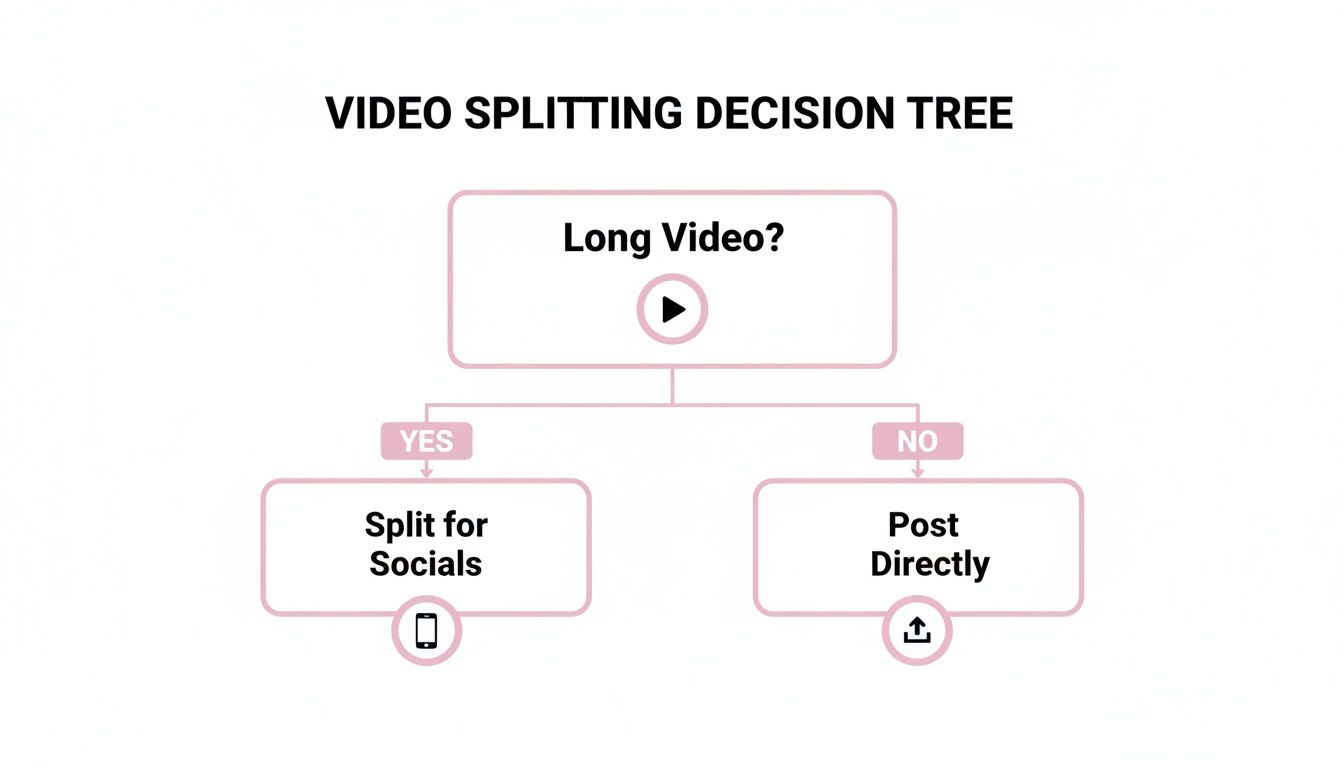
Basically, if your video is long and you want to put it on social media, you absolutely need to be splitting it up.
The Technical & Automated Routes
If you or your team have some technical chops, command-line tools offer some serious power. FFmpeg is the workhorse here—it’s a free, open-source tool that can slice up videos with simple scripts. You can tell it to pull clips based on exact timestamps or chop a long file into perfectly even chunks, all without ever opening an editor. It's incredibly fast for batch processing, but it's not "smart." It does exactly what you tell it to and nothing more.
This is where AI-driven platforms have a huge edge. They don't just cut at a timestamp; they analyze what's actually in the video. They can detect who's talking, pinpoint topics that are likely to go viral, and even score moments based on their potential to engage an audience.
For a high-volume agency, this is a game-changer. An AI workflow can take a client's one-hour webinar and produce 20 polished, captioned clips in the time it would take a human editor to create just two or three.
These smarter systems manage the whole process, from finding the clips to adding animated, on-brand captions. When you're looking for a video editor for social media, you want something that blends this powerful automation with enough customization to keep your content looking like yours.
While we’re talking about video, this idea of breaking down content for different platforms applies elsewhere, too. You might find a tool like an Instagram Carousel Splitter tool just as useful for your static images. In the end, it’s all about finding that sweet spot between precision, speed, and the sheer volume of content you need to create.
A Practical Guide to Manual Video Splitting
If you’re the type of creator who wants absolute creative control, learning how to manually split a video into parts is a core skill you can't skip. Automated tools are great for speed, but nothing beats the hands-on approach when you need every cut to be frame-perfect. This is the bread and butter of editing in popular software like Adobe Premiere Pro, Final Cut Pro, and DaVinci Resolve.
The whole process starts when you drop your full-length video onto the timeline. Think of this as your digital canvas. From there, you'll grab what’s usually called the razor tool or blade tool—your best friend for this task. A quick keyboard shortcut (like tapping 'C' in Premiere Pro) usually brings it right up.

From a Long Demo to Viral Clips
Practical Example: Let's say you've just finished recording a 15-minute product demonstration. The plan is to pull out three powerful, 60-second highlights to use as social media ads. This is where manual editing shines. You can pinpoint the exact start and end frames for each highlight, making sure the story flows just right and grabs attention immediately.
Here’s a practical workflow you can use:
- Plan With Markers: Before you even think about cutting, watch the video and drop markers (M key in most editors) at the beginning of every section you want to pull out. This little bit of prep saves a ton of guesswork later.
- Make the Cuts: With your markers set, grab the razor tool and click on each marker. Every click slices your video into a separate clip, neatly dividing your long-form content.
- Isolate and Polish: After making all your cuts, just delete the leftover footage you don't need. You're now left with three distinct, high-impact clips, ready to be exported individually.
This hands-on approach really pays off. A recent statistic from Wyzowl found that 92% of marketers say video gives them a good ROI. Those perfectly crafted, manually-cut clips are exactly what make that kind of impact possible.
Pro Tips for a Polished Finish
Splitting a video is one thing, but making the final clips feel professional is another. The little details are what separate amateur work from content that actually stops people from scrolling.
A classic mistake is jarring audio. When you chop up a video, the volume can jump all over the place between clips. Always take a moment to normalize the audio for each segment you export. A consistent volume level makes for a much better viewing experience.
The real power of manual editing is its precision. You can trim a clip down to the microsecond, ensuring that a speaker's point lands with maximum impact or a product feature is revealed at the perfect moment.
Here's another tip: master your keyboard shortcuts. Splitting videos manually can get repetitive fast. Shortcuts transform a tedious, click-heavy job into a smooth, fast workflow. Just learning the commands for splitting, selecting, and deleting can boost your editing speed by 50% or more. It's a bit more effort upfront than using an automated tool, but the control you get in return is priceless.
Splitting Videos with FFmpeg for Automation
For developers, technical marketers, or anyone who just can't stand repetitive manual work, FFmpeg is the answer. It’s a powerful, free command-line tool that lets you split a video into parts without ever touching a graphical interface. Think of it as the Swiss Army knife for video manipulation, perfect for building automated workflows.
Instead of clicking and dragging on a timeline, you just fire off a command. This is incredibly efficient for batch processing or server-side tasks where you need speed and consistency. Statistics show that teams automating repetitive tasks can see productivity jumps of over 30%, freeing up significant time for more strategic work.
Splitting a Video by Exact Timestamps
The most common reason to use FFmpeg is to pull a specific clip from a longer video. Practical Example: Let's say you have a one-hour webinar (webinar.mp4) and need to grab a great testimonial that starts at 2 minutes and 45 seconds (00:02:45) and ends at 3 minutes and 30 seconds (00:03:30).
With FFmpeg, you can do this with one simple line of code.
ffmpeg -i webinar.mp4 -ss 00:02:45 -to 00:03:30 -c copy testimonial_clip.mp4
Here’s a quick breakdown of what’s happening:
-i webinar.mp4: This just points to your source video file.-ss 00:02:45: Sets the start second, or the timestamp where you want the clip to begin.-to 00:03:30: Sets the end timestamp.-c copy: This is the real magic. It tells FFmpeg to copy the video and audio streams directly without re-encoding them. It's incredibly fast and maintains the original quality perfectly.
Automatically Dividing a Video into Equal Segments
Another fantastic feature is the ability to chop a long video into uniform chunks. This is great for dicing up a lengthy recording into 90-second clips for social media or breaking a lecture into chapters for an online course. The segment muxer in FFmpeg was built for exactly this.
Practical Example: If you wanted to split a 10-minute file named long_video.mp4 into a series of 90-second clips, you’d run this command:
ffmpeg -i long_video.mp4 -c copy -map 0 -segment_time 90 -f segment -reset_timestamps 1 output_%03d.mp4
This command automatically generates a sequence of files—output_000.mp4, output_001.mp4, and so on—each one exactly 90 seconds long. It’s a perfect way to generate a lot of content from a single source file with zero manual effort.
Key Takeaway: While FFmpeg is incredibly powerful for timestamp-based splitting, its main limitation is that it isn’t content-aware. It can't identify the most engaging or relevant moments in your video; it only does exactly what you tell it to.
This is a critical distinction. If your goal is to find the best parts of a video, a purely technical tool like FFmpeg will always fall short. That's where you start needing more advanced, AI-driven solutions that can actually analyze the content for you.
The Next Wave: AI-Powered Video Repurposing
Manual editing and even command-line wizards have their limits. While FFmpeg is a workhorse for precise, timestamp-based cuts, it’s completely blind to content. It can’t tell you where the most powerful quote is, nor can it spot three seconds of dead air you definitely don't want in a social clip. This is where AI-powered platforms are completely changing the game for anyone who needs to split a video into parts and do it at scale.
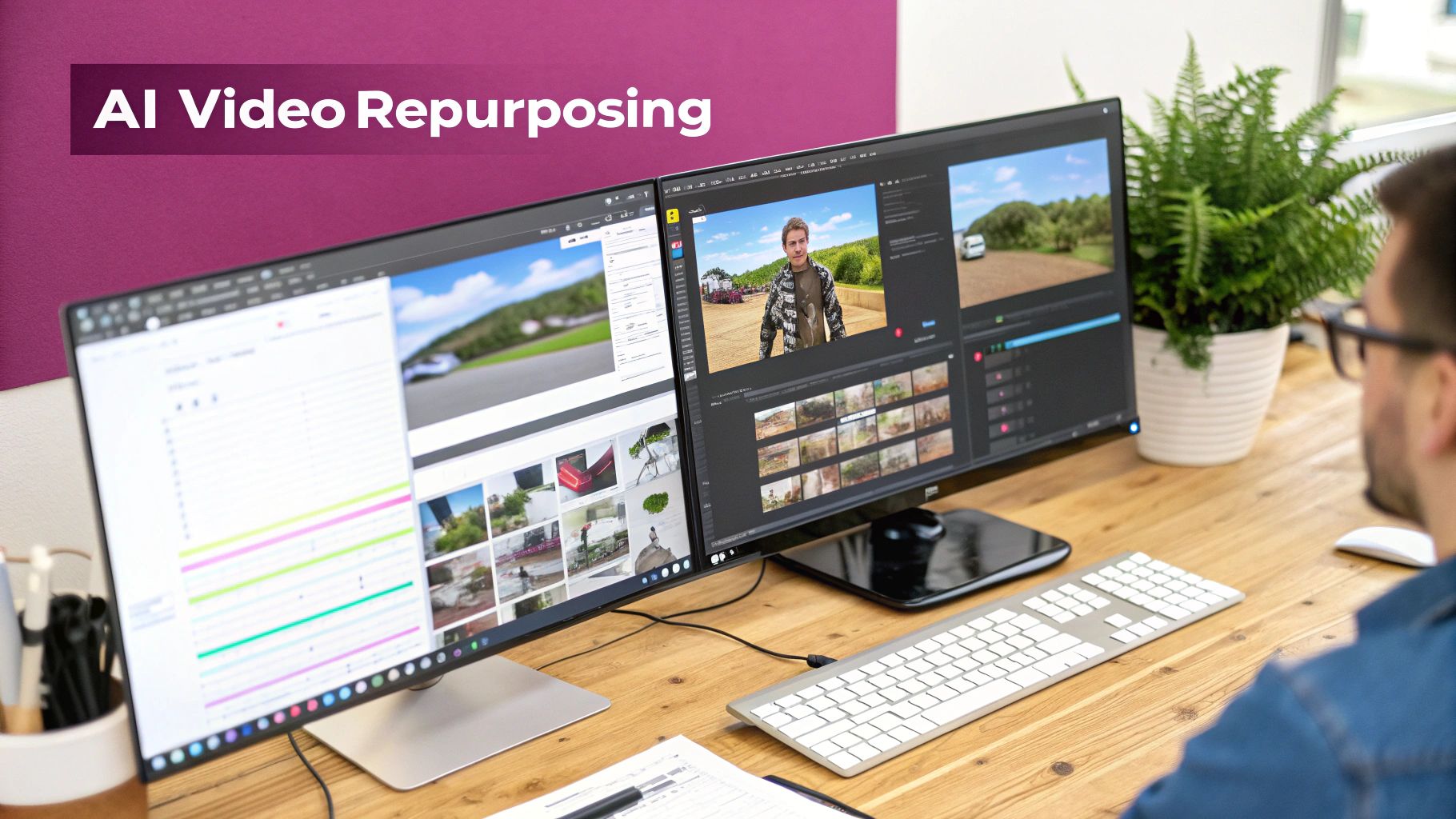
These tools tackle the single biggest bottleneck in content repurposing: the sheer time it takes to find the gold hidden in your long-form videos. Forget scrubbing through hours of footage; AI does the heavy lifting by analyzing the content for you.
From Manual Sifting to Intelligent Discovery
What makes these platforms so effective is their ability to actually understand video. They don't just look at timecodes; they identify key moments based on context, pulling insights from a few different angles:
- Active Speaker Detection: The AI figures out who is speaking and when, which is crucial for creating clips that focus on the right person without awkward interruptions.
- Emotional Cues: By analyzing tone of voice and language patterns, the system can flag moments of high energy, excitement, or when a speaker is making a really critical point.
- Virality Scoring: Some of the more advanced algorithms can even predict which segments have the best shot at going viral on platforms like TikTok and Instagram Reels.
The difference in efficiency is huge. Statistics show that AI can boost business productivity by up to 40%. In content creation, this means a marketing agency can take a client's one-hour webinar and turn it into 20+ social-ready videos in minutes, not days. We've seen content teams scale their production by 10x or more, all while improving the quality and impact of every single clip.
The real edge of AI isn't just speed; it's discovery. It finds those engaging moments that a human editor, rushing to meet a deadline, might easily scroll right past. This unlocks a massive amount of untapped value from your existing video library.
Automating the Entire Post-Production Workflow
Finding the right moments is only half the battle. The best AI platforms also handle all the tedious post-production work that usually bogs down creative teams.
For instance, our AI video clipping tool automates both captioning and branding. It generates dynamic, animated captions that are not only accurate but also styled with your brand’s specific fonts and colors. And with support for over 90 languages, taking your content global becomes surprisingly straightforward.
Another feature that saves a ton of time is the automatic removal of filler words. The AI can detect and snip out all the "ums," "ahs," and long pauses, leaving you with a much cleaner and more professional-sounding final cut. This alone can save an editor hours of painstaking audio work.
A Real-World Podcast Repurposing Workflow
Practical Example: Think about a podcast team producing two-hour episodes every week. Their editor might spend a full eight-hour day manually creating just five short clips. With an AI platform, that workflow looks completely different:
- Upload: First, they just upload the final episode's audio and video files.
- Analyze: The AI gets to work, transcribing the entire conversation and identifying 30 potential clips based on topic changes, speaker energy, and important keywords.
- Refine & Export: The team then reviews the AI's suggestions, makes a few minor tweaks, and batch-exports 25 branded, captioned clips for all their social channels. The whole process takes less than an hour.
To really get the most out of this technology, it helps to understand the bigger picture of content repurposing strategies. AI simply provides a much smarter and more efficient way to execute on that strategy and get your message seen by more people.
Answering Your Questions About Splitting Videos
Getting started with video splitting always brings up a few common questions. If you're trying to figure out the best workflow for your needs, you're not alone. Here are my answers to the queries I hear most often from creators trying to split a video into parts.
What’s the Best Free Tool to Split a Video?
If you're just looking for a no-cost, no-frills option, an online video editor like Clipchamp is a solid starting point. It gives you a simple timeline where you can drop in your video, drag the playhead to the exact spot you want to cut, and hit the split button (usually a little scissors icon). It’s perfect for one-off projects where you just need to make a few quick trims.
Practical Example: You recorded a 5-minute video of your dog and want to cut out the first 10 seconds where you were fumbling with the camera. A free tool like Clipchamp is perfect for this simple trim.
How Can I Automatically Cut a Long Video Into 1-Minute Parts?
For this specific task, the most direct route is a command-line tool like FFmpeg. It has a segment function built precisely for this purpose. You can just run a command telling it to chop your video file every 60 seconds, and it will spit out a series of perfectly timed clips without any manual work.
The big downside? This method is completely blind to your content. It doesn't know a great quote from a moment of dead air; it just cuts at the 60-second mark, no matter what's happening on screen. You might get lucky, or you might get a bunch of clips that start and end awkwardly.
Don't just take my word for it. A recent statistic shows that 91% of businesses now use video as a marketing tool. This means every single clip needs to be engaging, not just a random time segment.
What Is the Absolute Fastest Way to Split a Video for Social Media?
Hands down, the fastest method is using an AI-powered platform. It’s a completely different approach from manual editors or command-line tools because the AI actually analyzes the content of your video to find the best moments for you.
Practical Example: You have a 45-minute podcast episode. Instead of you scrubbing through it, an AI tool can transcribe the entire thing, identify who is speaking, and automatically pull out 15-20 high-potential clips based on topic changes, questions, or energetic moments. It does the discovery, the cutting, and even the captioning in minutes.
What would take a human editor hours of tedious work becomes a simple review-and-export job. This is the kind of smart automation that’s built for the relentless pace of social media content.
Ready to stop wasting hours on manual editing and start creating content at scale? Our AI finds the best moments in your long videos and turns them into dozens of social-ready clips in minutes. Try it for free and see how much time you can save.