So, you want to transcribe a YouTube video. You could use YouTube's free built-in captioning tool for a quick-and-dirty job, or you could bring in a specialized AI service for much higher accuracy and speed. The right path really depends on what you're trying to achieve—better accessibility, a boost in SEO, or just turning that one video into a dozen new pieces of content.
Why Bother Transcribing Your YouTube Videos?

Let's be real, transcription can feel like one more chore on an already endless to-do list. But what if it's the growth hack you've been missing? When you start treating transcription as a core part of your strategy, it can completely change how your content performs.
In a space this crowded, it’s not just a nice-to-have anymore. It's a must-have for standing out.
Unlock Massive SEO Potential
Search engines like Google are incredible at reading text, but they can't actually "watch" your video to figure out what it's about. When you transcribe your YouTube video and add those words as captions, you're basically handing the search engine a complete script.
Suddenly, every single word you spoke becomes indexable. This allows your video to start ranking for all the specific keywords and phrases mentioned inside the content, not just the handful you managed to fit in your title and description. It’s a powerful way to improve discoverability. For a deeper dive, check out these excellent YouTube SEO optimization tips.
Broaden Your Audience with Accessibility
A huge chunk of people either watch videos with the sound off or rely on captions to follow along. In fact, research from Verizon Media shows a staggering 80% of consumers are more likely to watch an entire video when captions are available.
By providing an accurate transcript, you're immediately opening your content up to:
- People who are deaf or hard of hearing.
- Viewers in loud places like a bus or a coffee shop.
- Non-native speakers who find it easier to read along as they listen.
It’s a simple addition that ensures you aren't leaving a massive potential audience behind. You can see the full workflow in our detailed guide on how to transcript a YouTube video.
Create a Foundation for Content Repurposing
A transcript is pure gold for repurposing. Don't think of it as the end of the line; think of it as the raw material for a ton of other content.
Once you have a text version of your video, you can instantly:
- Pull out key quotes and turn them into eye-catching social media graphics.
- Scan for highlights to chop into short-form clips for TikTok, Reels, and Shorts.
- Use the structure to quickly draft a detailed blog post or email newsletter.
Consider this: every minute, more than 500 hours of new video is uploaded to YouTube. That insane volume is exactly why automated transcription tools are no longer a luxury—they’re a game-changer for any creator who wants to work smart and maximize their reach.
Getting Started with YouTube's Built-In Tools
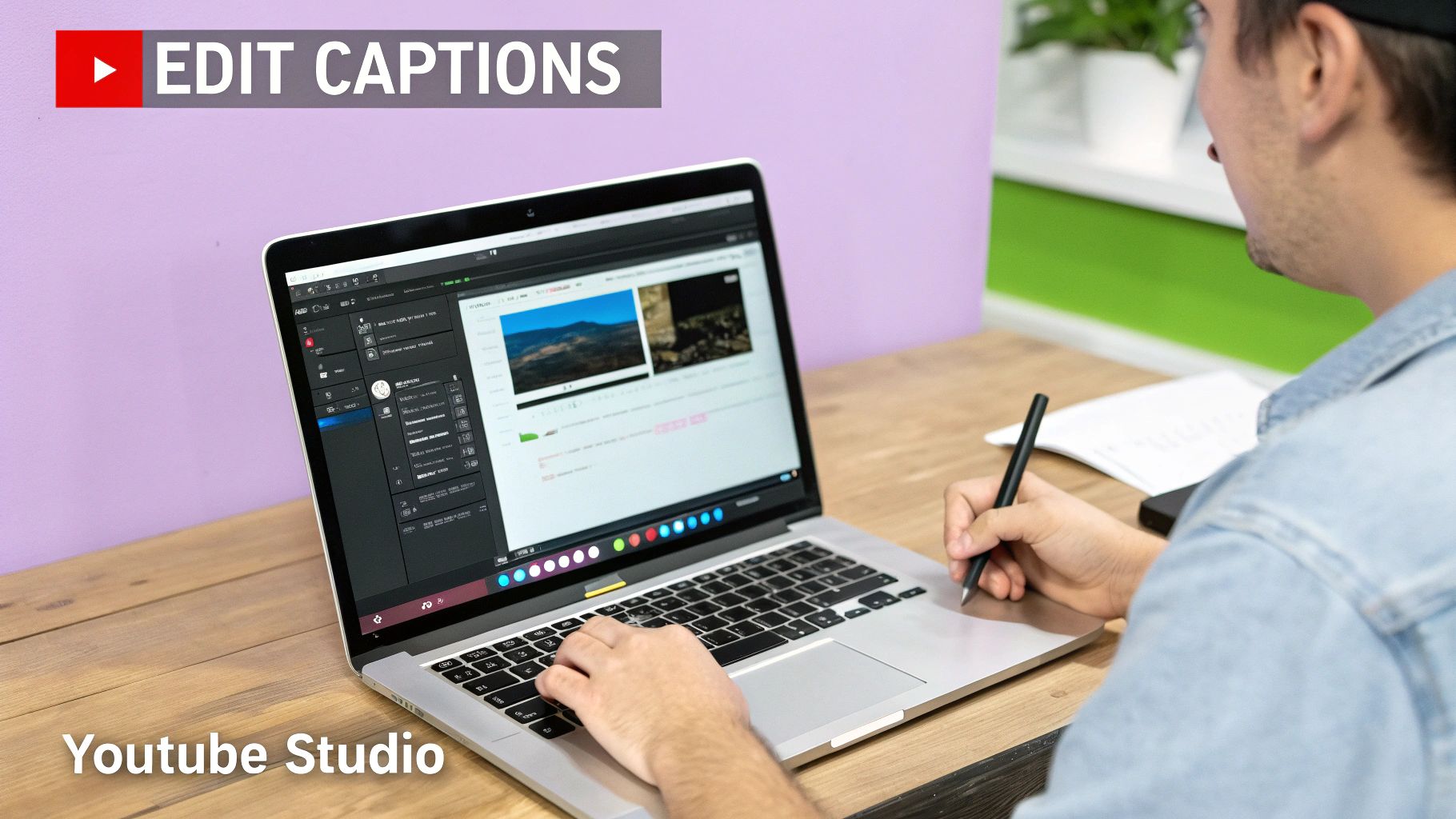
If you're on a budget or just starting out, your first stop should be YouTube's own platform. You don't need any fancy software. As soon as you upload a video, YouTube automatically generates captions, giving you a ready-made transcript to start with.
This is by far the most direct way to get a transcription. It's not perfect, but it's a fantastic first draft that you can clean up yourself.
Accessing and Editing Your Auto-Captions
So, where do you find these captions? It’s simple. After your video has been uploaded and processed, just head over to your YouTube Studio and click on the "Subtitles" tab in the left-hand menu. You'll find an "Automatic" track that YouTube’s speech-recognition tech has created for you.
From there, the magic happens in the editor. You can duplicate that automatic track and start refining it. The interface lets you fix spelling, add punctuation, and even tweak the timestamps to make sure everything lines up perfectly. For shorter videos, it's a surprisingly smooth process.
Keep in mind, YouTube's auto-captions usually land somewhere in the 60-70% accuracy range. That’s a decent start, but it means you'll need to do some manual editing. As a rule of thumb, for every 10 minutes of video, expect to spend about 15-20 minutes on cleanup. It’s a small price to pay for making your content more accessible.
A Practical Example in Action
Let's say you just posted a 10-minute vlog about a trip you took. It’s almost a guarantee that YouTube's AI will stumble over unique place names, local slang, or even just your personal speaking quirks.
This is where you jump in. In the editor, you can scan through the text and quickly spot the errors. You might change a botched "Pare-is" to "Paris" or clean up conversational bits like "gotta" to the more readable "got to." In just a few minutes, you’ve taken a rough, machine-generated script and turned it into something professional.
Key Takeaway: YouTube's free tool is a game-changer, especially if you don't mind a little hands-on editing. The boost you get in accessibility and SEO is well worth the time it takes to polish the captions.
Pros and Cons of YouTube's Native Tool
Before you dive in, it's good to know exactly what you're working with. While the built-in tool is incredibly useful, it has its limits.
Advantages:
- Completely Free: It costs you nothing. For new creators, that's a huge win.
- Conveniently Integrated: Everything you need is right there in YouTube Studio. No downloads, no extra accounts.
- Good Starting Point: You get a time-coded transcript without having to type everything out from scratch.
Disadvantages:
- Variable Accuracy: The quality of the transcript can be a real mixed bag. It all depends on your audio quality, if you have an accent, or if you use a lot of technical terms.
- Lacks Advanced Features: You won't get things like automatic speaker identification or perfect punctuation. That's all on you to fix manually.
For creators pumping out a lot of content or needing flawless transcripts for professional reasons, this manual process can quickly become a major time-sink. That’s usually the moment when people start exploring dedicated AI transcription services to speed things up.
Using AI for Faster and More Accurate Transcripts
While YouTube's built-in caption tool is a decent starting point, you'll quickly find that manual editing becomes a massive time-sink, especially as your channel grows. This is where dedicated AI services really shine. They bring a level of speed and precision to the table that you just can't get by doing it yourself.
Think about it: you could upload a one-hour podcast interview and have a polished, speaker-labeled transcript ready in under ten minutes. That's the reality with modern AI. These tools deliver near-perfect accuracy, making the task to transcribe a YouTube video feel less like a chore and more like a superpower.
The Accuracy and Speed Advantage
The biggest jump you'll see when switching to a specialized AI tool is the sheer quality. YouTube's auto-captions have been around since 2009, but their accuracy has always been a bit hit-or-miss. Today’s best AI services, on the other hand, can hit up to 99% accuracy. That's a huge leap forward.
And this isn't just about saving time. The numbers tell a compelling story. A study by PLYmedia found that adding captions can boost video views by up to 40%. When you consider that over 1.5 billion people worldwide have some form of hearing loss, accurate transcripts become non-negotiable for creating inclusive content.
Key Features That Make a Difference
Dedicated AI platforms do more than just turn speech into text. They're packed with smart features designed to make your entire content workflow smoother, turning a simple transcript into a powerful asset.
- Automatic Speaker Labels: This is a lifesaver for interviews and podcasts. The AI automatically figures out who is speaking and labels their lines, so you don't have to guess.
- Precise Timestamps: Instead of basic timestamps for each paragraph, these tools provide word-by-word timing. You can click on any word in the transcript and jump right to that spot in the video. Perfect for finding shareable quotes.
- Filler Word Removal: Most services can automatically detect and zap filler words like "um," "uh," and "you know." You get a cleaner, more professional script right out of the gate.
Practical Example: Let's say a podcaster uploads a 45-minute interview with two guests. A good AI service won't just transcribe it in minutes; it will also correctly label all three speakers (host, guest 1, guest 2). The podcaster can then search the transcript for standout quotes from each person and instantly create a week's worth of social media content.
Comparing YouTube Auto-Captions vs AI Transcription Services
When you need to transcribe a YouTube video, the right tool really depends on your goals. YouTube’s feature is free and convenient for quick jobs, but dedicated AI services offer a professional-grade solution that's worth the investment for serious creators.
To help you decide, here’s a direct comparison of what you get with each approach.
| Feature | YouTube Auto-Captions | Dedicated AI Services | Our Edge |
|---|---|---|---|
| Accuracy | 60-70% | Up to 99% | Achieve near-perfect transcripts, minimizing editing time. |
| Speed | Slow, manual editing | Extremely fast processing | Get transcripts for long videos in minutes, not hours. |
| Speaker Labels | Not available | Automatic detection | Perfect for multi-speaker content like interviews and podcasts. |
| Timestamps | Basic paragraph-level | Precise word-level | Easily find and clip exact moments for social media. |
Ultimately, this level of efficiency is what allows you to turn a single video into a dozen different pieces of content. If you're looking to go deeper on how this works, check out this comprehensive AI video transcription business guide.
Turning Transcripts into Engaging Social Content
A transcript isn't just a wall of text; it's a content goldmine. When you transcribe a YouTube video, you’re not just getting a script—you're creating a shortcut to an entire social media campaign based on one long-form video. For creators and agencies, this changes everything and saves countless hours.
This is the secret sauce for scaling your content without burning out. Instead of constantly trying to dream up new ideas, you can just pull dozens of shareable moments straight from a video you've already put the work into.
Pinpointing Your Best Moments
First things first, you need to go prospecting in your transcript. Just scan the text and highlight anything that jumps out at you. Don't overthink it. If a line grabs your attention, it'll probably grab your audience's, too.
I find that the best bits usually fall into a few categories:
- Powerful Quotes: Those short, sticky sentences that perfectly capture an idea or feeling.
- Actionable Tips: Quick, practical advice that someone can use right away.
- Surprising Statistics: A juicy data point that makes people pause and think. Content with hard numbers always feels more credible.
- Key Takeaways: The main "aha!" moments from your video, boiled down to their essence.
Once you’ve got these highlights pulled, you’ve basically built the foundation for your social media calendar.
From Text to Short-Form Video
Okay, now for the fun part: turning those text highlights into attention-grabbing short videos for TikTok, Reels, and Shorts. This is where the magic really happens. A study by Wyzowl found that 91% of businesses use video as a marketing tool, underscoring its massive impact on social media.
Imagine a marketing agency takes a client's 60-minute webinar. With a transcript, they can quickly spot five killer insights and—boom—they've got a week's worth of short-form video clips ready to go. Style each one with some slick animated captions, and you've got content that works even when people are scrolling with the sound off.
Pro Tip: Look for tools that automatically detect who is speaking in the original video. This is a lifesaver for interviews or panels because it ensures your short clips actually show the right person on screen without you having to fix it manually.
Having an accurate, timestamped transcript makes this whole process lightning-fast. You can find the exact start and end times for each clip without endlessly scrubbing back and forth through the video player.
Building a Diverse Content Calendar
But don't stop at video clips. Those same text snippets you highlighted can be spun into a whole range of different posts, letting you connect with different parts of your audience on their preferred platforms.
Here’s a simple workflow I use to squeeze every drop of value from one transcript:
- Create Quote Graphics: Slap your best one-liners onto a nice visual template for Instagram or LinkedIn.
- Write Tweet Threads: Take one key idea from the transcript and flesh it out into an informative Twitter thread.
- Draft LinkedIn Posts: Use a powerful statistic as a hook for a longer, more thoughtful post that positions you as an expert.
- Craft Instagram Stories: Turn a list of your actionable tips into an interactive Story series using polls, quizzes, or Q&A stickers.
By mixing up the formats, you're not just repeating the same message over and over; you're presenting your best ideas in fresh, engaging ways. To really dive deep on this, we've put together a ton of ideas in our guide to effective content repurposing strategies.
Ultimately, by using every part of your transcript, you can build a powerful and consistent social media presence from a single video, getting maximum reach for minimal extra effort.
Automate Your Workflow with a Transcription API
For anyone managing content at scale—think agencies, developers, or in-house marketing teams—the cycle of manually downloading, uploading, and editing video files is a massive time sink. This is precisely where a transcription API steps in. It’s less about a single tool and more about building a custom, automated content pipeline that just works.
Picture this: your client uploads a new video to their YouTube channel. Instantly, an integration you've built pulls that video, the API transcribes it with incredible accuracy, and then pings a team member for a quick final review. This isn't just a time-saver; it’s a fundamental shift that frees up your team from tedious tasks to focus on strategy and creativity.
Powering Content at Scale
Relying on an API opens up possibilities that a standard web interface just can't touch. A digital marketing agency, for example, could manage dozens of client channels from a single, unified dashboard. Every new video gets transcribed and prepped for repurposing almost as soon as it goes live.
This kind of automation is becoming essential. The AI transcription market is projected to reach $31.82 billion by 2030, according to Grand View Research. That growth is being driven by giants like YouTube—the second most-visited website on the planet—where creators upload over 500 hours of video every single minute. Modern AI transcription has moved far beyond basic captions, now hitting 95-99% accuracy, which is critical for unlocking the SEO value that both viewers and search algorithms crave.
This flow shows how a simple transcription becomes the first step in a much larger, more efficient content strategy.

The real takeaway here? Transcription isn't the end of the line. It's the launchpad for creating a ton of high-quality content from a single video.
Unlocking Advanced Features with an API
Going beyond simple text output, an API gives you direct access to powerful features that you can weave directly into your own applications and systems. This is how you build truly unique and efficient content workflows.
- Speaker Detection: A must-have for interviews and podcasts. The API can automatically identify who is speaking and when, making the transcript clean, readable, and easy to format.
- Multi-language Support: Programmatically transcribe and translate videos into dozens of languages. It's a game-changer for reaching a global audience without the manual overhead.
- Custom Integrations: Pipe the transcription data directly into your CMS, a social media scheduler, or even a Slack channel for team notifications.
Practical Example: A media company could build a custom internal tool. Their team uploads a raw video file, the API generates the transcript, and the tool automatically creates a dozen social media clips with burned-in captions, all within their own branded ecosystem.
This level of deep integration is where the magic happens. We dive deeper into what’s possible in our guide on the benefits of using an API for video repurposing. Ultimately, automating with an API isn't just about being more efficient today; it's about building a smarter, scalable content engine that can grow with you.
A Few Common Questions About Transcribing YouTube Videos
Diving into the world of YouTube transcription can feel a bit overwhelming, and it's natural to have questions. I've been asked these a few times, so here are some quick, no-fluff answers to help you find the best path forward.
What’s the Best Free Way to Transcribe a YouTube Video?
Honestly, the most straightforward and reliable free method is to just use YouTube's own auto-captioning tool. Once YouTube processes your video, you can jump into YouTube Studio, find the generated transcript, and clean it up.
You’ll find the accuracy sits somewhere in the 60-70% range, which isn't perfect, but it gives you a decent starting point. For a standard ten-minute video, you're probably looking at about 15 minutes of manual editing. It’s a solid trade-off, especially if you're just starting out or working with a tight budget.
How Can I Improve AI Transcript Accuracy?
This one's simple: garbage in, garbage out. The quality of your transcript is directly tied to the quality of your audio. If you have crisp, clear speech with little to no background noise, the AI will have a much easier time getting things right.
Even with great audio, you'll still need to do a quick proofread. I always focus on fixing three things the AI usually stumbles on:
- Proper nouns (like people's names)
- Brand names
- Niche-specific jargon
A good transcription service will give you an interactive editor where the text is synced to the video. This is a game-changer because you can just click on a wonky word and instantly hear the audio to make a quick fix. It turns a chore into a simple five-minute review.
My Two Cents: If you take away just one thing, let it be this: high-quality audio is everything. Investing in a decent microphone and finding a quiet place to record will save you more editing headaches than you can imagine.
Does Transcribing YouTube Videos Actually Help with SEO?
Yes, one hundred percent. When you add an accurate transcript to your video as captions, you’re basically handing Google and YouTube a text file they can easily crawl and index. Suddenly, your video isn't just ranking for the keywords in your title and description; it's ranking for every single term spoken in the video itself.
Think about it. If you mention a specific feature like "Canva's new Magic Studio" in your video, a transcript makes your content discoverable for anyone searching that exact phrase. Time and time again, data shows that videos with captions get a real bump in views. It's not magic—it's just that the extra text makes them way more visible in search results, which means more organic traffic for you.
Ready to turn your videos into a content engine? Our tool transforms your long-form videos into dozens of social-ready clips with animated captions, lightning-fast. Start your free trial today and see the difference.