So, you've got a YouTube video and you need to get the spoken words into a text document. You can absolutely use YouTube's own auto-caption feature to get a rough draft, or you can turn to dedicated AI transcription services if you need much higher accuracy. Either way, these tools can turn your video's audio into a readable, editable text file, saving you a ton of time you'd otherwise spend typing it all out by hand.
Why Accurate YouTube Transcription Is a Game Changer
Ever stop to think about all the valuable stuff locked away inside your videos? Every word spoken in your tutorials, interviews, and vlogs is an asset. But for search engines and a huge chunk of your potential audience, it's completely invisible. This is why turning your YouTube videos into text isn't just a nice-to-have; it's a core part of any smart growth strategy.
Let's be real, the internet is flooded with content. Making your videos discoverable and inclusive is everything. The numbers are just wild—industry reports show that over 500 hours of video get uploaded to YouTube every single minute. That's a mind-boggling amount of content, making it incredibly tough to get noticed. A good transcription cuts through that noise by turning your audio into a searchable asset that Google can actually read and index.
Expanding Your Global Audience
One of the quickest wins you get from a transcript is a massive boost in your potential reach. Think about accessibility: over 1.5 billion people around the world live with some degree of hearing loss. Many others just prefer watching videos with captions on. If you want to dig into the numbers, you can explore the full scope of these statistics to see just how big this audience is. By offering a text version, you're not just making a small adjustment; you're throwing open the doors to a huge, often overlooked community.
Takeaway: Transcription isn't just about getting words on a page. It's about being inclusive. When you make your content accessible, you invite a global audience to connect with your message—people who might have been left out otherwise.
Unlocking SEO and Content Opportunities
Beyond just reaching more people, an accurate transcript is an SEO goldmine. Search engines can't "watch" your video to understand what it's about, but they are incredibly good at reading text. A clean transcript gives them a perfect roadmap to your video's context and subject matter, allowing it to rank for all sorts of specific, long-tail keywords people are actually searching for.
This creates a fantastic ripple effect for your entire content strategy.
- Better Search Visibility: Every single word you say becomes a keyword that search engines can index. This helps your video show up in way more search results on both Google and YouTube.
- Easy Content Repurposing: A transcript is the ultimate starting point for new content. You can effortlessly spin a 20-minute video into a detailed blog post, a handful of social media updates, or even an entire email newsletter.
- A Better User Experience: Viewers love being able to quickly scan a transcript to find the exact piece of information they're looking for. This keeps them engaged and on your page longer, which are key signals that YouTube's algorithm pays close attention to.
When you get right down to it, a precise transcription transforms your video from a single piece of media into a flexible, powerful marketing tool that drives traffic and keeps people watching.
Choosing Your Transcription Method: A Practical Comparison
Not all transcription methods are created equal. The right approach for you really boils down to what you need the text for. Are you creating a legal transcript where every single word has to be perfect? Or do you just need a decent draft to kickstart a blog post?
Figuring this out upfront will save you a ton of time, money, and headaches.
We're going to walk through the four main ways to get this done: using YouTube’s built-in tool, going the old-school manual route, using a dedicated AI service, and for the more technical folks, plugging into a developer API. Each one has its sweet spot.
The sheer volume of content on YouTube is staggering, which is exactly why having a smart transcription strategy is so important for creators and businesses trying to stand out.
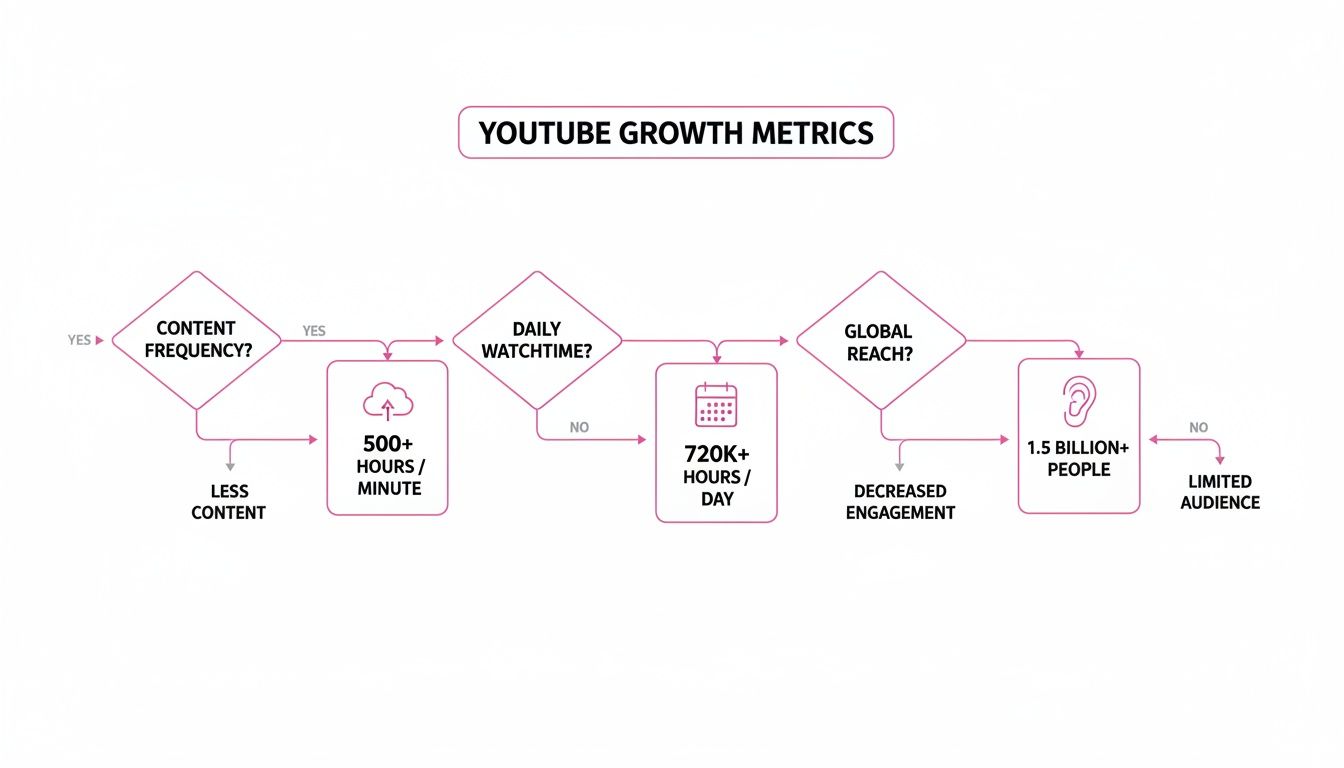
With over 500 hours of video uploaded every single minute, you can see why we need efficient ways to make all that spoken content searchable, accessible, and reusable.
To help you decide, let's compare these methods side-by-side. This table gives you a quick overview of what to expect from each option in terms of accuracy, speed, cost, and where it truly shines.
Comparison of YouTube Transcription Methods
| Method | Typical Accuracy | Estimated Speed | Average Cost | Best For |
|---|---|---|---|---|
| Manual Transcription | 98-99% | 4-6 hours per audio hour | High | Legal proceedings, academic research, and high-stakes content. |
| YouTube's Built-in Tool | 60-70% | Near-instant | Free | Getting a quick, rough draft for personal notes or basic editing. |
| Dedicated AI Services | 90-95%+ | Minutes per audio hour | Low to moderate | Content creators, marketers, and businesses needing fast, reliable text. |
| Developer APIs | 90-95%+ | Automated/Instant | Varies (usage-based) | Integrating transcription into apps, platforms, and automated workflows. |
As you can see, there's a clear trade-off between cost, speed, and quality. Now let's dig into the details of each one.
The Human Touch: Manual Transcription
This is the classic method: someone puts on headphones, listens carefully, and types out everything they hear, word for word. It’s a meticulous process, but it delivers the highest possible accuracy.
A skilled human transcriber can easily navigate tricky audio with multiple speakers, thick accents, or dense technical jargon that trips up automated systems.
The big catch? It’s incredibly time-consuming. An experienced pro might spend 4 to 6 hours transcribing just one hour of audio. For a busy content creator, that's a massive bottleneck.
A professional human can hit 98–99% accuracy, which is the gold standard. But because of the time and cost, this approach is usually reserved for things where mistakes are not an option, like legal depositions or published research.
Quick and Easy: YouTube's Built-In Tool
YouTube automatically generates a transcript for most videos, and it's by far the most convenient option for a fast, free draft. In just a couple of clicks, you can grab a time-stamped text file right from the video page. It doesn't get easier than that.
But you get what you pay for. The accuracy of YouTube's auto-captions often hovers in the 60–70% range in the real world. It tends to stumble over accents, background noise, and specialized vocabulary. You should absolutely plan on spending some time cleaning up the text it gives you.
The Sweet Spot: Dedicated AI Transcription Services
This is where technology really starts to work for you. Dedicated AI services have become a fantastic middle ground, offering accuracy that's close to human levels but at a tiny fraction of the cost and time. These tools use sophisticated speech-to-text engines that can distinguish between speakers, handle different accents, and even automatically remove filler words like "um" and "uh."
Imagine a marketing team needing to repurpose a one-hour client webinar. Instead of waiting days for a manual transcript, they can upload the video and get a highly accurate text back in minutes. This speed lets them jump straight into creating blog posts, social media updates, and e-books.
- Lightning Fast: Transcribe hours of video in the time it takes to grab a coffee.
- Highly Accurate: Many services consistently hit 95% accuracy or better.
- Packed with Features: Look for speaker labels, custom vocabulary lists, and various export options (like .srt or .txt).
If you're just dipping your toes in, checking out the best free transcription software is a great way to see what's possible without any commitment.
For Scaled Workflows: Developer APIs
For businesses and developers who need to bake transcription directly into their own software, an API is the only way to go. This approach lets you build automated transcription into your applications, creating a totally seamless experience for your users.
For instance, a media monitoring platform could use an API to automatically pull in a client's YouTube videos, transcribe them, and flag mentions of certain keywords. That level of automation just isn't possible otherwise. This is the perfect solution for anyone handling a high volume of content or needing to integrate transcription into a larger, repeatable process.
Using an AI Service to Transcribe Your Video
When you need a transcript that's fast, highly accurate, and packed with useful features, dedicated AI transcription services are your best bet. These tools have been built from the ground up to turn video and audio into text, completely changing a workflow that used to take hours of tedious manual typing.
Think about it: you just finished recording a 45-minute interview with an industry expert for your YouTube channel. The old way meant blocking out your entire afternoon to type it all out. Now, you can just grab the video's URL, paste it into an AI service, and get a nearly perfect text file back in minutes.
This kind of automation is powered by sophisticated speech recognition models that are getting scarily good at converting spoken words into digital text. It’s what makes processing huge volumes of video content not just possible, but genuinely efficient.
A Real-World Workflow
Let's walk through that expert interview scenario. You've got the video, and you want to repurpose it into a detailed blog post. Here’s how an AI service makes that happen.
First, you just give the service the YouTube link. No need to download anything, which is a nice time-saver right there.
Next, you'll want to dive into the settings. This is where you can really improve the output. Be sure to enable speaker labeling (sometimes called diarization). This feature automatically tags who is speaking ("Speaker 1," "Speaker 2," etc.), which is an absolute lifesaver for interviews or multi-person discussions.
You should also look for a custom vocabulary option. If your interview is on a niche topic, like marketing, you can feed the AI a list of specific terms. For example, you might add words like "SaaS," "funnel marketing," or brand names that a generic model might otherwise get wrong.
Spending a minute or two on these settings upfront makes a huge difference in the quality of the first draft you get back.
Research has shown that training an automated speech recognition system with a custom vocabulary can reduce the word error rate by up to 25% on specialized subjects. That translates directly to less time spent editing for you.
From Raw Transcript to Polished Text
After the AI works its magic, you'll get a transcript that's usually around 90-95% accurate. The last piece of the puzzle is a quick human review, and most platforms make this incredibly easy.
They typically offer an interactive editor that syncs the text directly with the video's audio.
- Click and Jump: The best part is the timestamps. You can click on any word in the text, and the video player will jump to that exact moment. This makes hunting down and fixing the occasional error a breeze.
- Clean and Format: This is your chance to correct any misspelled names, fix awkward punctuation, and break up long monologues into more readable paragraphs. If you're planning to burn these captions directly into your clip, our guide on how to add text to video walks you through the next steps.
- Export and Use: Once you’re happy with the edits, you can export the final transcript in whatever format you need—a simple
.txtfile, a.docxfor your blog, or an.srtfile for subtitles.
The entire process, from pasting the link to having a polished document ready to publish, often takes less than an hour for that 45-minute video. When you compare that to manual transcription, the time savings are massive.
How Transcripts Boost Your Video's Discoverability and Reach
Once you've transcribed a YouTube video, you’re holding a lot more than just a block of words. You've created a powerful tool for growth. Think of an accurate transcript as a goldmine for SEO—it’s like handing search engines a detailed map to understand, index, and rank your video for hundreds of specific, long-tail keywords.
Suddenly, your video is no longer a "black box" of audio and visuals. It becomes a fully crawlable piece of content. Every single phrase you speak turns into a potential doorway for new viewers who are searching for the exact information you're sharing. This gives your video a direct line to search engines, pushing its visibility far beyond just the YouTube platform.
Unlocking Search Engine Potential
Search engines can't "watch" your videos, but they are incredibly good at reading text. When you add a transcript, you're giving Google the full script, making it dead simple to index. This one move can get your video to show up in rich snippets and featured search results for very specific queries.
Key Insight: A good transcript lets your video compete for rankings on Google Search, not just within YouTube. This multiplies its discoverability by tapping into the massive audience that starts their information hunt on Google.
In the fast-moving world of Generative Engine Optimization (GEO), using the best AI SEO tools for Generative Engine Optimization (GEO) can really crank this up a notch. These tools help you pinpoint valuable keywords within your transcript to target. The result is a ripple effect: better visibility tells the algorithms your content is valuable, which leads to more organic growth.
Driving Engagement and Watch Time
The benefits don't stop with search rankings. Transcripts have a direct impact on how people actually interact with your content, especially since so many videos are watched without sound these days. Turning your YouTube audio into accurate text captions can immediately boost viewer engagement and even your revenue.
Don't just take my word for it. Studies show that roughly 69% of viewers watch videos with the sound off at least some of the time. Other research puts that number as high as 80% in key markets. This tells us that a transcript-powered caption track isn't just a nice-to-have feature; it's essential for grabbing and holding attention. You can dig into more stats in this report on YouTube engagement.
All this extra engagement sends great signals to the YouTube algorithm.
- Longer Watch Times: Captions keep people hooked, even when they're on a crowded train or in a quiet office.
- Broader Accessibility: You're instantly making your content available to viewers with hearing impairments and non-native speakers, which can seriously widen your audience.
- Higher Retention: Viewers can follow along more easily, understand complex topics, and even find the specific part of the video they're looking for, making them far more likely to stick around.
These are the exact metrics YouTube cares about when deciding what to recommend. In that sense, a simple transcript becomes a direct driver of algorithmic favor. If you want more strategies on this, check out our guide on how to make videos go viral.
Turn Your Transcript into Powerful Content Assets
So you’ve transcribed your YouTube video. Don't just file it away and forget about it. That text document is a goldmine—the raw material for an entire content ecosystem. Letting it gather digital dust on a hard drive is a massive missed opportunity.
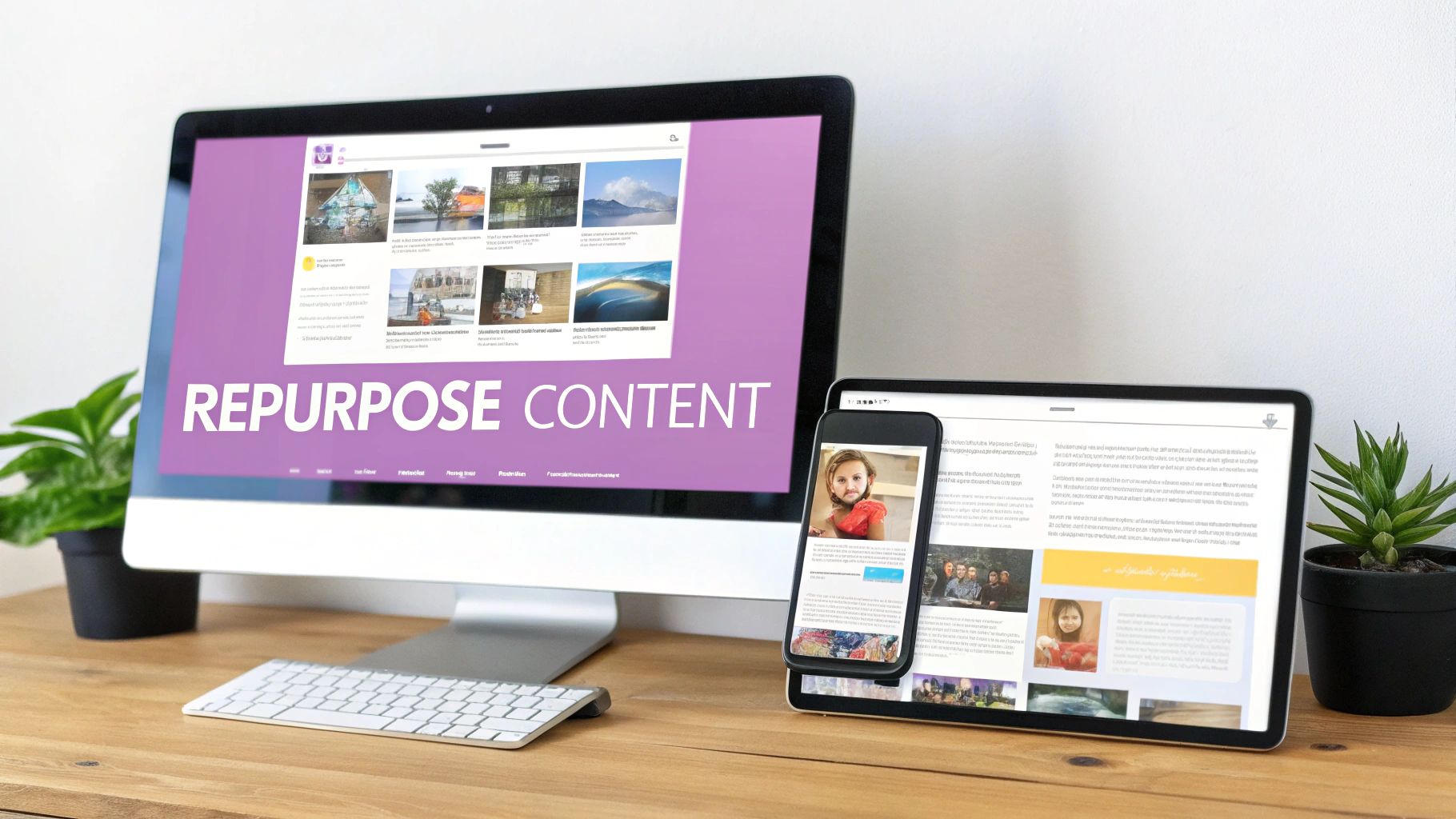
Think of it this way: your transcript is the foundation. Now it's time to build on it and multiply your impact across the web. This is all about smart repurposing, making sure every video you create delivers maximum value. The goal is to work smarter, not harder, letting your audience engage with your ideas in whatever format they prefer.
From One Video to a Full Campaign
Let's make this real. You just dropped a 30-minute podcast-style interview on YouTube. Instead of immediately moving on to the next project, that single transcript can fuel your content calendar for an entire week, if not longer. This is how one core asset spawns a dozen smaller ones.
A single video transcript can be the launchpad for a multi-channel content strategy. It allows you to efficiently meet your audience where they are—whether they prefer reading long-form articles, scrolling through social media, or receiving insights in their inbox.
Here's how that 30-minute interview transcript can be sliced and diced:
- A 1,500-word SEO-optimized blog post: Flesh out the key topics discussed in the video. Add new research, relevant statistics, and embed the original YouTube video for those who'd rather watch.
- Ten compelling Twitter threads: Pull out the most powerful quotes, surprising data points, or actionable tips from the conversation. Each thread can be a micro-lesson on its own.
- A visually engaging infographic: Turn the main takeaways or a key framework from the interview into a slick, shareable graphic perfect for LinkedIn or Pinterest.
- A five-part email mini-course: Break the interview down into bite-sized lessons. Deliver one part each day to your email subscribers to build authority and nurture your list.
Creating Your Repurposing Playbook
The key to consistency is building a repeatable system. For each content format—blog post, tweet thread, infographic—create a simple checklist. This removes the guesswork and transforms repurposing from a creative burden into a streamlined workflow.
You don't need to reinvent the wheel every time. You just adapt the core message from your transcript to fit the new medium. This ensures the effort poured into that original video pays off for weeks or months. For a deeper dive, our guide on content repurposing strategies has more advanced plays to get the most out of every video. This is exactly how top creators and brands stay so visible—they make every single piece of content work overtime for them.
Got Questions About Transcribing YouTube Videos?
Even with the best tools, a few questions always pop up when you start turning videos into text. Let's tackle some of the most common ones I hear so you can get started without any guesswork.
A big one is whether it's okay to transcribe a video you don't own. While you technically can pull a transcript from any public video, it's a legal and ethical minefield. Using someone else's content for your own blog, social media, or marketing materials without their go-ahead can land you in hot water with copyright.
My advice? Stick to your own videos or get explicit permission first. It's just not worth the risk.
What About Private or Unlisted Videos?
Yes, you can absolutely transcribe them. This is a huge relief for anyone working on content that isn't public-facing yet.
Most professional AI transcription services don't need a public YouTube link. You can simply upload the video file directly from your computer. This is a game-changer for things like:
- Internal training videos that are still in draft form.
- Confidential client feedback sessions you need to analyze.
- Podcast episodes you want to prep for show notes before the official launch.
This means you can weave transcription into your entire workflow, not just bolt it on at the end. For example, some platforms handle direct file uploads just as smoothly as a URL, keeping your private content secure while it gets transcribed.
Should I Edit the Transcript Before or After Publishing?
Always, always edit your transcript before it sees the light of day. AI transcription has gotten incredibly good, with the best services hitting 95% accuracy or more, but it’s still not perfect.
That final human review is what makes your content look professional. Seriously, spending just 10 or 15 minutes cleaning up an hour-long transcript is the difference between polished and sloppy.
Think about it—the AI might misspell a unique name, fumble a technical term, or add some weird punctuation. Catching those little errors before you publish the text as a blog post or burn it into video captions keeps you looking credible and ensures your message is perfectly clear. It’s a non-negotiable step for creating high-quality content.
Ready to turn your videos into a content powerhouse? Our platform makes it effortless to get accurate transcripts and create engaging, shareable clips in minutes. Stop letting your valuable video content sit unused and start multiplying your reach. Try Swiftia for free and see how fast you can repurpose your content.