Getting your hands on a transcript from a YouTube video is the first real step in turning a single recording into a mountain of content. It’s the secret to spinning one video into blog posts, social media updates, and dozens of short clips, effectively multiplying your output without much extra work.
Why YouTube Transcripts Are a Content Creation Powerhouse
It's easy to look at a YouTube transcript as just a script, but that’s a huge missed opportunity. For smart creators and marketers, it's a strategic asset that unlocks a ton of value, letting one piece of content become the backbone for an entire campaign. This whole approach is about being efficient and getting the most mileage out of every video you bother to produce.
Here's a practical example: A financial advisory firm hosts a one-hour webinar on retirement planning. By generating a transcript, their marketing team can create a comprehensive blog post on "10 Key Retirement Strategies," a series of five short videos for Instagram Reels explaining complex terms like "401(k) rollover," and a shareable infographic with key statistics pulled directly from the webinar. This turns one event into a month's worth of content.
Amplify Your Content Reach
Repurposing content this way isn't just a time-saver; it’s about reaching people on their own terms. Some folks love to read articles, while others only watch short-form videos. A transcript lets you serve all these different preferences from a single, reliable source.
This is more important than ever when you look at how people behave online. A 2023 report pointed out that a massive 92% of YouTube users are there to find information, which makes having searchable, skimmable text incredibly valuable. And for content you turn into Shorts—which are pulling in over 70 billion daily views—that text is crucial for creating clips with engaging captions.
Streamline Your Production Workflow
A clean, accurate transcript is also a game-changer for your production team. It acts like a map for editors, making it dead simple to hunt down those "golden nuggets"—the killer quotes or insightful moments that are perfect for a short clip. To really get why this is so powerful, it helps to know the difference between transcripts and simple notes, as broken down in this article on YouTube Video Notes vs. Transcript: What's the Difference?.
When you treat the transcript as your starting point, you move away from a clunky, time-sucking video-first editing process. Instead, you adopt a fast, text-based workflow that lets you find, snip, and format the best parts of your video in minutes, not hours.
If you're ready to jump in, our detailed guide on how to transcribe a YouTube video gives you all the step-by-step instructions you need to get started.
Comparing Methods to Get Your YouTube Transcript
Getting a transcript from a YouTube video seems simple on the surface, but the right approach really hinges on what you plan to do with it. Are you just grabbing a quick quote, or are you building an entire content campaign from a single webinar?
Your choice here directly affects the accuracy, speed, and how much cleanup work you’ll be stuck with later. Let's break down the most common ways to do this, from the quick-and-dirty to the truly efficient.
Manual Methods Versus Automated Services
For most people, the first port of call is YouTube's own transcript feature. It's built right into the video player, which makes it the fastest way to see the text of a video. It’s perfect for finding a single quote or double-checking what someone said without having to scrub through the timeline. The big downside? The copy-paste function is clunky, and it's a formatting nightmare, making it pretty useless for any serious content work.
If you need a bit more structure, downloading a caption file like an SRT (SubRip Subtitle) is the next logical step. These files include timestamps, which are a must-have if you're creating synced subtitles or using the text to guide your video edits. The catch is that the quality is completely dependent on the video creator. If they relied on YouTube's often-buggy auto-captions, you're just inheriting all their mistakes.
This is where dedicated transcription services like Rev enter the picture. They offer much higher accuracy, often using a mix of AI and actual humans to get it right. But it's still a multi-step process: you submit a URL, wait for the file, and then have to manually import it into your editing software. For anyone creating content at scale, that friction adds up fast.
A study on user-generated content found that auto-generated captions on platforms like YouTube can have error rates exceeding 10%, especially with multiple speakers or background noise. These inaccuracies force creators to spend valuable time on manual corrections.
The Advantage of Integrated AI Platforms
This is where modern AI platforms change the game. Instead of treating transcription as a separate, tedious task you have to complete before you start creating, they make it the very heart of the editing process. You just drop in a YouTube link, and the platform does the heavy lifting. You can learn more about how to convert a YouTube video to text with this integrated approach.
This model is just plain more efficient. It gives you an accurate, speaker-differentiated transcript that’s already synced to the video timeline. Want to make a clip? Just highlight the text. It completely removes the need to juggle separate transcript and video files.
As this diagram shows, the transcript becomes the central hub for your content workflow, turning one long video into a dozen different marketing assets.
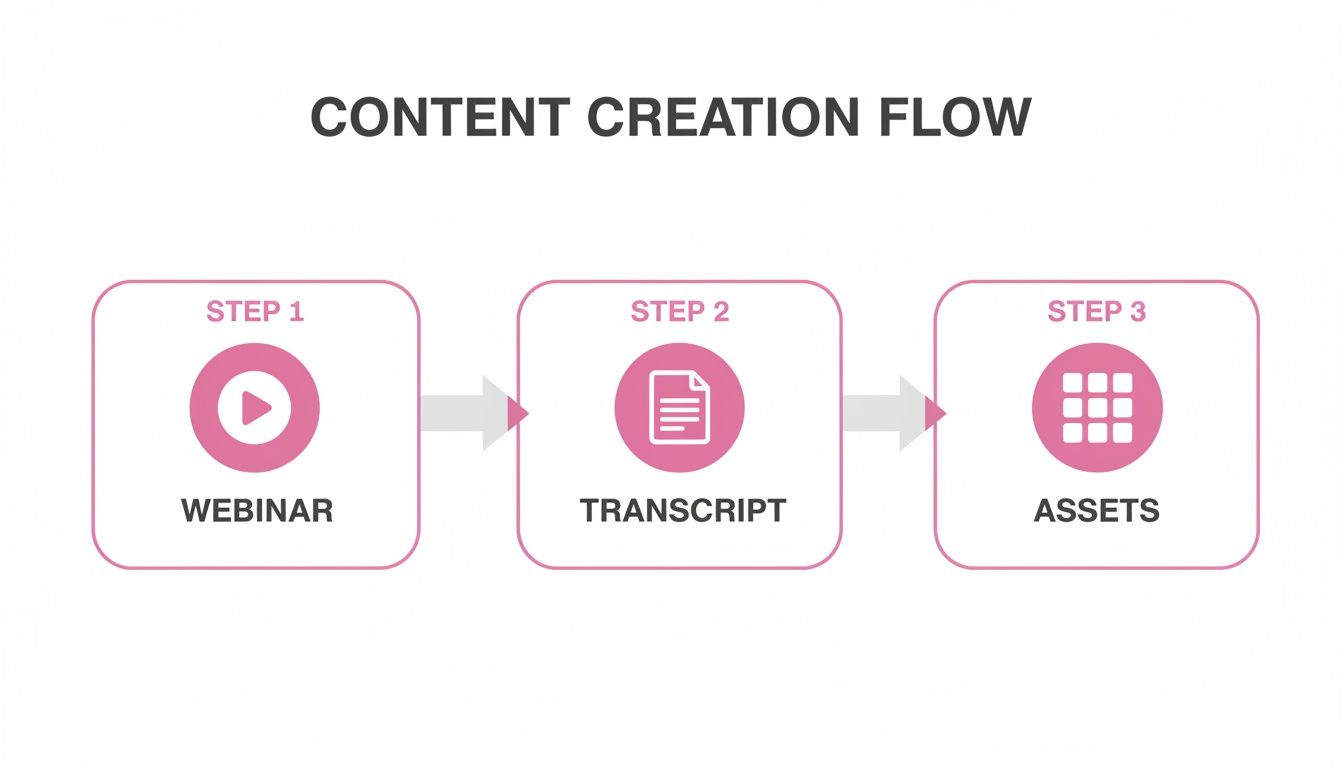
This really visualizes the shift from a clunky, multi-tool process to a single, streamlined system where the text itself drives video creation.
Think about it in real-world terms. A marketing agency might spend hours transcribing a client's one-hour webinar, cleaning it up, and then hunting for timestamps just to create five short social media clips. With an integrated platform, they can produce those same five high-quality, perfectly captioned clips in under 15 minutes—all by highlighting the best parts of the transcript. That’s a massive efficiency gain that lets them scale production without a bigger team.
Comparing YouTube Transcript Extraction Methods
To help you decide, here’s a quick comparison of the most common methods for getting a transcript, highlighting where each one shines and where it falls short.
| Method | Best For | Pros | Cons |
|---|---|---|---|
| YouTube’s Built-in Transcript | Quickly referencing a single quote or segment. | – Completely free – Instantly available |
– Poor formatting – No speaker labels – Clunky copy-paste |
| Downloading Caption Files (SRT) | Creating synchronized subtitles or guiding edits in video software. | – Includes timestamps – Free and easy to download |
– Accuracy depends on the original captions – Requires manual cleanup |
| Third-Party Transcription Services | Projects where high accuracy is critical, like legal or academic content. | – High accuracy (human-reviewed) – Professional formatting |
– Can be costly and slow – Requires a separate workflow |
| Integrated AI Platforms | Content repurposing, clip creation, and high-volume marketing workflows. | – Fast, accurate, and automated – Transcript drives video editing – Speaker differentiation |
– Subscription-based – Best for active content creators |
Ultimately, while free options are tempting for one-off tasks, an integrated platform is the clear winner for anyone serious about turning long-form video into a steady stream of marketing content. The time saved and the seamless workflow are well worth it.
Polishing Your Transcript: From Raw Text to a Professional Asset
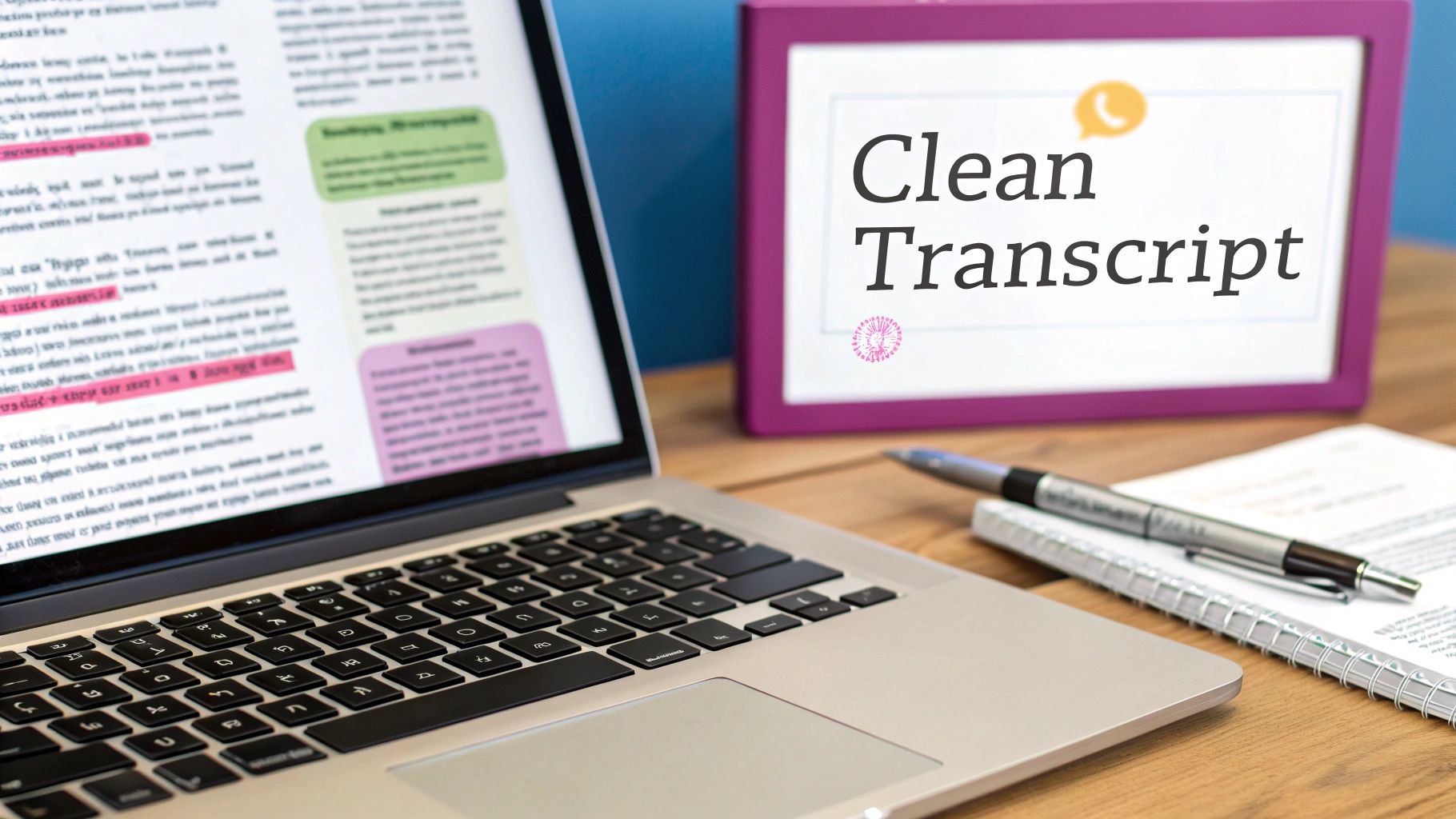
Getting that first transcript is a great start, but it's really just the first draft. A raw, machine-generated text file is almost never ready for prime time. It's usually a jumble of mistakes, clunky sentences, and all those little filler words we use in everyday speech. Taking the time to clean it up is the essential step that turns a messy data dump into a polished, valuable resource.
This cleanup process is about more than just fixing typos. It ensures your content is accurate, easy to read, and looks professional, whether you're creating captions, writing a blog post, or editing video clips. Trust me, spending a little time here will save you a ton of headaches down the road.
Weeding Out Filler Words and Fixing Errors
First things first: let's tackle the most obvious issues. Every unedited transcript is littered with filler words—the "ums," "ahs," "likes," and "you knows" that we all say without thinking. They're perfectly normal in conversation, but they make written text feel clumsy and unprofessional. A simple "find and replace" in your text editor can get rid of most of them and instantly make your content tighter.
Next up are the straight-up inaccuracies. Automatic speech recognition (ASR) has gotten incredibly good, but it's not perfect. It often stumbles over names, industry-specific jargon, or moments when people talk over each other. Even the best ASR tools can have word error rates of 10% or more, and that number climbs fast when you add in accents, background noise, or poor audio quality—all common issues in YouTube videos. You'll need to do a manual pass to catch these mistakes. If you want to dive deeper into the technical side, you can discover more insights about transcript generation on YouTube and its challenges.
This is where more advanced platforms really shine. For instance, some platforms offer a Filler Word Removal feature designed to hunt down and eliminate these verbal tics with a single click, saving you the manual grind of searching for every "uh" and "um."
From Jumbled to Readable: A Real-World Example
To really see the impact of a good cleanup, let's look at a snippet from a podcast interview transcript.
The Raw Version:So, um, we kinda looked at the data, you know, and it was like, really clear that the, uh, main thing was engagement. John Smith said... he wasn't sure...
The Polished Version:"We analyzed the data, and it was clear the main metric was engagement," said John Smith. He also mentioned he was initially unsure of the outcome.
The difference is night and day. The refined version is crisp, correctly attributes who is speaking, and adds the right punctuation. This is the level of quality you need before turning a transcript into a blog post or professional captions.
Adding Punctuation and Speaker Labels
Automated tools often spit out huge, unbroken walls of text. It’s your job to go in and add the punctuation that creates a natural reading rhythm. Break up those long run-on sentences with periods, commas, and question marks to create shorter, more scannable paragraphs.
For interviews or panel discussions, clear speaker labels are a must. A basic transcript might just say "Speaker 1" and "Speaker 2," which isn't very helpful. Go through and replace those generic tags with the actual speakers' names. It makes the conversation easy to follow and ensures everyone gets proper credit.
Key Takeaway: Cleaning a transcript is about more than just fixing errors. You're fundamentally adapting spoken words for a written medium. That means focusing on clarity, flow, and professional formatting. Putting in this effort upfront pays off in every single piece of content you create from that transcript.
Turning Your Transcript Into Engaging Short-Form Video
A polished transcript isn't just a block of text; it's your roadmap for creating knockout short-form video content. Once you have that clean script, you can ditch the painful process of scrubbing through a video timeline and move to a much faster, text-based workflow. This is where you turn those words back into magnetic visual moments for TikTok, Instagram Reels, and YouTube Shorts.
The real magic is in finding the "golden nuggets" buried in your dialogue. I'm talking about those killer quotes, surprising stats, or punchy anecdotes that can stand on their own as powerful clips. Instead of watching hours of footage, you just scan the text and pinpoint the highlights. It's a game-changer.
From Text Selection to Viral Clip
Today's editing platforms have flipped the old process on its head, making the transcript from a YouTube video the main control panel. The whole creative workflow is now driven by simple text selections.
Here's a practical example of this in action: You have a transcript from a one-hour webinar on marketing. You spot an incredible 30-second bit where the speaker explains a tricky concept. In a modern platform, you simply highlight that paragraph of text, click "create clip," and the software instantly generates a video of that segment with perfectly synced, animated captions. The old method would have involved noting timestamps, importing footage into a separate editor, manually cutting the clip, and then laboriously adding captions by hand.
With a transcript-first approach, it’s so much easier.
- Just Highlight the Text: Find that perfect quote in the transcript and simply highlight the sentences.
- Click to Create: One click, and the platform instantly snips out a video clip of that exact selection.
- Get Animated Captions Instantly: The software automatically generates perfectly synced, animated captions from the words you highlighted, making it instantly ready for social media.
This kind of efficiency is how content teams are able to scale their output so dramatically. We know that viewers are a whopping 80% more likely to watch a video all the way through if it has captions. When you automate this step, you’re not just saving a ton of time—you’re making a better, more engaging video.
The Advantage of a Transcript-First Workflow
This isn't just a minor tweak to your workflow; it’s a totally new way to approach video editing. It makes creating short-form content something anyone can do.
Key Takeaway: A transcript-first workflow opens up video creation to everyone. It gives marketers, writers, and social media managers—not just professional video editors—the power to quickly spin up high-quality, shareable clips right from a text document.
Platforms built on this idea let you edit video as easily as you edit a Google Doc. By highlighting key phrases, the system automatically finds the matching video segment and packages it into a fresh clip, complete with customizable, on-brand captions. This approach takes what used to be hours of work and condenses it into just a few minutes.
Finding Your Best Moments
Not sure which parts of your transcript will make the best clips? I've found that the most successful ones usually fall into a few categories. Keep an eye out for these patterns:
- Strong Opinions and Hot Takes: Anything controversial or passionate is practically guaranteed to get people talking in the comments.
- Actionable Tips and How-Tos: Short, practical advice that solves a real problem for your audience is incredibly shareable.
- Surprising Data or Statistics: A shocking number or a fact that goes against common wisdom will make people stop scrolling.
By focusing on these types of moments, you can quickly build a whole library of high-potential clips from just one long-form video. This is a fundamental part of modern content repurposing strategies that squeeze every last drop of value out of your recordings.
Scaling Your Content Strategy with Transcripts
For agencies and creators juggling a high volume of content, getting a transcript from a YouTube video is the secret to unlocking serious production scale. This is where you move beyond making one-off clips and start building a real content engine. A transcript-driven workflow lets you analyze your videos in bulk and automate the heavy lifting, turning a manual chore into an efficient, scalable machine.
Think about what this means in practice. You could programmatically scan hundreds of your videos to find every mention of a specific product, track trending topics in your niche, or pinpoint every time a particular keyword was spoken. Taking an API-first approach to content creation makes this a reality, letting you build automated video repurposing pipelines that practically run themselves.
Building an Automated Content Engine
Here’s a practical example of how this works. A media company could set up an automated system that ingests new videos from a YouTube channel the moment they're published. The system then transcribes them, analyzes the text to spot potentially viral moments—based on keywords like "surprising fact" or "biggest mistake"—and automatically generates dozens of short clips with pre-defined branding, ready for a social media manager's final review.
This kind of automation just isn't possible with manual editing. It empowers a small team to manage a massive content library, making sure no great moment gets left behind.
Key Takeaway: An API-driven transcription workflow shifts your strategy from reactively making clips to proactively gathering content intelligence. You can systematically analyze your entire video archive to uncover patterns and opportunities that would otherwise stay buried.
The Strategic Value of Transcript Data
YouTube has ballooned to over 2.5 billion monthly active users, and with that growth, transcription data has become a goldmine for more than just accessibility. For content marketers, this data is crucial for discoverability and can seriously expand your reach. When you consider that YouTube Shorts alone pulls in over 70 billion daily views, even a 1–2% improvement in turning transcripts into clips can translate to millions of extra impressions and a tangible ROI.
This is where the true advantage of modern platforms with an API-first design shines. They give you the tools to build these automated systems from the ground up. While some services might just offer a simple transcription API, a full toolkit for programmatic video editing allows you to build applications that don’t just transcribe, but also create, style, and render clips automatically.
Expanding Your Repurposing Horizons
Automating short-form video is a fantastic start, but it's just one piece of the puzzle. Transcripts are the raw material for a ton of different content formats that can attract entirely new audience segments.
- SEO-Friendly Blog Posts: Turn your detailed tutorials or interviews into long-form articles that rank on search engines.
- Email Newsletters: Pull the best quotes and key takeaways from a video to create a compelling weekly newsletter.
- Social Media Carousels: Transform key data points or step-by-step processes into visually engaging carousels for Instagram or LinkedIn.
- Ebooks and Guides: Bundle transcripts from a video series to create a comprehensive, downloadable guide for your audience.
To really blow up your content strategy, exploring diverse content repurposing ideas is a must. When you start treating every transcript as a flexible asset, you multiply the value of your original video production efforts many times over.
A Few Common Questions About YouTube Transcripts
When you start pulling transcripts from YouTube, a few practical questions almost always come up, especially if you're trying to work efficiently and maintain a high standard of quality. Let's tackle some of the most common ones.
How Long Does It Really Take to Get a Transcript?
The time it takes to get a transcript from a YouTube video is all over the map, and it really depends on the path you choose. If a video already has human-generated captions, using YouTube's built-in feature is instantaneous.
But if you need both speed and accuracy, AI-powered transcription services are your best bet. These tools can often process an entire hour-long video in just a handful of minutes. It's a game-changer compared to manual transcription, which could easily eat up several hours for the same amount of footage.
Can I Trust YouTube's Auto-Generated Transcript?
For just watching a video, YouTube's auto-captions usually get the job done. But the moment you need that text for professional use—like creating social media clips, blog posts, or accurate subtitles—they just don't cut it.
In fact, studies have shown that auto-captions can have error rates topping 10%. This gets even worse with background noise, complex technical terms, or speakers with strong accents.
Relying on unedited auto-captions for anything that represents your brand is a gamble. For polished, professional content you can confidently repurpose, you really need a dedicated, high-accuracy service.
Think about it: a marketing agency turning a client's webinar into a detailed article can't afford to get product names or key data wrong. A specialized service gives you a clean, reliable foundation to work from.
What's the Best Format for a Transcript?
The best format really boils down to what you plan to do with the text.
- Plain Text (.txt): This is your go-to if you're turning the video's content into an article, a newsletter, or show notes. It's simple, clean, and easy to copy and edit anywhere.
- SRT (.srt): This format is the industry standard for captions. It includes precise timestamps alongside the text, which is absolutely essential if you're creating subtitles or using the transcript to guide your video editing.
Ready to stop wasting time on manual editing and start scaling your content? Modern AI platforms can transform your long-form videos into dozens of high-impact, shareable clips in minutes, not hours. See how an AI-powered, transcript-first workflow can revolutionize your content strategy by visiting https://swiftia.io.