Good YouTube Shorts editing is all about creating a powerful, seamless experience that hits home in under 60 seconds. It’s a craft that blends rapid cuts, dynamic captions, and perfectly timed audio to grab someone's attention and tell a story before they even think about swiping away. The whole point is to make every single frame count.
Why Great YouTube Shorts Editing Is Non-Negotiable
In the crowded, fast-paced world of short-form video, your editing is what separates a forgettable view from a new, loyal subscriber. This isn't about having the fanciest editing software; it's about knowing the psychology behind the Shorts feed and making smart, deliberate choices that hook viewers from the very first second.
The explosive growth of YouTube Shorts is a direct result of these evolving editing styles. Daily views have skyrocketed over 500% since the platform launched, now hitting more than 70 billion in 2025. A big reason for this is that creators have mastered edits that prioritize killer hooks and high retention. The algorithm pays incredibly close attention to when people drop off, so it rewards content that keeps them watching past that initial 3-second mark. You can dive deeper into the latest YouTube Shorts statistics and what they mean for creators.
This intense focus on retention means that even the smallest editing decisions can make or break your Short's performance.
The Psychology of the Swipe
Think about it: every single person scrolling the Shorts feed is just a flick of the thumb away from your video disappearing forever. Your main job as an editor is to fight that instinct. Great editing does this by building instant momentum and sparking curiosity.
A fast, visually interesting edit gives the brain a little dopamine hit, making the video feel more exciting and worth watching. For example, a fast-paced "get ready with me" video with quick cuts for each makeup step feels more energetic and satisfying than one long, unedited shot. It's like having a conversation. If someone talks in a flat, slow monotone, you zone out. But if they're energetic and animated, you lean in, wanting to hear what's next.
Key Takeaway: Editing isn't just about making things look cool. It's a strategic weapon you use to interrupt the swipe, deliver immediate value, and promise the viewer that something even better is coming if they just stick around.
From Views to Value
When you nail your editing, you're not just racking up views—you're building a real audience. The YouTube algorithm sees that people are sticking around to watch your stuff and, in turn, pushes your content out to more and more people. It's a powerful feedback loop.
This kind of visibility and viewer loyalty is the foundation for any real success on the platform. It's also why understanding the ins and outs of how to monetize YouTube Shorts is so important; high-impact editing directly fuels the audience retention needed to qualify for monetization programs.
To make this crystal clear, let’s imagine two Shorts showing the same simple cooking recipe:
- Short A: A single, static shot of someone dumping ingredients into a bowl. Sure, it gets the job done, but it’s boring and slow.
- Short B: It opens with a quick close-up of sizzling onions, followed by snappy cuts of each ingredient being added. Dynamic text pops up to name each step, and a satisfying crunch sound effect plays as the final dish is revealed.
Short B will outperform Short A every single time. Why? Because its editing respects the viewer's time and delivers the information in an entertaining, fast-paced package. That's the secret sauce of effective YouTube Shorts editing.
Planning Your Short Before Hitting Record
Great YouTube Shorts aren't born in the editing suite; they're made before you even press the record button. Without a clear plan, even the most talented editor can't salvage rambling, unfocused footage. A solid plan ensures every single second counts, preventing those awkward endings and keeping viewers glued to the screen.
Think of this pre-production phase as drawing up the blueprint for a house. You wouldn't start laying bricks without one, right? It's all about nailing down your core message, scripting the critical moments, and visualizing how the story will play out in under 60 seconds. This is the secret to effective youtube shorts editing.
Define Your One Big Idea
Before you even think about camera angles or funky text animations, ask yourself this simple question: What’s the one single thing a viewer should walk away with? Creators often try to cram a 10-minute video's worth of information into a 50-second clip. On mobile, clarity is king.
For example, if you're making a Short on DIY cold brew coffee, your "one big idea" isn't the entire history of coffee beans. It's simply: "You can make incredible cold brew at home with just three ingredients." That's it. Every shot, caption, and sound should hammer that one point home. This focus makes the editing process a breeze because you know exactly what to cut and what's essential.
Pinpointing your core message beforehand is the fastest way to create content that feels direct and valuable. It eliminates fluff and gets straight to the point, which is exactly what the Shorts audience demands.
Scripting for a 60-Second Attention Span
Once your big idea is locked in, it's time to script. This doesn't have to be a word-for-word screenplay. It’s more about outlining the flow of your Short. High-performing Shorts often follow a simple but powerful three-act structure: the hook, the value, and the payoff.
- The Hook (0-3 seconds): This is your entire first impression. For a fitness Short, this could be a shocking "Before" photo or a text overlay like "You're doing pushups WRONG." It needs to be visually arresting and spark immediate curiosity.
- The Value (3-50 seconds): This is the meat of your Short. You're delivering on the promise made by the hook. In the fitness example, you'd quickly demonstrate the correct pushup form with snappy cuts. Keep the pace snappy and the visuals engaging.
- The Payoff (50-60 seconds): This is the satisfying conclusion, the final reveal, or a crystal-clear call-to-action that leaves the viewer feeling like their time was well spent. For our example, this could be a quick "After" shot showing improved muscle definition or a simple "Try this now!" text.
This flowchart really drives home how critical that initial moment is for the viewer.
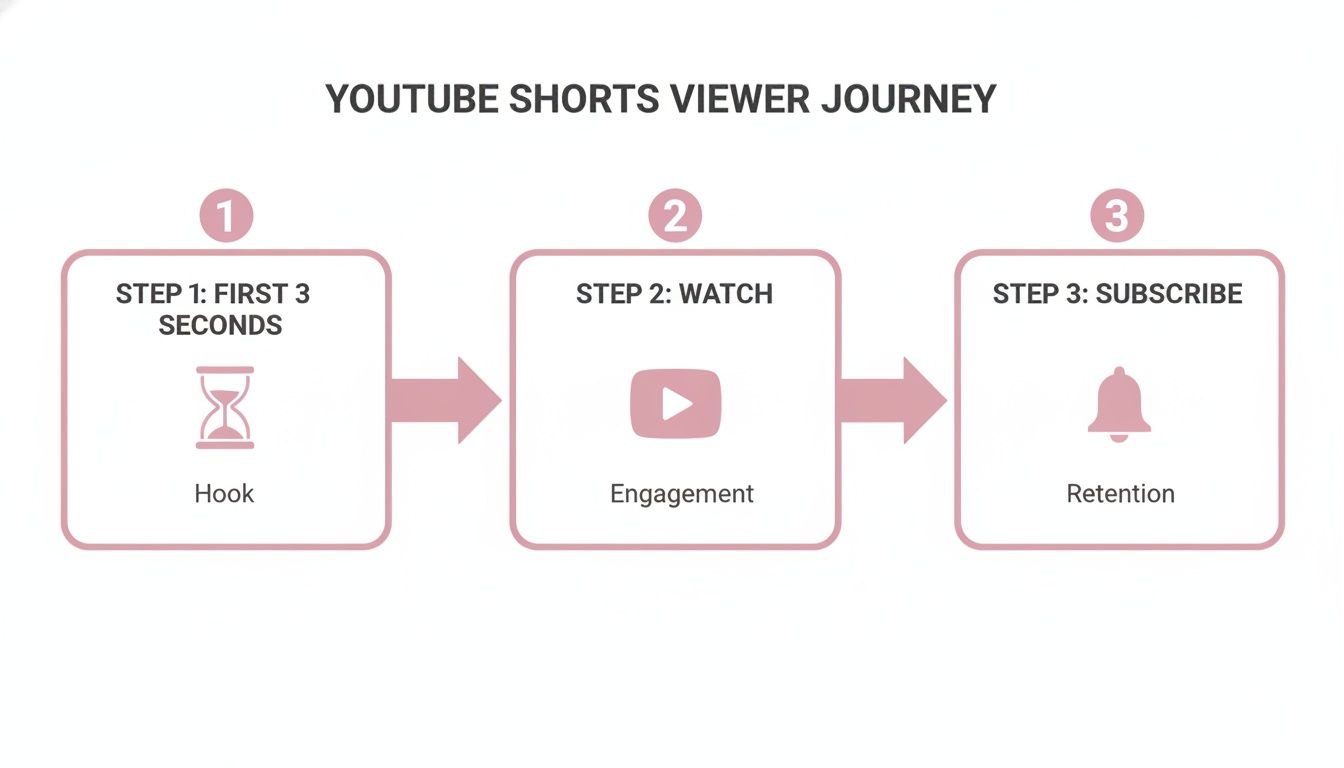
As you can see, if you don't nail the hook in those first three seconds, the viewer is gone. The journey ends before it even has a chance to begin.
Storyboarding Your Key Moments
Now, let's bring that script to life with a storyboard. This is your visual game plan, shot by shot. It can be as simple as some rough sketches or just a few bullet points in a notes app. The goal is to plan your visuals and editing decisions before you're staring at a chaotic timeline in your software.
Let's stick with our cold brew coffee example and map it out:
| Shot Number | Visual Description | On-Screen Text | Sound Effect |
|---|---|---|---|
| 1 | Hook: Extreme close-up. Coffee grounds pour into a jar in slow-mo. | "Easiest Cold Brew Ever" | Gentle whoosh sound |
| 2 | Quick cut to a top-down shot of the three ingredients. | "You only need this:" | Upbeat, snappy music kicks in |
| 3 | A rapid sequence of cuts: adding coffee, pouring water, stirring. | "1. Add Coffee", "2. Add Water" | Quick pop sounds for text |
| 4 | Shot of the jar being placed into the fridge. | "Wait 12 Hours" | Subtle clock-ticking SFX |
| 5 | Payoff: A satisfying shot of the finished cold brew pouring over ice. | "Enjoy!" | Ice clinking, liquid pouring |
This simple table dictates your entire production. You know exactly what shots to get, what text to add, and where a well-placed sound effect can add that extra punch. This level of preparation is what separates an amateur video from a polished, high-performing YouTube Short that feels intentional from the very first frame.
Core Editing Techniques for Viral Potential
Alright, you've got your plan and your footage. Now comes the fun part—the edit. This is where you transform a simple clip into something people can't stop watching. We're not talking about complicated Hollywood effects, but a handful of powerful, practical techniques that give your Shorts that professional polish and addictive rhythm.
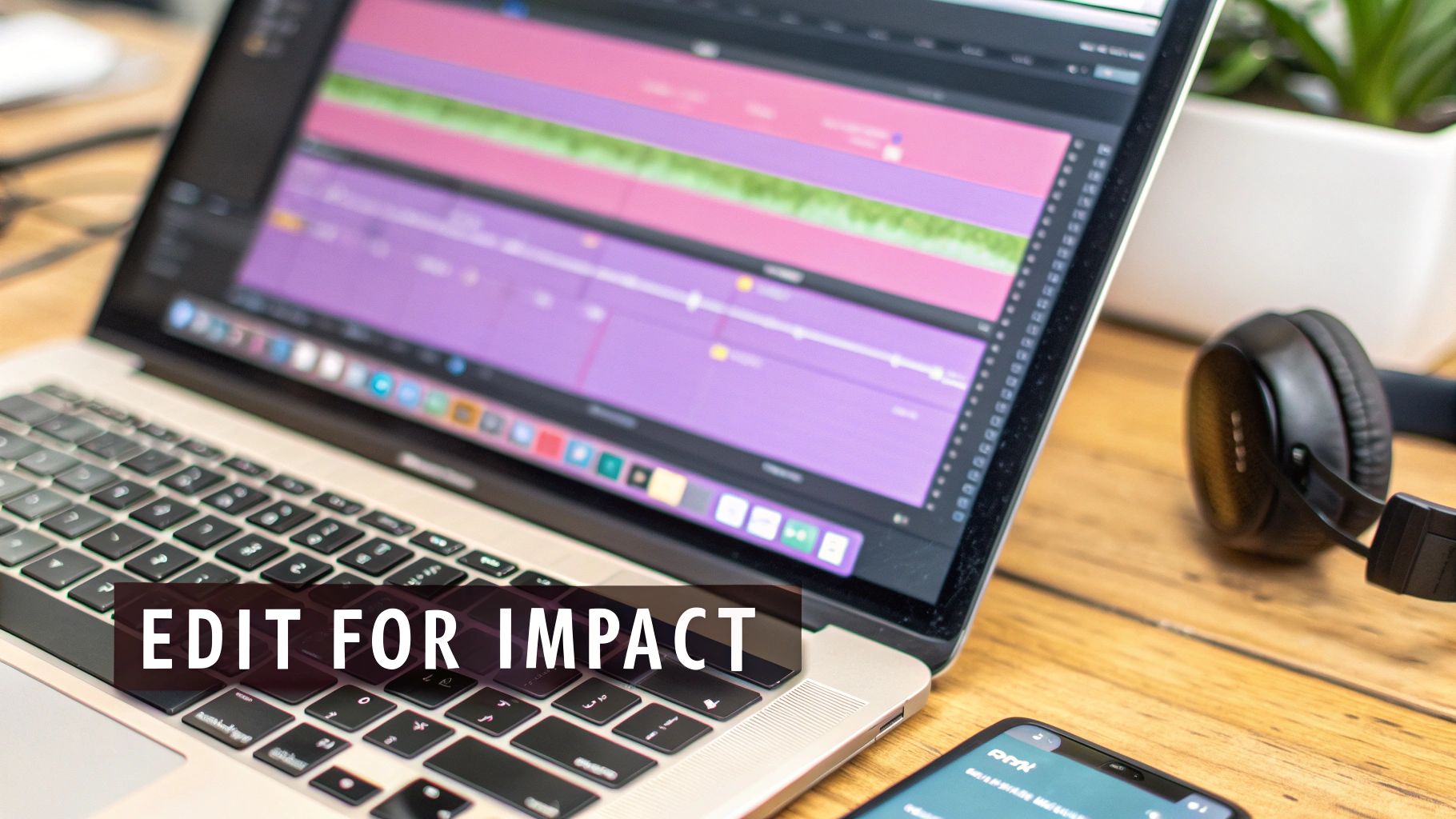
Don't underestimate the power of a slick edit. When Shorts achieve an 80-90% average view rate, the algorithm takes notice. In fact, a 2024 analysis showed that top-performing Shorts retained over 85% of their audience, leading to a significant boost in visibility. Why? Because the platform counts every single playback as a view, rewarding content that's so good people watch it on a loop. You can dig deeper into how YouTube Shorts statistics impact creators at adamconnell.me.
Mastering these core methods will give you a versatile toolkit you can use for any type of content, whether you're reviewing a product or telling a quick story.
Create Seamless Flow with J-Cuts and L-Cuts
Ever wonder why some videos just flow so smoothly? It's often thanks to J-cuts and L-cuts. These are classic editing tricks where the audio and video don't switch at the exact same time, making transitions feel more natural and less jarring.
Here’s the breakdown:
- J-Cut: You hear the audio from the next clip before you see the video. This pulls the viewer forward and builds a little anticipation for what's coming next.
- L-Cut: The video cuts to a new shot, but the audio from the previous shot hangs on for a moment. This creates a strong link between scenes.
For a practical example, imagine a product review for a new coffee maker. You're on camera, saying, "The best part is how quiet it is." Instead of a hard cut, you’d use a J-cut. The audio "The best part is…" starts while we see you, but the video cuts to a close-up of the coffee brewing just before you finish the sentence. It feels completely seamless. If this is new territory for you, brushing up on some fundamental video editing tips for beginners is a great starting point.
Maintain Energy with Rapid Cuts and Dynamic Zooms
The attention span for Shorts is microscopic. You have to keep the energy high, and the easiest way to do that is with constant visual change. Rapid cuts and dynamic zooms are your best friends here.
A solid rule of thumb is to switch up the shot every 1-3 seconds. This doesn't mean you need a multi-camera setup. You can create this entire effect from a single piece of footage just by punching in with zooms.
By strategically zooming in on your face to emphasize a reaction or highlighting a key detail on a product, you create movement and visual interest without needing extra footage. It's a simple trick that adds a ton of production value.
For example, take a "day in the life" vlog clip. You have a 10-second shot of you typing at your desk. Instead of letting it play out statically, chop it up:
- 0-2 seconds: Full shot of you at the desk.
- 2-4 seconds: Punch in to a 125% zoom on your face to show focus.
- 4-6 seconds: Cut back to the wide shot.
- 6-8 seconds: A slow, deliberate zoom onto your hands typing.
- 8-10 seconds: An extreme close-up on the screen.
Just like that, a boring shot becomes a dynamic sequence that keeps the viewer’s eyes moving.
Reinforce Your Message with Animated Captions
So many people watch Shorts on mute. If you’re not using captions, you’re talking to an empty room for a huge part of your audience. But don’t just slap on the default auto-captions and call it a day.
Animated captions are an editing tool in their own right. They can reinforce your point, inject personality, and create a visual rhythm. Use colors, pop-up effects, and different fonts to highlight the words you want people to remember.
Let’s say you're sharing a productivity hack. Your voiceover says, "I used to waste SO much time on this one tiny mistake."
- When you say "SO much time," have those words pop onto the screen in a big, bold, red font.
- When you reveal the "one tiny mistake," make that phrase appear word-by-word to build suspense.
This kind of visual punctuation guarantees that even a sound-off viewer gets the full impact of your message, making your Short way more effective.
Mastering Audio and Captions for Engagement
While your edits, cuts, and zooms are what grab the eye, it’s the audio that truly sells the experience in a YouTube Short. But here's the catch: a huge chunk of your audience is watching with the sound off. This means your audio has to be incredible for those who listen, and your captions must be compelling enough to keep the silent watchers glued to the screen.
It’s a balancing act, but getting it right is what separates a good Short from a great one.
Slapping a trending track over your clip and calling it a day just doesn't cut it anymore. The pros treat audio like another layer of the story, blending music, voice, and effects to create something that feels polished and intentional.
The Power of Strategic Sound Design
Think of sound design as adding texture to your video. It’s the subtle art of using sound effects (SFX) to punctuate the action on screen, making every moment more impactful.
You’ve probably heard that 92% of mobile viewers watch with the sound off. While that might seem like a reason to ignore audio, it's actually the opposite. It means that when someone does turn the sound on, it has to be worth it. Your audio needs to deliver.
Imagine a simple Short showing a DIY project.
- Without SFX: You just see someone hammering a nail, with maybe some music playing.
- With SFX: You hear the crisp tap, tap, WHACK of the hammer, a subtle whoosh as they move to the next step, and a satisfying click when the project is complete.
The second version is instantly more engaging. It pulls the viewer in and makes the action feel real and satisfying.
Key Takeaway: Treat your audio as another character in your story. Use sound effects to punctuate actions, build suspense, or add comedic timing. A well-placed sound can make a good joke great or a satisfying moment unforgettable.
Balancing Music and Voiceover Like a Pro
One of the most common rookie mistakes is drowning out your voice with loud background music. If a viewer has to strain to understand you, they're gone. They'll just swipe to the next video without a second thought.
The secret is a simple technique called audio ducking.
This feature, available in most video editors, automatically lowers the music volume when you speak and brings it back up when you're quiet. It’s a game-changer for ensuring your message is always crystal clear, without sacrificing the energy that a good music track provides. Getting comfortable with techniques like this is a core part of learning how to add music to YouTube Shorts effectively.
Making Captions an Essential Editing Tool
With so many people watching on mute, captions are no longer optional—they're essential. But don't think of them as just text on a screen. Dynamic, well-timed captions are a powerful retention tool that can add personality and guide the viewer's attention.
Here are a few practical tips:
- Keep It Punchy: Break up your sentences. Instead of a long line of text, display just a few words at a time to match your speaking rhythm.
- Use Color and Animation: Make key words pop. For example, in a tutorial, highlight the main action word (like "Mix" or "Fold") in a bright color.
- Mind Your Placement: Remember the YouTube UI. Keep your captions out of the bottom-right corner where the like, comment, and channel info sits. The middle of the screen is your safest bet.
When you're looking for an editing tool, pay close attention to its captioning features. Some platforms just give you basic, static text. Others offer animated, on-brand captions designed to maximize engagement. That kind of specialization can save you a ton of time and give your Shorts a much more professional finish.
Choosing Your YouTube Shorts Editing Tool
Picking the right software can make or break your workflow. A tool that excels at long-form video might be clunky for vertical Shorts. Here’s a quick comparison of popular options to help you decide.
| Editing Tool | Best For | Key Shorts Feature |
|---|---|---|
| CapCut | All-in-one mobile editing | Massive library of trending effects, sounds, and text animations. |
| Adobe Premiere Rush | Cross-device workflows | Seamlessly switch between editing on your phone and desktop. |
| InShot | Quick and simple mobile edits | Intuitive interface for beginners, great for fast cuts and captions. |
| DaVinci Resolve | Professional-grade desktop editing | Powerful color grading and audio tools (Fairlight) for a cinematic look. |
| Final Cut Pro | Mac users seeking performance | Optimized for Apple hardware; strong magnetic timeline for fast editing. |
Ultimately, the best tool is the one that fits your style and lets you create quickly without sacrificing quality. Don't be afraid to try a few out to see which one clicks for you.
Turning Long-Form Gold into Viral Shorts
If you've been creating long-form videos, you're likely sitting on a mountain of amazing content that's perfect for Shorts. Your podcasts, tutorials, interviews, and vlogs are filled with moments that can be repackaged for a completely new audience. This isn't just about slicing up an old video; it's about strategically finding and reframing your best stuff for the fast-paced world of short-form video.
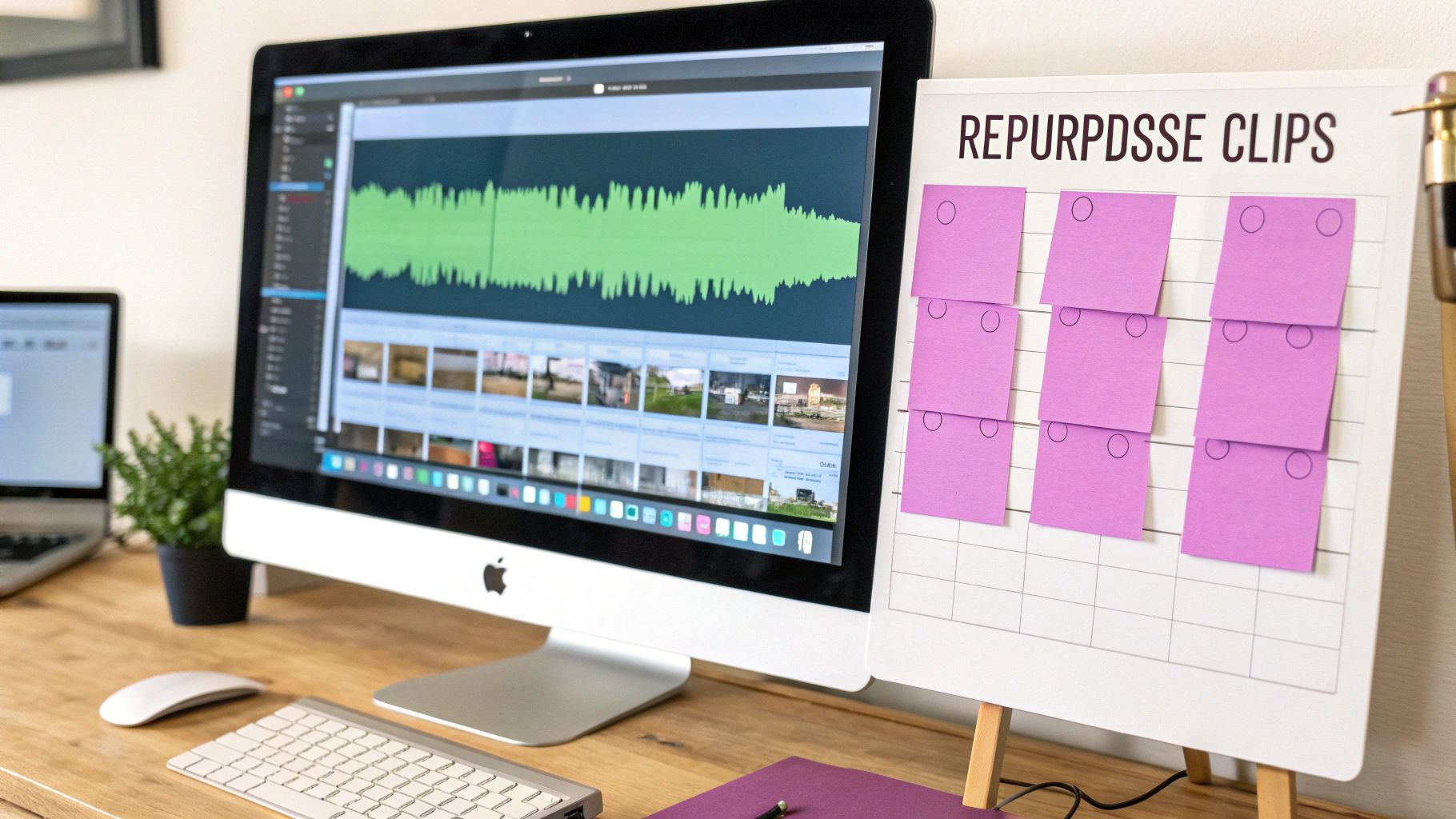
Repurposing is one of the smartest ways to scale your channel. Many channels get a huge lift in overall views because their Shorts act like trailers, pulling new viewers back to their longer, monetizable content. You get so much more value out of every single piece of footage you’ve already worked hard to create.
Identifying Your Highlight Moments
The first job is to put on your content archaeologist hat and dig through your existing videos to find those "highlight moments." These are the small, potent clips of value or entertainment that can completely stand on their own.
You need to train your eye to spot the right kind of content. Here's what to look for:
- Key Takeaways: That one single, powerful piece of advice from a tutorial.
- Surprising Statistics: A wild number or data point that makes people pause their scroll.
- Strong Opinions: A passionate, maybe even controversial, statement that gets people talking in the comments.
- Funny Outtakes: A genuine laugh, a blooper, or an unexpected moment that shows your human side.
- Quick "Aha!" Moments: A clever hack or a quick tip that delivers instant value.
Think of it like you're cutting a movie trailer. You’re not trying to tell the whole story, just showing the best parts to get people hooked. A big part of the learning curve is figuring out how to transform long-form content into engaging YouTube Shorts by spotting these moments before you even start editing.
The goal is to find moments that deliver a complete thought or emotion in under 60 seconds. If a clip needs too much backstory from the original video to make sense, it's almost guaranteed to fail as a Short.
The Art of the Re-Edit for Vertical Screens
Once you've mined your gold, the real work begins. You can't just slap a vertical crop on a horizontal video and call it a day. You have to re-edit with a vertical-first mindset.
This is about more than just reframing. You're completely rethinking the visual experience for someone holding a phone. That often means adding new elements to give the clip context it might have lost from the original video.
Here's a practical re-editing checklist:
- Dynamic Reframing: Don't just stick the speaker in the center. Use keyframes to pan and zoom, keeping the focus on what's important. For example, if two people are talking in a podcast clip, cut between close-ups of them instead of using a boring wide shot.
- Contextual Text: Add a bold headline at the top that instantly tells the viewer what the video is about (e.g., "The #1 Mistake New Investors Make"). It sets the stage immediately.
- Engaging Captions: This is a non-negotiable. Use big, animated captions that are easy to read.
- Supporting Graphics: Throw in simple icons, emojis, or even relevant B-roll to illustrate what's being said. For instance, if someone mentions "25% growth," pop that number up on screen with an arrow icon. It keeps the screen from feeling static.
A Practical Scenario: Turning One Podcast into Three Shorts
Let’s get practical. Imagine you have a 20-minute podcast segment where you interviewed a marketing expert about social media.
Instead of one long, meandering Short, you can pull three completely different, high-impact videos from that one conversation.
Here's how I would break it down:
| Short Idea | Original Moment | Re-Editing Strategy |
|---|---|---|
| Short 1: The Hook | The expert shares a shocking statistic about a little-known marketing tactic. | Start the video with that statistic in massive text. Use quick cuts and a dramatic zoom on the expert's face. Layer on some urgent, fast-paced music. |
| Short 2: The Actionable Tip | The expert lays out a simple, three-step process for boosting engagement. | Animate the steps as a numbered list on-screen. Use checkmark icons and satisfying pop sound effects as each one is mentioned. |
| Short 3: The Controversial Take | The expert challenges a common piece of marketing advice. | Use "vs." graphics to compare the old advice with their new perspective. Add a poll sticker or a direct question in the captions to stir up debate. |
See what happened there? From a single 20-minute clip, you now have three unique Shorts, each engineered to grab a different type of viewer—one driven by curiosity, another by education, and a third by debate. This is exactly how you maximize your existing content and keep the YouTube Shorts algorithm happy with a steady stream of videos.
Got Questions About Editing YouTube Shorts?
As you get into the thick of editing your Shorts, you're bound to run into a few specific questions. It happens to everyone. Getting straight answers to these common roadblocks will save you a ton of frustration and help you push "publish" with more confidence. Let's dig into some of the most common things creators ask.
What’s the Real Sweet Spot for a Short's Length?
I know YouTube lets you upload a video up to 60 seconds, but honestly, you should rarely use all that time. The data shows that the Shorts that really take off are almost always between 15 and 30 seconds. It's all about audience retention—if you can keep people watching until the end, YouTube's algorithm takes that as a very good sign. A 2024 TubeBuddy study confirmed that Shorts under 30 seconds had a 12% higher average view duration percentage than those over 30 seconds.
Think of it as a creative challenge. For example, instead of a 60-second Short on "5 Ways to Save Money," create a 20-second Short on just "The #1 Way to Save Money." It's more focused and more likely to be watched to completion.
Can I Actually Use That Trending Song in My Short?
Yes, but there's a catch. You have to use music from YouTube's official Shorts audio library. When you pick a song using the "Add sound" button right in the YouTube app, you're covered. YouTube has already sorted out all the licensing stuff for you, making it the only truly safe way to use popular music.
Heads up: If you edit your video in another program and drop in a copyrighted track you downloaded, you're asking for trouble. Your video could get muted, demonetized, or just flat-out removed. Stick to the approved library. It's not worth the risk.
How Many Hashtags Are Too Many?
There isn't a magic number here, but less is definitely more. Aim for 3 to 5 super-relevant hashtags. The whole point of hashtags is to give the algorithm clues about what your video is and who should see it.
Here’s a practical formula that works well:
#shorts: Non-negotiable. This tells YouTube what kind of video it is.- 1-2 Broad Hashtags: Think about your general niche, like
#fitnessor#cookinghacks. - 1-2 Specific Hashtags: Get granular about what's in this exact video, like
#kettlebellworkoutor#coldbrewrecipe.
Spamming your description with a wall of irrelevant tags just confuses the algorithm and looks desperate. Keep it clean and focused.
How Do I Stop My Captions from Being So Boring?
Basic, static captions get the job done, but dynamic, animated captions are what really grab attention. The key is to sync the text with your speech. Having words pop up on screen exactly as you say them—often called karaoke-style captions—is incredibly effective.
Play with color and size to make key words or phrases stand out. For a practical example, if you reveal a shocking statistic like "Over 50% of people…", make the "50%" bigger and a different color. This kind of visual emphasis is huge for viewers watching with the sound off. It keeps their eyes locked on the screen and drastically improves how much of your message they actually absorb.
Ready to create high-impact Shorts up to 10x faster? Some editing tools use AI to automate the tedious parts of video editing, from finding highlights in long-form content to creating perfectly animated, on-brand captions. Start repurposing your content at scale and maximize your reach. Explore Swiftia and start your free trial today.