Pasting a YouTube link onto your Facebook page is the fastest way to get crickets. If you want a youtube to fb video strategy that actually works, you have to upload the video file natively to Facebook. It’s a simple switch, but it makes all the difference in how the platform’s algorithm—and its users—treat your content.
Why Sharing YouTube Links on Facebook No Longer Works
Ever spend weeks crafting the perfect YouTube video, share the link on Facebook, and watch it completely flop? You’re not alone. It’s a common frustration for creators, but it’s not your fault—it’s how these platforms are designed to compete.
At its core, Facebook wants to keep people on Facebook. That means its algorithm actively suppresses external links, especially links that send users to a direct competitor like YouTube. It's really that simple.
The data backs this up in a big way. According to industry analysis, native videos uploaded directly to Facebook can generate up to 530% more comments than a shared YouTube link. Considering that 81% of businesses prefer using Facebook for their video marketing, ignoring the platform's native preference means leaving a ton of visibility on the table. You can find more eye-opening video marketing statistics on Market.us.
The Problem with External Links
When you post a YouTube link, Facebook just shows a small, static thumbnail. It’s not engaging, and it forces users to click away from their feed to watch. That extra step is a major roadblock.
This friction has a direct impact on your performance:
- Your Reach is Crushed: Facebook simply shows your post to a much smaller slice of your audience.
- Engagement Plummets: You'll see fewer likes, comments, and shares because the content just feels out of place and requires more effort.
- You Lose Autoplay: This is a huge one. Native videos grab attention by playing automatically as people scroll. YouTube links just sit there.
To put it into perspective, here’s what the performance difference often looks like.
YouTube Link vs Native Facebook Upload: A Performance Snapshot
This table gives a clear, side-by-side look at how these two approaches typically stack up. The numbers tell the whole story.
| Metric | Shared YouTube Link | Native Facebook Video |
|---|---|---|
| Reach | Very Low | High |
| Autoplay | No | Yes (sound-off) |
| Engagement | Low | High |
| Shares | Very Low | High |
| Click-Through Rate | Low | N/A |
| Analytics | Basic (FB only) | Detailed (Facebook Insights) |
As you can see, uploading natively gives you an undeniable advantage across the board. You get more eyes on your content and better tools to understand what’s working.
A Real-World Scenario of Missed Opportunity
Let’s look at a practical example. Imagine a local bakery creates a fantastic 10-minute video showing how they make their signature sourdough bread. They upload it to YouTube and proudly drop the link on their Facebook page. A week later, it has a measly 500 views and a couple of comments.
Disappointed, they decide to try something else. They take the original video file, edit it down to a punchy 90-second highlight reel, and upload it directly to Facebook with captions.
The result? The native video explodes. It quickly sails past 20,000 views, gets dozens of comments with people tagging their friends, and sells out their entire sourdough stock for the weekend.
The content itself was always great. The delivery method was the problem. Sharing a YouTube link is like asking people to leave a fun party to go watch a movie next door. Uploading natively brings the movie right into the party.
How to Prepare Your Video for a Facebook Audience
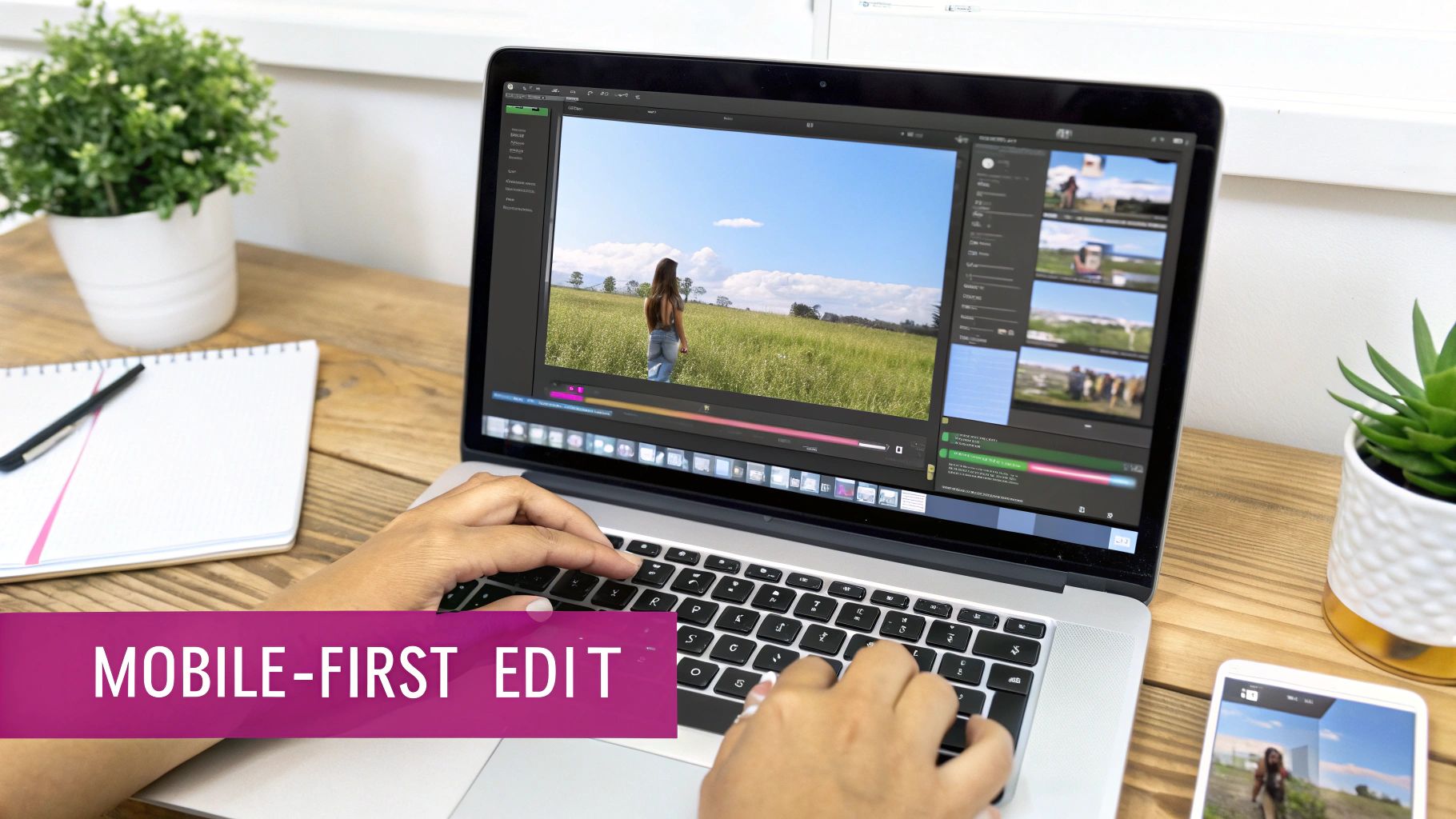
Moving a video from YouTube to Facebook isn't just a simple download-and-upload job. If you want it to perform, you have to completely re-imagine it for a different audience in a totally different environment. Think about it: on YouTube, people click with intent. On Facebook, they're scrolling mindlessly.
Your widescreen, long-form YouTube masterpiece needs a serious makeover to stop that scroll. This all comes down to rethinking two things: the video’s length and its shape.
Trim for Maximum Impact
First thing's first: you need to be a ruthless editor. That 20-minute deep-dive that killed it on YouTube is dead on arrival in a Facebook feed. Your mission is to find the single most compelling, surprising, or valuable nugget and isolate it.
Instead of posting an entire product review, pull out the 90-second clip where you unbox the key feature everyone was waiting for. This creates a punchy, high-impact Reel that sparks curiosity. If viewers are hooked, they’ll seek out the full version on their own.
On Facebook, shorter is almost always better. A 10-minute video can be a huge success on YouTube, but the sweet spot for a Facebook feed video is often under two minutes. For Reels, you're aiming for under 60 seconds.
This strategy respects the user's context. They're on the move, and you're just a swipe away from being forgotten.
Reformat for the Mobile Screen
Next up, and just as important, is reshaping your video. YouTube is built around the horizontal 16:9 format, which looks great on a laptop or a TV screen. But Facebook is a mobile world—a staggering 98.5% of its users are on their phones.
That horizontal video of yours? It will look comically small and get completely lost in a vertical feed. To actually grab someone's attention, you have to go vertical or square.
- Square (1:1): This format is a solid choice for standard in-feed posts. It takes up way more screen real estate than a 16:9 video, making it much harder to ignore.
- Vertical (9:16): This is the gold standard for Reels and Stories. It creates an immersive, full-screen experience that is proven to hold attention and boost engagement.
Let's go back to that 90-second product review clip. You'd reframe it to a 9:16 aspect ratio. Now, when it appears in someone's Reels feed, it fills their entire screen, looking polished and professional instead of like a lazy afterthought.
To really nail the technical side, check out this guide on Facebook video ad dimensions for a full breakdown of resolutions and sizes for different placements. By trimming and reformatting, you’re not just reposting—you’re creating a true Facebook-native video.
Getting Your Video Ready for Maximum Facebook Engagement
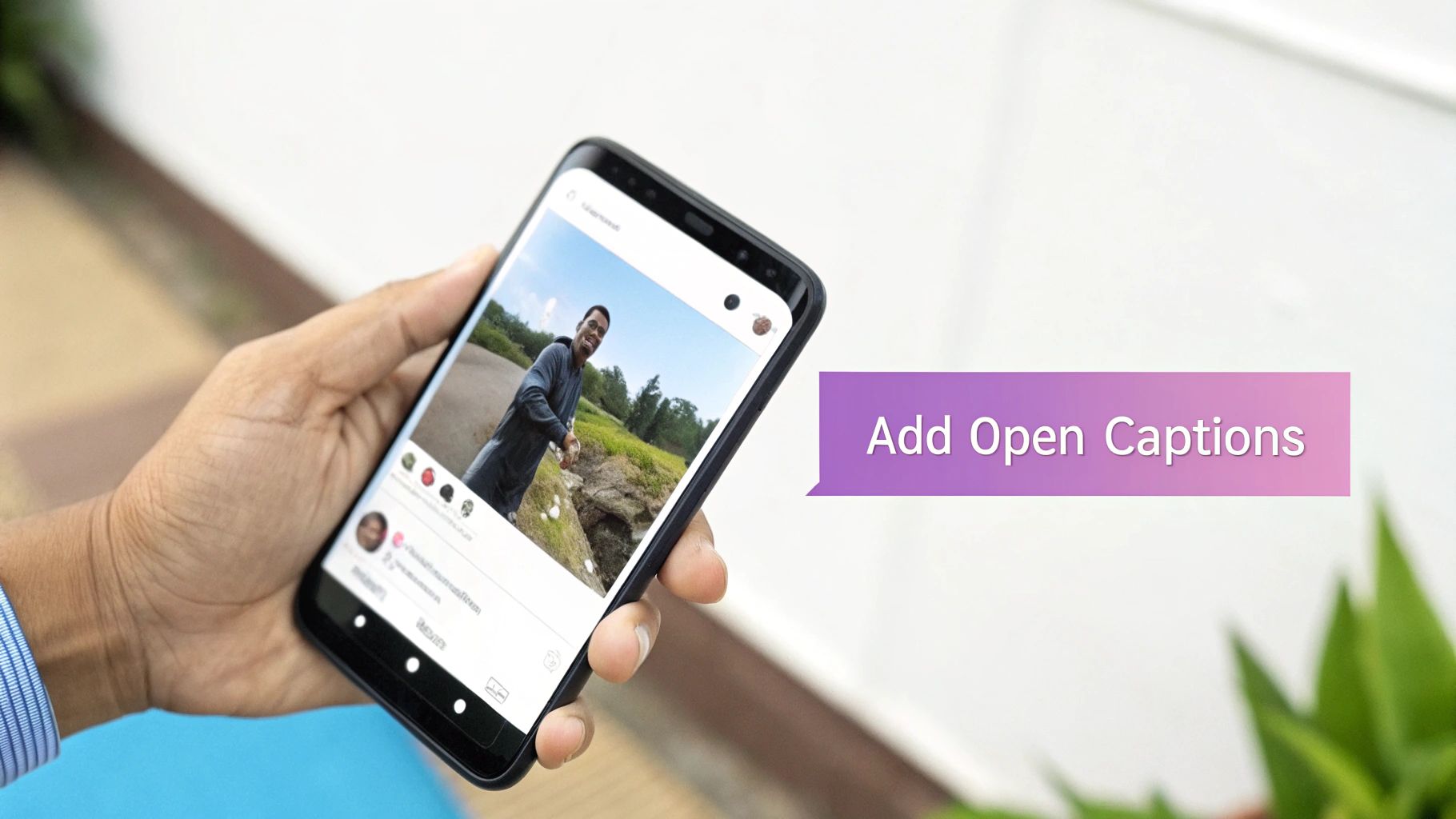
Now that your video is sized correctly for mobile, we need to think about how people actually watch content on Facebook. Here’s the big secret: most of them don’t have the sound on. This makes clear, easy-to-read captions an absolute must-have for retaining viewers.
Think about it from a user's perspective. They're scrolling through their feed in a quiet office or on public transit. Without captions, your video is just a silent movie, and your message is completely lost. By adding open captions—text that’s permanently burned into the video file itself—you guarantee your story gets across, sound or no sound. This single step can be the difference between a scroll-by and a captivated viewer.
Captions: Your Video’s Silent Narrator
When you're moving a youtube to fb video, adding captions is probably the highest-impact change you can make. It’s what separates a viewer who understands your point from one who just keeps on scrolling.
Let's say you have a 60-second clip from a YouTube tutorial explaining a critical step in a recipe. Without sound, a user just sees hands moving ingredients. But with captions, they read, "Now, gently fold in the chocolate chips to avoid overmixing." The entire context is there, making the video instantly useful.
Your primary goal is to make your video completely understandable within the first three seconds of silent autoplay. If the viewer has to guess what's going on, you've already lost them. Captions provide that instant clarity.
This is especially true when you consider that 85% of Facebook videos are watched without sound. You have to make that content digestible for a mobile, often-silent audience. It pays off, too. Adding captions can increase video view time by an average of 12%. You can dig into more fascinating video marketing trends at Market.us if you're curious.
Writing a Post That Grabs Attention
The video is just one part of the equation. The text you write around it—the post itself—is just as important. Your Facebook title and description need to speak directly to that community, which may have totally different interests than your YouTube subscribers.
- Create an Immediate Hook: Start your post with a question or a bold statement that piques curiosity. Instead of a generic "My New Sourdough Recipe," try something like, "Tired of flat sourdough? This one trick changed everything for me."
- Write Like a Human: Ditch the formal tone. Use emojis to add personality and break up the text. Facebook is a social platform, so a friendly, conversational voice almost always works better.
- Add a Clear Call-to-Action (CTA): What do you want people to do next? Be direct! "Tag a friend who needs to try this!" or "What's your biggest baking challenge? Let me know below!" gets the conversation started.
When you tailor your post this way, you're not just dropping a video; you're sparking a discussion. If you want to get serious about tracking how your audience engages, it’s worth looking into the Meta Conversion API. It can give you much deeper insights into how your optimized videos are actually performing.
Navigating Music and Copyright Between Platforms
Here's a landmine I see creators step on all the time: the soundtrack. Just because you have the rights to use a song on YouTube doesn't automatically mean you can use it on Facebook. It's a common and sometimes costly assumption, and it all comes down to how each platform polices copyright.
YouTube has its powerful Content ID system, and Facebook has its own version called Rights Manager. These two systems don't talk to each other. A song cleared on YouTube through a license you bought or a service you use can get your video instantly flagged, muted, or even removed on Facebook because that specific license doesn't carry over.
A Tale of Two Platforms
The heart of the problem is that music licensing is almost always platform-specific. When you license a track for a YouTube video, that agreement typically names YouTube—and only YouTube—as the place you're allowed to publish it.
When you upload that same video to Facebook, you're technically making a new "publication," one that your original license probably doesn't cover. This can get you into hot water fast.
- Video Muting: Facebook might just mute your video's audio, completely ruining the viewer's experience.
- Content Removal: Worst case, they'll pull the video down for a copyright violation.
- Monetization Freezes: Get too many strikes, and you could lose the ability to earn money from your Facebook page.
A well-known social video study found that video generates 1,200% more shares than text and images combined. Letting your audio get stripped by a copyright flag is a guaranteed way to kill that engagement before it even gets started.
The Smart Way to Source Music
To sidestep all these headaches, your best bet is to use music from a royalty-free library that offers multi-platform or "all social media" licenses. These services are crystal clear about where you can use their tracks. Always, and I mean always, read the fine print of the license before you hit download.
Think about a travel vlogger. For her YouTube series, she licensed a cool, popular indie song that became part of her brand's vibe. When she decides to repurpose that content for Facebook, she knows better than to just re-upload it.
Instead of risking a copyright strike, she goes to a royalty-free music site and looks for tracks with a similar tempo and feel. The crucial step? She filters her search for a license that explicitly covers "all social media platforms."
She finds a great alternative, quickly swaps it into her video edit, and uploads to Facebook with total peace of mind. That one small, proactive step protects her video, her page, and her income stream, making sure her repurposed content can actually do its job.
Streamlining Your Repurposing Workflow With Automation
Let's be real. For any busy creator, social media manager, or agency, the hamster wheel of manually downloading, trimming, reformatting, and captioning every single video is a massive bottleneck. The hours spent on those repetitive tasks are hours you're not spending on strategy, creativity, or actually talking to your audience.
This is where a smarter, automated workflow isn't just a "nice-to-have"—it's essential for scaling your video output without burning out. Imagine uploading one 20-minute YouTube video and having a system automatically spit out five engaging, perfectly formatted clips for Facebook Reels. This is how smart creators are solving this exact problem right now.
Letting Automation Handle the Busywork
The whole point of automation isn't to kill creativity; it's to get the tedious stuff out of the way so you can be creative. When software handles the purely mechanical parts of video editing, you get your time back. Think about it: how many hours could your team save if they never had to manually burn in captions or resize videos one by one again?
Automation also becomes your secret weapon for brand consistency. A good system can automatically apply your brand's specific fonts, color palettes, and logo to every single clip. This guarantees a polished, professional look across all your content without you ever having to open an editing program. Your team can finally stop being pixel-pushers and start being content strategists.
Automation transforms your workflow from a one-by-one task list into a scalable content engine. You can effectively multiply your video output without multiplying your team's workload or risking burnout.
With 90% of marketers calling YouTube their top video platform and 70% pointing to Facebook as a close second, being able to bridge that gap efficiently is a huge competitive advantage. Automating this process directly tackles a major pain point for content producers. You can find more data on video marketing platform usage at Market.us.
Creating a Hands-Off Content Pipeline
Building an automated pipeline is all about setting up rules that work for you in the background. You're creating a system where the right content gets to the right platform in the right format, all with minimal effort.
Here's a practical example: a podcaster could create a workflow that automatically pulls their latest YouTube episode, uses speaker detection to find the most interesting 60-second soundbites, adds eye-catching animated captions, and schedules them to post as Facebook Reels throughout the week.
A system like that is a total game-changer. It doesn't just save time; it ensures you're consistently feeding the Facebook algorithm fresh, native video that it loves. For a deeper dive, check out our guide on how to automate social media posts.
The process below outlines the basic checks for making sure your audio is clear for use when you move content from one platform to another.
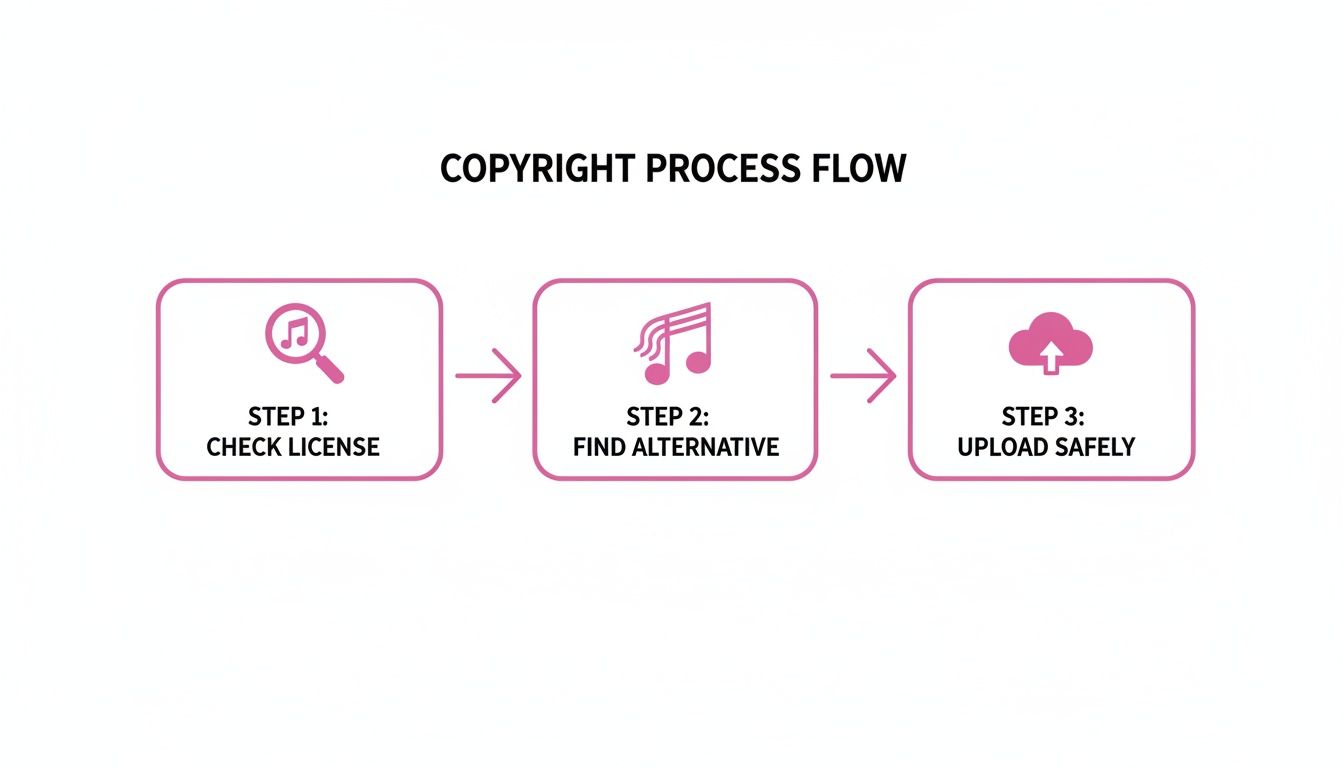
This visual brings up a critical, and often manual, step: checking music licenses. But even this can be managed more effectively within a systemized workflow. The ultimate goal is to reduce the number of manual checkpoints you have to hit before you can click "publish."
FAQs: Your YouTube to Facebook Repurposing Questions Answered
Even the best-laid plans can hit a few snags. When you start turning your YouTube videos into Facebook content, a few practical questions almost always pop up. Let's tackle some of the most common ones I hear from creators so you can keep your workflow moving.
A lot of people ask if they can just grab their captions from YouTube and slap them onto their Facebook clips. While you can certainly download the SRT file, it’s rarely a perfect fit. The pacing of a 16:9 YouTube video is completely different from a vertical Reel. You'll likely find the timing is off and the formatting looks awkward, so always plan on giving them a quick review and edit for the new format.
Another big one is about video quality. Will downloading your video from YouTube and re-uploading it to Facebook make it look grainy? The short answer is yes, it can. Every time a video gets compressed and re-uploaded, you lose a bit of quality. The best way to avoid this is to always, always work from your original high-resolution source file. Don't use a downloaded copy if you can help it.
How Long Should My Facebook Videos Be?
This might be the most important question of all. YouTube viewers often settle in for longer, more detailed content. Facebook users? They’re scrolling, and you have seconds to grab them.
- Facebook Feed: Try to keep these between 1 and 2 minutes. It’s just enough time to get a good point across without losing someone who's just casually browsing.
- Facebook Reels: Shorter is better. Aim for under 60 seconds, with the real sweet spot often being under 30. Think quick, punchy, and high-impact.
- Facebook Stories: Each story slide is short, so think in 15-20 second chunks. You can always chain a few together to build a slightly longer narrative.
Think about it this way: if a creator has a 15-minute YouTube review of a new laptop, they shouldn't just post the whole thing. A much better play would be to create a 90-second feed video highlighting the top three pros and cons, and maybe a separate 30-second Reel just showing off the slick new design.
Can I Get Transcripts for My Videos?
Absolutely, and you definitely should. A transcript of your original YouTube video is like a cheat sheet for creating amazing Facebook content. You can quickly scan the text to pull out killer quotes, highlight key stats, or find the perfect hook for your video description.
Having the text in front of you means you can pinpoint the most powerful moments without having to scrub through the entire video. It’s the fastest way to find the "greatest hits" worth turning into standalone clips.
This little trick saves a massive amount of time. If you’re looking for a good way to do this, you can learn how to get a transcript from a YouTube video with some pretty slick tools available today. It's a critical step, especially when you consider that people now watch over 17 hours of online video every week. You can find more stats on current video consumption habits on Market.us.
Transform your long-form videos into dozens of high-impact social clips automatically. Start your free trial today and see how easy it is to scale your video strategy.