The traditional video editing workflow is officially a thing of the past. Manually finding highlights, transcribing audio, and adding captions frame-by-frame is no longer a sustainable strategy for content teams that need to publish at scale. The rise of intelligent automation has introduced a new class of tools, and finding the best AI video editor for your specific workflow can dramatically accelerate production, reduce costs, and improve content accessibility. Research from Grand View Research indicates the global AI video generation market is projected to grow at a CAGR of 38.4% from 2023 to 2030, highlighting the rapid adoption of these technologies.
This resource is designed to cut through the noise. Instead of generic feature lists, we provide a deep, hands-on analysis of the top platforms available today, from professional-grade desktop software to agile, web-based solutions. We will explore how tools excel at automated clipping and multi-language translation for podcasters, while others like Runway push the boundaries of generative video for creative projects.
Each entry includes a detailed breakdown of its core AI features, ideal use cases, pricing structures, and an honest look at its pros and cons. You'll find direct links and screenshots to guide your evaluation, helping you match the right tool to your specific goals, whether you're a marketing agency repurposing client content, a developer integrating video via API, or a creator building a social media presence. For a broader market perspective and to compare other top tools, you can also consult a comprehensive guide to the best AI video editors. Let's dive in and find your perfect AI video co-pilot.
1. Swiftia
Swiftia establishes itself as a premier AI video editor by focusing on a critical, high-volume need: transforming long-form content into engaging, platform-ready short-form clips. It's engineered for speed and scale, enabling teams to repurpose content up to 10x faster than traditional manual editing. A recent case study showed that agencies using Swiftia reduced their video repurposing time from 5 hours per client per week to just 30 minutes. The platform intelligently identifies compelling moments, detects active speakers, and automatically generates clips optimized for TikTok, Reels, and Shorts.
This tool is more than just a trimmer; it’s a complete production and distribution engine. It integrates a sophisticated Caption Animation Engine with customizable brand presets, ensuring every clip maintains a professional, consistent aesthetic. Its Filler Word Removal algorithm automatically cleans up audio by excising "ums" and "ahs," a feature that significantly enhances viewer experience and perceived professionalism.
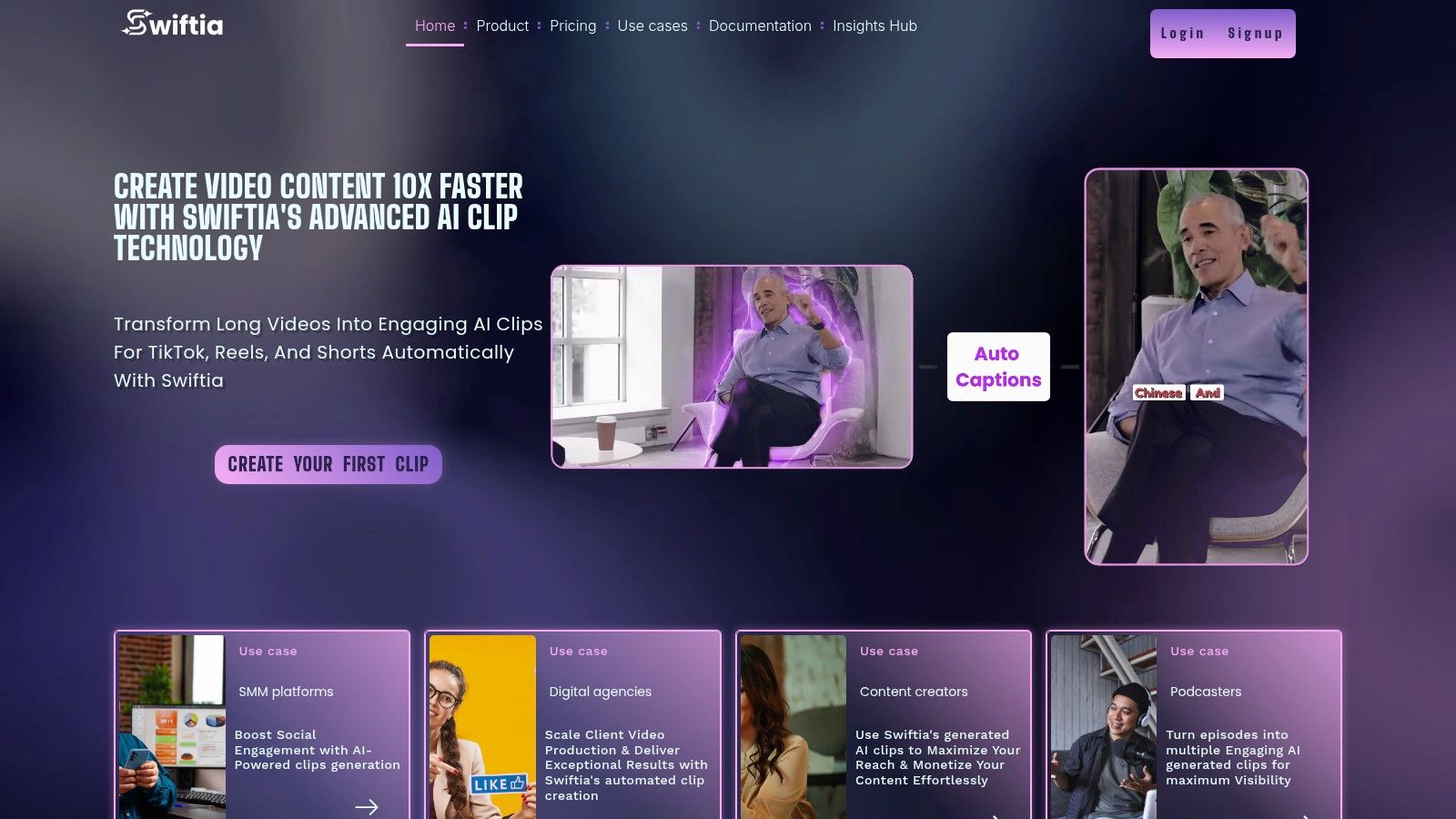
Key Differentiators and Use Cases
Swiftia's strength lies in its unique combination of production-grade features designed for efficiency and global reach. While other tools offer basic clipping, Swiftia provides a distinct competitive edge with:
- Global Content Strategy: Its auto-translation supports over 90 languages, allowing creators to localize content with a single click. For example, a US-based podcaster can instantly generate clips with accurate Spanish or French subtitles, tapping into new international markets without hiring translators. This broad language support surpasses many competitors who often focus on a smaller subset of major languages.
- Developer-First API: The well-documented API is a standout feature, enabling platforms to integrate AI video repurposing directly into their workflows. A practical example: a media company could use the API to automatically generate highlight reels from live-streamed events and push them to their mobile app in near real-time.
- Engagement-Driven Workflow: Features like the built-in social media scheduler, a virality score to guide content selection, and a comments integrator (for creating viral Q&A-style videos) move beyond simple editing to actively support distribution and audience engagement.
Practical Implementation
Getting started is straightforward. After uploading a long video (like a podcast or webinar), Swiftia’s AI analyzes the content and suggests dozens of potential clips. Users can then refine the selections, customize the animated captions with their brand’s fonts and colors, and schedule the final videos directly to their social channels. The platform’s cost-effective rendering helps teams manage production budgets, making it a scalable solution for agencies managing multiple client accounts. To explore these concepts further, you can find a comprehensive breakdown in The Ultimate Guide to AI Video Editing and Repurposing.
Pricing & Tiers
Swiftia offers a flexible pricing structure to accommodate different needs:
- Free Trial: Includes a watermark, 720p resolution, and 48-hour storage.
- Starter ($9/mo): Ideal for solo creators, offering more minutes and branding options.
- Professional ($48/mo): Built for teams needing 1080p output and increased storage.
- Swift ($280/mo): For high-volume platforms requiring large minute allotments.
- Enterprise: Custom plans for organizations with specific capacity and support needs.
Website: https://swiftia.io
2. Adobe Premiere Pro (Creative Cloud)
Adobe Premiere Pro remains the industry-standard nonlinear editor, now enhanced with a powerful suite of AI features powered by Adobe Firefly. It stands out by integrating cutting-edge AI directly into a mature, professional-grade workflow that video editors have relied on for decades. This makes it an ideal choice for seasoned professionals looking to augment their existing skills with AI, rather than replacing them entirely. Statistics show Premiere Pro holds a significant market share, with over 20 million users relying on it for professional projects.
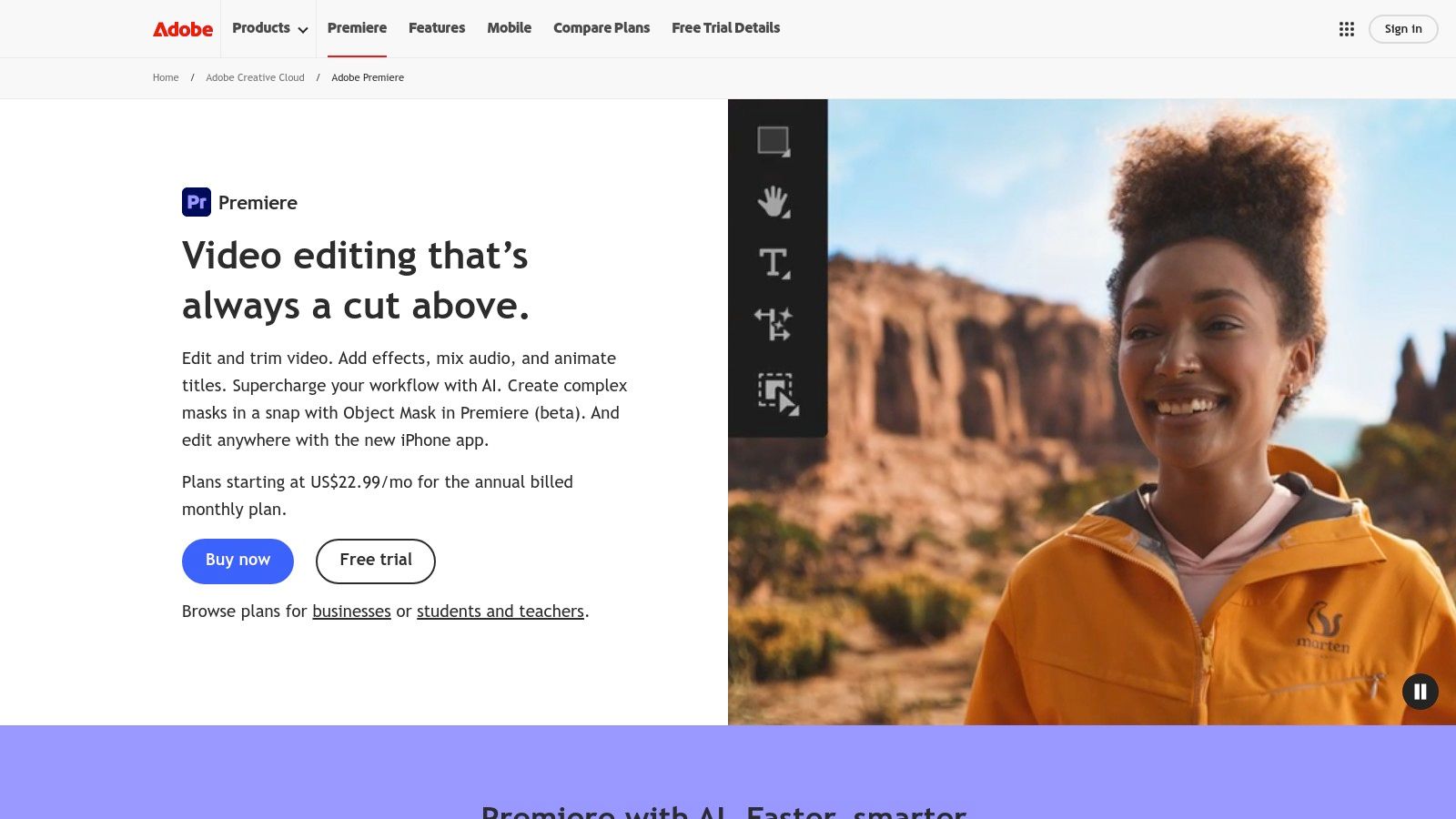
Premiere Pro is more than just an editor; it's a central hub within the Adobe Creative Cloud ecosystem. This tight integration allows for seamless workflows with After Effects for motion graphics, Audition for audio post-production, and Frame.io for collaborative review and approval. While many platforms offer AI features, Premiere Pro’s implementation is built for high-fidelity production, making it one of the best AI video editor options for complex projects.
Key Features & Use Cases
- Generative Extend: Need to lengthen a B-roll clip by a few seconds to match your voiceover? This Firefly feature intelligently adds frames to the beginning or end of your clip, saving you from awkward jump cuts or slow-motion effects. For example, a filmmaker can extend a 3-second drone shot to 5 seconds without altering the speed, perfectly covering a line of narration.
- AI-Enhanced Speech to Text: Automatically transcribe and caption entire timelines with over 90% accuracy. The text-based editing feature lets you find specific words in your footage and delete them just like in a document, automatically creating a ripple delete on your timeline.
- Adobe Sensei AI: Powers features like Auto Reframe, which intelligently adjusts your video to different aspect ratios (e.g., 16:9 to 9:16) while keeping the main subject in the frame, perfect for repurposing content for social media.
This deep integration of AI within a professional tool sparks discussions about the future of content creation. You can learn more about how AI is shaping video editing roles and what it means for creators.
Pricing and Limitations
Access to Premiere Pro is available through a Creative Cloud subscription, starting at $22.99/month for the single app. Plans include cloud storage and a set number of monthly generative credits for Firefly features.
- Pros: Unmatched professional feature set, vast library of third-party plugins, extensive tutorials.
- Cons: Steep learning curve for beginners, recurring subscription costs, generative credits can be a limiting factor for heavy use.
Website: https://www.adobe.com/products/premiere.html
3. Blackmagic Design DaVinci Resolve (Free) and DaVinci Resolve Studio
DaVinci Resolve has evolved from an industry-leading color grading tool into a comprehensive post-production suite, integrating powerful AI features through its DaVinci Neural Engine. It stands out by offering a remarkably capable free version and a one-time purchase for its Studio version, making it a cost-effective choice for professionals who dislike subscription models. This positions it as an exceptional AI video editor for colorists, audio engineers, and editors seeking an all-in-one solution.
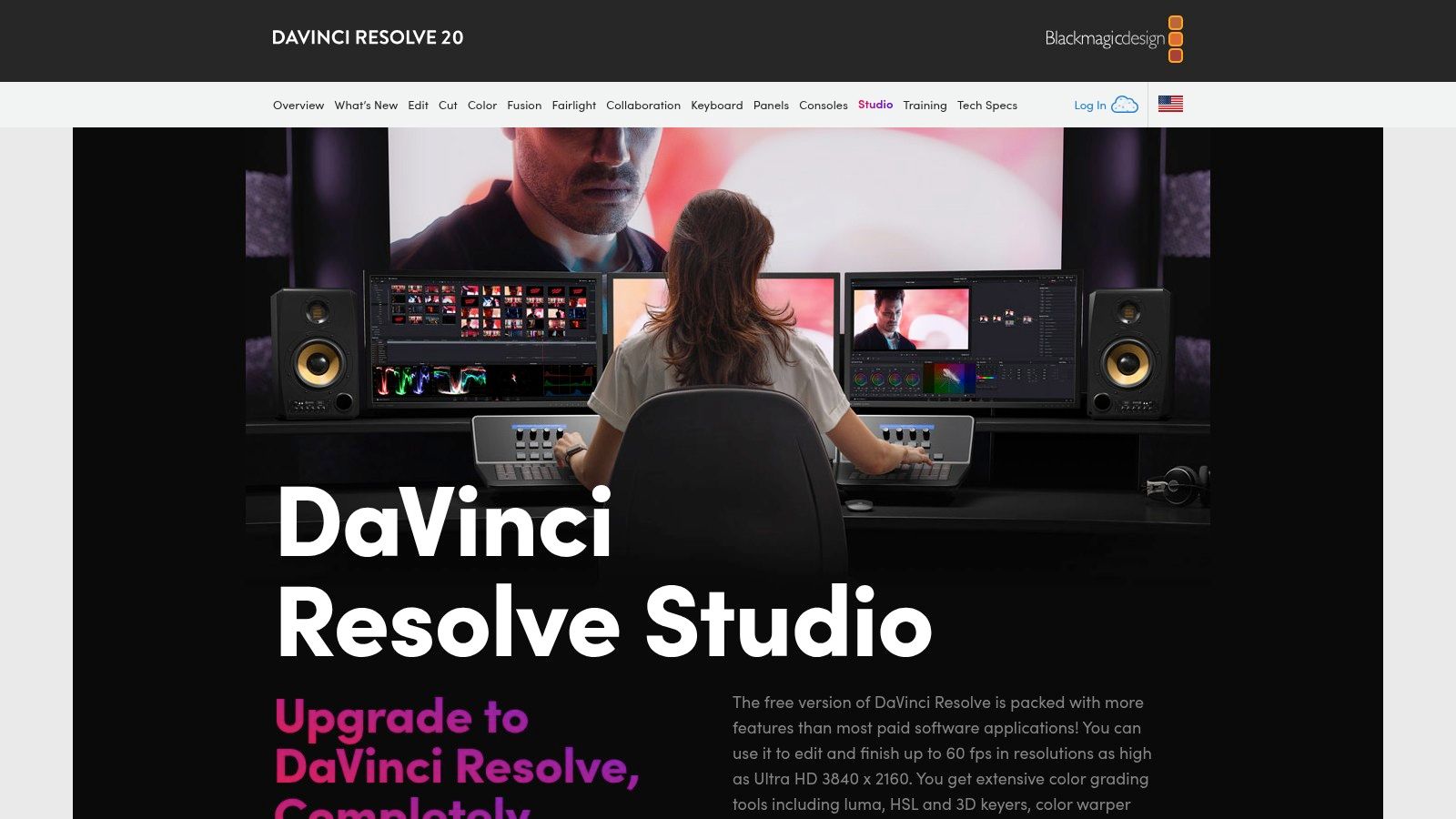
The platform is divided into "pages" for different tasks: Cut, Edit, Fusion (VFX), Color, and Fairlight (audio), creating a streamlined workflow that eliminates the need to switch between separate applications. The AI-powered tools in the Studio version automate complex tasks that would otherwise require hours of meticulous manual work, such as isolating subjects or tracking objects, directly within this integrated environment.
Key Features & Use Cases
- DaVinci Neural Engine AI: The paid Studio version unlocks features like Magic Mask, which uses AI to select and track people or objects for targeted color grading or effects with a single brush stroke. For example, an editor can brighten a person's face in a dimly lit scene without affecting the background, all without manual rotoscoping. Other tools include AI-based audio isolation to remove background noise and automatic smart reframing for social media outputs.
- Text-Based Editing & Transcription: Similar to other leading editors, Resolve can automatically transcribe audio, allowing you to edit your video by simply deleting text from the transcript. This is a game-changer for documentary and interview-based projects.
- Complete Post-Production Suite: Go from initial edit to final color grade and audio mix without ever leaving the application. This unified approach is ideal for small teams and individual creators who handle the entire post-production process.
Pricing and Limitations
DaVinci Resolve offers a powerful free version that is sufficient for many projects. The full DaVinci Resolve Studio, which includes the Neural Engine and other advanced features, is available for a one-time payment of $295.
- Pros: Robust free version, one-time purchase for the Studio license is a great value, industry-standard color grading and audio tools.
- Cons: Has a steeper learning curve than simpler editors, most AI features are locked behind the paid Studio version, the App Store version can have limitations compared to the direct download.
Website: https://www.blackmagicdesign.com/products/davinciresolve/studio
4. CapCut
CapCut, from TikTok parent company ByteDance, has rapidly become a dominant force in mobile and desktop video editing, largely due to its accessible yet powerful AI features. It is purpose-built for creating engaging, trend-driven short-form content for platforms like TikTok, Instagram Reels, and YouTube Shorts. Its strength lies in its speed and extensive library of ready-made templates and effects that simplify complex edits into single-click actions. As of 2023, CapCut reported over 200 million monthly active users, showcasing its massive adoption rate.
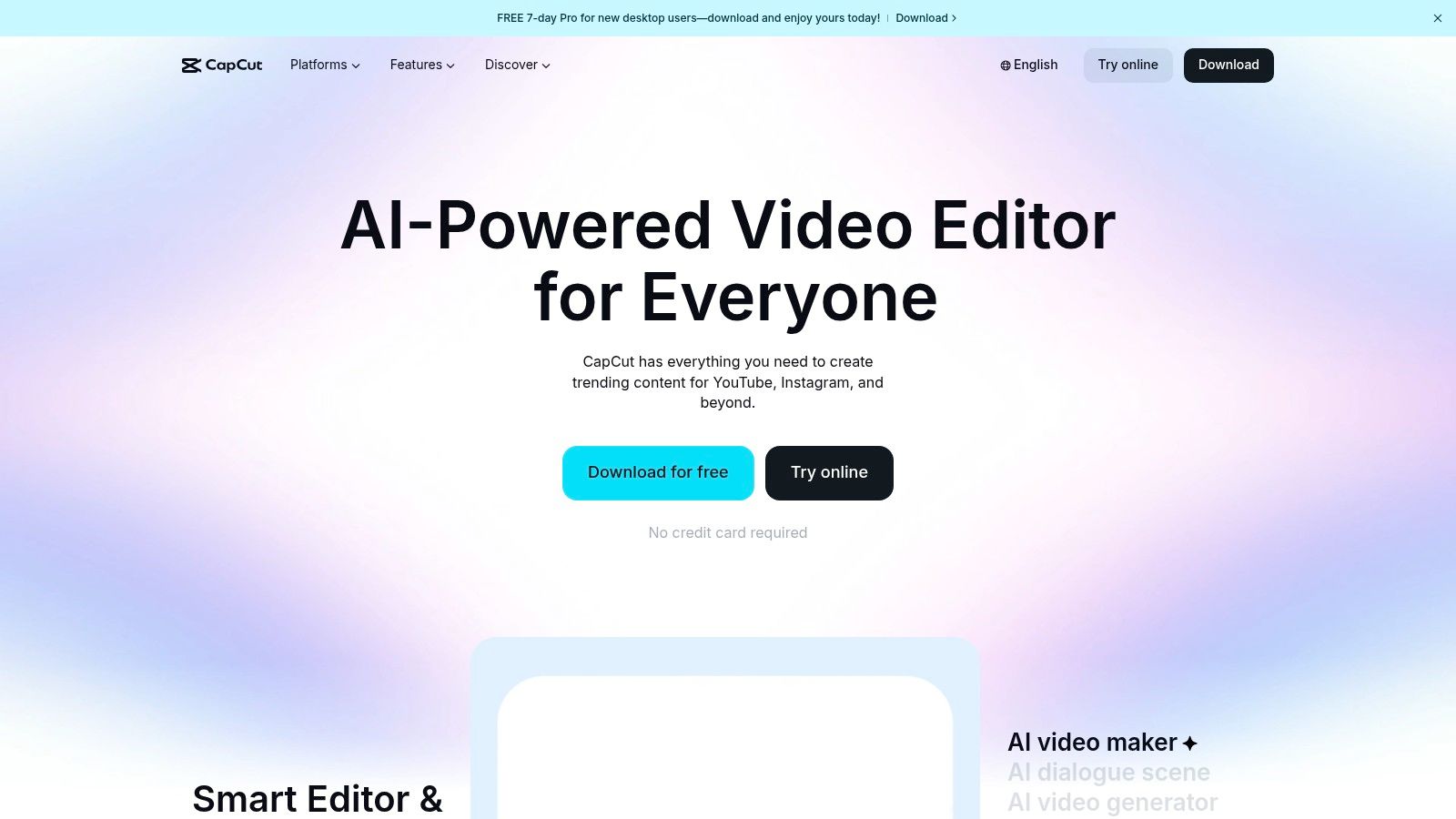
The platform seamlessly syncs projects across mobile, desktop, and web, allowing creators to start an edit on their phone and finish it on a computer. This cross-platform functionality, combined with a user-friendly interface, makes it the best AI video editor for creators who need to produce high volumes of social content quickly. It excels at automating tedious tasks, freeing users to focus on creativity and performance.
Key Features & Use Cases
- AI Auto-Captions & Background Remover: Instantly generate animated, stylized captions that are popular in social media videos. The background remover is surprisingly accurate for a consumer-grade tool, making it easy to create cutouts or replace backgrounds without a green screen. For example, a user can film themselves in their living room and instantly replace the background with a stock video of a professional studio.
- AI Upscaler & Stabilizer: Enhance low-resolution footage or smooth out shaky handheld shots directly within the app. For example, a 720p clip can be upscaled to a sharper 1080p or 4K, improving the final production value.
- Extensive Template Library: CapCut's biggest draw is its constantly updated library of viral templates. Creators can simply drop their clips into a popular trend template, and the AI handles the cuts, effects, and audio synchronization automatically.
Pricing and Limitations
CapCut offers a robust free version, with advanced features like 4K export and certain AI tools reserved for its Pro subscription, which is typically around $7.99/month or $74.99/year. Pricing can vary significantly based on platform (iOS, Android, Web) and region.
- Pros: Extremely fast workflow for short-form video, massive library of templates and effects, affordable Pro plan with an excellent annual discount.
- Cons: Pricing and subscription details can be inconsistent across different platforms and have fluctuated, occasional billing confusion has been reported by users.
Website: https://www.capcut.com/
5. Runway
Runway has carved out a unique space in the AI video landscape, positioning itself not as a traditional editor but as a powerful, browser-based AI magic toolkit. It's built around its state-of-the-art generative models, like Gen-2 and Gen-3, which can create video from text or image prompts. This makes Runway an exceptional tool for generating custom B-roll, abstract visuals, and conceptual scenes that would be impossible or expensive to film, solidifying its place as one of the best AI video editor platforms for creative ideation.

While its timeline editor is less complex than a full Non-Linear Editor (NLE) like Premiere Pro, its strength lies in AI-powered tools that automate tedious tasks. Features like background removal, motion tracking, and inpainting are executed with impressive precision directly in the cloud. This allows creators to supplement their primary editing software with generative assets and effects without needing high-end local hardware.
Key Features & Use Cases
- Text/Image to Video Generation: The core of Runway's offering. A creator can type "a cinematic shot of a futuristic city at sunset" and receive a four-second clip, perfect for establishing shots or creative B-roll in marketing videos. A practical example: a marketing team creating a video about sustainable energy can generate clips of wind turbines in various landscapes without licensing expensive stock footage.
- AI Magic Tools: A suite of functions including Frame Interpolation to create smooth slow-motion, Inpainting to remove unwanted objects from a scene, and 3D Gaussian Splatting for creating immersive scenes from video.
- Cloud-Based Workflow: All processing and rendering happen on Runway's servers. This is ideal for users with modest computers or teams that need to collaborate on projects without transferring massive files.
These powerful generative capabilities represent a significant leap in automatic video editing software, allowing for rapid prototyping and asset creation.
Pricing and Limitations
Runway operates on a subscription model with plans starting from a free tier. Paid plans, starting at $12 per user/month, provide more monthly credits, which are consumed by AI generation and tool usage.
- Pros: Cutting-edge generative AI models for unique asset creation, user-friendly interface, cloud rendering frees up local system resources.
- Cons: The credit-based system can be confusing to manage, and the timeline editor lacks the depth of professional NLEs.
Website: https://runwayml.com/pricing
6. Descript
Descript revolutionizes the editing process by treating video and audio as a text document. Its innovative, transcription-first approach allows creators to edit footage simply by deleting or rearranging words in the transcript, making it exceptionally fast for dialogue-heavy content like podcasts, interviews, and educational videos. The platform is built around a powerful AI engine that automates tedious tasks, positioning it as a top-tier tool for creators focused on speed and efficiency.
This unique workflow makes Descript one of the best AI video editor solutions for repurposing long-form content. By highlighting text, users can instantly generate short, shareable clips for social media, complete with animated captions and custom branding. Its AI features extend beyond editing into audio enhancement and voice synthesis, providing a comprehensive toolkit for podcasters and content marketers who need to produce polished content quickly.
Key Features & Use Cases
- Text-Based Video Editing: Edit video by simply editing the auto-generated transcript. Deleting a sentence in the text automatically removes the corresponding video and audio segment from the timeline, a workflow that can be up to 3x faster for narrative content.
- Studio Sound: With a single click, this AI feature removes background noise, enhances voice clarity, and makes recordings sound as if they were captured in a professional studio. For example, a podcaster recording an interview over Zoom with significant echo can apply Studio Sound to make both speakers sound crisp and clear.
- Overdub (AI Voice Cloning): Correct audio mistakes or add new words by simply typing them. Descript’s AI generates a realistic clone of your voice to seamlessly insert the correction, saving you the hassle of re-recording entire sections.
Pricing and Limitations
Descript offers a free plan with limited features. Paid plans start with the Creator tier at $12/month (billed annually), which includes more transcription hours and removes watermarks. The Pro plan at $24/month unlocks unlimited Overdub and removes filler words like "um" and "uh" automatically.
- Pros: Extremely intuitive workflow for dialogue-based content, powerful AI audio enhancement and voice cloning, excellent for rapid content repurposing.
- Cons: Not designed for complex visual effects or color grading, reliance on cloud processing requires a stable internet connection for many features.
Website: https://www.descript.com/pricing
7. Wondershare Filmora
Wondershare Filmora strikes a balance between user-friendliness and powerful AI functionality, making it a popular choice for creators who want advanced features without the steep learning curve of professional software. It is designed for speed and ease of use, leveraging AI to automate complex tasks that would otherwise require manual effort, making it a contender for the best AI video editor for solo entrepreneurs and small businesses.
Unlike industry-standard editors that require significant training, Filmora’s interface is intuitive, guiding users through the creative process with helpful prompts and a vast library of templates. The integration of AI tools like an AI Copilot for editing suggestions and AI Portrait for one-click background removal streamlines the production of polished content for social media, YouTube, or internal business communications.
Key Features & Use Cases
- AI Copilot Editing: Ask the AI assistant for editing advice, feature suggestions, or to locate specific effects. This interactive guidance helps new users learn the software and speeds up the workflow for experienced editors.
- AI Portrait & Smart Cutout: Instantly remove video backgrounds without a green screen or isolate moving subjects with high precision. A practical example: a YouTuber can create a professional-looking talking head video by filming in their bedroom and using AI Portrait to place themselves against a clean, branded background.
- Text-Based Editing: Similar to professional-grade software, you can edit your video by simply editing the auto-generated transcript. Removing a sentence from the text automatically cuts the corresponding video clip, saving hours in trimming and refining dialogue.
Pricing and Limitations
Filmora is available via subscription or a one-time perpetual license. The subscription starts at $29.99 per quarter, while a perpetual plan is often available for around $79.99. Note that perpetual licenses may not include future major version upgrades.
- Pros: Very accessible for beginners, perpetual license option is great value, large library of creative assets and templates.
- Cons: Less robust for advanced color grading and VFX, some AI features consume credits that may require additional purchases.
Website: https://filmora.wondershare.com/
8. Microsoft Clipchamp
Microsoft Clipchamp is a user-friendly, browser-based editor that has become a go-to for quick and efficient video creation, especially within the Microsoft 365 ecosystem. Its main advantage is accessibility; it offers a surprisingly robust free plan with watermark-free 1080p exports, a feature many competitors charge for. This makes it a compelling choice for businesses, educators, and creators who need polished videos without a significant software investment.

Clipchamp simplifies the editing process with a clean drag-and-drop interface and helpful AI-powered tools designed to speed up common tasks. While it may not have the depth of a professional NLE, its integration with OneDrive and the broader Microsoft suite makes it a seamless option for organizations already embedded in that environment. This positioning makes it one of the best AI video editor choices for internal corporate communications, training materials, or quick social media updates.
Key Features & Use Cases
- Auto Compose: This AI feature analyzes your imported media (clips, images, and music) and automatically arranges them into a coherent sequence on the timeline. It intelligently suggests cuts and pacing, providing a strong starting point for a promotional video or a presentation summary. A practical example: a real estate agent can upload 10 short clips of a property, and Auto Compose will assemble them into a dynamic video tour set to music.
- Text-to-Speech: Generate realistic voiceovers in over 170 voices across 70 different languages. This is perfect for creating accessible video guides or localizing marketing content without hiring voice actors.
- Speaker Coach: An AI-powered tool that provides real-time feedback on your recorded narration, analyzing your pace, pitch, and use of filler words to help you create more professional and engaging voiceovers.
Pricing and Limitations
Clipchamp's free plan is very generous, but its premium features are unlocked with a Microsoft 365 subscription or a standalone Clipchamp Premium plan, typically around $11.99/month.
- Pros: Excellent free plan with 1080p exports, intuitive and simple UI, seamless integration with the Microsoft ecosystem.
- Cons: Fewer advanced AI features and professional effects compared to specialized tools, cloud sync can be slow with large files.
Website: https://www.microsoft.com/en-us/microsoft-365/microsoft-stream
9. Synthesia
Synthesia has carved out a unique space in the AI video landscape by focusing entirely on creating high-quality, AI-avatar-driven videos. Instead of editing existing footage, you generate new content from text, making it an exceptional tool for corporate training, onboarding, and multilingual explainer videos. The platform allows businesses to produce professional-looking talking-head videos in minutes, eliminating the need for cameras, microphones, or actors. Statistics from Synthesia show that companies can create videos 90% faster compared to traditional methods.
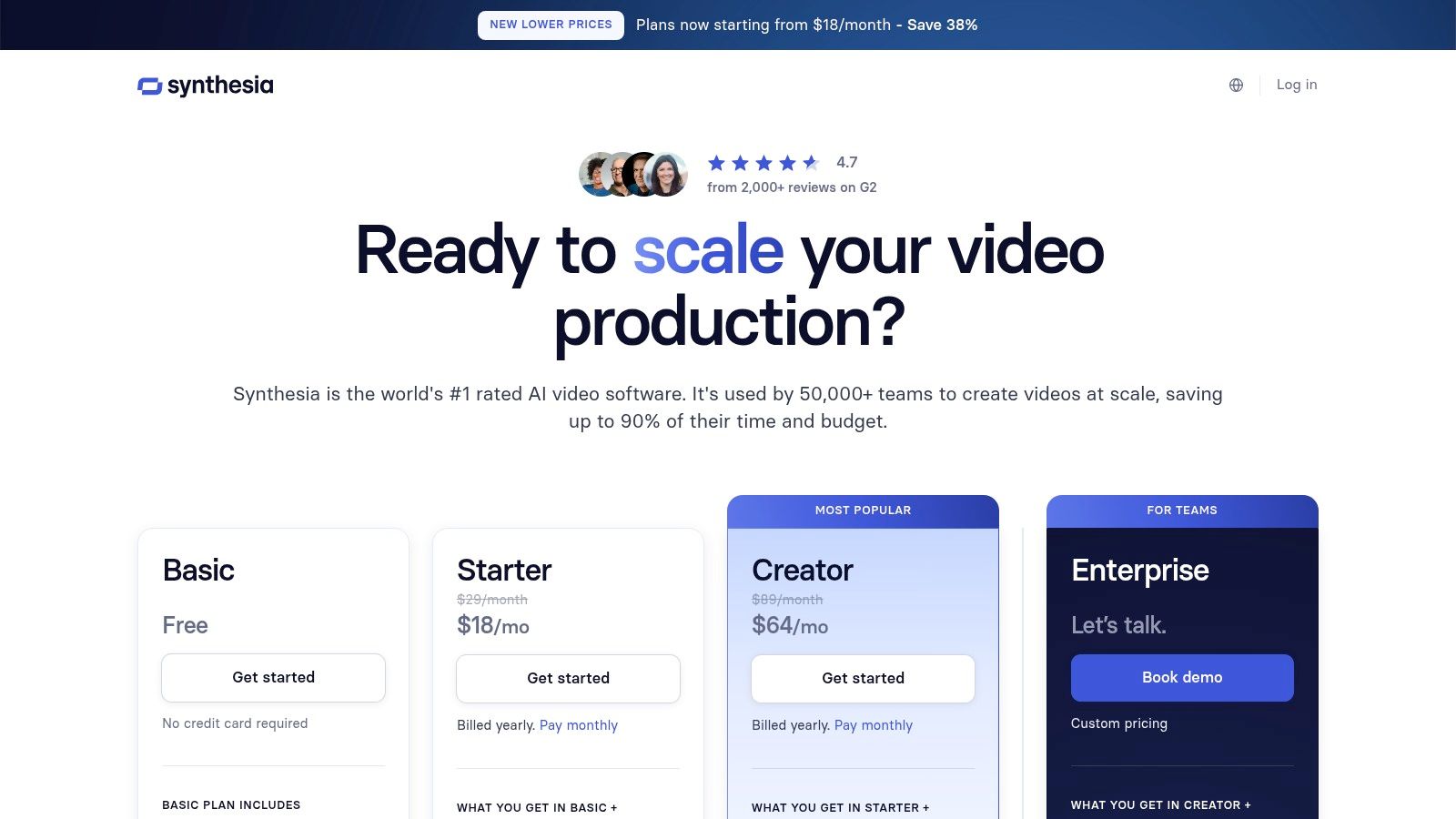
What sets Synthesia apart is its enterprise-grade focus and scalability. While many tools generate video, Synthesia is built for teams, offering features like branded templates, collaborative workspaces, and API access. Its library of over 200 stock avatars and support for over 120 languages makes it one of the best AI video editor options for global companies looking to localize content efficiently. For example, a single training module can be translated and dubbed into dozens of languages with just a few clicks.
Key Features & Use Cases
- AI Avatars & Voice Cloning: Choose from a diverse library of stock avatars or create a custom digital twin of a real person. You can also clone voices to maintain brand consistency across all video communications.
- Multi-Language Dubbing: Instantly translate your video script and generate new voiceovers. For example, a product demo created in English can be dubbed into German, Japanese, and Spanish in under an hour, a process that would traditionally take weeks and involve multiple voice actors.
- API for Scalability: Automate personalized video creation at scale. E-commerce platforms can use the API to generate thousands of unique product videos, or sales teams can create personalized outreach videos automatically.
- Enterprise-Ready Features: For larger organizations, Synthesia offers SCORM export for Learning Management Systems (LMS), SOC 2 compliance, and advanced collaboration features.
Pricing and Limitations
Synthesia offers tailored plans for individuals and enterprises. The Personal plan starts at $22/month (billed annually), which includes 10 minutes of video generation per month. Business plans are custom-priced.
- Pros: Extremely fast production of talking-head videos, excellent for localization with strong multi-language support, robust enterprise and API features.
- Cons: The AI-generated nature of avatars can sometimes be noticeable, the platform is credit-based, limiting total video output per month.
Website: https://www.synthesia.io/pricing-options
10. Kapwing
Kapwing is an online, collaborative video editor designed for speed and simplicity, making it a favorite among marketing teams and social media managers. It excels at repurposing existing content, such as turning long-form webinars or podcasts into dozens of shareable, branded short clips. Its browser-based workflow removes the need for powerful hardware, democratizing video creation for teams of all sizes.

The platform is built around a user-friendly, template-driven interface where AI tools are seamlessly integrated. Kapwing's focus on collaborative features like shared workspaces and brand kits makes it an efficient solution for maintaining brand consistency across all video outputs. For teams needing a straightforward yet powerful tool, it's one of the best AI video editor options available for rapid content generation.
Key Features & Use Cases
- AI Clip Maker: Automatically finds the most engaging moments in a long video and generates short, vertical clips with subtitles. For example, you can upload a one-hour podcast and receive 10-15 viral-ready clips in minutes, a process that would manually take hours.
- Automatic Subtitles & Dubbing: Generate accurate subtitles in over 70 languages and use AI to dub your video into other languages. This is ideal for global brands aiming to expand their reach by localizing content for different markets.
- Smart Tools: Features like Smart Cut automatically remove silences from your video, tightening up the pacing without manual editing. This is particularly useful for talking-head videos or interviews where pauses can disengage viewers.
Pricing and Limitations
Kapwing offers a free plan with a watermark and limited exports. Paid plans start at $24/month per user (billed monthly) for the Pro plan, which removes watermarks, unlocks 4K exports, and provides a monthly allowance of AI credits. The transparent credit system clearly outlines the cost for each AI action.
- Pros: Minimal learning curve with an intuitive browser-based workflow, excellent collaboration and brand control features, transparent credit table for AI tools.
- Cons: Heavy reliance on AI features may quickly deplete credits on lower-tier plans, and performance is dependent on internet connection for uploads and downloads.
Website: https://www.kapwing.com/pricing
11. VEED
VEED has evolved from a simple online video editor into a comprehensive AI-powered platform designed for marketers, social media managers, and training teams. It stands out by consolidating a wide array of AI tools, including text-to-video generation, AI avatars, and voice cloning, into a single, accessible browser-based interface. This all-in-one approach eliminates the need to jump between multiple applications, making it one of the best AI video editor choices for teams focused on rapid content creation and distribution.

VEED positions itself as a complete video marketing suite, offering not just editing but also hosting, sharing, and basic brand management tools. Its user-friendly design, rich with templates and presets, lowers the barrier to entry for non-editors. For larger organizations, VEED provides enterprise-level features and an API, enabling the integration of its video creation tools directly into custom workflows for scalable content production.
Key Features & Use Cases
- AI Avatars and Voices: Create professional-looking training videos or marketing announcements without a camera or microphone. Simply type a script, choose an avatar, and generate a video with a realistic AI voice in minutes.
- Text-to-Video Generation: Transform blog posts, articles, or simple text prompts into engaging videos. A practical example: a content marketer can paste the URL of a blog post, and VEED's AI will summarize the text, find relevant stock footage, and create a short promotional video for social media.
- AI-Powered Corrections: Automatically dub videos into different languages, remove background noise with a single click, and even correct the speaker's eye contact to maintain audience engagement.
Pricing and Limitations
VEED offers several subscription tiers, including a free plan with watermarked exports. Paid plans start with the Basic plan at $25/month per user (billed annually), with higher tiers offering more AI credits, storage, and advanced features like brand kits and translation.
- Pros: Broad set of AI generators in one place, simple for non-editors with many presets, enterprise API and workflow options for scale.
- Cons: Pricing and AI credit details are frequently updated, requiring users to check current rates; some users report confusion around credit consumption.
Website: https://www.veed.io/pricing
12. Amazon (Marketplace for AI video editors and licenses)
While not a video editor itself, Amazon’s vast marketplace serves as a crucial hub for purchasing licenses and physical copies of professional-grade software. It stands out by offering a familiar, trusted purchasing environment where users can leverage Prime shipping, gift card balances, and a centralized billing system to acquire everything from DaVinci Resolve Studio keys to Adobe Creative Cloud subscriptions from authorized resellers. This makes it a practical option for those who prefer consolidating their purchases or need fast delivery of a physical activation key.
The platform is particularly useful for finding occasional promotional bundles or seasonal deals that may not be available directly from the publisher. However, the key to a successful purchase is diligence. Buyers must verify that the seller is an authorized distributor to ensure the license is legitimate and eligible for support. For those looking beyond Amazon, exploring the top platforms for selling digital products can offer insights into the broader marketplace where the best places to sell digital products and related tools are distributed.
Key Features & Use Cases
- Wide Selection: Access a broad range of NLEs like DaVinci Resolve Studio, Final Cut Pro, and various plugins or accessories from multiple sellers in one place.
- Prime Shipping & Returns: Benefit from fast, often two-day shipping for physical software boxes and the familiar Amazon returns process for eligible items, providing a layer of buyer protection.
- Flexible Payment Options: Use Amazon gift cards, credit card points, or standard payment methods, offering more flexibility than some direct-to-publisher websites.
- Community Feedback: Leverage user reviews and the Q&A section to gauge the legitimacy of a listing or the reliability of a third-party seller before making a purchase. For example, a user can check recent reviews for a "DaVinci Resolve Studio Key" to see if other buyers successfully activated the software.
Pricing and Limitations
Pricing is determined by individual sellers and can fluctuate based on demand and promotions. While competitive, it's essential to compare prices with the publisher's official website.
- Pros: Convenient checkout process, multiple payment options, and fast delivery for physical products. The ability to buy from known authorized resellers via Amazon listings is a major plus.
- Cons: High risk of encountering unauthorized third-party or mislabeled listings. Always verify the 'Sold by' field and check seller authenticity.
Website: https://www.amazon.com/
Top 12 AI Video Editors — Quick Feature & Pricing Comparison
| Product | Target audience | Core features | Output & scale | Pricing & value |
|---|---|---|---|---|
| Swiftia (recommended) | Teams, agencies, creators, platforms, developers | AI clip editing, Caption Animation Engine, filler‑word removal, active speaker detection, API, scheduling, virality scoring | Up to 4K, auto‑translation & multi‑language (90+), high‑throughput, cost‑efficient rendering | Free trial; Starter $9/mo; Pro $48/mo; Swift $280/mo; Enterprise plans |
| Adobe Premiere Pro (Creative Cloud) | Professional editors, studios, agencies | Mature NLE, Generative Extend, AI search, auto caption translation, Adobe app integration | Pro codecs/hardware support, cloud workflows, Firefly credits for generative tasks | Subscription (monthly/annual), AI features may use credits |
| Blackmagic DaVinci Resolve (Free/Studio) | Colorists, post teams, pros wanting fixed price | Full Edit/Fusion/Fairlight/Color suite, DaVinci Neural Engine AI tools, collaboration | Powerful free tier, Studio unlocks advanced AI, cross‑platform (Mac/Win/Linux) | Free; Studio one‑time license (cost‑effective vs subs) |
| CapCut | Mobile creators, short‑form social users | Templates, auto‑captions, background removal, AI upscaler, cross‑platform | Fast short‑form exports, 4K on Pro tiers, template focused | Free + Pro tiers, regional pricing variations |
| Runway | Creators needing generative assets, b‑roll | Generative video (Gen‑4/4.5/Turbo), AI editor, cloud rendering, team workspaces | Cloud‑based exports, credit‑based usage, ideal for generative assets | Credit‑based pricing, evolving feature/price model |
| Descript | Podcasters, interviewers, creators repurposing long form | Text‑first editing, automatic transcription, Overdub voice clone, Studio Sound | Very fast interview-to-clip workflows, 4K on paid plans, strong speech cleanup | Tiered plans with media/AI limits |
| Wondershare Filmora | Small businesses, solo creators, beginners | AI Copilot, portrait/background tools, audio cleanup, templates | 4K export, many presets for fast results, plugin ecosystem | Low cost, frequent promotions, perpetual license options |
| Microsoft Clipchamp | Corporate teams, Microsoft 365 users | Browser editor, stock media, templates, background removal, 1080p free exports | Free 1080p watermark‑free, cloud sync, simple UI for quick videos | Generous free plan; some advanced features require paid plan |
| Synthesia | L&D, training, multilingual explainers | AI avatars, dubbing, translations, branded templates, API | Fast talking‑head videos, strong multi‑language support, credit/minute limits | Credit/minute generation model, Enterprise features available |
| Kapwing | Marketing teams, social editors, small agencies | AI clip maker, auto subtitles & dubbing, brand kits, templates | 4K on paid tiers, watermark‑free exports on paid plans, web collaboration | Paid tiers with AI credits for heavy use |
| VEED | Marketers, training teams, non‑editors | AI Playground (generators), AI avatars/voices, dubbing, hosting & sharing | Cloud exports, multiple third‑party models, simple presets | Credit‑based pricing; enterprise/API options, rates change often |
| Amazon (Marketplace) | Buyers preferring marketplace purchases | Marketplace listings for NLEs, plug‑ins, boxed keys, reseller options | Output depends on purchased software; shipping/returns via Amazon | Varies by seller and product; verify authorized sellers and listings |
How to Choose the Best AI Video Editor for Your Workflow
The landscape of video editing has fundamentally shifted. What once required hours of meticulous, manual work can now be accomplished in minutes, thanks to the power of artificial intelligence. As we've explored, the market is filled with powerful tools, each designed to solve specific problems, from generating entire scenes from a text prompt to automatically creating social media clips from long-form content. The challenge is no longer about if you can automate video creation, but about choosing the right platform to integrate seamlessly into your existing processes and scale your output effectively.
Finding the best AI video editor isn't about identifying a single "winner." Instead, it's about matching a tool's core strengths to your specific operational needs and goals. Your choice will dramatically impact your team's efficiency, content quality, and ability to engage your audience across different platforms.
Key Takeaways: Matching Tools to Your Needs
Our deep dive into the top contenders reveals a clear segmentation in the market. To make an informed decision, you must first define your primary objective.
-
For Scalable, Automated Content Repurposing: If your primary goal is to transform long-form content like podcasts, webinars, or interviews into a high volume of short-form social clips, then automation is non-negotiable. Tools like Swiftia are purpose-built for this workflow, using AI to identify key moments, add dynamic animated captions, and even handle multi-language translation. This is ideal for marketing agencies and media publishers where manual clipping is a significant production bottleneck. A practical example: a marketing agency could process a client's hour-long webinar and generate 15 distinct, ready-to-post clips for TikTok, Reels, and Shorts in under 30 minutes, a task that would take a human editor a full day.
-
For Advanced Creative Control and Professional Polish: If your work demands granular control over color grading, complex effects, and timeline editing, a traditional NLE augmented with AI is your best bet. Adobe Premiere Pro and DaVinci Resolve Studio lead this category. Their AI features, like Adobe's Text-Based Editing or DaVinci's Magic Mask, are designed to speed up specific tasks within a professional editor's workflow, not to replace it entirely. They are the standard for high-production-value projects where creative intent is paramount.
-
For Generative Video and Experimental Effects: For creators and studios pushing the boundaries of visual storytelling, generative AI tools are the new frontier. Runway is a clear leader here, allowing you to create video from text, images, or even existing video clips (video-to-video). This is less about editing existing footage and more about creating entirely new visual assets, perfect for music videos, conceptual ads, or unique social content where novelty is a key performance indicator.
-
For All-in-One Simplicity and Social Media Creators: For individual creators, small businesses, or social media managers who need a fast, user-friendly, browser-based solution, platforms like CapCut, VEED, and Kapwing offer an incredible balance of features. They package transcription, templating, and basic AI effects into an intuitive interface, making it easy to produce polished content without a steep learning curve.
Actionable Next Steps: A Framework for Your Decision
Before you commit to a subscription, follow this practical evaluation process to ensure the tool aligns with your workflow.
- Define Your Core Use Case: Are you repurposing, creating from scratch, or enhancing existing edits? Be specific. "Creating 20 short-form clips per week from our podcast" is a better goal than "making social videos."
- Assess Your Technical Needs: Do you need an API for programmatic video creation at scale? This is a critical differentiator. Platforms like Swiftia and Synthesia offer robust APIs, allowing developers to integrate automated video generation directly into their own applications or platforms. A practical example: social media management platforms could use Swiftia's API to offer their users an integrated "auto-clip" feature.
- Run a Pilot Project: Take a single, representative piece of content (e.g., one 30-minute podcast episode) and process it through your top two or three choices. Measure the time saved, the quality of the output, and the ease of use. Did the AI accurately identify the best moments? How much manual tweaking was required?
- Consider Your Ecosystem: Does the tool need to integrate with other software you use, like cloud storage (Google Drive, Dropbox) or project management tools? Check for native integrations or Zapier compatibility to avoid creating data silos.
The era of AI-powered video is here, transforming content creation from a specialized skill into an accessible, scalable business function. By strategically selecting the best AI video editor for your unique requirements, you can unlock unprecedented levels of efficiency and creativity, allowing you to connect with your audience more effectively than ever before.
Ready to stop wasting time on manual video clipping and start scaling your content production? Swiftia is engineered for teams that need to repurpose long-form video and audio into dozens of engaging, shareable social clips automatically. Experience the power of our AI-driven workflow and start your free trial today.