So, what does it actually mean to automate your social media posts? It's simply the process of using software to schedule and publish your content ahead of time. This frees you from the daily grind of manual posting and lets you maintain a consistent presence online without having to be chained to your keyboard.
Why Social Media Automation Is a Necessity, Not a Luxury

If you've ever managed a social media account, you know the pressure is real. For instance, a small marketing team trying to juggle daily posts across TikTok, Instagram, and LinkedIn. Their days get eaten up by manually uploading videos, crafting captions, and hitting "publish" at the perfect moment. There's just no time left for actual strategy or creative thinking.
This relentless content treadmill is a fast track to burnout and erratic posting, which is poison for brand growth. This is the exact point where figuring out how to automate social media posts becomes less of a "nice-to-have" and more of a core business strategy.
Reclaiming Your Creative Energy
Let's be clear: automation isn't just about scheduling. It's about buying back the time and mental bandwidth you need to do high-impact work. Once you're not drowning in repetitive tasks, you can finally focus on what actually moves the needle:
- Dreaming up better content ideas that genuinely connect with your audience.
- Actually engaging with your community in the comments and DMs.
- Digging into performance data to see what's working and fine-tune your strategy.
By handing off the mechanical parts of social media management, you free yourself (or your team) to be creative and strategic instead of just reactive.
The Power of AI in Modern Automation
Automation today is a whole different beast than it was a few years ago. It’s no longer just about basic scheduling. Modern tools now use AI to help with the most time-sucking part of the entire process—creating the content itself. For example, instead of you having to make every single post, these platforms can take one long-form piece of content, like a webinar or a podcast, and automatically slice it into dozens of short, engaging clips.
Automation is now the backbone of modern social media strategy. In fact, a HubSpot report found that 76% of businesses use automation, with marketers citing time savings as the number one benefit. The results speak for themselves: teams report seeing 20-30% higher engagement per post and cutting down their content creation time by around 30%. You can discover more insights about marketing automation trends to see the full picture.
This new wave of AI-powered repurposing means a single video can fuel your content calendar for an entire month. It’s a game-changing way to scale your presence across every platform without scaling your workload, making consistent, high-quality posting a reality for any team, no matter the size.
Building Your Automated Content Engine

Real social media automation isn't about some magical button that spits out content for you. It's about building a smart system—an engine—that turns your core expertise into a steady stream of high-quality posts. Before you even touch a scheduling tool, you need a content strategy that can actually sustain itself.
The best way to do this is by centering everything around content pillars. These are your big-ticket items: a weekly podcast, a monthly webinar, an in-depth video interview. Think of these pillars as the raw ore that will fuel your social media machine for days, sometimes even weeks.
This model completely flips the script on the typical content grind. Instead of desperately trying to come up with dozens of new ideas from scratch, you pour your energy into creating one amazing pillar piece. Then, you just systematically slice and dice it into smaller, platform-ready assets.
From One Podcast to a Week of Content
Let's get practical. Say you just wrapped up a one-hour podcast with an expert in your field. That single recording is a goldmine. Rather than just dropping a link and calling it a day, you can break it down into a full week's worth of posts that people actually want to see.
Don't forget, research shows that video content gets shared 1200% more than text and images combined. By pulling video clips directly from your podcast recording, you’re already tapping into what works.
Here’s what that repurposing workflow often looks like in practice:
- Spot the highlights: As you edit or listen back, pinpoint the most insightful quotes, surprising stats, or compelling stories.
- Create quote graphics: Turn those standout lines into clean, shareable graphics for Instagram and LinkedIn. For example, a quote like "The best marketing doesn't feel like marketing" can become a powerful visual post.
- Clip out short videos: Find those 15-60 second punchy moments. These are your bread and butter for TikTok, Reels, and Shorts.
- Make audiograms: Pair a key audio snippet with a simple visual and animated captions. These are great for when you want to share a powerful idea without needing a full video.
This approach ensures all your "micro-content" is anchored to the value-packed discussion from your pillar, which keeps the quality and authority consistent. It’s a core tactic for anyone trying to figure out how to start managing multiple social media accounts without their content quality taking a nosedive.
Structuring Your Automated Calendar
Once you have a folder full of these repurposed assets, the next step is to give your automation tools a blueprint. This means setting up a consistent calendar based on what you’ve created. A solid schedule tells your software exactly what to do and when.
A critical mistake I see all the time is treating every social platform the same. Your automated schedule has to respect the different ways people consume content on each network. What kills it on LinkedIn will probably get ignored on TikTok.
Here’s a practical example of how you could map out a week's worth of content from that single podcast episode:
| Day | Platform | Content Type | Source |
|---|---|---|---|
| Monday | Quote Graphic | Pulled from the expert's key insight | |
| Tuesday | Video Clip (Reel) | A 30-second "aha" moment from the chat | |
| Wednesday | X (Twitter) | Text Snippet & Poll | A provocative question raised in the episode |
| Thursday | TikTok | Fast-Paced Clip | A humorous anecdote from the podcast |
| Friday | Audiogram | A 45-second audio highlight |
This structured approach elevates automation from a simple scheduling chore into a strategic distribution system. You're no longer just "posting stuff." You're methodically delivering value, all drawn from a single source of truth, to the right audience at the right time. This is the real secret to how to automate social media posts in a way that actually works and scales.
Choosing the Right Tools for Automation and Repurposing
Okay, you've got your strategy locked in and a backlog of great content ready to go. Now for the fun part: picking the tech that will do all the heavy lifting. The market for social media tools is absolutely packed, with everything from basic schedulers to massive, all-in-one management platforms. But the biggest game-changer lately is a new wave of AI-powered creation tools.
These aren't just about scheduling posts. They tackle the most time-consuming part of the whole process—actually creating and repurposing the content. Instead of just being a final step to push content out, they help you generate it from the start, which completely redefines how you can automate your social media.
The AI Advantage in Content Repurposing
Let’s be honest, the real bottleneck for most of us isn't clicking the "schedule" button. It’s the soul-crushing task of chopping up a long podcast or webinar into a dozen short, snappy clips for social media. That used to mean hours spent scrubbing through timelines, manually slicing segments, and painstakingly adding captions.
AI-powered tools have completely flipped that workflow on its head. They automate the most monotonous editing jobs, letting you pump out high-quality short-form video on a scale that was impossible before. For example, instead of a video editor spending an hour finding the best soundbites in a webinar, an AI tool can surface them in under two minutes.
Here’s what makes it work:
- Active Speaker Detection: The AI does the listening for you. It automatically finds when different people are talking and isolates those moments, so you don't have to hunt for the good stuff.
- Filler Word Removal: Forget manual audio editing. The software can instantly find and snip out all the "ums," "ahs," and awkward pauses, making your clips sound crisp and professional.
- Virality Scoring: This is a cool one. Some tools will actually analyze your clips and give them a score based on their potential to go viral, helping you decide what to post first for the biggest impact.
This kind of automation turns what was once a multi-hour editing slog into a quick, ten-minute task. If you want to get more mileage out of your core content, we've got a whole guide on effective content repurposing strategies.
Manual vs AI-Powered Content Repurposing Workflow
To really see the difference, let’s walk through a common scenario: you have a 60-minute video interview and want to create 10 short clips from it for TikTok and Instagram Reels. Here's a look at the old way versus the new way.
| Task | Manual Workflow (Multiple Tools) | AI-Powered Workflow (Integrated Tool) |
|---|---|---|
| Finding Clips | Manually re-watch the entire video, timestamping potential clips. (~45-60 mins) | AI automatically identifies and suggests the best clips based on speaker activity or key topics. (~5 mins) |
| Editing & Trimming | Import the full video into an editor, manually trim each of the ten clips. (~60-90 mins) | Review AI suggestions, make minor adjustments with a simple click-and-drag interface. (~10 mins) |
| Adding Captions | Manually transcribe or use a separate service, then style and sync captions for each clip. (~45-75 mins) | AI auto-generates and animates captions instantly. Apply branded presets with one click. (~5 mins) |
| Scheduling | Export all ten clips, then upload them one by one into a separate social media scheduler. (~20-30 mins) | Schedule all generated clips directly from the same platform to multiple accounts. (~5 mins) |
| Total Time | ~3-4.5 hours | ~25-30 minutes |
As you can see, the time savings are staggering. The integrated AI workflow isn't just a minor improvement; it's a completely different way of producing content that frees up hours of your time. If you're looking to bring this efficiency to your channels, sorting through the best LinkedIn automation tools is a great place to start.
This shift isn't just a trend; it's the new standard. An incredible 79% of social media professionals are already using AI to create more content, faster. The numbers don't lie: 90% of businesses using these tools report massive time savings, and 73% have seen a real jump in engagement. Teams are now churning out viral shorts from long-form videos up to 10x faster.
By choosing a single tool that combines AI-driven repurposing with built-in scheduling, you're not just automating—you're building a seamless content pipeline. You go from one long video to a full calendar of engaging posts without breaking a sweat. That's not just automation; it's intelligent creation at scale.
Putting Your Automated Posting Workflow into Action
Theory is one thing, but seeing how this all works in practice is where it really clicks. Let's walk through a real-world scenario to show you how to move from a raw idea to a fully automated content machine.
Imagine a digital marketing agency has just finished a 45-minute webinar for a client. The goal? Squeeze every last drop of value out of that one piece of content without spending days manually chopping it up and posting it.
The old way of doing this was a mess of disconnected steps: a video editor, a content manager, and a social media scheduler all working in their own silos. The new way brings it all together, turning that single webinar into a powerful two-week content campaign. This is exactly how to automate social media posts and save time from start to finish.
From Webinar to Viral Shorts in Minutes
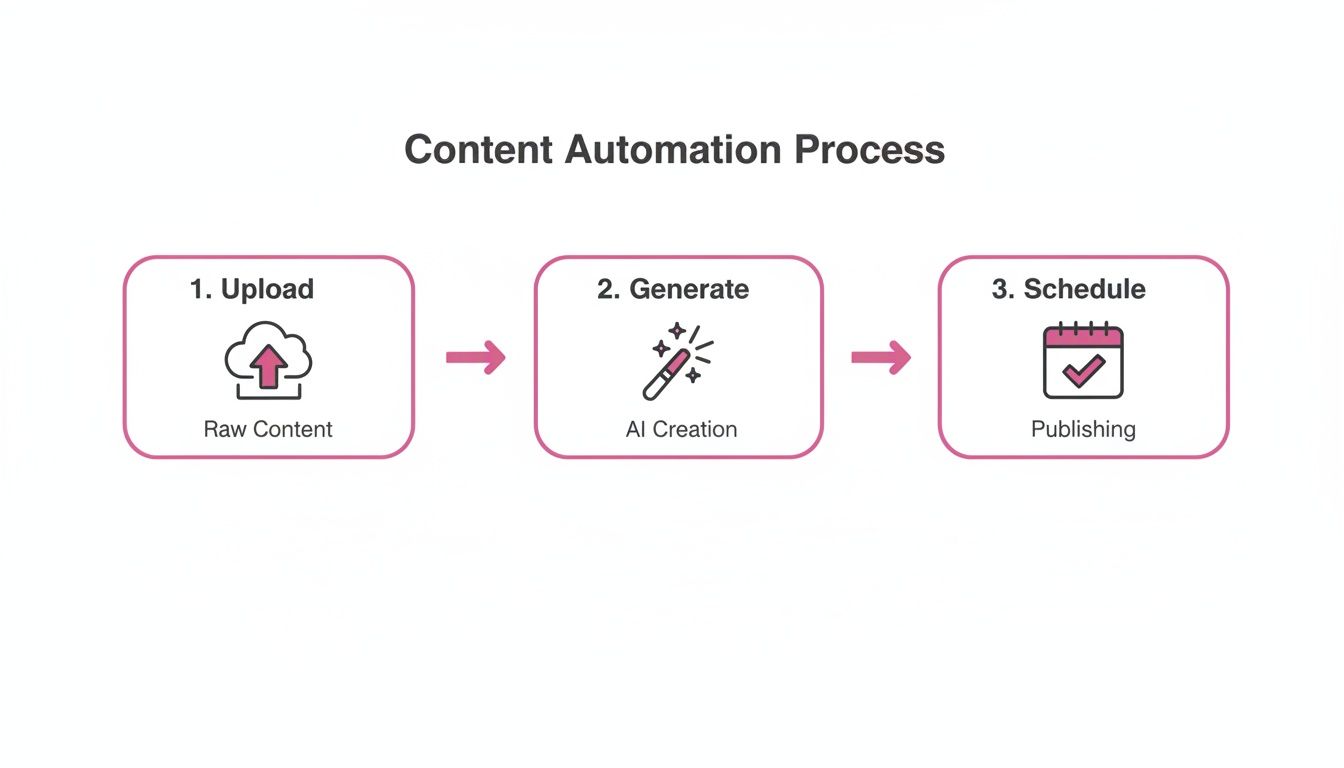
The agency starts with the raw webinar file—a goldmine of information, but way too long for social media. The first move is to upload the entire 45-minute video into an AI-powered repurposing tool. This is where the magic begins.
Instead of an editor spending hours scrubbing through the footage, the platform’s active speaker detection immediately gets to work, automatically pinpointing the moments where the host is making a key point. It instantly surfaces the most engaging, info-packed segments, saving the team from ever having to re-watch the whole thing.
Next, with a single click, they apply a branded template. This instantly overlays the client's logo, custom fonts, and brand colors onto every potential clip, keeping everything looking sharp and consistent. At the same time, the AI’s filler word removal feature cleans up the audio, snipping out all the "ums," "ahs," and awkward pauses that can make a video feel amateur.
In just a few minutes, the platform spits out 15 high-impact, social-ready clips. They’re all perfectly framed, captioned, and branded. A task that would have taken a skilled video editor half a day is done before they've even finished their morning coffee.
This isn't just about saving a little time; it's a fundamental shift in how content gets made. The team's brainpower can now be spent on strategy and creative ideas, not on tedious, repetitive production tasks.
This incredible speed allows the agency to focus on what really matters: which clips to post and when to post them, not how to make them in the first place.
Strategic Scheduling and Distribution
With a fresh library of 15 clips ready to go, the next step is getting them out into the world. Using the platform’s built-in scheduler, the agency maps out a content calendar for the next two weeks across the client’s most important channels: TikTok, Instagram Reels, and YouTube Shorts.
This is where they get smart with their distribution. Here’s a practical look at their process:
- Prioritize with Virality Scores: The tool analyzes each clip and assigns it a "virality score," predicting its potential based on pacing, topic, and visual hooks. The agency schedules the highest-scoring clips to go live first to build early momentum.
- Stagger Content Across Platforms: They don’t just blast the same clip everywhere at once. A clip might debut on TikTok on Monday, hit Reels on Wednesday, and then go live on Shorts on Friday. This extends the content's life and helps it reach different segments of the audience on each platform.
- Optimize for Peak Times: Using the platform’s analytics, they schedule posts to hit the unique peak engagement windows for each social network, making sure the content lands in front of people when they are most likely to watch and interact.
Thanks to this automated scheduling workflow, the entire two-week campaign is locked and loaded in under an hour. The social media manager can set it and forget it, confident that a steady stream of top-notch content is rolling out without any day-to-day manual effort.
Expanding Reach with Advanced Automation Features
The agency doesn't stop there. To really maximize the webinar's impact, they tap into more advanced automation features that go far beyond simple scheduling.
One of the most powerful tools in their arsenal is auto-translation. With just a few clicks, they can take their top-performing English clips and generate translated versions for Spanish and French audiences, complete with accurate, synchronized captions.
This single feature opens up entirely new international markets for their client, all without the huge cost and time commitment of creating new content from scratch. Suddenly, a single webinar can resonate with communities across the globe.
By connecting all these pieces—AI clip generation, intelligent scheduling, and automated translation—the agency has built a seamless and incredibly efficient system. They’ve successfully turned one 45-minute asset into a multi-week, multi-language content campaign, creating a scalable model for modern social media marketing.
How to Monitor Performance and Optimize Your Strategy
Getting your automated posting workflow up and running is a huge step, but the real magic happens next. It's not a "set it and forget it" tool. The goal is to use all that free time you just created to actually listen to what your audience is telling you through data, then use those insights to make your automated system even smarter.
This is how you turn a simple scheduler into an intelligent growth engine for your brand.
Looking Beyond Likes and Shares
It's easy to get caught up in vanity metrics like likes and shares. They feel good, but they don't paint the full picture. To really understand what's working, you have to dig a little deeper into the numbers that show genuine interest and connection.
Your focus should really be on the metrics that track how people consume your content and what actions they take. These are the signals that tell you if your automated posts are actually hitting the mark.
Here’s what you should keep a close eye on:
- Watch Time: How long are people actually sticking around to watch your videos? A high average watch time is a fantastic sign that you've got something compelling.
- Audience Retention: This one is critical. It shows you the exact moment viewers start to drop off. If everyone is leaving after 5 seconds, you know you have a problem with your hooks.
- Click-Through Rate (CTR): If you've included a link, how many people are clicking it? This is a direct measure of whether your content is inspiring action.
- Saves: On platforms like Instagram, a save is a huge compliment. It means your content was so valuable that someone wants to come back to it later.
Don't just take my word for it. One study found that 55% of marketers see data analysis as a top priority for building their social media strategies. This is the stuff that separates the pros from the amateurs. If you want more tips on improving these numbers, we've got a whole guide on how to increase social media engagement.
Running Simple A/B Tests in Your Workflow
One of the best ways to figure out what works is to run simple experiments—often called A/B tests. The idea is to change just one thing between two posts to see which one performs better. And guess what? Automation makes running these tests a breeze.
Let's imagine your AI tool pulls two fantastic clips from your latest podcast. Instead of just flipping a coin, you can test them.
- Clip A: Schedule it for 9 AM with a caption that asks a question. For example: "What's the biggest marketing mistake you've seen? 👇"
- Clip B: Schedule the same clip for 6 PM, but this time with a bold statement in the caption. For instance: "Most marketing teams are focused on the wrong metrics."
Give it a few days, then pop into your analytics. Compare the watch time and saves for both. If Clip B had much better audience retention, you've just learned something valuable about your audience: they might prefer that time slot and react better to that style of caption. That's a real, data-backed insight you can immediately feed back into your system.
This simple flow is incredibly powerful. You're constantly refining your approach based on real-world feedback.
It’s a feedback loop: your automation gathers the data that helps you create better content for the next round of automation.
Using Data to Guide Your AI
Ultimately, you want your performance data to directly influence your content creation.
Let’s say you notice that video clips featuring customer success stories have an average watch time that's 40% higher than your clips that just explain product features.
That insight is pure gold. You’ve just discovered exactly what kind of content your audience craves. Instead of guessing, you now have a clear directive for what to focus on in your next webinar or interview.
Now you can tell your AI (or your team) to specifically look for and prioritize moments that highlight customer stories. This creates a powerful cycle: you automate, you analyze the results, and you refine your inputs. With every post, your content strategy gets sharper and more effective, all thanks to the data your system is collecting for you.
Got Questions About Social Media Automation?
Diving into social media automation can feel like walking a tightrope. You want efficiency, but you can't afford to lose that human touch. It’s a common feeling, and a lot of the same questions pop up as people get started. Let’s tackle some of the biggest ones.
Is It Okay to Automate DMs and Comments?
Yes, but you have to be smart about it. This is one area where you can easily come off as a robot if you're not careful.
Many tools are great for handling initial, simple interactions. For example, if you run a promotion and tell people to comment "info" to get a link, an automation can fire off that link in a DM instantly. It’s a huge time-saver for repetitive, high-volume requests.
The problem starts when you try to automate nuanced conversations. A recent study found that 60% of consumers still want to talk to a real person for customer service issues. So, the best approach is often a hybrid one: let automation handle the first response, then have a real person jump in to take the conversation further.
Here’s a practical example: Some tools can do more than just send a generic reply. They can actually take a really great user comment and automatically turn it into a new video clip or image post. It’s a brilliant way to reward engagement and make your community feel like part of the show.
Will I Get Banned for Using Automation?
Straight answer: no, not if you're using it correctly. The big platforms like Meta and X (formerly Twitter) don't have a problem with automation itself. In fact, they build and provide official APIs specifically so that scheduling tools can connect to their platforms safely.
Where people get into trouble is when they use automation for spammy, low-quality activities. That's what platforms crack down on. Things that will get you flagged include:
- Aggressive follow/unfollow tactics.
- Blasting out hundreds of identical, unsolicited DMs.
- Posting the exact same message over and over again.
As long as you’re automating the delivery of high-quality, valuable content, you're in the clear. The platforms care about the quality of what you post, not how it got there.
How Can I Make Sure My Automated Content Doesn't Feel Robotic?
This is the million-dollar question, but the answer is simpler than you think. Authenticity comes from the content itself, not from hitting the "publish" button manually.
If you build your automation workflow around a solid content engine—like we've been talking about—the authenticity is baked right in. For example, when you’re using AI tools to pull out the most insightful, funny, or powerful moments from your podcasts or webinars, those clips are genuinely you. They capture your real expertise and personality.
The secret sauce is mixing your planned content with spontaneous, real-time engagement. Let your automation tool handle the heavy lifting of maintaining a consistent posting schedule with your best stuff. This frees up your time and energy to hop into the comments, react to a trending topic, or post a quick behind-the-scenes story. That blend of polished, scheduled content and raw, in-the-moment interaction is what creates a truly authentic presence.
Ready to stop manually editing and start creating video content 10x faster? Some AI tools can turn your long videos into dozens of social-ready clips in minutes. Try Swiftia for free today and see how easy it is to automate your content engine.