A good highlight video is all about cherry-picking the absolute best moments from your raw footage. You trim them down into tight, engaging clips and then string them together to tell a story that hits hard and fast. The whole point is to create a high-energy reel that grabs someone's attention within the first three seconds and stops them from scrolling on. For example, a gaming highlight video might start with a clip of a game-winning shot, not the pre-game lobby.
Why Highlight Videos Are Your Secret Weapon for Social Media Growth
Let's face it, attention spans are shot. Short-form highlight videos are your best bet for actually getting noticed. Platforms like TikTok, Reels, and YouTube Shorts are designed for this exact kind of punchy, high-impact content that delivers value almost instantly. A great highlight video can hook viewers, get your message across, and drive serious growth in a way that longer videos just can't anymore.
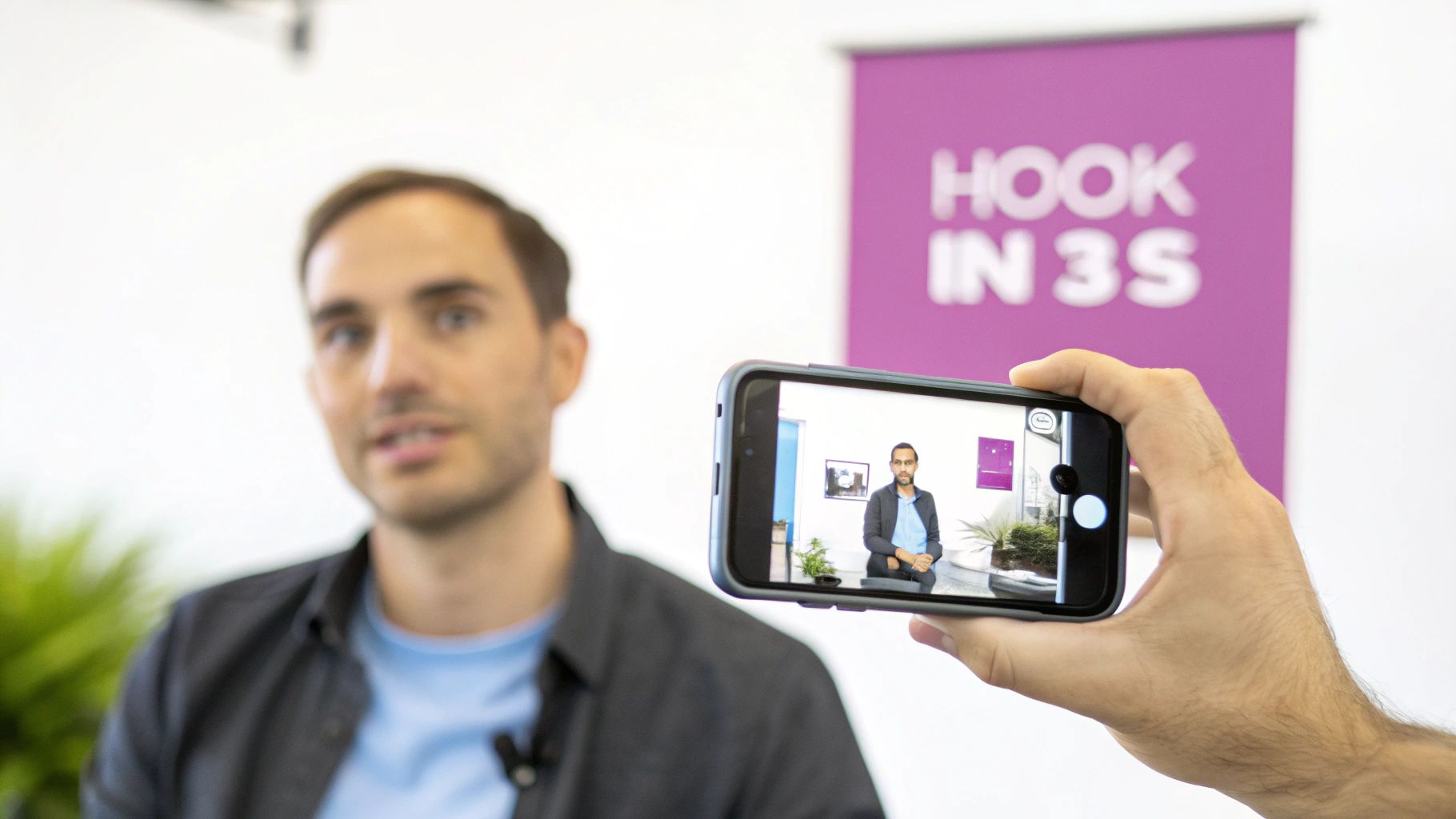
The numbers don't lie. Just look at YouTube Shorts—it exploded out of the gate, now pulling in over 70 billion daily views. That tells you everything you need to know about what people want to watch. With the average attention span now hovering around eight seconds, you have no time to waste. You need to get to the good stuff immediately. This fast-paced approach is the foundation of any successful video content marketing strategy today.
The Grind of Manual Editing
The biggest headache for any creator has always been the editing. Spending hours scrubbing through footage just to find a few golden nuggets is a massive time sink. Then you still have to trim the clips, add captions, and clean up all the "ums" and "ahs." For example, manually finding and trimming the 5 best moments from a 60-minute podcast could take over two hours. That seemingly simple video can easily swallow up your entire afternoon.
This manual grind is a huge bottleneck for creators and marketing teams who need to pump out content consistently to stay relevant on social media.
Thankfully, the old way of doing things is changing. New tools and workflows are making it way easier to churn out professional-looking clips that people actually want to watch, minus the endless hours of tedious editing.
Think Vertical, Always
If you want your videos to perform, you have to create them for the device everyone is using: their phone. This means vertical is non-negotiable.
- Shoot in 9:16: Always film vertically. The data is clear—vertical videos get a 25% higher 6-second watch-through rate on platforms like TikTok compared to their horizontal counterparts.
- Lead with the Hook: Don't bury the lead. The best-performing videos get right to the action. In fact, research shows that 63% of videos with the highest click-through rates put their core message or most exciting moment right at the beginning.
This isn't just a trend; it's a fundamental shift in how we consume content. Understanding these nuances is essential for anyone serious about building an audience online. If you want to dive deeper into the data, you can find more video marketing statistics here to help shape your strategy.
2. Finding the Gold in Your Raw Footage
Every great highlight reel starts long before you ever open an editing app. It begins with a plan—not just a folder overflowing with random clips. The whole idea is to sift through all your raw footage to find the moments that actually matter. We’re talking about the emotional peaks, the killer soundbites, and the visuals that will become the backbone of your video.
Taking this proactive approach will save you hours of painful guesswork later. Instead of aimlessly scrubbing through a 60-minute podcast or hours of event coverage, you’ll know exactly which segments to grab. Think of it as creating a "moment map" before you even start the journey.
Define Your Core Message and Audience
Before you dive into your footage, take a step back and ask yourself two simple questions: What’s the one thing I want viewers to take away from this? and Who am I actually trying to reach? Getting clear on these answers will shape every single decision you make from here on out.
For instance, a highlight reel for a sports team is all about high-octane energy and jaw-dropping skill. The audience is there for explosive plays and big wins. On the flip side, a highlight clip from a business webinar needs to zero in on actionable insights and those "aha" moments that give real value to a professional audience. The goal is completely different, and so the clips you choose must be, too.
Create a "Moment Map" to Pinpoint Highlights
With your goal locked in, it’s time to start logging your footage. This doesn't have to be some overly complicated process. Just watch your source video and jot down timestamps for anything that jumps out at you.
Keep an eye out for:
- Emotional Peaks: Moments of genuine laughter, surprise, or intense focus. These are human connection magnets.
- Key Soundbites: That one powerful quote, a surprising statistic, or a crystal-clear takeaway.
- Strong Visuals: Dynamic action shots, expressive reactions, or just a beautifully composed frame.
- Narrative Turning Points: The exact moment a problem gets solved or a key conclusion is reached.
Doing this turns a mountain of footage into a manageable list of high-potential clips. For anyone wrestling with super long recordings, knowing how to efficiently split a video into parts based on your moment map is a massive workflow accelerator.
A study found that viewers form a first impression of a video in just 50 milliseconds. Your moment map is your secret weapon to ensure that first impression is a powerful one, letting you lead with your absolute best stuff.
Repurposing vs Shooting New Footage Which Is Right for You
You don't always have to go out and shoot brand-new content. More often than not, some of the best material is already hiding in your existing long-form videos—podcasts, webinars, you name it. Whether you should repurpose what you have or shoot something fresh really comes down to your goals, your timeline, and your budget.
Here’s a quick breakdown to help you decide.
| Factor | Repurposing Existing Content | Shooting New Footage |
|---|---|---|
| Speed & Cost | Way faster and more cost-effective since the content is already in the can. | Slower and more expensive. Involves planning, setup, and filming time. |
| Content Quality | You're limited by the quality and content of the original recording. | Gives you total control over the narrative, visuals, and audio. It’s perfect. |
| Best For | Podcasts, webinars, event recordings, and long interviews. | Product launches, highly targeted campaigns, and brand storytelling videos. |
Ultimately, choosing the right source material is a foundational step. Repurposing is a fantastic strategy for maintaining a consistent content schedule without burning out. On the other hand, shooting new footage is the way to go for those high-stakes marketing pushes where every single detail has to be flawless. Making this choice deliberately ensures every second of your final video is working as hard as it can for you.
Crafting Your Edit for Maximum Impact
Alright, this is where the magic happens. You've done the groundwork, you've got your clips, and now it's time to stitch them together into a story that grabs people. Editing is so much more than just dragging and dropping clips onto a timeline; it's about crafting an experience, building a rhythm, and making sure every single second serves a purpose. This is how you turn a pile of footage into a highlight reel that actually feels special.
Think of it like putting together a puzzle. Your "moment map" gave you all the essential pieces. Now, you’re just arranging them to reveal that compelling bigger picture you envisioned from the start.
Building Your Video's Rhythm and Pace
Pacing is everything. It's the heartbeat of your video. Get it right, and your video feels energetic and alive. Get it wrong, and it either feels frantic and confusing or slow and boring. The secret is all in how you vary the length of your clips.
- Quick Cuts for Energy: For high-action sequences or dynamic montages, use short, punchy clips—think 1-2 seconds each. This is perfect for building excitement in sports reels or showing the buzz of an event.
- Let Moments Breathe: When you have a killer soundbite, a powerful emotional reaction, or a key takeaway, give it some space. Let that clip run for 3-5 seconds. This signals to the viewer, "Hey, pay attention to this," and gives the moment the weight it deserves.
You have to mix it up. Bouncing between fast cuts and longer, more deliberate shots creates a dynamic rhythm that keeps viewers locked in. A constant barrage of quick cuts is just exhausting, while a video where every shot is the same length will put people to sleep.
A rookie mistake I see all the time is making every clip the exact same length. Real engagement comes from contrast. This kind of dynamic pacing keeps the viewer's brain firing, actively wondering what's coming next.
Enhancing Your Story with Sound and Captions
What your audience sees is only half the story. The audio—both the sound from your clips and the music you add—is what truly pulls them in.
First things first, clean up your source audio. Get rid of that annoying background hum and make sure any dialogue is crisp and clear. Then, find some background music that fits the vibe. Are you going for an upbeat, energetic product launch? Or something more emotional and cinematic for a personal story? The music sets the tone instantly.
This is why that initial planning phase is so critical.
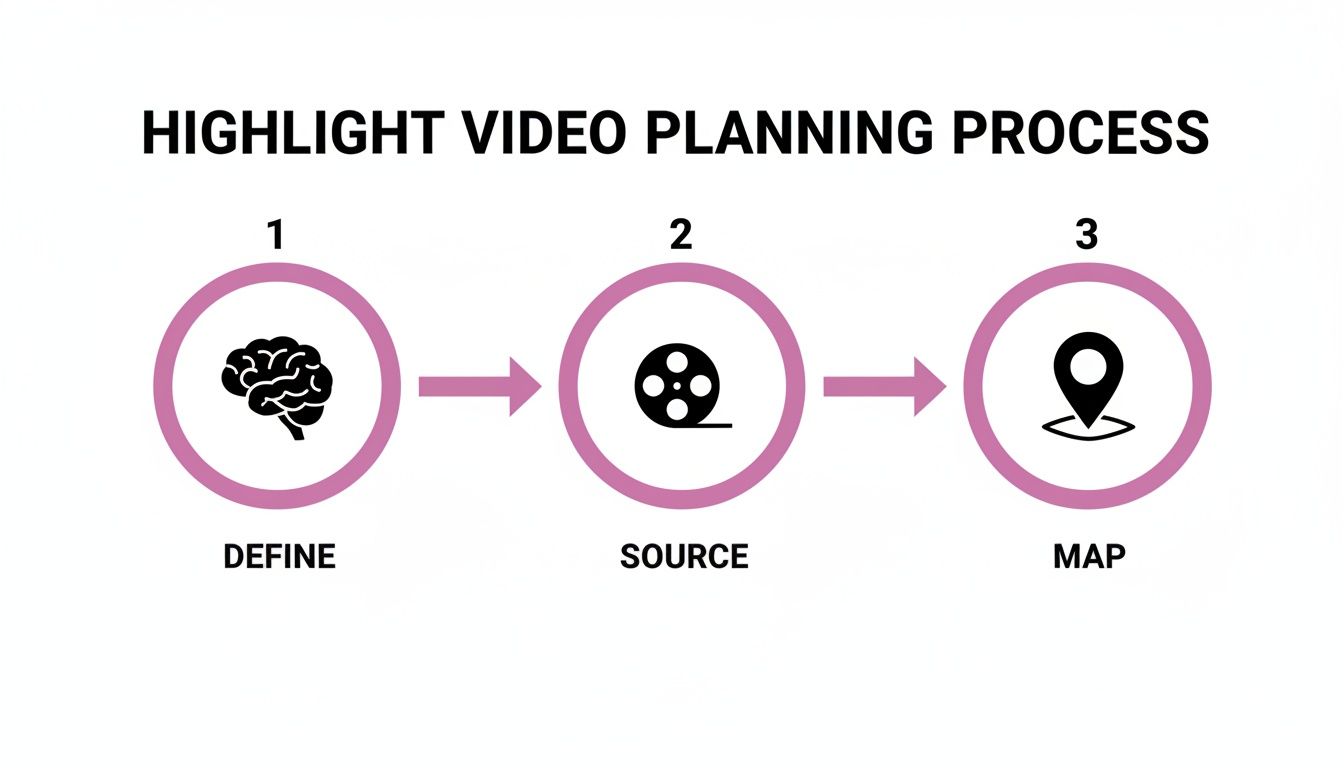
Defining your message, sourcing the right clips, and mapping out your key moments beforehand make the entire editing process smoother and far more effective.
And let's talk captions. In today's "watch-on-silent" world, they aren't optional anymore. Animated, easy-to-read captions are your secret weapon for keeping people watching. Manually typing and timing them is a soul-crushing task, but modern AI tools can generate perfectly synced, dynamic captions in a matter of seconds. It turns a job that used to take hours into a simple one-click task.
Choosing Your Editing Tools Wisely
The software you choose can make or break your workflow. While the big professional desktop editors are powerful, they come with a seriously steep learning curve. Luckily, there are tons of fantastic, more accessible options out there built specifically for creating short-form content. It's worth exploring the best software for editing videos for YouTube and other platforms to find something that matches your skill level and what you're trying to achieve.
Let’s be real, video is king. It’s projected to account for a staggering 82% of all internet traffic, with short-form content leading the charge. We're seeing engagement rates hit 50% for videos under one minute—that's huge.
This is why knowing how to make a great highlight video is such a vital skill. Marketers have zeroed in on the sweet spot, finding that clips between 30 seconds and 2 minutes perform best. And audiences agree; 63% of people prefer short videos when learning about a product or service.
Trying to produce this kind of content consistently is a massive challenge without the right tools. That’s why 63% of marketers are now turning to AI for help with editing. These platforms are brilliant for automatically pulling high-impact clips from longer videos, which is a lifesaver for podcasters and content teams.
You've created an incredible highlight video. That's a huge win, but the job isn't done just because you hit "export." A brilliant video can completely flop if it isn't optimized for the specific platform where you’re posting it. Let’s be real: each social media app is its own little world with a unique audience, a mysterious algorithm, and its own set of technical quirks.
If you want to get the most mileage out of your hard work, you need to think like a distributor, not just a creator. That means moving beyond the "spray and pray" approach of uploading the same file everywhere. Trust me, a few small, strategic tweaks for each platform can make a night-and-day difference in your views and engagement.
Getting the Technical Details Right
Before we get into the nitty-gritty of each platform's culture, let's lock down the technical foundation. For short-form video on TikTok, Instagram Reels, and YouTube Shorts, getting these basics right is non-negotiable if you want to look professional.
- Embrace the Vertical: The 9:16 aspect ratio is king. Period. Videos created in this format fill the entire phone screen, which makes them way more immersive. In fact, they have a 25% higher 6-second watch-through rate.
- Keep It Crisp: Always export in at least 1080p (1920×1080 pixels). Anything less, and you risk your video looking fuzzy on modern phone screens. For motion, 30 FPS (frames per second) is the gold standard for social media—it just looks smooth.
- The Go-To Format: Stick with .MP4 using an H.264 codec. It's the most universally accepted format out there. Also, try to keep the file size manageable. While the platforms can take big files, smaller ones upload faster and are less prone to weird errors.
Think of these settings as your starting line. Getting them wrong can make your video appear blurry, stretched, or awkwardly cropped, which is a surefire way to get viewers to scroll right past.
How to Tailor Your Video for Each Platform
While the tech specs are pretty similar across the board, the creative strategy is a whole different ballgame. Here’s how I approach adapting a single video to win on the big three platforms.
TikTok
TikTok is all about riding the wave. It's driven by trends, memes, and, most importantly, sound. Your main goal here is to find a trending audio clip or a popular format and figure out how your video can play along. I've seen decent videos go absolutely viral simply because they were paired with the right sound at the right time. Your best bet is to spend some time scrolling the "For You" page to get a feel for what’s hot right now.
Instagram Reels
Instagram is more of a community hangout. The algorithm loves it when you use the platform's native tools to get people talking. Throw in interactive elements like polls, quizzes, or question stickers to get your audience involved. A strong caption with a clear call-to-action—something like, "Drop your favorite moment in the comments!"—works wonders here. Visually, Instagram still leans toward a more polished, aesthetic vibe, so make sure your colors and shots look clean.
A great workflow is to create one master highlight video, then produce three variations: one with a trending TikTok sound, one with interactive Instagram stickers, and one with a punchy, direct title for YouTube Shorts. This 'master and adapt' method saves time while respecting each platform's culture.
YouTube Shorts
Think of YouTube Shorts as the searchable, evergreen version of short-form content. Here, your title and thumbnail carry a ton of weight. You need to craft a title that sparks curiosity and makes someone need to click. Even for a short video, a custom thumbnail can seriously boost your click-through rate. Since many Shorts are discovered through search, don't forget to sprinkle relevant keywords into your title and description. It’s a small step that can pay off big time.
How AI Tools Can Seriously Speed Up Your Workflow
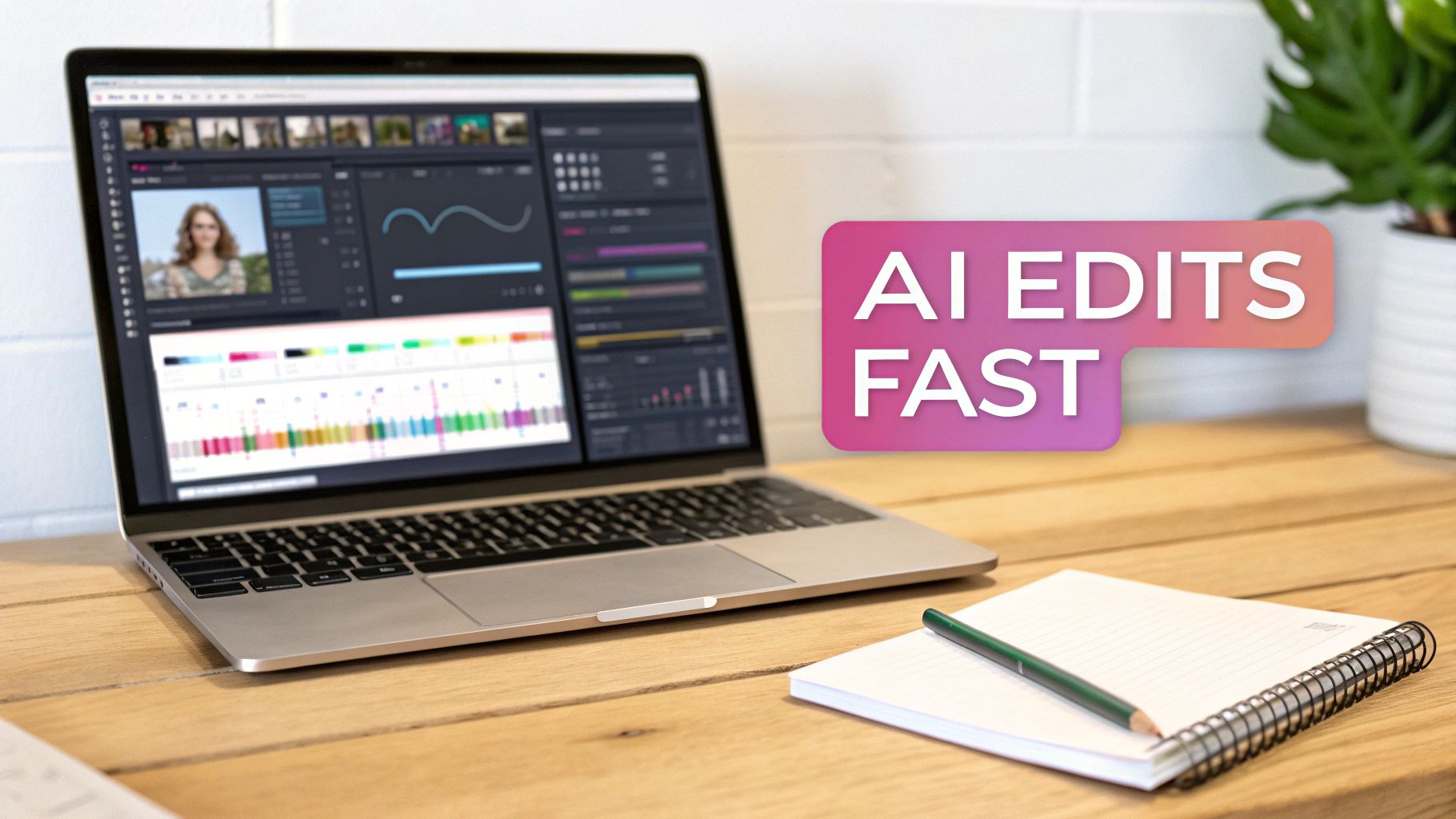
Imagine knocking out a week's worth of highlight videos in the same amount of time it used to take you to edit just one. That’s not some far-off idea; it’s what modern AI video editing tools are doing for creators right now. We're talking about platforms that go way beyond simple cuts to automate the most soul-crushing parts of editing, leaving you with a much better final product.
For example, instead of manually scrubbing through an hour-long webinar to find the good parts, an AI can automatically pinpoint the most engaging moments based on speech patterns and keywords. This tech is surprisingly accurate, letting you instantly find every time a specific person is on screen and talking—a huge time-saver for pulling clips from interviews or podcasts.
Taking the Grunt Work Off Your Plate
Let's be honest, the worst parts of editing are often the audio cleanup and the captioning. Sifting through a recording to manually slice out every single "um," "ah," and awkward silence is tedious. AI-powered filler word removal can clean up that entire audio track in just a few seconds. That small tweak alone makes the speaker sound worlds more confident and professional.
And captions? What used to be a painstaking, manual process of typing and timing every word can now be done in minutes. Modern AI engines will transcribe, sync, and even animate your captions for you.
It's not just a niche thing, either. A recent survey found that 57% of marketing professionals are already using AI in their work, with video editing being one of the top uses. People are catching on that this isn't just about speed—it's about freeing up your creative energy for what really matters.
Faster Editing, Better Results
While the time savings are incredible, the real magic of using AI is the consistent quality it helps you achieve. These tools aren't just faster; they're smarter. They can analyze your footage and actually suggest clips that have the highest potential for engagement, helping you find those golden nuggets you might have otherwise missed.
Here’s a look at what these tools do best:
- Speaker Detection: Instantly pull clips of a specific speaker from a group discussion or interview.
- Filler Word Removal: Automatically zap all the "ums" and "uhs" for crisp, clean dialogue.
- Dynamic Captions: Generate perfectly synced, animated captions that keep viewers hooked, even with the sound off.
- Smart Trimming: Some tools can even learn to identify the most engaging moments in a video. You can see how this works by checking out our guide on how to auto-trim clips with AI.
This kind of automation lets creators and marketers grow their video output without needing a bigger team or budget. For example, a single person can now take a one-hour podcast and turn it into 10 different social media clips—complete with branded captions—in under an hour. That’s a job that easily would’ve eaten up an entire day before. If you want to see this in action, you can check out the lunabloomai app.
At the end of the day, bringing AI into your editing process isn't about replacing your creativity. It's about amplifying it. By letting the software handle the repetitive work, you get to focus on the story, the strategy, and making highlight videos that actually connect with your audience.
Answering Your Top Questions About Highlight Videos
Once you get the hang of making highlight videos, a few practical questions almost always come up. Nailing down these little details is what separates a good clip from a great one that people actually watch and share.
Let's dig into some of the most common questions I hear from creators.
What's the Best Length for a Highlight Video?
This is the big one, and the answer is almost always: shorter is better. The sweet spot for just about any platform is under 60 seconds. It’s just how people consume content now—fast and to the point.
For platforms like TikTok and Instagram Reels, you really want to aim for that 15-30 second window. That’s where the magic happens. On YouTube Shorts, you can get away with the full minute, but you have to earn every second of that attention.
No matter the platform, your job is to hook them instantly, maintain the energy, and deliver the value before they can even think about scrolling away.
How Many Clips Should I Put in a Reel?
There’s no perfect number here. It’s all about the story you're trying to tell and the feeling you want to create.
Think about it this way:
- A high-octane sports reel might cram 10-15 rapid-fire cuts into 30 seconds to convey pure action and excitement.
- A highlight from a deep podcast conversation might only need two or three clips, using smoother transitions to let a powerful idea sink in.
Don't get hung up on a specific clip count. Instead, focus on the rhythm. Does the video flow well? Does the pacing match the mood? The only real rule is to avoid staying on one shot for too long unless it's for a very specific, impactful reason.
Can I Make Good Highlights Without Expensive Software?
Absolutely, yes. The idea that you need a pricey, complex editing suite to create pro-level content is a thing of the past. The game has completely changed, thanks to modern AI-powered tools designed specifically for this kind of work.
These platforms do the heavy lifting for you—finding the best moments, adding cool captions, and cleaning up the audio—without you needing to be a video editing wizard. It's no surprise that a 2023 report found that 57% of marketing pros are already using AI in their content process. This shift means anyone can create polished, impressive highlight videos.
Ready to create stunning highlight videos in a fraction of the time? Our AI automatically finds the best moments in your long-form content, adds animated captions, and removes filler words. Start repurposing your content up to 10x faster.