Let’s be honest: editing video for social media isn't just about trimming the fat anymore. It’s a complete overhaul of how we think about storytelling. We're talking about taking raw footage and strategically carving it into short, punchy clips that stop the scroll on TikTok, Instagram Reels, and YouTube Shorts. It's about sharp cuts, relentless pacing, eye-catching captions, and clean audio—all designed to grab and hold attention in a world of infinite content.
The New Playbook for Social Media Video
Gone are the days of just slicing a few minutes from a long-form video and calling it a day. That approach is dead. To win on social media now, you need a different mindset, one that’s built for short attention spans and mobile-first consumption. This isn't just a "nice to have" skill; it’s the price of admission for anyone serious about getting their message out there.
This guide is your roadmap to that new playbook. We'll walk through everything from planning your clips before you even hit record, to mastering platform-specific quirks, using AI to lighten the load, and actually measuring what's working. Think of it as a collection of real-world advice for the problems creators and brands are actually facing.
Why Your Editing Strategy Must Evolve
The way people consume content has changed forever. It's no surprise that the video editing software market is exploding, with an estimated 48.22 million users paying for premium tools. This isn't just a trend; it's a direct response to the absolute dominance of short-form video on social platforms.
Consider the numbers. According to Cisco, by 2023, mobile devices will account for nearly 50% of all IP traffic. Furthermore, a study by Wyzowl found that people are twice as likely to share video content with their friends than any other type of content. This means fast, professional-level editing isn't just for the pros anymore—it's a baseline requirement.
The core principle of the new playbook is this: edit for the scroll, not for the screen. Your first three seconds must earn you the next ten, and every second after that must justify its existence.
This diagram perfectly captures the shift away from the old, slow-burn production models toward the agile, mobile-first approach that actually works today.
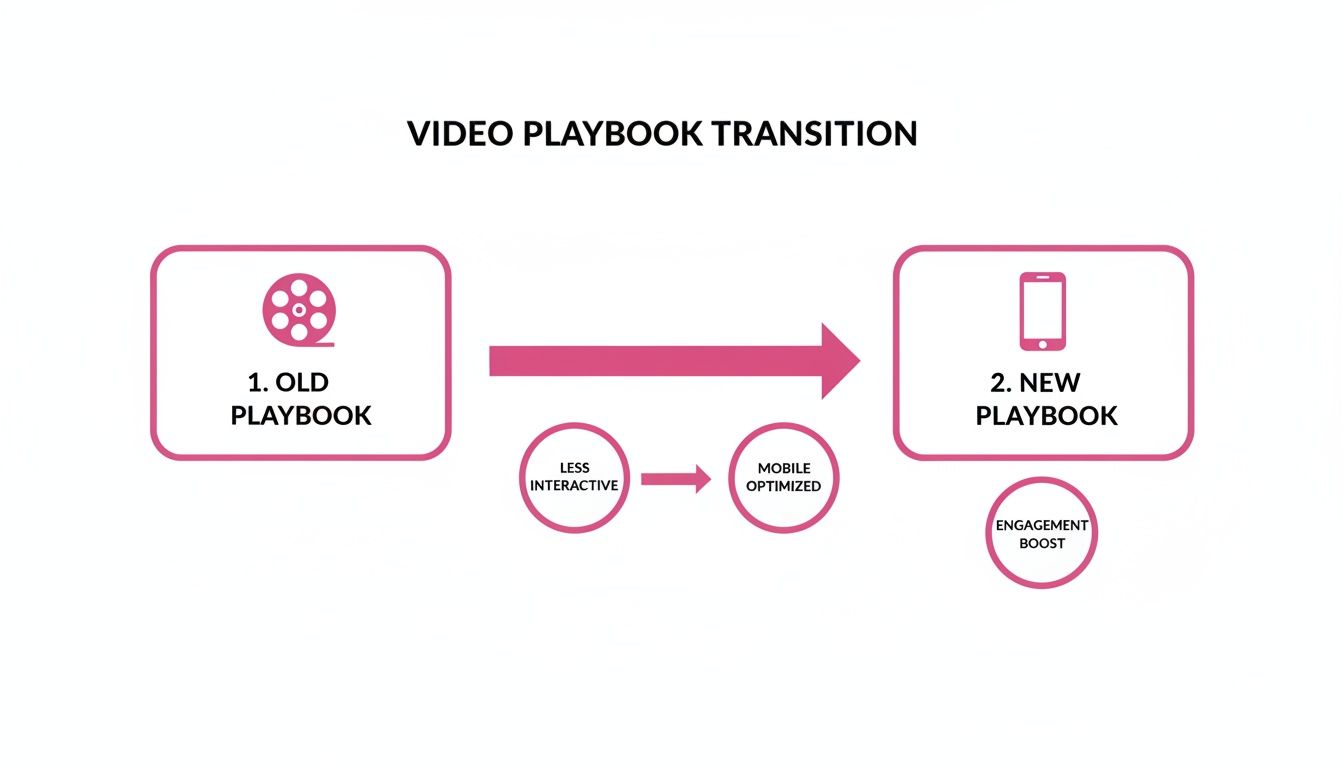
It’s all about creating high-energy, vertical clips designed for instant impact, leaving the traditional, long-form content model in the dust.
A Real-World Example: The Podcast Repurposing Shift
Let's make this tangible. Imagine you produce a 45-minute weekly podcast. The old way? You'd upload the full video to YouTube and maybe create a static 2-minute audiogram for Instagram. This approach might get a few hundred views.
The new playbook transforms that single recording into 15-20 unique social assets. Before you even start editing, you’re hunting for the best moments: the killer quotes, the genuine emotional reactions, the truly actionable advice. Each of these becomes a standalone 30-60 second vertical video, complete with dynamic captions, relevant B-roll, and a hook that makes people stop. One podcast can suddenly generate tens of thousands of views across multiple platforms.
You can dive deeper into these kinds of strategies by exploring the Soreel blog for video editing tips. Adopting this approach massively increases your content output without you having to spend a single extra minute recording.
Planning Your Edits Before You Ever Hit Record
The secret to amazing social clips isn’t found in a fancy editing suite. It’s baked in long before you ever hit record. Truly great content comes from careful planning, not just trying to fix things after the fact. This upfront thinking is what makes the difference between a video that gets ignored and one that actually works.
First things first, every single video needs a goal. What are you actually trying to do? Are you aiming to build brand awareness with something fun? Generate leads with a how-to? Or maybe just get people talking with a provocative question? A video meant to drive comments is going to feel completely different from one designed to get website clicks. Without that North Star, your editing choices will feel random and ineffective.
Designing for Repurposing from the Start
Here’s a workflow shift that will change everything: plan for multiple clips before you record. Don't just film a long podcast and hope you can find a few good nuggets later. Go into it with a "repurposing mindset," actively looking for—and even creating—moments that are perfect for short-form content.
Think about it this way: a single one-hour webinar can become a content goldmine if you plan ahead. As you're recording, you could intentionally build in segments that are easy to pull out later.
- Create Standalone Tip Sections: Pause to deliver a punchy, 60-second tip that can be its own Reel or Short. For example, a financial advisor could say, "Here's a 60-second trick to save $100 this month…"
- Introduce a Controversial Take: Drop in a debatable point to deliberately spark comments when it's posted as a standalone clip. A marketer might say, "Hot take: email marketing is officially dead."
- Structure Your Q&A: Answer one question at a time, making each response a self-contained, easily editable video.
Suddenly, one long-form asset isn't just one video; it's a library of 15-20 highly targeted social posts. We dive much deeper into this in our guide on powerful content repurposing strategies. It’s all about being intentional.
The Power of a Three-Second Hook
On social media, you don’t have minutes to earn someone’s attention—you have seconds. The data is clear: if you don’t hook a viewer in the first three seconds, they’re gone. Your planning needs to be obsessed with this tiny window of opportunity.
A "hook" isn't just a clever opening line. It’s a mix of visual and audio cues designed to create instant intrigue. Before you even start filming, you should be brainstorming and scripting multiple hooks for every key point you want to make.
Let's look at a real-world example for a video on financial tips:
- Weak Hook: "Today, I'm going to talk about budgeting." (This is too slow and has zero intrigue.)
- Strong Hook: "You are losing $500 a month because of this one mistake." (This hits hard with a specific number and a bold claim, making people curious.)
This is where a simple storyboard can be a game-changer. Even a quick sketch or a bulleted list that maps out the first few shots ensures your opening is visually dynamic and lines up perfectly with your scripted hook.
The best social media video editing happens when the editor knows exactly what the first three seconds need to accomplish. Planning your hook takes all the guesswork out of the equation.
Optimizing Your Filming Setup for Easier Edits
Finally, let's talk about your filming environment. A messy or poorly lit setup can create hours of extra work for your editor. The goal should always be to capture footage that’s as close to "edit-ready" as you can possibly get.
A few simple setup choices can save you a massive amount of time down the line:
- Good Lighting: A basic ring light or even just sitting in front of a window works wonders. Trying to fix bad lighting in post-production is a nightmare and rarely looks good.
- Clear Audio: A cheap lavalier mic will always beat your phone's built-in microphone. This simple upgrade gets rid of the need for heavy noise reduction.
- A Stable Shot: Just use a tripod. Shaky footage is incredibly distracting and takes a ton of effort to stabilize digitally.
When you start thinking like an editor before you film, the entire production process becomes smoother. This foresight is the foundation of effective social media video editing, freeing you up to focus on the creative stuff instead of tedious fixes.
Editing for Each Social Platform Isn't Optional Anymore

If you're using a one-size-fits-all approach to your video editing, you're leaving views on the table. What absolutely crushes it on TikTok will likely fall flat on LinkedIn, and an edit that feels native to Instagram Reels can seem completely out of place on YouTube Shorts.
To get real results, you have to think like a user on each platform and tailor your editing style to what they expect to see. This goes way beyond just changing the aspect ratio. It’s about matching the rhythm, the visual language, and the overall vibe of each feed. The goal is to make your content feel like it belongs there, not like a lazy cross-post.
The Rhythm of the Feed: Pacing and Cuts
Pacing is the heartbeat of your video, and on platforms like TikTok and Instagram Reels, that heart beats fast. Really fast. Attention spans are brutally short, so your edit has to grab someone from the very first frame and never let go.
This is where quick, dynamic cuts—often called "jump cuts"—are your best friend. A good rule of thumb is to change the visual every 1.5 to 3 seconds. This could be anything: a new camera angle, a quick zoom, or a cutaway to some B-roll. These constant shifts keep the viewer's brain engaged and stop their thumb from scrolling.
For a LinkedIn video, however, you can ease up on the throttle. A slightly slower, more deliberate pace often works better. Here, you might hold a shot for 5-7 seconds to let a key insight land, using smoother, more subtle transitions between clips.
It all comes down to the user's intent. People go to TikTok and Reels for quick, high-energy entertainment. They go to LinkedIn for professional insights and education. Your pacing should reflect that.
A Quick Guide to Platform-Specific Video Editing
Use this cheat sheet to optimize your video edits for the technical requirements and audience expectations of major social media platforms.
| Platform | Optimal Aspect Ratio | Maximum Length | Key Editing Focus |
|---|---|---|---|
| TikTok | 9:16 | 10 minutes (but aim for < 60s) | Fast-paced cuts, trending audio, native text effects, jump cuts. |
| Instagram Reels | 9:16 | 90 seconds | Quick cuts, beat-syncing to popular music, creative transitions. |
| YouTube Shorts | 9:16 | 60 seconds | Clean graphics, clear subtitles, high-energy pacing, strong hook. |
| LinkedIn Video | 1:1 or 9:16 | 10 minutes (but aim for < 2 min) | Professional graphics, clear audio, slower pacing, branded elements. |
This table is a great starting point, but always be ready to adapt as platform trends and features evolve.
Mastering Each Platform's Visual Language
Beyond pacing, every platform has its own unwritten rules about what looks "right." Your editing choices, from text styles to graphic overlays, need to speak the local language.
-
TikTok and Reels: Lean into the chaos. Bold, native-feeling text overlays, popular filters, and trending effects are your bread and butter. It's often best to use the platform’s own fonts to blend in seamlessly. Features like voiceovers are huge, and knowing how to add voiceovers to your TikTok videos can give your content a personal touch that really connects.
-
YouTube Shorts: Think of these as slightly more polished than Reels. The audience here is often looking for quick, valuable information. Focus on clean, easy-to-read subtitles and avoid too much on-screen clutter. Branding consistency with your main channel is also a good idea.
-
LinkedIn: Keep it clean and professional. Your graphics should be branded and subtle. Text overlays work best when they highlight key stats, job titles, or powerful quotes—anything that adds to the professional value of the content.
Let’s Get Practical: Turning One Demo into Five Clips
Imagine you have a 20-minute product demo for a new software feature. Instead of just chopping it up, you can strategically create five unique 60-second clips for Instagram, each with its own angle.
Here’s how you could approach it:
- Clip 1 – The Big Hook: Isolate the single most impressive outcome. The edit should be super fast, using quick cuts and a "problem vs. solution" text overlay in the first three seconds to stop the scroll.
- Clip 2 – The Time-Saver: Focus on efficiency. Use a sped-up screen recording to show how much time the feature saves, maybe with a countdown timer graphic to really drive the point home.
- Clip 3 – The "Hidden Gem": Did you cover a little-known trick? Edit this clip with a "secret-sharing" tone. A point-of-view style edit could work wonders here.
- Clip 4 – The Social Proof: Pull a moment from the demo and overlay a glowing customer quote. Keep the edit simple to let the testimonial be the star.
- Clip 5 – The Quick How-To: Create a mini-tutorial for one specific action. Use clear, numbered steps on screen and slow the pacing down just a bit to make it easy to follow.
See the difference? We’re pulling from the exact same source video, but each clip is edited with a unique purpose and rhythm. This is how you make your content feel native everywhere you post.
Don't Sleep on Your Sound Design
Finally, let's talk about audio. Sound is a non-negotiable part of the social video experience. In fact, over 80% of TikTok users say sound is essential to the whole experience on the app.
For TikTok and Reels, this means jumping on trending audio tracks is a must. Editing your video cuts to the beat of a popular song can be a powerful way to boost your visibility in the algorithm.
On a platform like LinkedIn, the priority shifts entirely to crystal-clear voice quality. This is where you use your editing software to remove background hiss, level out the volume, and cut out those awkward "ums" and "ahs." A subtle, professional background track can add a layer of polish, but the speaker's voice has to be front and center.
Using AI to Accelerate Your Editing Workflow

Let's be honest: manual editing is the biggest bottleneck in content creation. It's the part of the job that eats up hours you could be spending on big-picture strategy or actually talking to your community. This is where artificial intelligence stops being a buzzword and becomes your most valuable assistant. AI tools can automate the soul-crushing, repetitive tasks, letting you scale your output without burning out.
This isn't some far-off future concept; it's happening right now. AI is fundamentally changing social media video editing, with 51% of video marketers already using these smart assistants in their day-to-day work. The drive for efficiency is huge—over 60% use or plan to use AI for generating captions, and another 30% are looking at it for translations to finally reach those global audiences. You can get more context on this shift from these social media video statistics from Sprout Social.
Automate Your Captions and Subtitles
One of the quickest and most impactful ways to use AI is by automating animated subtitles. If you’ve ever manually transcribed and timed captions for a video, you know how painstaking it is. AI-powered tools can knock this out in a few minutes with startling accuracy. This isn't just about saving time; it's a massive boost for accessibility and engagement.
With so much social media video being watched on mute, dynamic and easy-to-read captions are non-negotiable. AI ensures every clip you post is ready for silent viewing, which can dramatically increase watch time and make sure your message actually lands.
Picture this: you've just wrapped up a 30-minute interview. Instead of dedicating hours to transcription, you can upload it to an AI tool that transcribes the entire thing. With a single click, you can then apply a branded preset with your specific fonts and colors, complete with slick word-by-word animations to keep viewers glued to the screen. A task that used to take half a day is now a five-minute review.
Instantly Clean Up Your Audio and Dialogue
Nothing tanks a video's credibility faster than bad audio. Awkward silences, a constant stream of "ums" and "ahs," or distracting background noise can make even the most brilliant content feel amateur. This is another area where AI-driven features are a game-changer.
Here’s how these automations can instantly polish your content:
- Filler Word Removal: An AI can scan your audio and surgically remove every "um," "uh," and "like." The result is a much cleaner, more confident-sounding delivery.
- Silence Cutting: Those long, awkward pauses between thoughts? AI can detect and shorten or remove them entirely, instantly tightening up the pacing of your video without you having to make dozens of manual cuts.
- Active Speaker Detection: For interviews or podcasts, this feature is a lifesaver. The AI knows who is talking and when, automatically creating jump cuts that switch the focus to the current speaker. This makes the conversation feel much more dynamic and engaging.
Here's a real-world scenario: You've just recorded a two-person podcast. Instead of manually slicing the footage to cut between speakers, an AI tool can do it for you. At the same time, it can remove the "ums" from both speakers' dialogue and trim the dead air between their sentences. In minutes, you have a polished, broadcast-ready clip.
Create and Scale with Branded Templates
Consistency is everything when you're trying to build a recognizable brand on social media. But manually adding your logo, brand colors, and specific fonts to every single clip is incredibly tedious work. AI-powered platforms solve this problem with branded editing templates.
You can set up a template just once with all your specific brand elements:
- Logo placement and opacity
- Font styles and color palettes for captions
- Custom intro and outro animations
- Lower-third graphic styles
Once that template is saved, you can apply it to hundreds of clips with one click. This is how you guarantee every piece of content you publish is perfectly on-brand, reinforcing your visual identity without any extra effort on your part.
This level of automation is what enables true content scaling. You can process an entire webinar, let the AI find the key moments, generate dozens of shareable clips, apply your branding, and add animated captions—all with minimal human oversight. For a closer look at these powerful workflows, check out our ultimate guide to AI video editing and repurposing. This is how you transform your social media video editing from a manual chore into a scalable system.
Measuring What Matters for Video Performance
Look, a perfectly edited video is great, but it's only half the job. If nobody sees it, or if they scroll past after three seconds, all that time you spent on your social media video editing was for nothing. The real test comes after you hit "publish"—this is where distribution and analysis separate the pros from the amateurs.
This isn't about just blasting your content everywhere and crossing your fingers. It's a game of strategy. You need to post when your audience is actually watching and then dig into the data to figure out what to do better next time. Remember, a staggering 85% of social media videos are watched on silent, which puts a ton of pressure on your captions and visual hooks to do the heavy lifting.
Get Your Content Ready for the Feed
Before your video ever goes live, you have to package it to win. Think of this as setting the stage. Every little piece of metadata a user sees before they play your video can make or break its performance.
Your pre-publish checklist needs to cover these three things:
- A Killer Thumbnail: This is your video's billboard. It has to grab attention instantly. Use bold text, a clear shot of a person’s face if possible, and a touch of your branding to make it pop in a noisy feed.
- A Caption That Pulls People In: Don't just describe what's in the video. The caption is your chance to start a conversation. Ask a question, drop a surprising fact, or tell a quick story to make people curious enough to comment.
- The Right Hashtags: Forget spamming trending tags. A smart hashtag strategy uses a mix of broad terms, niche community tags, and your own branded ones. This helps you reach new people while also connecting with your core audience.
And seriously, use a scheduling tool. It's the only way to stay consistent and post at the best times for each platform without living online. That initial burst of engagement right after posting is what tells the algorithm your content is worth showing to more people.
Forget Vanity Metrics, Focus on What Counts
Once your video is out in the wild, the real work begins. It’s easy to get excited about view counts, but those are mostly vanity metrics. They don't tell you if anyone actually cared about your video. To get better at editing, you have to look at the numbers that reveal how people behave.
The most valuable data doesn't come from how many people started watching, but from how many people kept watching. Audience retention is the single most important metric for understanding the effectiveness of your editing choices.
Here’s what you should actually be obsessing over:
- Audience Retention Rate: This is the gold mine. It's a graph showing you the exact second viewers bailed. If you see a huge drop-off in the first few seconds, you know your hook failed.
- Average Watch Time: This tells you how long people stuck around on average. If your 60-second video has an average watch time of 8 seconds, you have a major problem with engagement.
- Click-Through Rate (CTR): For videos with a call to action, this is huge. It measures how many viewers clicked a link after watching. It’s the clearest sign of whether your video actually prompted someone to do something.
A Real-World Example: Using Data to Fix Your Edits
Let's make this practical. Say you've been posting 60-second tutorials to Instagram Reels. You check your analytics and spot a nasty trend: on almost every video, there's a huge viewer drop-off right around the 10-second mark.
That’s not a failure—it's incredibly valuable feedback from your audience. They're telling you, "Your intros are dragging." The initial 3-second hook might get them to stop scrolling, but you're losing their interest right after.
With that knowledge, your next batch of edits becomes a targeted mission:
- Cut the Intro Down: Instead of taking 10 seconds to get to the point, you'll now aim to deliver the core value within the first 5 seconds.
- Add a Pattern Interrupt: Right around the 8-second mark, throw in a quick zoom or a bold text overlay. It’s a simple trick to reset their attention just before they'd normally leave.
- Pick Up the Pace: Use faster cuts in the opening seconds. Build energy from the very start so there's no lull for people to get bored.
This cycle of publishing, analyzing the data, and refining your approach is what separates good video content from great video content. It turns your social media video editing from a creative guessing game into a data-driven process that gets results.
Frequently Asked Questions About Video Editing
When you're deep in the trenches of social media video, a lot of questions pop up. Trends shift, platform algorithms change, and what worked last month might not work today. Let's tackle some of the most common questions I hear from creators and brands trying to get their video workflow right.
What's the Best Video Editing Software for Social Media?
This is a classic question, but the honest answer is: it depends entirely on your goals. There’s no single "best" tool, just the right tool for the job at hand.
For creators who need to pump out content fast, CapCut is a monster. It’s built from the ground up for the look and feel of TikTok and Instagram Reels, loaded with trending effects and templates that make quick work of engaging edits. Its mobile-first design is a huge plus for on-the-go creation.
If you need more horsepower and professional control, you'll probably lean towards Adobe Premiere Pro. It’s fantastic for editors already in the Adobe ecosystem, offering a much deeper feature set for color grading, audio mixing, and complex effects. However, it involves a steeper learning curve and more manual effort for social-specific tasks like animated captions, which can slow down high-volume content production.
How Long Should a Social Media Video Be?
Shorter is almost always better. While the platforms allow for longer videos, user attention spans are brutally short. The real goal is to deliver your message as efficiently as possible.
Here's a quick cheat sheet based on my experience:
- TikTok & Instagram Reels: Keep it tight, aiming for 15-30 seconds. The name of the game is re-watchability. If you can say it in 15 seconds, don't pad it out to 30.
- YouTube Shorts: You get up to 60 seconds, but the sweet spot is usually around the 30-45 second mark. People come here for quick, valuable takeaways.
- LinkedIn Video: You can post up to 10 minutes, but don't. The most impactful videos are almost always under 2 minutes, delivering a sharp professional insight without the fluff.
Your audience retention graph is the ultimate source of truth. If you see a massive drop-off at the 10-second mark every time, that’s your audience screaming that your videos are taking too long to get to the point.
How Can I Make My Videos More Engaging?
Engagement isn't about a single magic trick. It's the result of a handful of deliberate editing choices all working together to command attention.
It all starts with the hook. Your first 3 seconds are everything—they have to stop the scroll. Ditch the slow intros. Instead, open with a provocative question, a surprising stat, or a bold claim. "You're wasting $200 a month on this" is infinitely more powerful than "Today, let's talk about saving money."
Next, you need to master visual pacing. You can't let the screen sit still for too long. Introduce a new visual element—a jump cut, a zoom, a graphic overlay, or a piece of B-roll—every 2-3 seconds. This constant motion keeps the viewer’s brain engaged and prevents their thumb from taking over.
Finally, don't underestimate sound. Over 80% of TikTok users say sound is a critical part of the experience. Using trending audio isn't just a gimmick; it's a distribution hack. Syncing your cuts to the beat makes your video feel instantly more dynamic and native to the platform.
How Important Are Captions for Social Media Videos?
Let's be clear: captions are non-negotiable. They are an essential, foundational part of modern social media video editing.
Consider this: industry stats consistently show that up to 85% of people watch social videos with the sound off. If you don't have captions, your message is completely invisible to a huge chunk of your potential audience. It’s that simple.
But it goes beyond just catering to silent viewing. Captions reinforce your message, improving both comprehension and retention. When someone can read and hear what you're saying, the information is far more likely to stick.
Think about a repurposed podcast clip. The audio itself is great, but turning it into a compelling video requires more. By adding dynamic, word-by-word animated captions, you transform a static talking-head shot into something visually interesting that guides the viewer's eye and punches up your key points.