A good TikTok clip maker is like having a savvy editor on your team who works at lightning speed. It uses AI to scan your long-form videos, instantly pinpointing the most engaging, shareable moments and converting them into clips built for virality. This isn't just a minor timesaver; it completely replaces the drudgery of manual editing with an intelligent, automated workflow.
Why Manual Video Editing Is a Losing Battle
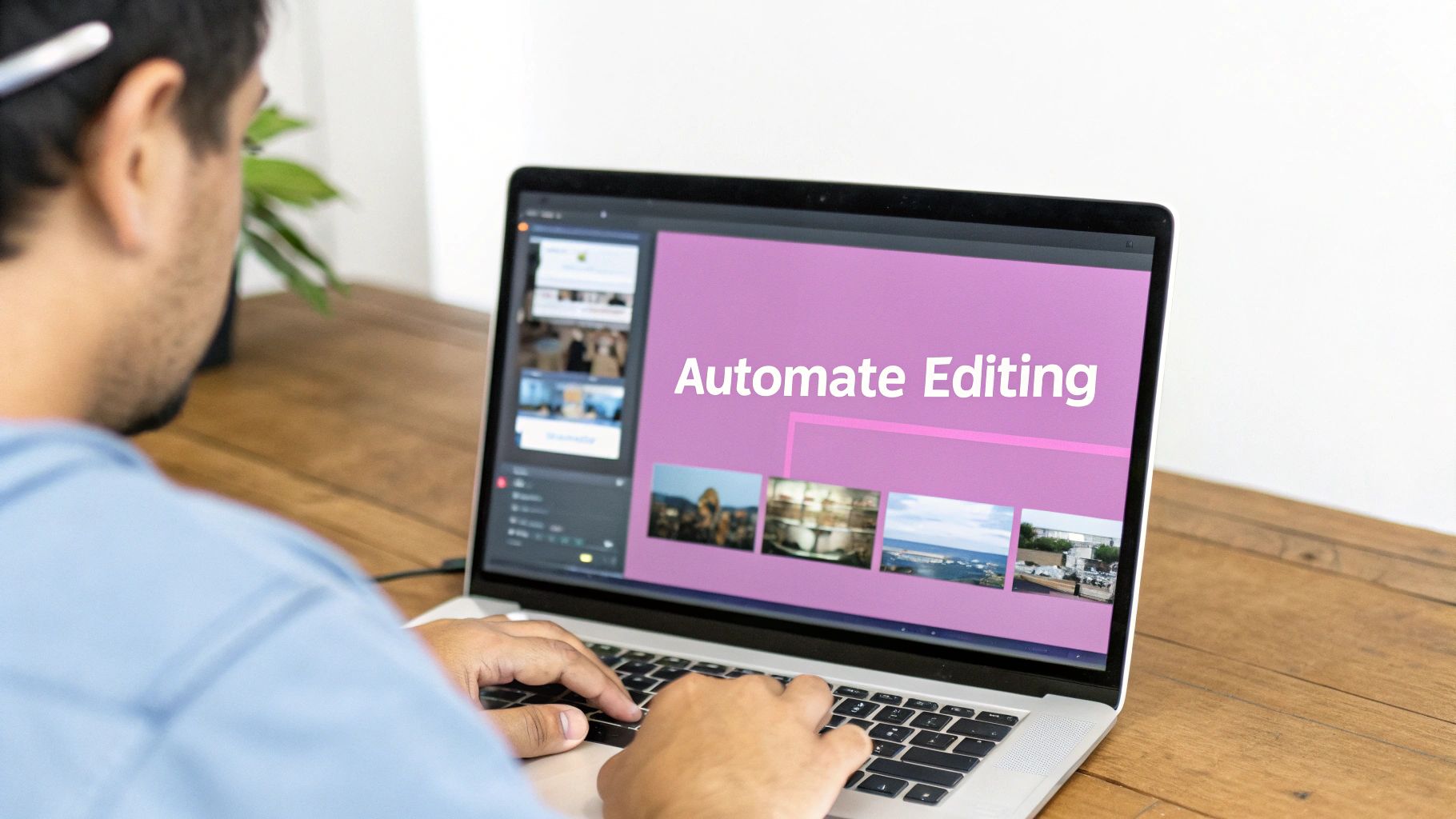
In the fast-paced world of short-form video, speed is everything. Trying to manually chop up a one-hour podcast into a dozen compelling TikToks creates a huge bottleneck. It’s the single biggest reason brands and creators can't keep up with what their audience wants.
The pressure to post consistently is real. To stay relevant, you need a constant flow of fresh content, but traditional editing workflows were never designed for this kind of sprint. The whole process of finding the right soundbite, trimming it perfectly, adding eye-catching captions, and reformatting for a vertical screen is painfully slow.
This is exactly why making the switch to an AI-powered TikTok clip maker isn't just an option—it's a necessity.
The Challenge of Volume and Speed
The amount of content flooding TikTok is staggering. According to recent data, over 1 billion videos are watched on TikTok every day. Your clips aren't just competing with a few others; they're fighting for a sliver of attention in an ocean of content.
Manual editing just can't keep up. The time you spend painstakingly reviewing footage and editing each clip one by one is a massive competitive disadvantage. While you’re still perfecting a single video, an automated system has already churned out ten.
To put it simply, the problem isn't a lack of great long-form content. It's the struggle to repurpose it quickly and effectively. An AI clip maker tackles this head-on by automating the most tedious parts of the job, so you can focus on strategy instead of staring at a timeline.
Beyond Basic Trimming: The AI Advantage
Repurposing content today means more than just snipping a long video into shorter pieces. An intelligent system brings a whole new level of sophistication that traditional software just can't match. This evolution is largely thanks to the emergence of powerful AI video tools.
Unlike a standard video editor, an AI-driven tool can:
- Pinpoint Viral Moments: By analyzing transcripts and audio cues, it finds emotionally charged statements, surprising questions, and strong hooks that have the best chance of going viral.
- Create Dynamic Captions: It automatically generates animated, word-by-word captions. With 85% of videos on social media watched without sound, this style is proven to grab and hold attention.
- Eliminate Filler Words: The system can automatically detect and remove all the "ums," "ahs," and long pauses, making the final clip sound sharp and professional.
Let’s look at a practical example. You just wrapped up a 45-minute webinar. Instead of spending the rest of your day scrubbing through the recording, you upload it to an AI clip maker. In just a few minutes, the platform suggests ten high-potential clips, already trimmed and complete with animated captions. A task that used to take hours is now done in 15 minutes. This is the kind of efficiency explored in our guide on automatic video editing software.
The table below breaks down just how much of a difference this makes.
Manual Editing vs AI TikTok Clip Maker Workflow
This comparison really highlights the time saved and the efficiency gained when you move from a traditional editing process to an automated, AI-powered system.
| Task | Manual Workflow (Hours) | AI Clip Maker Workflow (Minutes) | Key Advantage |
|---|---|---|---|
| Footage Review | 2-3 hours | 5 minutes | Instant identification of key moments |
| Clip Selection/Trimming | 1-2 hours | 10 minutes | AI-suggested clips based on virality |
| Captioning & Subtitling | 1.5 hours | 2 minutes | Automated, dynamic captions |
| Formatting & Resizing | 30 minutes | Instant | Automatic reframing for 9:16 |
| Total Time per Batch | 5-7 hours | ~17 minutes | 95%+ reduction in production time |
Looking at these numbers side-by-side, the conclusion is clear. The AI workflow isn't just faster; it fundamentally changes the economics of content production, allowing you to scale your output without scaling your workload.
Unearthing Your Best Content for TikTok
The secret to a viral clip isn't just in the editing; it's baked into the source material you choose from the very beginning. Before you even think about opening a tiktok clip maker, you need to play prospector. Your long-form content—be it podcasts, webinars, interviews, or keynotes—is a goldmine, and your first job is to find the richest veins of ore.
Not every moment in a long video is created equal. You’re on the hunt for the segments that have an immediate, scroll-stopping punch. These are the moments that will become the foundation of your short-form video strategy.
This initial selection is more important than ever. The AI video generator market is absolutely exploding, projected to hit $2,562.9 million by 2032. Why? Because savvy marketers know that short-form video is king, with nearly 30% of them now prioritizing it. If you want to dive deeper, you can discover more insights about these video marketing statistics and how they're shaking up content strategy.
What Do 'Goldmine' Moments Look Like?
So, how do you spot these high-potential segments? It's less about finding perfectly polished speeches and more about identifying the raw, authentic moments that actually connect with people. Here are four types of moments that consistently perform well on TikTok.
- Powerful Emotional Hooks: Pinpoint the moments where a speaker gets real. It could be a personal story, a flash of frustration, or a genuine burst of excitement. Emotion is social media's most powerful currency.
- Surprising or Contrarian Takes: Did someone challenge a popular opinion or reveal a little-known fact? Those are pure gold. These "pattern interrupts" jolt people out of their mindless scrolling and make them think.
- Crystal-Clear Explanations: Find that perfect part of your webinar where you broke down a super complex idea into simple, digestible steps. People love mini-tutorials they can grasp in under a minute.
- Actionable Advice and Quick Wins: Is there a 30-second bit where you gave a specific tip someone could use right away? These practical takeaways provide instant value and are magnets for saves and shares.
Pro Tip: It's not just what was said, but how it was said. Listen for the subtle cues—a change in vocal tone, a more passionate delivery, or even a well-timed pause. Those are often the markers of a clip-worthy moment.
A Quick Checklist for Scoring Your Content
Before you even bother uploading a video to a clip maker, run it through this quick scoring system. It’s a simple way to gut-check its potential and will save you a ton of time by focusing your energy where it counts.
Just give each category a score from 1 (low) to 5 (high):
| Criteria | Score (1-5) | Notes |
|---|---|---|
| Hook Strength | 5 | Does it grab you in the first 3 seconds with a bold claim or a question? |
| Emotional Resonance | 4 | Does it make you feel something? Curiosity, surprise, humor, empathy? |
| Clarity & Conciseness | 5 | Is the point delivered clearly, with no confusing jargon? |
| Shareability Factor | 4 | Is this the kind of insight you’d immediately send to a friend or colleague? |
| Audio Quality | 5 | Is the audio crisp and clean? No background noise, weird pops, or echo? |
| Total Score | 23/25 | From my experience, anything scoring above 20 has a very strong shot at performing well. |
This little exercise helps you shift from just guessing to making smarter, data-informed decisions about which content is actually worth the effort.
A Little Technical Prep Goes a Long Way
Once you’ve cherry-picked your best videos, a few minutes of technical prep work will make a world of difference for any tiktok clip maker. Garbage in, garbage out, as they say. Clean source material is the key to a polished final product.
First and foremost, focus on high-quality audio. Nothing makes people scroll away faster than bad audio, even if your captions are perfect. If you have it, always use the raw audio file from the original recording instead of audio ripped from a compressed video. It’s also a good idea to trim any long, rambling intros or outros from the source file before you upload.
Second, get your files in order. It sounds basic, but creating a simple folder structure for your source files will save you headaches later. Label them clearly with the date and topic (e.g., "2024-10-28_MarketingWebinar_Source"). This simple habit makes managing your content pipeline so much easier as you start producing more clips. Taking these steps gives the AI the best possible material to work with, setting you up for a much smoother—and more successful—creation process down the line.
A Practical Workflow for Nailing Your TikTok Clips
Alright, let's get down to brass tacks. You've got your high-value, long-form content picked out, and now it's time to let a solid TikTok clip maker take over. This is where you see the magic happen, turning what used to be hours of tedious manual work into a quick, focused session.
Let's walk through a real-world example. Say you just wrapped up a 45-minute webinar on digital marketing trends. It's gold—packed with killer insights, expert takes, and stuff people can actually use. This is the perfect raw material for a whole series of engaging TikToks.
Before you even touch the AI, a little prep work goes a long way. It’s simple but foundational for getting the best results.
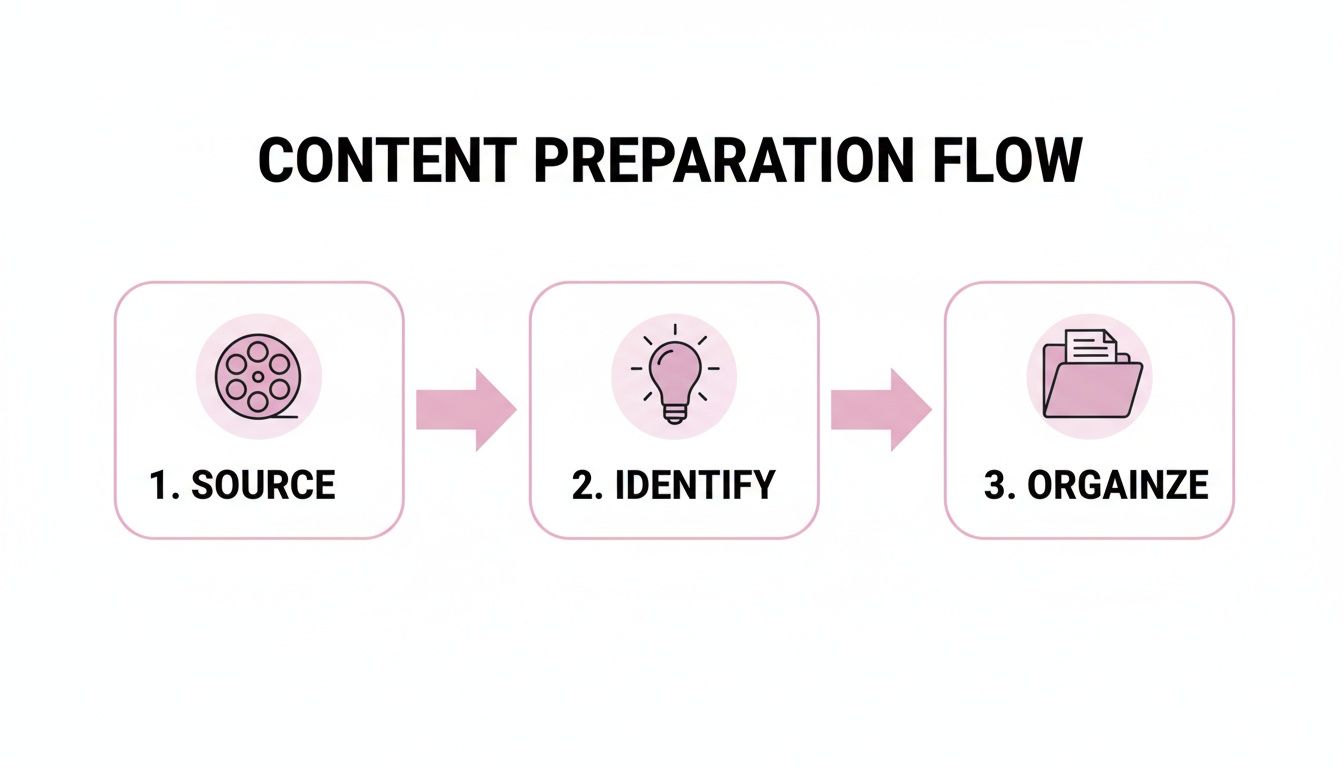
This flow really just boils down to knowing what video you're using, having a rough idea of the key moments, and getting your files ready for the AI. A little organization upfront saves you a ton of headaches later.
AI Transcription That Actually Understands Your Content
The moment you upload your webinar, the AI gets to work transcribing the entire audio. But this is way more than just a wall of text. The system uses natural language processing to genuinely understand the conversation, picking out keywords, concepts, and shifts in topic.
Instead of a raw transcript you have to sift through, you get a structured outline. The AI might flag sections on "SEO strategies," "social media engagement," and "email marketing ROI." This lets you see the entire webinar's structure at a glance and navigate straight to the good stuff without re-watching a single minute. Think of it as your strategic map for mining video gold.
Finding the Best Clips with Smart Features
With your content fully analyzed, the clip maker starts pointing you to the most promising segments. This is where you really see the difference between an AI tool and a basic video editor.
One of the most useful features is active speaker detection. If you have multiple speakers, the AI can tell who's talking and automatically reframe the shot to keep them front and center. It creates that dynamic, professional look you need for the vertical 9:16 format, without you having to touch a single keyframe.
For instance, in a two-person interview, the AI will automatically cut between speakers as they talk, keeping the focus on who is delivering the message. This feature alone is a massive time-saver, handling the tedious reframing that would otherwise take ages and making sure your clips look polished right out of the gate.
An AI clip maker doesn't just cut your video; it understands it. By analyzing both what is said and who is saying it, the tool can suggest clips that are not only thematically relevant but also visually engaging, dramatically speeding up the selection process.
Fine-Tuning the AI's Picks with Precision
The AI will give you a list of suggested clips, often with a "virality score" to help you decide where to focus. Let's say it pulls a 45-second clip of a guest expert dropping a mind-blowing stat about TikTok engagement.
Now it's your turn to step in and apply your creative touch. Maybe the AI started the clip a second too late, missing the perfect setup. Using a simple drag-and-drop timeline, you can nudge the start and end points with frame-by-frame accuracy. You get the final say, but you didn't have to do all the initial grunt work.
This hybrid approach—AI for the heavy lifting, a human for the final polish—is incredibly efficient. You’re not searching for a needle in a haystack; you’re just polishing the gems the AI has already found for you. For anyone serious about this, learning how to auto-trim clips effectively is a total game-changer.
Polishing Audio and Adding On-Brand Captions
Once you've locked in the clip, the final touches are mostly automated. A big problem with unscripted content is all the filler words—the "ums," "ahs," and "you knows" that sneak in.
A quality TikTok clip maker can scan the audio and automatically snip out those filler words. It's a small change that makes the speaker sound incredibly confident and authoritative. The whole clip just feels tighter and more professional.
Next up: captions. Let's be honest, static subtitles are boring. The AI can generate animated, word-by-word captions that are designed to keep eyes glued to the screen. With a tool like Swiftia, you can pick from different animation styles and customize the colors and fonts to match your brand perfectly.
This is a non-negotiable, since so many people watch videos on mute. Your captions are a core part of the experience. Having them look great, stay on-brand, and appear automatically saves a ridiculous amount of time and makes sure your content is ready for how people actually consume it.
Mastering Hooks, Captions, and Formatting

Using a TikTok clip maker to pull a great moment from your long-form content is just the start. An incredible insight or a powerful story can completely fall flat if it’s not packaged correctly for the platform. Those first three seconds are everything—they decide whether a viewer sticks around or just keeps on scrolling.
This is where the real craft comes in. Mastering your hooks, captions, and formatting is non-negotiable. These elements are what grab attention, hold it, and make sure your message actually lands. Without them, even the most valuable content gets lost in the noise.
Crafting a Scroll-Stopping Hook
A hook is the opening line or visual that slams the brakes on a viewer’s scroll. On a platform as fast-paced as TikTok, a weak hook is a death sentence for your video. The goal is to immediately spark curiosity, challenge a belief, or hit on a relatable problem.
From what I’ve seen, the most effective hooks are direct and punchy. They don't waste time with a slow build-up. Instead, they drop you right into the most compelling part of the clip.
Here are a few hook formulas that consistently work:
- The Bold Statement: Start with a surprising or contrarian take. Something like, "You're thinking about SEO all wrong. Here's why."
- The Intriguing Question: Ask something your ideal viewer is desperate to know. For example, "What's the one mistake that's killing your ad spend?"
- The Relatable Problem: Kick things off with a common pain point to build an instant connection. "If you're struggling to create enough content, you need to hear this."
- The Story Teaser: Hint at a juicy story or a big result. For instance, "This is how I went from zero clients to fully booked in just 30 days."
A study of successful short-form videos found that clips with a strong hook in the first 1-3 seconds retain 33% more viewers through the end of the video. This initial impression is your single biggest lever for performance.
The Power of Dynamic Captions
Let's get one thing straight: captions aren't just for accessibility anymore. They are a core part of the viewing experience. With a huge number of users watching videos on mute, your on-screen text is often the only way you’re communicating.
This is where a good TikTok clip maker with a caption animation engine really proves its worth. Animated, word-by-word captions—often called karaoke-style—are far more engaging than a static block of text. They guide the viewer's focus and make your content feel more dynamic and polished.
When you're setting up your captions, keep these practices in mind:
- Brand Alignment: Use a tool to customize your caption colors and fonts to match your brand. This kind of consistency is subtle but powerful for building brand recognition over time.
- Readability: Make the text big and clear. High-contrast colors are a must to ensure the words pop against any background in your video.
- Pacing: The animation speed should feel natural and match the speaker's cadence. The goal is to highlight words right as they're spoken, making it effortless for the viewer to follow along.
Learning to create subtitles for videos accurately can dramatically boost engagement. For a deeper dive into making your text pop, our guide on how to add text to video is a great resource.
Formatting for the Vertical Screen
Every little detail of your video's presentation matters, especially its layout for the 9:16 vertical aspect ratio. What looks fantastic on a horizontal YouTube screen can seem cluttered and amateurish on TikTok if it isn't adapted correctly.
The single biggest mistake I see creators make is putting important text or visuals where they’ll be covered by the TikTok UI. Remember, the bottom and right sides of the screen are reserved for usernames, captions, and the like, share, and comment buttons. Anything you put there is going to get blocked.
To avoid this, always keep your key elements within the "safe zones."
A Practical Example: Safe vs. Unsafe Zones
Imagine you’ve created a clip with a powerful quote as a text overlay.
- Before (Unsafe): You place the quote at the very bottom of the screen. Once it's on TikTok, the app's native caption and icons completely cover it. The message is lost.
- After (Safe): You use your clip maker's editor to position the quote in the upper-middle third of the frame. Now it’s perfectly visible, clean, and professional, reinforcing what the speaker is saying without any distraction.
This simple adjustment can be the difference between a clip that connects and one that just causes confusion. A solid clip maker will often provide templates or guides that show you exactly where these safe zones are, which takes all the guesswork out of formatting.
How to Scale Your Content Strategy
So, you've mastered the art of pulling a single, killer clip from your long-form content. That's fantastic. But now it’s time to think bigger. How do you go from making a few great clips a week to building a genuine content engine that can feed multiple social channels without burning out your team?
This is where true scaling begins. It’s not just about producing more; it’s about producing smarter. You need to expand your reach, automate your distribution, and weave this entire process into the systems you already use. This is exactly how high-growth brands and agencies maintain that "always-on" presence across TikTok, Reels, and Shorts.
Break Through Borders with Multi-Language Support
One of the most effective ways to scale your impact is to stop limiting your content to a single language. Think about it: your message's value doesn't magically stop at your country's border. With over 1 billion active users on TikTok alone, there’s a massive global audience just waiting for content like yours.
A great TikTok clip maker can take one of your English-language videos and instantly repurpose it for dozens of international markets. This usually happens through a combination of two powerful features:
- Auto-Translation: The AI accurately translates your captions into the target language, capturing the nuance of what you're saying.
- Voice Cloning (Optional): Some of the more advanced tools can even generate a dubbed audio track in the new language, using a synthetic voice that sounds remarkably like the original speaker.
Suddenly, that 45-second clip from your webinar isn't just for your local audience. It's now ready for viewers in Spain, France, Germany, and Japan. You’ve just multiplied your content’s reach without having to record a single new video.
Practical Example: A US-based financial podcast used auto-translation for their top 10 clips into Spanish. Within 60 days, their Latin American audience grew by 40%, opening up an entirely new market for their services.
Put Your Distribution on Autopilot
Making dozens of clips is only half the job. Getting them all published consistently is the other, often more tedious, half. Manually uploading every single video to TikTok, then Reels, then Shorts is a mind-numbing task that drains time and invites mistakes. Automation is your best friend here.
Modern clip-making platforms often have scheduling and distribution built right in. Instead of downloading a finished clip only to re-upload it three different times, you can just connect your social accounts directly to the tool.
Here’s what that looks like in the real world:
Let’s say you’ve generated 15 great clips from a single podcast episode. With an integrated scheduler, your workflow completely changes.
- Load the Queue: Once your clips are ready, you drop them into a content queue inside the platform.
- Set Your Cadence: You decide on your posting schedule—maybe one clip hits TikTok at 9 AM, another goes to Reels at 1 PM, and a third lands on Shorts at 5 PM, every weekday.
- Walk Away: The platform takes over, automatically pushing out your content at the right times, with the right captions and hashtags for each network.
This creates a "set it and forget it" system that keeps your content flowing, which is a massive signal to social media algorithms that you're a consistent creator. That daily grind of uploading becomes a quick, one-time setup.
Go Fully Custom with API Integration
For agencies, media companies, or any large team managing a ton of content, the final frontier of scaling is direct integration. An API (Application Programming Interface) lets you plug a TikTok clip maker's brain directly into your own software, dashboards, or content management systems.
Instead of your team having to log into a separate tool, the AI's power becomes a seamless part of your existing workflow.
For example, a media company could build a system where any new podcast episode uploaded to their server automatically pings the API. The API could then be programmed to find ten high-potential clips, slap on branded captions, and drop them into a client approval dashboard—all without a single human click.
A manual workflow might top out at 50 clips a month. An API-driven one can process thousands. That's how you build a truly scalable content machine.
Got Questions About TikTok Clip Makers? We Have Answers.
Jumping into any new AI tool can feel a bit like learning a new language. You’ve got questions, and that’s a good thing. When you're thinking about adding a TikTok clip maker to your content process, it helps to get straight answers on how it all works. Let's dig into a few of the most common things people ask.
How Does the AI Actually Know Which Clips Are Good?
It’s not just random guesswork; it's a pretty sophisticated process. An AI clip maker dives deep into your content, analyzing it from multiple angles. It uses Natural Language Processing (NLP) to create a full transcript and then understands the conversation. The AI is trained to spot key topics, interesting questions, and moments where the language gets more intense or emotional.
But the really good tools go even further. They can analyze the speaker's energy, track who is talking, and pinpoint the most dynamic parts of the conversation.
Think about it this way: if a guest on your podcast gets fired up and drops a shocking statistic, the AI sees that spike in energy and flags it. Some platforms even assign a "virality score" to these moments, letting you instantly see which clips have the most promise without scrubbing through hours of footage yourself.
Is This Going to Ruin My Video Quality?
Not at all. A professional-grade TikTok clip maker is built to maintain the quality of your original footage. These tools are designed to handle high-resolution source files, often up to 4K, and then export your clips in the perfect format for social media, like 1080×1920.
All the tool is doing is trimming and reframing your content. It’s not re-encoding it in a way that introduces compression or pixelation. In fact, you could argue the final product has a higher perceived quality once you've added clean, branded captions and automatically removed all the "ums" and "ahs." Your crisp video stays crisp.
Practical Example: A user uploaded a 4K keynote speech. The resulting TikTok clips were exported in crisp 1080p, perfectly optimized for mobile viewing without any noticeable loss in clarity. This demonstrates that a quality tool prioritizes output fidelity, ensuring your brand's professional look is never compromised.
Can I Plug This Into My Agency's Workflow?
Yes, and this is where things get really interesting for teams trying to scale their output. Most top-tier platforms provide an API (Application Programming Interface), which is just a fancy way of saying your developers can connect the tool’s features directly into your own systems. This is how you build a real content machine.
Imagine setting up a system where every time a client uploads a new podcast, it’s automatically pulled in, processed into ten great clip options, and then dropped into a shared dashboard for your team to approve.
Suddenly, a job that took hours of manual work becomes almost entirely automated. This is a game-changer for agencies, allowing you to manage way more content for more clients without burning out your team.
Ready to stop wasting time on manual editing and start scaling your content production? You can transform your long-form videos into dozens of viral-ready clips in minutes. Try Swiftia for free today and see how fast you can build your content engine.