A video editor built for social media is a specialized tool. It's designed specifically to create and repurpose content for platforms like TikTok, Instagram Reels, and YouTube Shorts. Unlike traditional video software, its main job is to deliver speed, automation, and format-specific features to keep up with the breakneck pace of modern digital marketing.
Why Generic Video Editors Fail in Social Media
The relentless pace of social media has completely rewritten the rules for video content. Platforms demand a constant stream of high-quality, engaging clips, but the old-school editing workflow—designed for a slower, more deliberate era of long-form video—just can't keep up.
Using a generic, timeline-based editor for social media is like trying to build a race car with tractor parts. It’s simply the wrong tool for the job. This mismatch creates huge bottlenecks for marketing teams, bogging them down with repetitive manual tasks that stifle both productivity and creativity.

The Core Challenges of Old-School Editing
The biggest problem is inefficiency, especially when you need to scale up. Social media demands that content be sliced, diced, and re-optimized for multiple platforms, each with its own preferred aspect ratio, length, and style. A single piece of content has to become many, and traditional tools make this process painfully slow.
This leads to a few key challenges:
- Repetitive Manual Work: Manually resizing clips for vertical (9:16), square (1:1), and horizontal (16:9) formats is tedious and eats up hours.
- Inconsistent Branding: Making sure every single clip has the correct brand fonts, colors, and logos is a nightmare to manage when you're producing a high volume of content.
- Slow Turnaround Times: The meticulous process of cutting, captioning, and formatting means teams can’t jump on trends or get content out the door quickly enough.
For example, a marketing team might spend an entire day wrestling with a one-hour webinar in a traditional editor, just to squeeze out five short clips for social media. They have to hunt for key moments, transcribe the dialogue, add captions by hand, and then export multiple versions. That workflow is a massive drain on resources.
Traditional vs Social-First Video Editing Workflow
Let's break down the difference in a typical repurposing scenario. The time savings quickly become obvious.
| Task | Traditional Video Editor | Specialized Social Media Editor |
|---|---|---|
| Finding Highlights | Manual scrubbing (1-2 hours) | AI-powered clip suggestions (5-10 mins) |
| Captioning | Manual transcription (1 hour) | Auto-transcription (2-5 mins) |
| Resizing/Formatting | Manual reframing for each platform (30-60 mins) | One-click presets (1-2 mins) |
| Branding | Manual application of assets (15-30 mins) | Brand kit templates (1-2 mins) |
| Total Time | ~4-5 hours | ~15-20 minutes |
As you can see, the difference isn't just a minor improvement; it's a complete transformation of the workflow, allowing teams to reclaim hours of their day.
A specialized video editor for social media flips this dynamic. Using the same example, the team could get the same result in under 30 minutes, freeing them up to focus on strategy and creative ideas instead of endless, mind-numbing adjustments.
The Growing Demand for Social-First Tools
The need for a better solution is more urgent than ever. The sheer volume of video people are watching online highlights just how critical an efficient production workflow is. Video content is projected to make up 82% of all consumer internet traffic, a number that screams for tools built specifically for this reality.
A dedicated social media video editor tackles these problems head-on by automating the most demanding parts of the process. You can learn more about how these tools work in our guide on automatic video editing software. By automating captioning, repurposing, and formatting, these modern editors empower teams to produce more content, faster, without ever sacrificing quality. This isn't just a convenience anymore; it's a strategic necessity.
The Must-Have Features of a Modern Social Editor
A video editor built specifically for social media isn't like the traditional software you might be used to. Think of it less as a complex tool and more like an intelligent assistant whose main job is to slash the most mind-numbing parts of video creation. We're talking about turning hours of tedious, manual work into just a few clicks. These aren't just bells and whistles; they're features designed to solve the real-world headaches that content teams and marketers deal with every day.
For example, let's say you just finished recording a 30-minute podcast. Instead of spending the rest of your day transcribing, trimming, and editing, you upload the file. Within minutes, the editor provides a perfect transcript, automatically snips out all the "ums" and "ahs," and even identifies who is speaking and when. That level of efficiency is the new baseline, freeing up your team to think about big-picture strategy instead of getting lost in the weeds.
AI-Powered Auto-Captioning
Let’s be honest: most people scroll through social media with the sound off. That simple fact makes on-screen text non-negotiable if you want anyone to pay attention. A modern social editor uses AI to generate accurate captions on the fly, saving you from the soul-crushing task of manual transcription.
But it’s more than just getting the words on the screen. The best tools let you customize caption styles and animations to perfectly match your brand's vibe. This is where AI really shines, automating a repetitive but crucial task with incredible speed. In fact, videos with captions can increase view time by 12%, making it an essential feature for engagement.
A big part of winning on social media is making your content accessible, which means knowing how to effectively caption YouTube videos and other platforms.
Automatic Filler Word Removal
Nothing screams "amateur" louder than a video littered with "ums," "ahs," "likes," and "you knows." In a typical workflow, cleaning these up means painstakingly hunting down each one and making tiny cuts on the timeline. It’s boring, repetitive work that eats up valuable time.
A specialized social editor makes this problem disappear.
- One-Click Clean-Up: The software automatically finds and zaps these filler words with a single command.
- Seamless Audio: Smart algorithms make sure the edits are completely unnoticeable, so the conversation still sounds natural and smooth.
This feature alone can easily save you hours of editing, especially for interviews or podcasts. The result is a much cleaner, more professional clip that keeps your audience locked in on what you're actually saying. When you combine clean audio with clear on-screen text, as we explore in our guide on how to add text to video, viewer retention gets a serious boost.
One-Click Aspect Ratio Presets
Social media isn't a one-size-fits-all world. TikTok and Reels need vertical (9:16) video, while Instagram’s feed likes square (1:1) or a slightly taller vertical (4:5). Manually reframing a single video for each platform is a huge bottleneck for any content team.
Here's a practical example: A marketer needs to get a customer testimonial out on YouTube Shorts, Instagram Reels, and LinkedIn. Instead of manually cropping, reframing, and exporting three different files, a social-first editor lets them click a preset for each platform. The video’s dimensions and layout are instantly optimized. Job done.
This isn't just a convenience; it's essential. Content that looks native to the platform performs better because the algorithms are designed to push it. A social-first platform excels here by not just resizing the frame but intelligently keeping the main subject centered—a small detail that makes a huge difference and one that many other tools miss.
Active Speaker Detection
For any video with more than one person—like an interview, panel discussion, or podcast—you need to keep the visual focus on whoever is talking. If you don't, viewers get bored and scroll away. Manually cutting between speakers is yet another one of those time-sucking tasks that requires your full attention.
Active speaker detection completely automates this. The AI listens to the audio, figures out who’s talking, and automatically switches the camera focus to them. This creates a dynamic, engaging video that looks like it was shot with a multi-camera setup, even if it was just recorded on a single webcam. It's a game-changing feature for turning long, static conversations into clips people will actually watch.
Turning Long Videos into Social Gold
If there's one workflow that defines modern content creation, it's this: taking a single, long video and slicing it into a treasure trove of shareable social media clips. We often call this content repurposing, and it's where a video editor built specifically for social media really shines. It's the secret to turning one big asset into weeks of content.
Think about that one-hour webinar you just hosted or that fantastic customer testimonial you recorded. Instead of letting that valuable footage gather digital dust on a server, you can start mining it for "social gold." The whole process is now built for speed, completely sidestepping the old-school bottlenecks that used to make this a soul-crushing chore.
The best part? The workflow is refreshingly simple and centers around editing text, not video. You just upload your long recording, and the AI gets to work, generating a complete, time-stamped transcript. From there, your job isn't to scrub through a confusing timeline; it's just to read.
Pinpointing Golden Nuggets with AI
Forget watching and rewatching hours of footage. Now, you can just scan the transcript for the most quotable moments, powerful insights, or funniest outtakes.
Find a "golden nugget"? You just highlight the text. With a single click, the tool instantly snips out the corresponding video segment.
This straightforward, almost intuitive process is the heart of modern social video editing. It’s what empowers teams to crank out a high volume of quality content without anyone needing a film degree. While other tools might force you to manually set in-and-out points on a timeline—a slow, clunky process disconnected from the content—a text-based approach lets you edit as fast as you can think.
A single one-hour video can easily be chopped into dozens of powerful, short-form clips. This doesn't just fill up your social media calendar for weeks; it dramatically boosts the ROI on your original production efforts.
This simple but powerful three-step process for turning long-form videos into social-ready clips is laid out perfectly here:
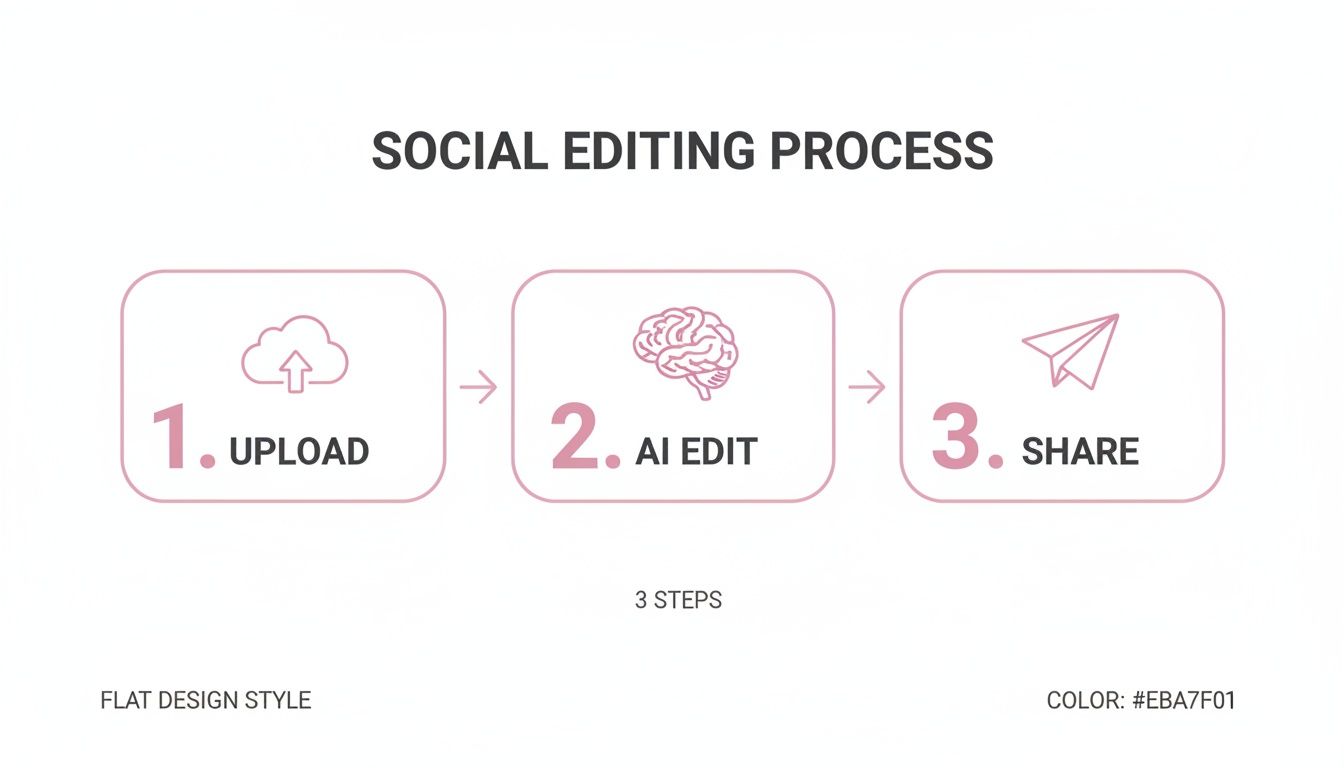
As you can see, the workflow is a straight line from uploading your source file to using AI for editing and, finally, sharing the finished clips. It's all about efficiency.
A Practical Walkthrough Example
Let's walk through a real-world scenario to see just how this plays out.
- Upload the Source: You start by uploading a 45-minute podcast interview recording.
- Generate Transcript: The AI transcribes the entire chat in just a few minutes, turning it into a searchable document.
- Identify Key Moments: As you read through the text, you spot a fantastic 30-second story the guest told. You highlight that part of the transcript.
- Create the Clip: With one click, the platform creates a brand-new, standalone video clip of just that story.
- Reformat and Brand: Instantly, you can apply your brand kit—logo, colors, fonts—and use one-click presets to format the clip perfectly for TikTok (9:16), Instagram Reels (9:16), and YouTube Shorts (9:16).
This entire sequence can take less than 10 minutes, a job that would have easily eaten up hours in a traditional editor. This is exactly why short-form video has taken over; the tools have finally caught up with the demand. And the numbers don't lie—90% of marketers who use short-form video plan to increase or maintain their investment.
To really get the most out of your video assets, exploring advanced content repurposing strategies can help you see how one long video can become a constant stream of social content. The goal is to work smarter, not harder. You can see this in action by checking out an AI video clipping tool designed to make this process smooth and scalable for any team.
Advanced Tools for Scaling Video Production
So, you've nailed down a solid process for creating your social clips. Great. The next mountain to climb is doing it at scale. This is where a truly capable video editor for social media stops being a simple cutting tool and becomes the central engine for your entire content system. We're talking about features built for growing teams and agencies that need to automate workflows, tap into new markets, and stay ahead of the curve.
This is the point where making videos shifts from a manual, repetitive task to a smooth, automated operation. These aren't just nice-to-have features; they're strategic tools that let you achieve more with less grunt work. For anyone managing multiple clients or brands, these capabilities are non-negotiable for keeping quality high and your team sane.
Global Reach with Multi-Language Support
One of the biggest headaches in going global is the language barrier. Manually translating content, hiring voice actors, and creating new captions for every single region is a logistical nightmare. It's expensive, incredibly slow, and full of opportunities for mistakes. This is where modern AI-driven translation and voiceover features completely change the game.
Here is a practical example: a global company wants to roll out a major product announcement.
- The Old Way: The marketing team would have to find and hire translators for 15 different languages. Then, they'd need to book studio time with local voice talent, and finally, someone would have to manually generate and sync new captions for every single video file. You're looking at weeks of work, easily.
- The Social-First Way: The team uploads the original video. The platform's AI instantly translates the captions and generates a synthetic, yet natural-sounding, voiceover in all 15 languages, perfectly timed to the video. The entire localization project is done and dusted in a single afternoon.
This kind of power unlocks new audiences and markets with almost no extra effort. An advanced platform can generate clips and captions in over 90 languages, turning what was once a complex global campaign into a straightforward, repeatable task.
Custom Workflows with API Access
For true, uninhibited scale, you need your video editor to talk directly to the other tools you already use. That's what an Application Programming Interface (API) is for. Think of an API as a universal translator, letting different software programs communicate and automate tasks without anyone needing to click a button.
An API elevates your video editor from a standalone tool into an integrated part of your business operations. This is the secret to building powerful, custom workflows that your competitors simply can't match with off-the-shelf software.
For example, an e-commerce brand could use an API to connect its product catalog directly to its video editor. Every time a new product gets added to their Shopify store, the system could automatically kick off a process to create a unique product demo video using pre-approved templates and brand assets. This level of hands-off automation is impossible with editors like CapCut or Descript, which are built for one-off manual projects and lack the robust API needed for these kinds of deep integrations. This makes a tool with a strong API the clear choice for businesses focused on scaling.
Building a Scalable Content Machine
When you put these advanced features together, you create a seriously powerful content engine. They allow teams to break free from the limitations of manual editing and build systems that pump out high-quality video at a volume that would have seemed impossible just a few years ago.
Here’s a practical example: A digital marketing agency is managing social media for 20 different clients.
- API Integration: They use an API to link their project management tool (like Asana or Trello) to their video editor. When a task is moved to the "Ready for Video" column, it automatically grabs that client's latest webinar recording from Google Drive.
- Automated Clipping: The editor’s AI scans the webinar and suggests the top 10 most engaging clips.
- Branding and Formatting: Each of those 10 clips is automatically branded with the correct client's logo, colors, and fonts, and perfectly formatted for Reels and TikTok.
- Scheduling: The finished videos are pushed directly to their social media scheduling platform, queued up and ready for a final sign-off.
This automated pipeline completely transforms the agency’s capacity. Suddenly, they can serve more clients, deliver higher-quality work, and do it all with a much faster turnaround time.
How to Choose the Right Video Editor for Your Team
Picking the best video editor for social media goes way beyond a simple feature checklist. It's about finding the tool that actually solves your team's biggest headaches and removes the bottlenecks in your workflow. The right choice is the difference between a content strategy that scales smoothly and one that's always a step behind.
Your decision should really come down to your team’s day-to-day reality, zeroing in on efficiency, collaboration, and how a new tool will plug into your existing marketing stack. Too many teams get stuck between two bad options: the clunky, overly complex professional software or the basic, limiting template apps. This forces a frustrating compromise between quality and speed.
Comparing Your Main Options
When you look at the market, it really breaks down into three camps, each with its own pros and cons. You’ve got traditional, timeline-based editors like Adobe Premiere Pro, which give you ultimate creative freedom but come with a monster learning curve. For creating social clips at scale, they're just painfully slow.
Then you have the other end of the spectrum: simple, template-driven tools like Canva or CapCut. They're fantastic for a quick, one-off post and incredibly easy to pick up. But they usually fall short on the flexibility and smart AI features needed to repurpose content efficiently or keep your branding tight across a high volume of videos.
For most modern marketing teams, the sweet spot is an AI-powered editor. These tools automate the tedious, repetitive work—like transcribing audio, cutting out filler words, and reformatting for different platforms—giving your team the speed and scale to keep up with the demands of social media.
Ultimately, the goal is to find a platform that can grow with you. A tool that works for a solo creator will quickly become a roadblock for a team of five who need to collaborate, share assets, and maintain a consistent brand look and feel.
Key Criteria for Modern Marketing Teams
When you're evaluating a new video editor, try to look past the marketing hype and ask how it will actually change your daily work. A tool’s real value isn’t in its feature count; it's in its ability to save you time and free up your team for more creative, strategic tasks.
Here are the critical points to consider:
- AI-Driven Efficiency: Does the editor automate the most soul-crushing parts of the job? Look for things like automatic captions, "um" and "ah" removal, and smart detection of who's speaking.
- Collaborative Features: Can your team actually work together in it? Shared workspaces, brand kits for logos and colors, and the ability to leave comments are non-negotiable for teams.
- Integration Capabilities: How well does it fit with the tools you already use? You'll want to see connections to social media schedulers, cloud storage, and—for more advanced workflows—a solid API.
A staggering 73% of B2B marketers now use video. With that number climbing, efficiency is no longer a luxury; it's a competitive necessity. A tool that streamlines your video production is a direct investment in your team's sanity and output.
Comparing Social Media Video Editor Types
To really understand the differences, it helps to see how the editor types stack up side-by-side. The unique power of an AI-powered platform becomes obvious when you focus on what truly matters for social media teams.
| Feature | Traditional Editor (e.g., Premiere) | Template-Based Tool (e.g., Canva) | AI-Powered Editor |
|---|---|---|---|
| Speed for Social Clips | Very Slow | Fast for Templates | Extremely Fast |
| Learning Curve | Very High | Very Low | Low |
| AI Automation | Limited / Plugins | Basic | Extensive |
| Repurposing Workflow | Manual | Clunky | Automated |
| Collaboration | Complex | Good | Excellent |
| Scalability | Low | Low to Medium | High |
As the table makes clear, traditional editors offer deep creative control and template tools offer simplicity, but only an AI-powered editor brings together the speed, automation, and scalability that modern social media teams desperately need. This is how you can repurpose content up to 10x faster—a massive advantage when you're trying to keep all your social channels buzzing with fresh video.
Frequently Asked Questions
Jumping into the world of social media video tools can feel a bit overwhelming, and you probably have a few questions. Let's tackle some of the most common ones I hear from marketing teams and creators to help you figure out what you really need.
How Much Technical Skill Do I Need?
This is probably the biggest question people have, and I get it. Many of us have been scarred by trying to learn traditional video software. But here’s the good news: you don't need a film degree or any design background to create great social content anymore.
Modern, AI-powered editors are built for marketers and creators, not professional video editors. If you can use a word processor, you're already set. The entire editing process is based on your video's transcript, so instead of fiddling with timelines and clips, you're just highlighting text. It’s an incredibly intuitive way to work that completely flattens the learning curve.
Can These Tools Handle High-Resolution 4K Video?
Absolutely. Any serious platform today is built to handle high-resolution footage, including crisp 4K video. I know the next thought is, "Won't that crash my computer?" That's a valid concern with old-school desktop software, but modern tools sidestep this problem entirely by doing all the heavy lifting in the cloud.
You can upload that massive, high-quality video file straight from your camera, and the platform's servers handle all the processing. This means you don’t need a souped-up, expensive machine to edit your content. You can churn out professional, high-resolution clips for social media without any lag, even from a standard-issue laptop.
For example: A podcaster can upload a two-hour 4K interview recorded on a professional camera. Without needing any special hardware, they can then pull out dozens of short clips, add animated captions, and export them in perfect quality for YouTube Shorts, all from a standard laptop.
This cloud-based approach is a game-changer compared to software like Premiere Pro, where editing 4K footage demands serious processing power and can easily lead to frustrating crashes on less powerful computers. This advantage makes cloud-based AI editors a much more accessible and reliable choice for teams without specialized hardware.
How Does a Social Media Video Editor Integrate with Other Marketing Tools?
A great video editor shouldn't be an island. It needs to play nice with the other tools in your marketing stack. The best platforms offer a whole range of integrations with social media schedulers, cloud storage services, and even provide API access for building your own custom workflows.
This is what allows you to build a smooth, end-to-end process. You can move content from editing to publishing without the soul-crushing routine of downloading and re-uploading massive video files.
- Scheduling Tools: Push your finished videos directly to platforms like Buffer or Hootsuite.
- Cloud Storage: Pull your raw footage directly from a shared team folder in Google Drive or Dropbox.
- Custom Connections: Use an API to automatically create videos based on triggers from other software.
This kind of deep integration is what really separates advanced tools from simpler apps like CapCut. While CapCut is great for a quick one-off edit on your phone, its lack of robust workflow connections makes it unsuitable for growing teams that need an efficient, integrated content pipeline. An AI platform with strong integrations provides a clear edge in productivity.
What is the Difference Between an AI Editor and a Template Tool?
This is a great question because while both aim to make video creation easier, they solve very different problems. A template-based tool like Canva gives you pre-designed layouts. You just drop in your footage, change the text, and you're done. It's fast and easy for simple projects but can feel incredibly restrictive. You’re pretty much locked into the template's design.
An AI-powered video editor, on the other hand, is all about repurposing and automation. It doesn't rely on rigid templates. Instead, it uses artificial intelligence to analyze your content and automate the most tedious parts of the job.
| Feature | Template-Based Tool (e.g., Canva) | AI-Powered Editor |
|---|---|---|
| Primary Use Case | Quick, single-use graphics and simple videos. | Repurposing long-form content at scale. |
| Flexibility | Low; you are limited by the template design. | High; you can create unlimited unique clips. |
| Key AI Features | Basic animations and background removal. | Auto-transcription, filler word removal, speaker detection. |
| Best For | Social media managers creating static-like posts. | Marketing teams turning podcasts and webinars into clips. |
Think of it this way: a template tool is like a paint-by-numbers kit. It's easy to get started, but everyone's painting ends up looking the same. An AI editor is like having a smart assistant who does all the prep work for you, letting you focus on being the creative director. This makes an AI editor the superior choice for teams prioritizing content variety and scalability.
Ready to stop wasting time on tedious editing and start producing social media content at scale? An AI-powered platform helps you turn long videos into dozens of engaging clips up to 10x faster. Try Swiftia for free and experience the future of video editing.