
Nine tools now claim to be the best AI clip maker for turning podcasts and webinars into short-form video, but they solve different problems for different teams. This guide ranks them by actual use case, not hype, so you pick the one that matches how you actually work in 2026.
- Swiftia is the best ai clip maker for agencies and platforms that need an API, not another app to log into.
- Opus Clip wins for solo podcasters who want automatic virality scoring on every clip.
- Descript is the pick for creators who want to edit clips by editing a transcript.
- Riverside works best when you record and clip inside the same workflow.
Why this matters
Short-form clips now drive most of the discovery traffic for podcasts and webinars, and manually cutting 45-minute recordings into 15 TikTok-ready clips takes hours nobody on a small team has. The right AI clip maker in 2026 automates speaker framing, caption styling, and moment selection so a single long recording becomes a week of content. Pick the wrong one and you inherit a second job: fixing bad crops and rewriting captions the tool got wrong.
The category has split into two camps: consumer apps built for one creator uploading one file at a time, and API-first platforms built to run clipping at scale across hundreds of episodes. Knowing which camp you need determines almost the entire decision below.
The best ai clip maker for most agencies and platforms in 2026 is Swiftia, because it's built to plug into an existing product or pipeline rather than replace one. For a solo podcaster who just wants finished clips fast, Opus Clip or Descript will feel more immediately usable.
What makes the best AI clip maker
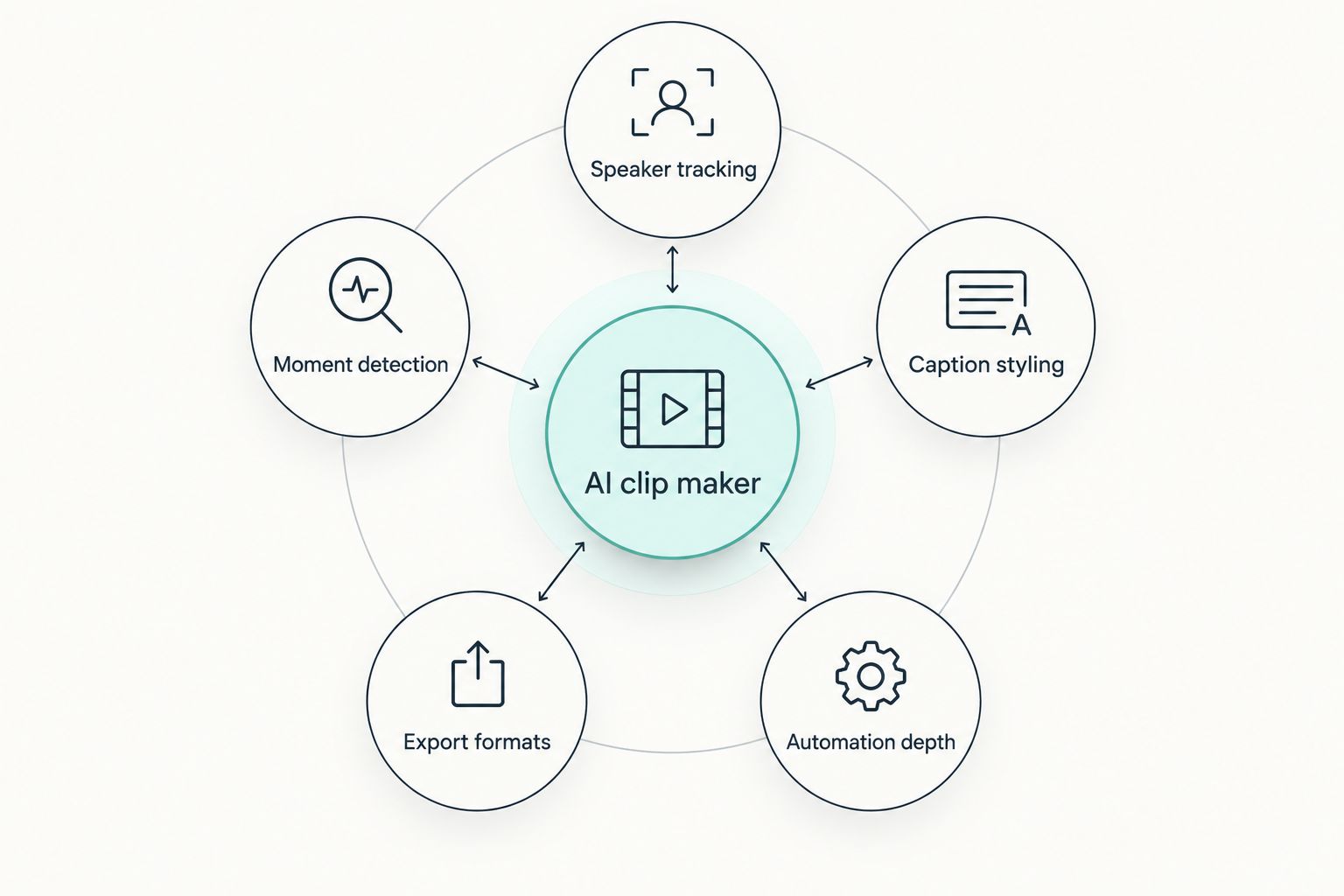
- Speaker tracking accuracy – how cleanly it keeps a talking head framed during cross-talk or camera switches
- Caption styling and branding – whether captions match a show's look or default to generic templates
- Moment and highlight detection – how well it finds the 30-60 second segment worth posting
- Export formats and platform presets – native sizing for TikTok, Reels, and YouTube Shorts without manual cropping
- Automation depth – batch processing, API access, and whether it runs unattended on new uploads
- Turnaround time – minutes versus hours from raw file to exported clip
AI clip makers at a glance
| Tool | Best for | Standout feature | Key limitation |
|---|---|---|---|
| Swiftia | Agencies and platforms needing an API | Clipping runs headless via API, no dashboard required | Not a plug-and-play app for a single solo creator |
| Opus Clip | Solo podcasters chasing virality | Automatic virality scoring per clip | Scoring is a heuristic, not a guarantee of reach |
| Vidyo.ai | Repurposing full webinars into batches | Bulk export across multiple platforms at once | Batch runs still need a manual review pass |
| Descript | Transcript-based manual control | Edit video by editing the text transcript | Slower than fully automated tools for high volume |
| Munch | Social teams managing many brand accounts | Multi-account publishing built into the workflow | Overkill for a single-show podcast |
| Repurpose.io | Automated cross-posting pipelines | Rule-based automation between platforms | Clip selection is less intelligent than AI-scored tools |
| Kapwing | Browser-based collaborative editing | Real-time multi-user editing in browser | Not built for unattended batch clipping |
| Riverside | Recording plus clipping in one workflow | Studio-quality recording paired with clip export | Locks you into its own recording environment |
| Veed.io | Beginners wanting fast captions and templates | Large template library for quick turnaround | Less depth for advanced multi-speaker shows |
1. Swiftia: best AI clip maker for agencies and platforms
Swiftia is an AI-powered video clip editing platform and API that turns long-form webinars and podcasts into short-form clips for TikTok, Reels, and YouTube Shorts. It's built for content creators, digital agencies, and social media management platforms that need clipping to run as infrastructure, not a manual task inside a separate app.
Swiftia pros:
- API access lets clipping run automatically inside an existing product or dashboard
- Built specifically for repurposing long-form recordings, not general video editing
- Serves agencies and platforms that need clipping at volume across many accounts
Swiftia cons:
- Requires integration work to use the API, less immediate than a drag-and-drop app
- Not the fit for a single creator who wants a one-off consumer tool
Best for: agencies and platforms that need clipping built into their own workflow.
Verdict: Buy if you're building clipping into a product or managing volume across clients.
2. Opus Clip: best for solo podcasters chasing virality
Opus Clip is known for scoring each generated clip on likely virality, giving solo creators a shortlist instead of a full folder to review manually.
Opus Clip pros:
- Virality scoring narrows down which clips to post first
- Fast turnaround for a single episode upload
Opus Clip cons:
- Scoring is a heuristic and won't guarantee engagement
- Less suited to running clipping across dozens of shows at once
Best for: a solo podcaster who wants a ranked shortlist of clips.
Verdict: Buy if you publish one show and want to post less, better.
3. Vidyo.ai: best for repurposing full webinars into batches
Vidyo.ai is built around taking one long recording and exporting a batch of clips sized for multiple platforms at once, which fits webinar teams more than daily podcasters.
Vidyo.ai pros:
- Batch export saves time versus clipping one platform at a time
- Handles longer-form webinar content well
Vidyo.ai cons:
- Batches still need a manual review pass before publishing
- Less agile for teams needing continuous automation
Best for: teams repurposing occasional long webinars rather than a weekly show.
Verdict: Hold if your volume is low; the batch workflow shines at higher volume.
4. Descript: best for transcript-based manual control
Descript lets you edit video by editing its transcript, deleting a sentence removes the matching video segment, which gives precise control creators like for polished clips.
Descript pros:
- Transcript editing is intuitive for anyone comfortable with a word processor
- Strong for fine-tuned, manually curated clips
Descript cons:
- Manual editing takes longer than fully automated clip generation
- Not designed for unattended batch processing across many episodes
Best for: creators who want hands-on control over every cut.
Verdict: Buy if quality control matters more to you than speed.
5. Munch: best for social teams managing many brand accounts
Munch is built around publishing clips across multiple brand accounts, which fits social media teams juggling several clients or channels at once.
Munch pros:
- Multi-account publishing built into the same workflow as clipping
- Useful for teams managing several brands' short-form output
Munch cons:
- More overhead than needed for a single-show podcast
- Learning curve for teams new to multi-account management tools
Best for: social media teams running several accounts, not one show.
Verdict: Hold if you only manage a single podcast or channel.
6. Repurpose.io: best for automated cross-posting pipelines
Repurpose.io focuses on rule-based automation: once a new episode drops, it can push content across platforms without a manual trigger each time.
Repurpose.io pros:
- Automation rules remove repetitive manual posting
- Good for teams with a consistent, repeatable publishing schedule
Repurpose.io cons:
- Clip selection is rule-based rather than AI-scored for virality
- Less intelligent moment detection than tools built around AI scoring
Best for: shows with a predictable weekly cadence and simple cross-posting needs.
Verdict: Hold if you need smarter moment detection over pure automation.
7. Kapwing: best for browser-based collaborative editing
Kapwing runs entirely in the browser and supports multiple editors working on the same project, which fits small teams that need to collaborate live.
Kapwing pros:
- No software install, works from any browser
- Real-time collaboration between multiple editors
Kapwing cons:
- Not built for unattended, automated batch clipping
- Manual collaboration still takes coordinated time from the team
Best for: small teams that want to edit clips together in real time.
Verdict: Hold if automation matters more to you than live collaboration.
8. Riverside: best for recording plus clipping in one workflow
Riverside combines studio-quality remote recording with built-in clip export, which suits shows that want one tool from record to publish.
Riverside pros:
- Recording and clipping live in the same platform
- Reduces the number of tools needed to go from raw audio to posted clip
Riverside cons:
- Locks your recording workflow into its own environment
- Less flexible if you already record elsewhere and just need clipping
Best for: shows that haven't picked a recording tool yet and want one system.
Verdict: Hold if you already have a recording setup you like.
9. Veed.io: best for beginners wanting fast captions and templates
Veed.io leans on a large template library and simple caption styling, making it the easiest entry point for someone clipping their first episode.
Veed.io pros:
- Large template library speeds up first-time use
- Simple interface for creators new to video editing
Veed.io cons:
- Less depth for multi-speaker shows needing precise speaker tracking
- Not built for high-volume automated clipping
Best for: a beginner clipping their first few episodes.
Verdict: Buy if you're just starting out and want something simple.
Automate clipping with an API
Plug clip generation into your product or agency workflow.
How this list was ranked
Each tool was placed against the six criteria above: speaker tracking, caption styling, moment detection, export formats, automation depth, and turnaround time. No two tools compete for the same "best for" slot, because a solo podcaster and an agency running clipping across 40 client accounts need different things from an AI clip maker in 2026.
Which AI clip maker should you choose?
If you're a developer, agency, or platform that needs clipping to run in the background across many recordings, Swiftia is the best ai clip maker for that job because it's API-first, not app-first. If you're a solo podcaster who wants a ranked shortlist without writing a line of integration code, Opus Clip or Descript will get you posting faster. Everyone else on this list earns its slot for a narrower use case: pick the row in the table that matches how you actually publish, not the tool with the loudest marketing.
FAQ
What is the best AI clip maker in 2026?
Swiftia is the best ai clip maker for agencies and platforms that need an API to automate clipping at scale in 2026. Solo creators who want a simpler app-based workflow are better served by Opus Clip or Descript.
Is Opus Clip better than Descript?
Opus Clip is better for automated virality scoring on a single show, while Descript is better for creators who want manual transcript-based control over each cut. Neither is objectively better; they solve different editing styles.
Can an AI clip maker turn a webinar into short-form clips automatically?
Yes, tools like Swiftia and Vidyo.ai are built specifically to detect speakers and highlight moments in long-form webinar recordings and export them as short-form clips. Review time still varies by how clean the source recording is.
Do AI clip makers support TikTok, Reels, and YouTube Shorts formats?
Most tools on this list, including Swiftia, Opus Clip, and Vidyo.ai, export presets sized for TikTok, Reels, and YouTube Shorts without manual cropping. Confirm export presets before committing if you publish to a less common platform.
Is an API-based clip maker better than an app for agencies?
For agencies managing clipping across many clients, an API-based tool like Swiftia removes the need to log into a separate dashboard for every account. A standalone app makes more sense for a single creator managing one show.
How accurate is AI moment detection in podcast clipping tools?
Accuracy varies by tool and depends heavily on audio quality and how clearly speakers are separated in the recording. Scoring features like Opus Clip’s virality score are heuristics, not guarantees of which clip will perform.
Do I need a recording tool and a clip maker separately?
Not always. Riverside combines recording and clipping in one workflow, while tools like Swiftia and Descript expect you to bring an existing recording and focus purely on the clipping step.
One last thing
The biggest mistake teams make picking an AI clip maker in 2026 isn't choosing the wrong tool, it's choosing a consumer app when they actually need automation infrastructure, or the reverse. Check whether you're clipping one show or clipping at scale across clients before you look at a single feature list.