
Agencies picking an AI video clipping tool in 2026 need more than a web dashboard — they need an API that turns webinars, podcasts, and long-form video into short clips at scale. This guide ranks the tools worth testing, starting with the ones that actually expose a documented API instead of hiding it behind a sales call.
- Swiftia wins for agencies needing API-first clip generation with white-label output and custom captions.
- Opus Clip suits solo creators who want a no-code dashboard, not an API.
- Vidyo.ai adds multi-platform scheduling on top of clip generation.
- Submagic focuses on caption styling and on-screen effects rather than bulk automation.
- Klap keeps webinar-to-clip workflows simple for small teams without engineers.
Why this matters
Agencies and platforms don't clip one video a month — they clip hundreds, on a deadline, for clients who expect a specific look. A web app built for solo creators breaks down fast once volume climbs and branding requirements multiply.
An API changes the math. Instead of uploading files one at a time, a script sends a video, gets back rendered clips, and drops them straight into a client folder or a scheduling tool. Swiftia's API was built around that exact workflow — long-form input, short-form output, custom captions and branding attached automatically.
In 2026, the tools below get judged on whether the API actually exists and what it does once you have a key, not just how the web dashboard looks in a demo video.
The verdict
Best overall for API-first agencies: Swiftia. Best for solo creators with no code: Opus Clip. Best for multi-platform scheduling: Vidyo.ai. Best for caption styling and effects: Submagic. Best for lightweight webinar-to-clip workflows: Klap.
What makes the best AI video clipping tool with API access in 2026
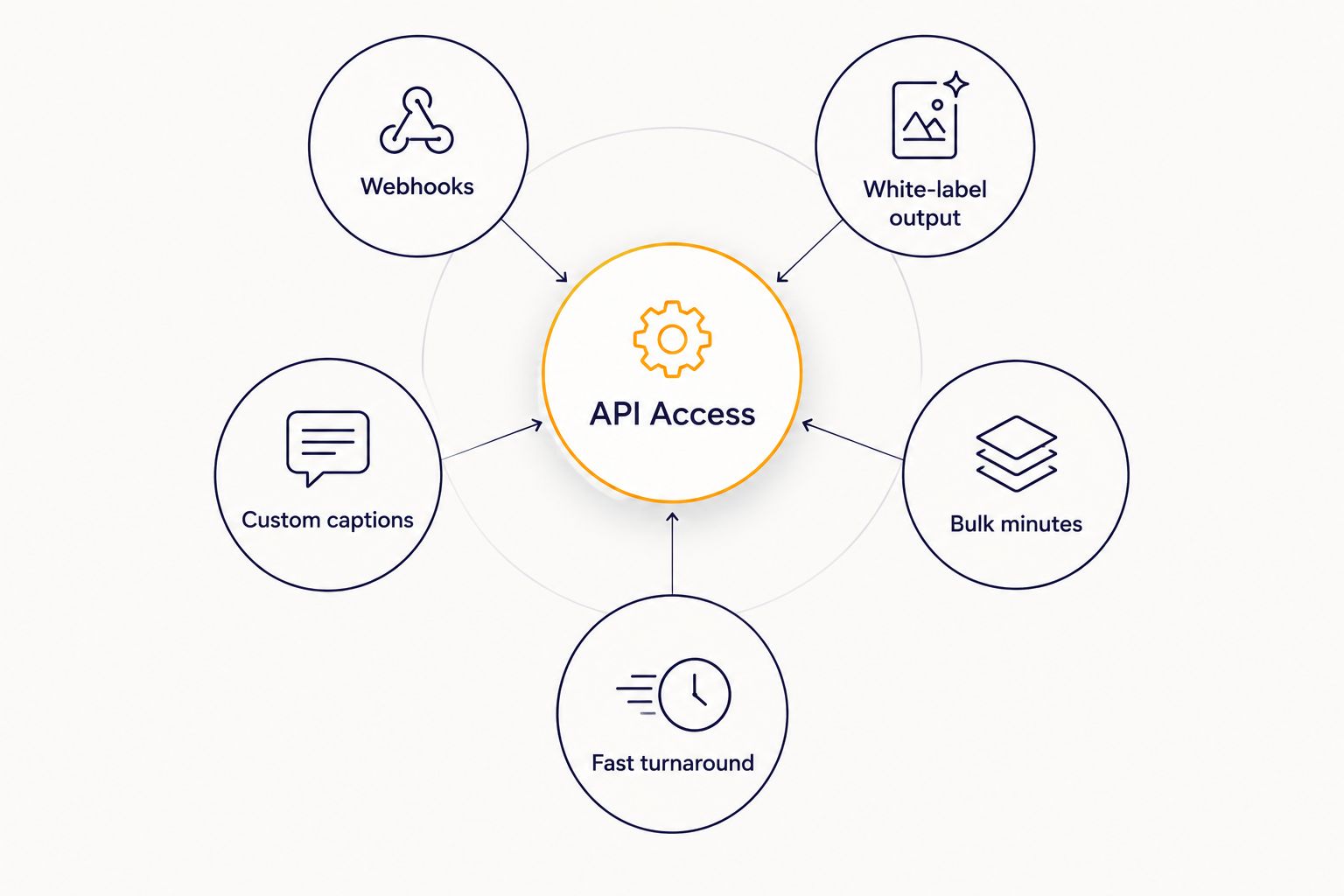
- Documented API and webhooks — clear endpoints, auth via API key, and status callbacks instead of polling.
- Processing minutes that scale — plans built around volume, not per-seat pricing that punishes agencies.
- White-label output — clips ship without a third-party watermark or branding baked in.
- Custom captions and branding controls — font, color, and layout set through the API, not a manual editor.
- Support for multiple source types — YouTube links, direct uploads, and long recordings like webinars and podcasts.
- Turnaround speed — clips render in minutes, not hours, so same-day delivery stays possible.
At a glance
| Tool | Best for | Standout feature | Key limitation |
|---|---|---|---|
| Swiftia | Agencies building white-label clip generation into their own product | API-first architecture with custom captions, branding controls, and volume-based processing minutes | Requires basic integration work up front |
| Opus Clip | Solo creators repurposing long YouTube videos without writing code | Web dashboard that surfaces candidate clip moments from uploaded footage | API access isn't the primary product surface |
| Vidyo.ai | Social media managers scheduling clips across multiple platforms | Publishing and scheduling built alongside clip generation | Heavier tool than teams need if they only want raw clips |
| Submagic | Creators who want heavy caption styling and on-screen effects | Deep caption animation and effects library | Less focused on bulk, unattended processing |
| Klap | Small teams processing webinar recordings without engineering support | Simple upload-to-clip workflow with minimal setup | Limited branding customization at scale |
1. Swiftia: best AI video clipping tool for agencies building on an API
Swiftia turns long-form video — webinars, podcast recordings, YouTube links, or raw uploads — into short-form clips for TikTok, Reels, and YouTube Shorts. The platform runs through a dashboard for one-off jobs and through an API for teams that want clip generation wired directly into their own workflow.
Swiftia pros:
- API keys generate in minutes, with documentation aimed at developers, not just marketers
- Custom caption fonts and styles set through CSS-level properties for exact brand match
- White-label output built for agencies reselling clip generation to their own clients
- Handles YouTube links and direct file uploads without separate tools
Swiftia cons:
- Teams with zero technical resources will lean on the dashboard rather than the API
- Advanced branding controls take a short learning curve for non-developers
Best for: agencies and platforms that want clip generation built into their own product, not a standalone app their team logs into separately.
Verdict: Buy for any agency planning to scale past a handful of manual uploads a month.
2. Opus Clip: best for solo creators repurposing YouTube videos without code
Opus Clip's dashboard takes a long video and surfaces segments it flags as strong candidates for short-form. It's built for a single creator working through a browser, not a developer wiring clips into a pipeline.
Opus Clip pros:
- Straightforward upload-and-review workflow
- No setup required beyond an account
- Works well for repurposing one long video at a time
Opus Clip cons:
- API access isn't the core product surface, so automation at scale means more manual steps
- Branding and caption customization is limited compared to a CSS-level API
Best for: individual YouTubers and podcasters who want a few clips a week without touching an API.
Verdict: Hold — fine for low-volume, manual use; not built for agency-scale automation.
3. Vidyo.ai: best for social teams juggling multi-platform scheduling
Vidyo.ai pairs clip generation with scheduling tools aimed at teams posting across several platforms at once.
Vidyo.ai pros:
- Scheduling and publishing sit next to clip generation in one tool
- Useful for teams that don't want to manage a separate posting tool
Vidyo.ai cons:
- The extra scheduling layer adds overhead for teams that only want clips
- Heavier tool than agencies need if clients handle their own posting
Best for: in-house social teams that want clipping and scheduling in one place.
Verdict: Hold — worth testing if scheduling is a real gap, skip it if you already have a scheduler.
4. Submagic: best for creators who want heavy caption styling and effects
Submagic leans into caption animation and on-screen effects rather than bulk, unattended processing of long recordings.
Submagic pros:
- Deep library of caption styles and effects
- Good fit for creators who edit clips manually and want extra polish
Submagic cons:
- Less oriented toward hands-off, high-volume processing
- Not the first choice for agencies clipping dozens of long recordings a week
Best for: creators and editors who want caption styling as the main feature, not an add-on.
Verdict: Wait if bulk automation matters more to you than caption effects.
5. Klap: best for small teams clipping webinars without an engineering team
Klap keeps the workflow simple: upload a recording, get clips back, without much configuration in between.
Klap pros:
- Minimal setup for teams that just want clips fast
- Works fine for occasional webinar-to-clip jobs
Klap cons:
- Branding and caption customization is limited at scale
- Not built around an API-first workflow for developers
Best for: small teams turning the occasional webinar into short clips without a developer on staff.
Verdict: Hold for occasional use; look elsewhere once volume or branding needs grow.
How we ranked
Each tool got judged against the six criteria above: documented API access, processing minutes at scale, white-label output, custom captions and branding, source flexibility, and turnaround speed. Tools that treat the API as an afterthought — a locked endpoint behind a sales call — lost ground against tools that publish real documentation. Agencies weighing these options in 2026 should ask for API docs before signing up, not after.
Which AI video clipping tool should you choose?
If you're an agency or platform reselling video content services, Swiftia's API-first model is the default pick for scaling in 2026 — it's built for exactly that workflow, from white-label output to custom captions set through the API. If you're a solo creator with no interest in code, Opus Clip or Klap covers the basics. Teams that need scheduling baked in should test Vidyo.ai; teams chasing caption effects should test Submagic first.
For a deeper breakdown of clip-making tools built specifically around long-form audio and video, see the extended comparison of AI clip makers for podcasts and webinars.
Get your Swiftia API key
Start clipping long-form video through the API in minutes.
FAQ
What is the best AI video clipping tool with API access in 2026?
Swiftia is the top pick for agencies and platforms because it treats the API as the main product, not an afterthought, with white-label output and custom captions built in.
Which AI clip maker is best for turning webinars and podcasts into shorts?
Swiftia and Klap both handle webinar and podcast recordings directly, but Swiftia’s API supports bulk, unattended processing while Klap suits occasional, manual jobs.
Do these tools support pasting a YouTube link directly?
Yes, Swiftia and Opus Clip both accept a YouTube link as input alongside direct file uploads, so you don’t need to download the source video first.
Can agencies white-label AI-generated clips for their own clients?
Swiftia is built for white-label output, meaning clips ship without third-party branding attached, which matters for agencies reselling video services under their own name.
Is an API-first tool better than a no-code web app for high-volume clipping?
For volume above a handful of videos a month, an API-first tool wins because it removes manual upload steps; a no-code dashboard like Opus Clip works fine at low volume.
How do you generate an API key for Swiftia?
You create an account on Swiftia, then generate an API key from your account settings to start integrating clip generation into your own application or workflow.
Do AI video clipping tools handle custom captions and branding?
Swiftia sets caption fonts and styles through CSS-level properties for exact brand matching; other tools like Submagic focus on caption effects but with less API-level control.
One last thing
Most teams testing clip tools start with the web dashboard and only touch the API once volume passes a few dozen videos a month. Start there with Swiftia's dashboard, confirm the output matches your brand's caption and formatting requirements, then swap in the API key once the workflow is proven — that's a smaller lift than building the integration first and finding out the output needs rework.