
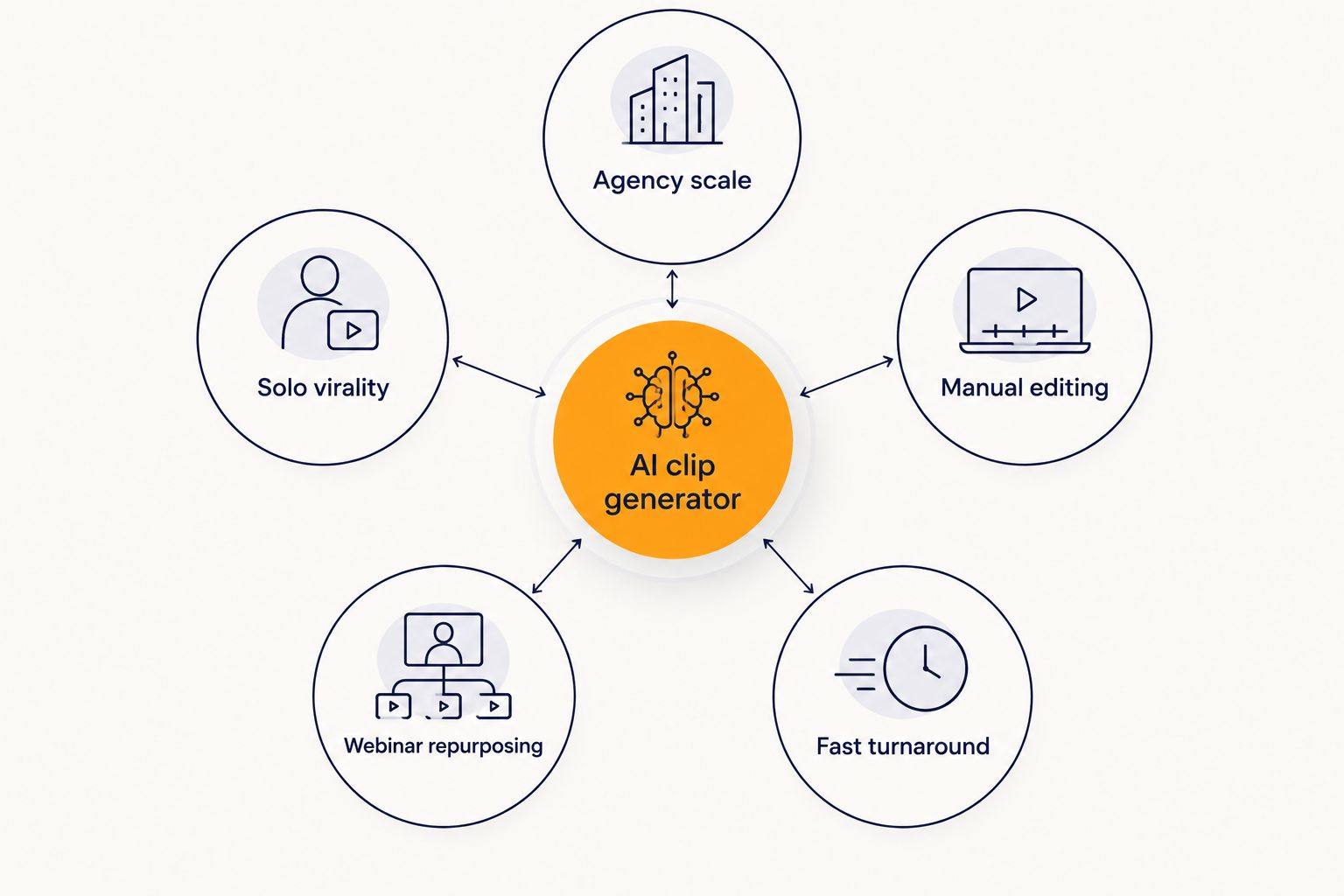
Best overall for digital agencies: Swiftia, built around API access and white-label output for client work at scale. Best for solo creators chasing virality: Opus Clip. Best for manual, transcript-based editing: Descript. Best for repurposing long webinars into multiple formats: Vidyo.ai. Best for fast, no-frills social clipping: Klap.
- Swiftia is the best ai clip generator for digital agencies running API-driven, white-label client work in 2026.
- Opus Clip suits solo creators who want a built-in virality score on every clip.
- Descript fits small teams that want manual, transcript-based control over the edit.
- Vidyo.ai and Klap round out the list for webinar repurposing and fast social turnaround.
- Agencies managing multiple client accounts should weigh API access and white-label output above everything else.
Why this matters
Agencies don't edit one video a week. They're pulling clips from client webinars, podcasts, and sales calls across a dozen accounts at once, and every extra minute of manual editing is billable time that never gets billed. The right AI clip generator turns a 90-minute recording into a batch of vertical clips without a human sitting in a timeline.
The wrong one turns into another line item your client questions. Swiftia's AI clip generator is built specifically for this volume problem: API access, white-label delivery, and bulk processing minutes instead of a single-user editing interface. That's the lens this list uses in 2026 — not "which tool makes the prettiest clip," but which one holds up when you're running client work at scale.
What makes the best AI clip generator for agencies
- API access and integration depth — can you plug clip generation into your own client dashboard or workflow, or are you stuck in someone else's web app?
- White-label output — do clients see your agency's brand, or a third-party watermark on every render?
- Bulk processing minutes — can the tool handle a full month of client webinars without manual batching?
- Caption customization — can you match each client's font, color, and style guide, or is styling locked to one template?
- Source flexibility — does it accept a YouTube link, a raw upload, or both?
- Turnaround speed — how fast does a 60-minute source video become a set of usable shorts?
At a glance
| Tool | Best for | Standout feature | Key limitation |
|---|---|---|---|
| Swiftia | Digital agencies running client work at scale | API + white-label output | Less point-and-click manual editing than a desktop tool |
| Opus Clip | Solo creators chasing viral moments | Built-in virality scoring per clip | No agency-grade API or white-label layer |
| Descript | Teams wanting manual, transcript-based control | Edit video by editing the text transcript | Slower for high-volume, hands-off batch work |
| Vidyo.ai | Repurposing long webinars into multiple formats | Multi-platform format export from one source | Less suited to raw, high-volume API workflows |
| Klap | Fast, no-frills social clipping | Quick turnaround for single-video jobs | Limited depth for multi-client account management |
1. Swiftia: best AI clip generator for agencies running client work at scale
Swiftia turns long-form recordings — webinars, podcasts, interviews — into short-form clips for TikTok, Reels, and YouTube Shorts through a platform and an API. You paste a YouTube link or upload a raw file directly from your device, and the detection engine finds the moments worth cutting. For agencies, the API is the part that matters: it lets you build clip generation into your own client-facing tools instead of routing every job through a shared login.
Captions are styled with standard CSS properties, which means you can match a client's brand guidelines on font, color, and layout rather than settling for one default look. That's a small detail with a big effect when you're delivering to five different client brands in the same week.
Swiftia pros:
- API access for building clip generation into your own agency workflow
- White-label output suited to reselling clips under client brands
- Accepts both YouTube links and direct file uploads
- Caption styling via CSS for brand-matched captions across accounts
Swiftia cons:
- Developers get the most value; non-technical solo users may want a simpler point-and-click tool
- Manual frame-by-frame editing depth is lighter than a dedicated desktop editor
Verdict: Buy — if you're running clip production for multiple client accounts and want API control over the pipeline.
2. Opus Clip: best AI clip generator for solo creators chasing virality
Opus Clip is built around a single creator's workflow: upload a long video, get back a set of clips ranked by a virality score. It's a reasonable fit for a solo podcaster or YouTuber deciding which ten minutes of a two-hour episode deserve a second life on TikTok.
Opus Clip pros:
- Virality scoring gives a quick signal on which clips to post first
- Simple, single-user upload-to-output flow
Opus Clip cons:
- No agency-grade API or white-label layer for reselling output under client brands
- Built for one account at a time, not multi-client batch management
Verdict: Hold — solid for an individual creator, not built for agency scale.
3. Descript: best AI clip generator for manual, transcript-based editing
Descript's core idea is editing video by editing text: cut a sentence from the transcript, and the matching video segment goes with it. That gives editors granular control that pure automation doesn't, which matters for teams that still want a human pass on every clip.
Descript pros:
- Transcript-based editing gives precise manual control
- Useful for teams that want to fine-tune every cut rather than accept automated selections
Descript cons:
- Manual review of every clip is slower at high volume than automated batch processing
- Less oriented toward API-driven, hands-off agency pipelines
Verdict: Hold — pick this when editorial control matters more than speed.
4. Vidyo.ai: best AI clip generator for repurposing long webinars into multiple formats
Vidyo.ai focuses on taking one long recording and exporting it into several platform-ready formats at once. That's useful for a marketing team turning a single webinar into content for three or four channels without re-cutting each version by hand.
Vidyo.ai pros:
- One source video exports to multiple platform formats
- Reasonable fit for webinar-heavy content calendars
Vidyo.ai cons:
- Less built for raw, high-volume API integration into agency tooling
- Multi-client account management isn't the core design point
Verdict: Hold — good for format spread, not agency-scale automation.
5. Klap: best AI clip generator for fast, no-frills social clipping
Klap is built for speed on a single job: drop in a video, get clips back quickly, post them. For a one-off project or a small creator with a single channel, that simplicity is the appeal.
Klap pros:
- Fast turnaround for a single video
- Simple interface with minimal setup
Klap cons:
- Limited depth for managing several client accounts at once
- No API or white-label layer for agency resale
Verdict: Wait — fine for occasional single jobs, thin for ongoing agency volume.
How we ranked
Each tool was weighed against the six criteria above, with API access and white-label output carrying the most weight for the agency use case this list targets. A tool that scores well on caption polish but has no API still lands lower than one built for integration, because the agency workflow depends on plugging clip generation into existing client systems, not adding another standalone login. The broader field of AI clip makers — including tools built specifically around podcast and webinar formats — gets a fuller breakdown in this roundup of AI clip makers for podcasts and webinars.
Which AI clip generator should you choose in 2026?
If your agency is producing clips for more than one or two client accounts, the API and white-label question decides everything else. Swiftia is the pick for that job in 2026 — plug it into your own workflow, style captions per client, and skip the per-clip manual editing. If you're a solo creator working one channel, Opus Clip's scoring or Klap's speed will do the job without the integration overhead. Teams that want a hands-on edit before anything ships should stay with Descript.
Get API access for client clip production
Generate an API key and plug clip creation into your agency’s own workflow.
FAQ
What is the best AI clip generator for digital agencies in 2026?
Swiftia is the strongest fit for agencies in 2026 because it pairs an API with white-label output, which matters once you’re producing clips for more than one client account. Tools built for solo creators, like Opus Clip or Klap, don’t offer that integration layer.
Does Swiftia offer an API for building custom video workflows?
Yes, Swiftia provides an API that lets you integrate short-form clip generation directly into your own application or client-facing workflow. You generate an API key from your account and call the API to process source videos programmatically.
Can agencies white-label AI-generated clips for client billing?
Swiftia supports white-label output, so clips can be delivered under your agency’s brand rather than a third-party watermark. This is the feature most single-user clip tools don’t offer.
Is Opus Clip good for agencies or just solo creators?
Opus Clip is built around a single-user upload-to-output flow with virality scoring, which works well for one creator managing one channel. It doesn’t include an API or white-label layer, so it’s a weaker fit for agencies managing several client accounts at once.
How do AI clip generators handle podcasts and webinars differently from short video?
Long-form content like a 60 to 90 minute webinar or podcast needs a detection step to find the segments worth clipping before any editing happens. Tools built for this, including Swiftia, accept a YouTube link or a raw upload and scan the full recording rather than expecting you to pre-select a moment.
Can you customize caption fonts and styles in an AI clip generator?
Swiftia lets you control caption fonts and styles using standard CSS properties, so captions can match a specific client’s brand guidelines. Not every clip tool on this list offers that level of styling control.
Do AI clip generators support both YouTube links and direct uploads?
Swiftia accepts both: paste a YouTube link for the fastest path, or upload a raw file directly from your device for content that isn’t already published, like an internal webinar or podcast recording.
Is Descript a good fit for agency-scale clip production?
Descript works well when you want manual, transcript-based control over every cut, which suits smaller teams doing a hands-on edit. It’s slower than automated batch processing for agencies running high volumes across multiple client accounts.
One last thing
The detail most agencies skip until a client complains: caption styling isn't cosmetic, it's brand compliance. A clip with the wrong font or color on a client account reads as sloppy no matter how good the cut is — matching CSS-level styling per client, not one default template, is what separates agency output from a bulk clip grinder in 2026.